Have you ever wished for a file manager that shows you nothing but audio files that you can play, and then play them within the manager itself? Yeah, I haven't either. But if you had, I might have discovered the application for you. Here comes SonicTree.
SonicTree: The Simple Music Player
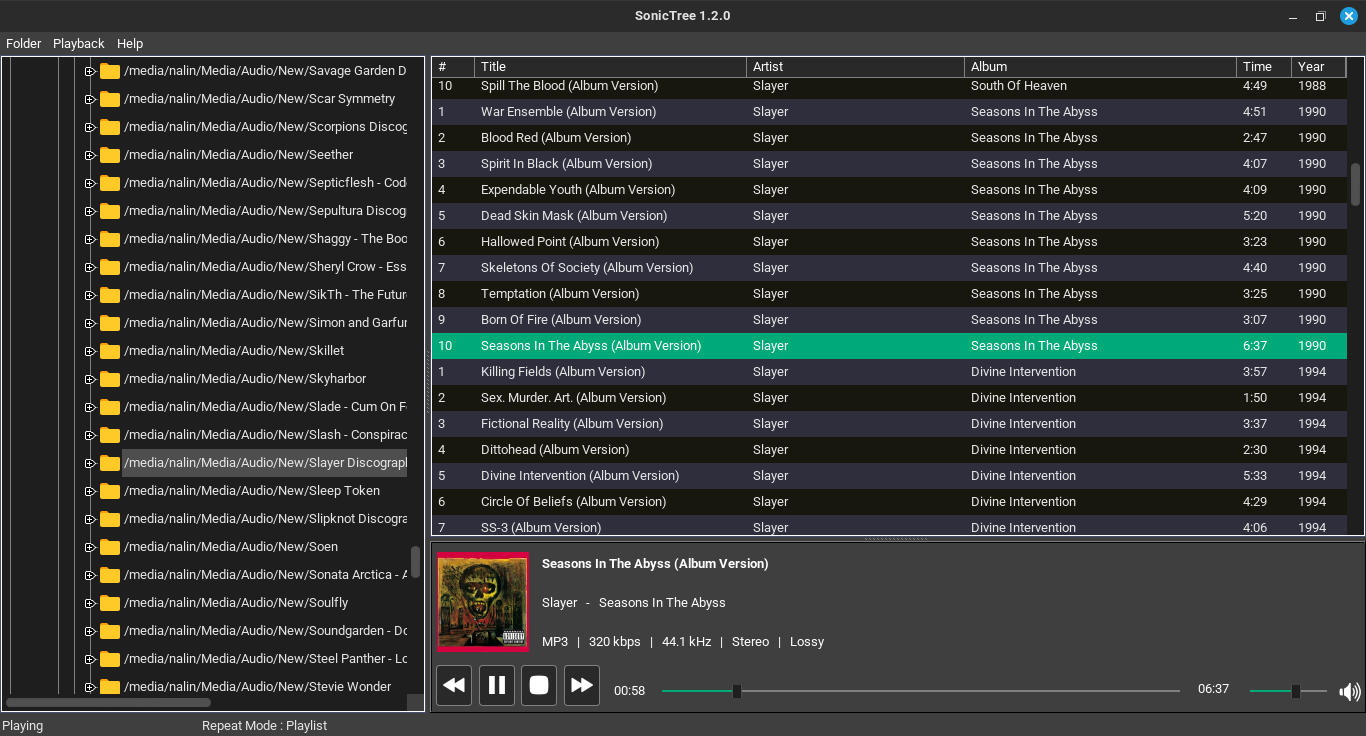
SonicTree is an as-simple-as-it-gets kind of music player in the middle of all the fancy, all extensive ones we've recently seen (like the high-fidelity player Astra). It offers you an easy experience: a file-explorer, a list of playable audio files, playback of said audio files, and a simple playing menu at the bottom.
Most music players automatically categorize your music files based on the metadata of the file. This one desn't and that's its unique feature. If you are someone who has meticulously organized music files into folders of your own criteria, you might like SonicTree.
There's nothing much more or much less to it, but let us explore the features in detail.
Interface
SonicTree has a file-explorer on the left that is shown in a (surprise, surprise) tree structure. You can expand directories into subdirectories, and double clicking on any directory lists all the playable audio files on the big canvas on the right.
Besides the file title, there's also the track number, artist name, album name, duration and year of release.
On the bottom of this canvas, there's the playerback interface. It shows the song and artist name, the album cover, a seek for the song as well as the volume, buttons for playing, pausing, next track and previous track, and technical information of the song such as the filetype, bitrate, frequency, stereo settings and whether it is lossless or lossy.
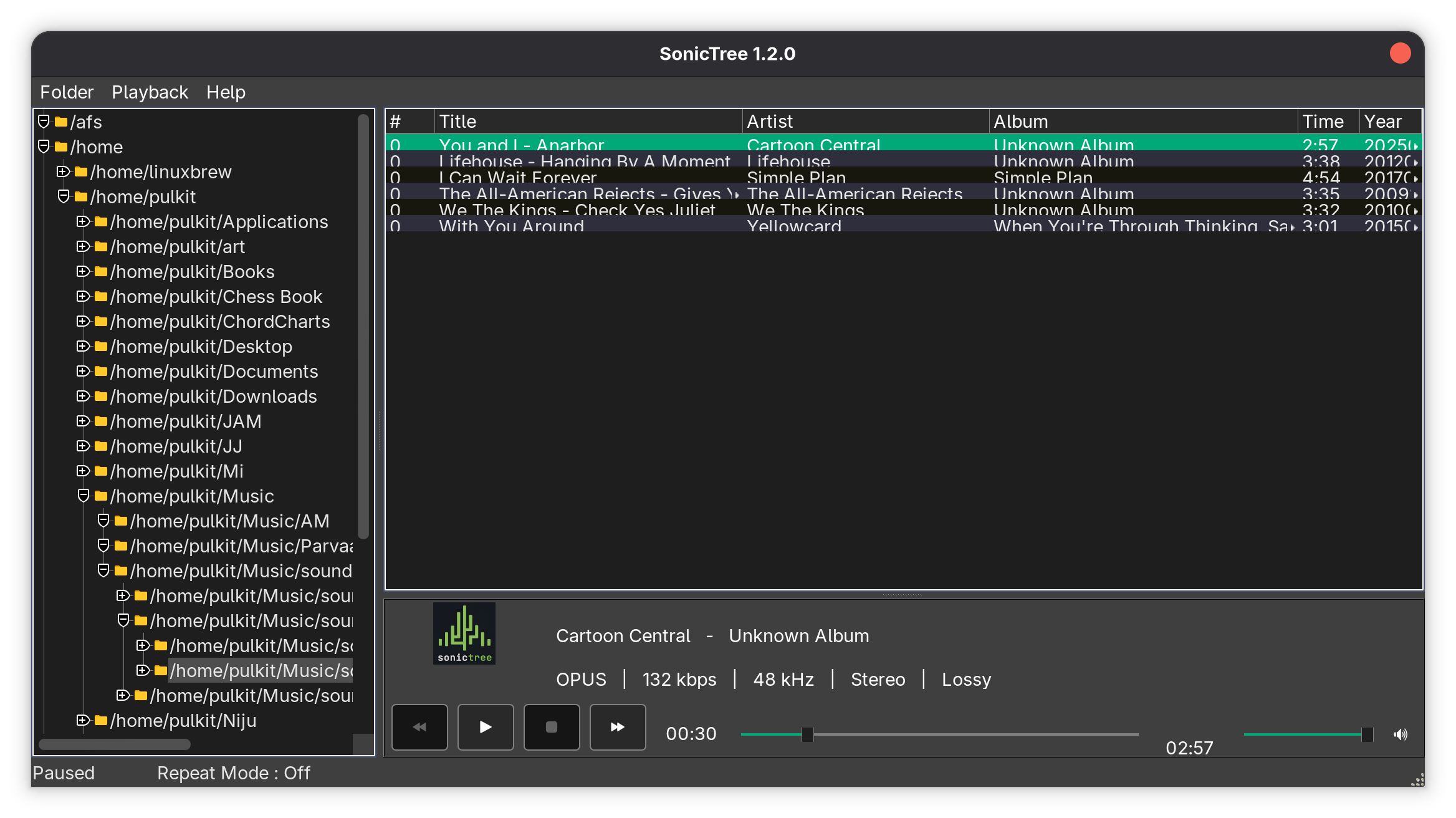
On the top, there are two menus, one that rescans the folders, and one that can be used to change the repeat status to off, single track, or playlist.
The interface, though, looks very dated and clunky by modern application standards in 2026. The design looks like something from the early 2000s era and not in a chic way, and the song listings quite literally overlap on each other (at least on my system). The looks can be worked upon and straightened out a bit to bring it to the present, in my opinion.
Performance
SonicTree boasts low strain on the hardware of the system, and gapless playback, and on that counts it delivers well. It seems to barely have an impact on the system, taking about 50 MB RAM and 02-0.5% CPU usage (numbers may vary depending on your system). The playback is indeed gapless, seamlessly switching between tracks without a delay.
The playback of files is usually alright. I've tried MP3, WAV, M4A and OPUS audios, and they all work flawlessly. But these are all lossy formats. When I tried a lossless FLAC audio, it didn't play at all. That might be a dealbreaker for a lot of people, as mostly the point of an offline music player is to play lossless audio. But I can't really say that they don't deliver because on their website, they don't really list formats that are playable.
Navigation
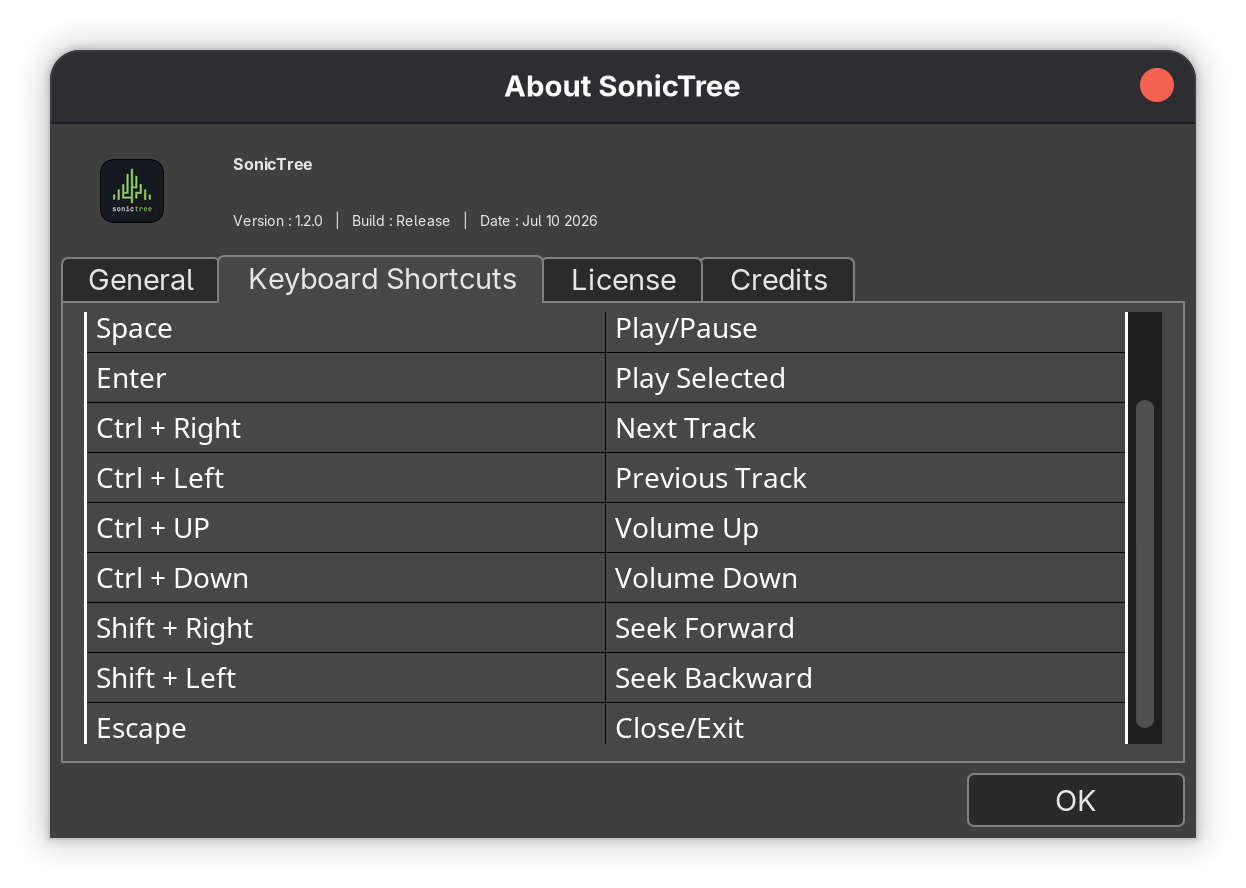
As for the navigation, the seeks and the buttons on the GUI are the obvious choice, but there's a simple set of keyboard shortcuts as well that do the job. Space to toggle the playing, Enter to select the song from the list to play, Ctrl+Left or Right Arrows to change the track, Ctrl+Up or Down Arrows to increase/decrease volume, Shift+Right/Left to seek through the song, and finally, Esc to exit.
Get SonicTree
SonicTree can be downloaded from its official page on SourceForge.net, and is available only as an AppImage:
Wrapping Up
SonicTree doesn't offer much. It looks a little awkward, a little out of time, but it gets the job done. It is essentially for people who like managing their music files in their own way, in their own folder structure. Can't say if I can count it among the list of best music players for Linux.
The shortcomings can't really be pointed out, as they didn't really claim to cover it all in the first place. But since this is still a very early version, perhaps more improvement will be seen in the later ones.

from It's FOSS https://ift.tt/qlBi1QY
via IFTTT

Tidak ada komentar:
Posting Komentar