The Steam Deck OLED has been largely off the shelves since mid-February, being among the casualties of the RAM and storage shortage that has been driving up prices across consumer tech since late 2025.
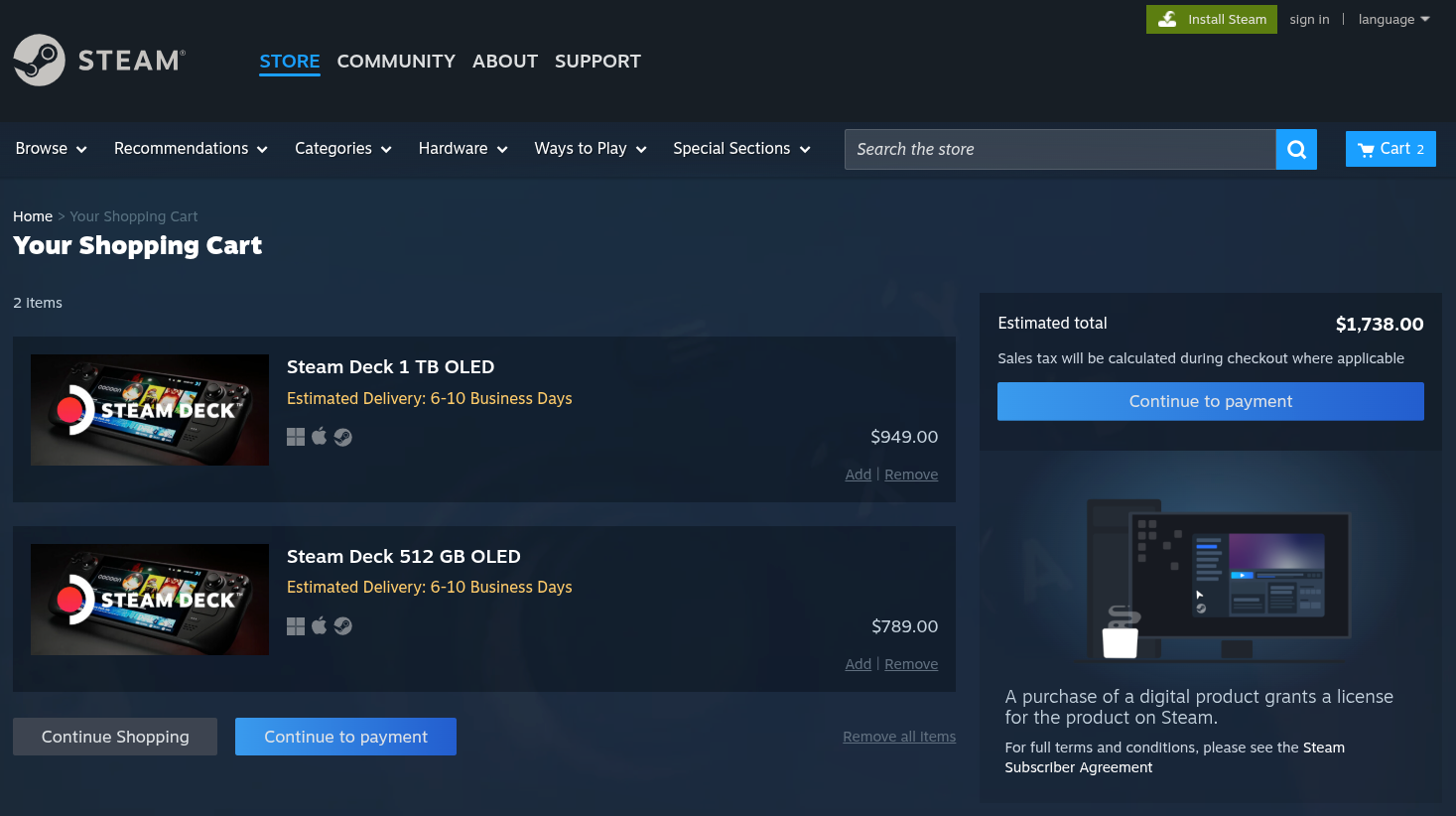
It recently came back on May 27, just not at the prices everyone was hoping for.
Valve bumped the pricing for the 512GB OLED from $549 to $789 and the 1TB model from $649 to $949; that is a near-50% jump on the top model, btw. The cheaper LCD variant is gone entirely, having been discontinued before any of this played out.
The company announced the price hike by saying that the "Steam Deck itself hasn't changed; these new prices reflect the current state of component costs and other global logistical challenges across the industry as a whole."
Valve's store page warns that the Steam Deck OLED "may be out-of-stock intermittently in some regions due to memory and storage shortages." That warning is not new, and going by how things have played out since February, it is not decorative either.
The handheld has been in and out of stock so unpredictably that catching it at the right moment has been more luck than anything else.
Back now
As of writing, both OLED models are showing as available in North America. I checked the Steam store and was able to add both to the cart without issue, with an estimated delivery window of 6-10 business days.
Whether that holds is another question entirely. 😵
For the rest of the world, the Europe, Australia, and Asia markets are served through Valve's partner Komodo, who have reportedly seen better stock ups than North America throughout this period, though that too keeps shifting.
Why this keeps happening
The RAM and SSD shortage that took hold in late 2025 is the main culprit. AI infrastructure has been consuming memory and storage at a pace that the consumer market is still processing, with prices unlikely to normalize any time soon.
It is not just Valve feeling this either.
Only yesterday, we covered how Raspberry Pi pushed through another round of price hikes in April, citing a seven-fold rise in LPDDR4 costs over the past year. The Raspberry Pi 6 itself has been pushed out to 2028 at the earliest, partly because of where the memory market sits.
For anyone holding out for better prices or more reliable stock, the situation does not look like it will improve anytime soon. And maybe that kind of sentiment is precisely why the Steam Deck OLED is going out of stock so quickly?
Good news on the age verification front, though. California and Colorado have both moved to exempt open source software from their age verification laws after neither bill originally made any concessions for community-run projects.
Warp's Oz platform has been updated with multi-harness support, meaning teams can now run Claude Code, Codex, and Warp's own agent side by side under unified access controls and audit logs.
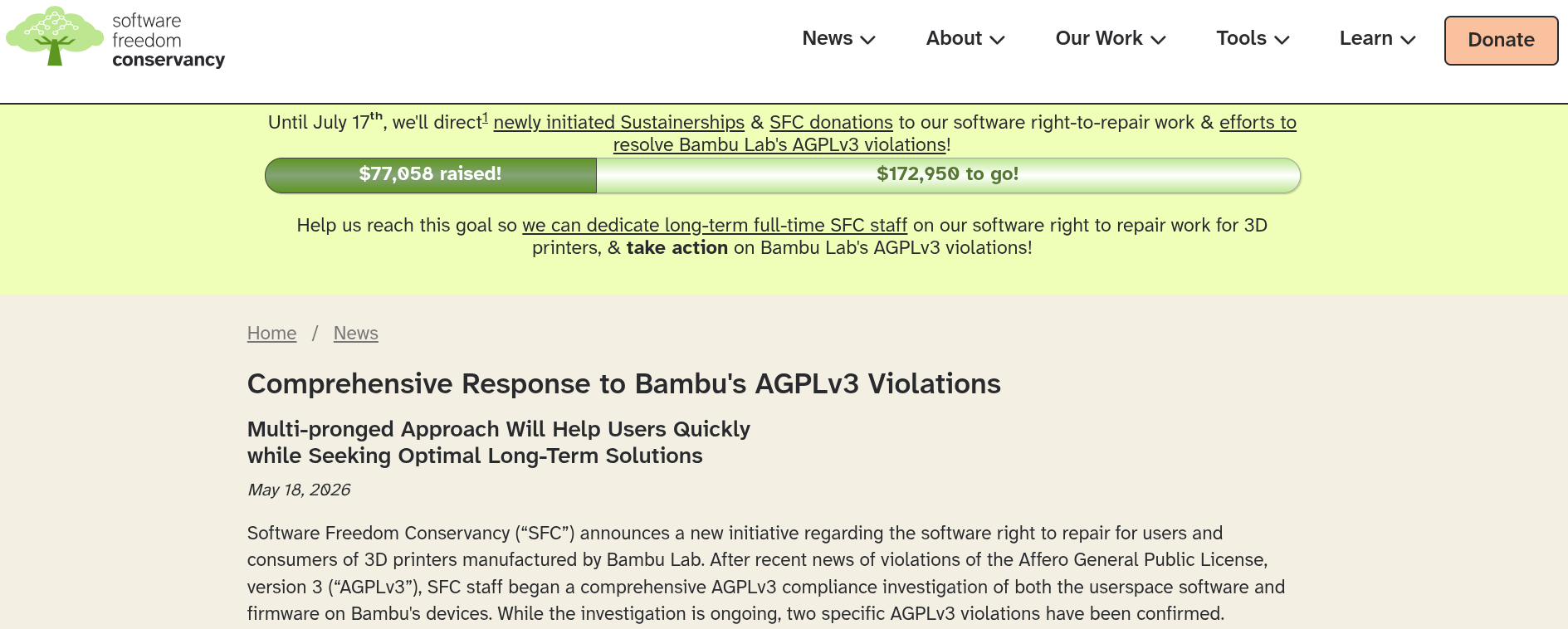
The SFC has formally accused Bambu Lab of two AGPLv3 violations, shipping a proprietary networking library alongside AGPLv3 code without releasing its source, and threatening a developer with a cease-and-desist for building a compatible fork that didn't even touch the proprietary parts.
For a few days, German rail operator Deutsche Bahn's website was turning away Linux users, treating them as bot users. DB blamed overzealous bot filtering and says it's now fixed. Many Linux users still complain.
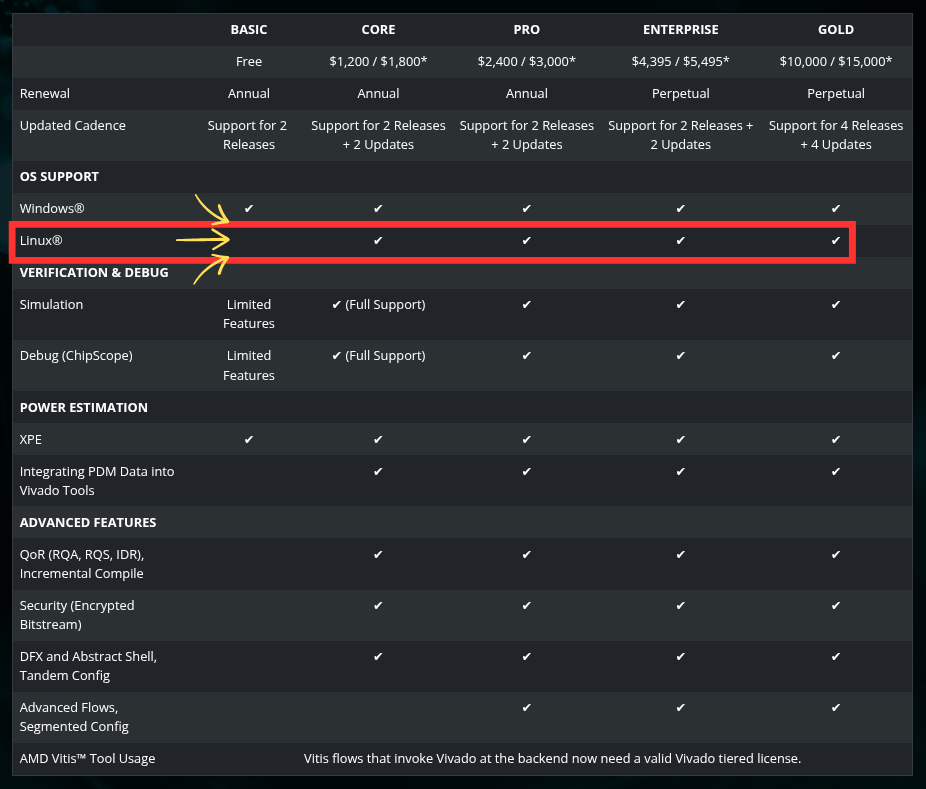
AMD let students, academics, and hardware tinkerers build FPGA workflows around free Linux support in Vivado, then quietly moved Linux to a $1,800 paid tier.
Intel engineers have submitted a driver for Linux 7.2 that turns a USB4 cable into a direct data pipe between two machines. It doesn't interact with the networking stack.
Here are other highlights of this edition of FOSS Weekly:
What LTS releases entail.
Alternatives to MS Planner.
Nanoclaw setup.
Firefox introducing a very useful feature.
And other Linux news, tips, and, of course, memes!
🎫 Event alert: AWS Summit India Online
Join AWS on June 3 at Summit India Online. Deep dive and discover how AI and cloud technologies are transforming business as we know it.
Gain hands-on experience with virtual labs and collaborate with the community through live Q&A sessions. Take away actionable insights for cloud modernization, AI implementation, and driving scalable innovation.
A KDE developer makes the case that rolling distros often have fewer bugs in practice since upstream fixes actually reach you.
🧮 Linux Tips, Tutorials, and Learnings
You can get kanban without the Microsoft tax. We have covered six open source Planner alternatives, from Mattermost's Focalboard to the Penpot team's Taiga. Most are self-hostable; a couple have free cloud tiers if you'd rather not run your own server.
Getting Rust on Linux comes down to two options. The official installer via rustup gives you the latest version without needing root access. Installing through your package manager is simpler and covers all users on the system.
Ever wondered why the internet went from IPv4 straight to IPv6? IPv5 actually existed as an experimental streaming protocol for voice and video, but it inherited IPv4's 32-bit address space and its 4.3 billion address ceiling.
By the time a real IPv4 successor was needed, the only sensible move was a complete overhaul, and IPv6 with its 128-bit addressing was the result.
Desktop Linux is mostly neglected by the industry but loved by the community. For the past 13 years, It's FOSS has been helping people use Linux on their personal computers. And we are now facing the existential threat from AI models stealing our content.
If you like what we do and would love to support our work, please become It's FOSS Plus member. It costs less than the cost of a McDonald Happy Meal a month, and you get an ad-free reading experience with the satisfaction of helping the desktop Linux community.
Tired of AI fluff and misinformation in your Google feed? Get real, trusted Linux content. Add It’s FOSS as your preferred source and see our reliable Linux and open-source stories highlighted in your Discover feed and search results.
Firefox is not a new app per se, but its new PDF merging feature is a must-try if you are fed up of those signup-walled online services.
That's not the only new Firefox offering. Sourav also tried the AI browsing mode, called Smart Window, in Firefox. This is an upcoming feature for which we got a bit early access. Here's his experience with Firefox Smart Window.
📽️ Videos for You
I am trying local AI and open source LLMs these days. And I thought of sharing my exploration with you. To begin with, I share how you can set up Nanoclaw on a Raspberry Pi. Nanoclaw gives you an AI agent that you can use as a personal assistant. More on its usage later.
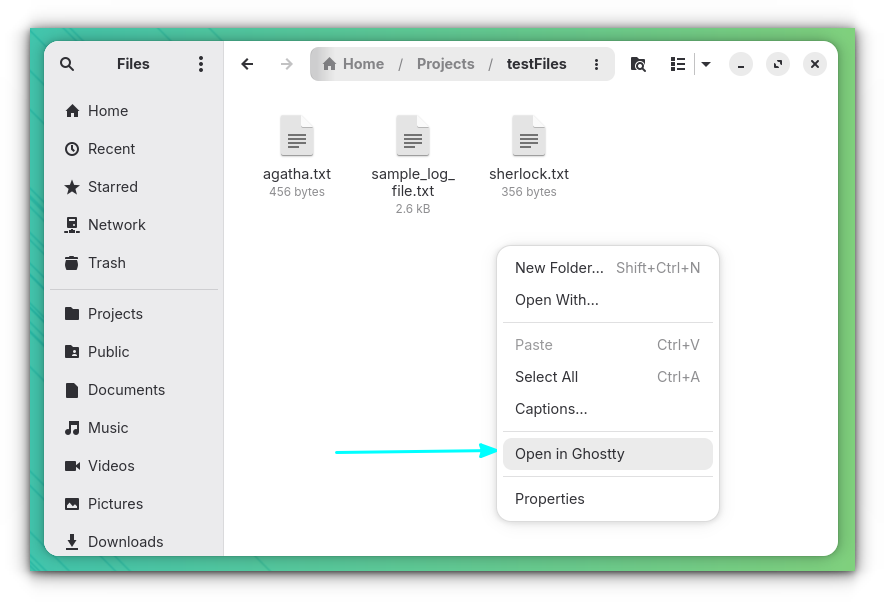
If you are using the Ghostty terminal emulator in GNOME Desktop, you can install the ghostty-nautilus package to get a "Open in Ghostty" option in the right-click context menu on Files.
This works on Arch Linux and its derivatives. You just have to run this command:
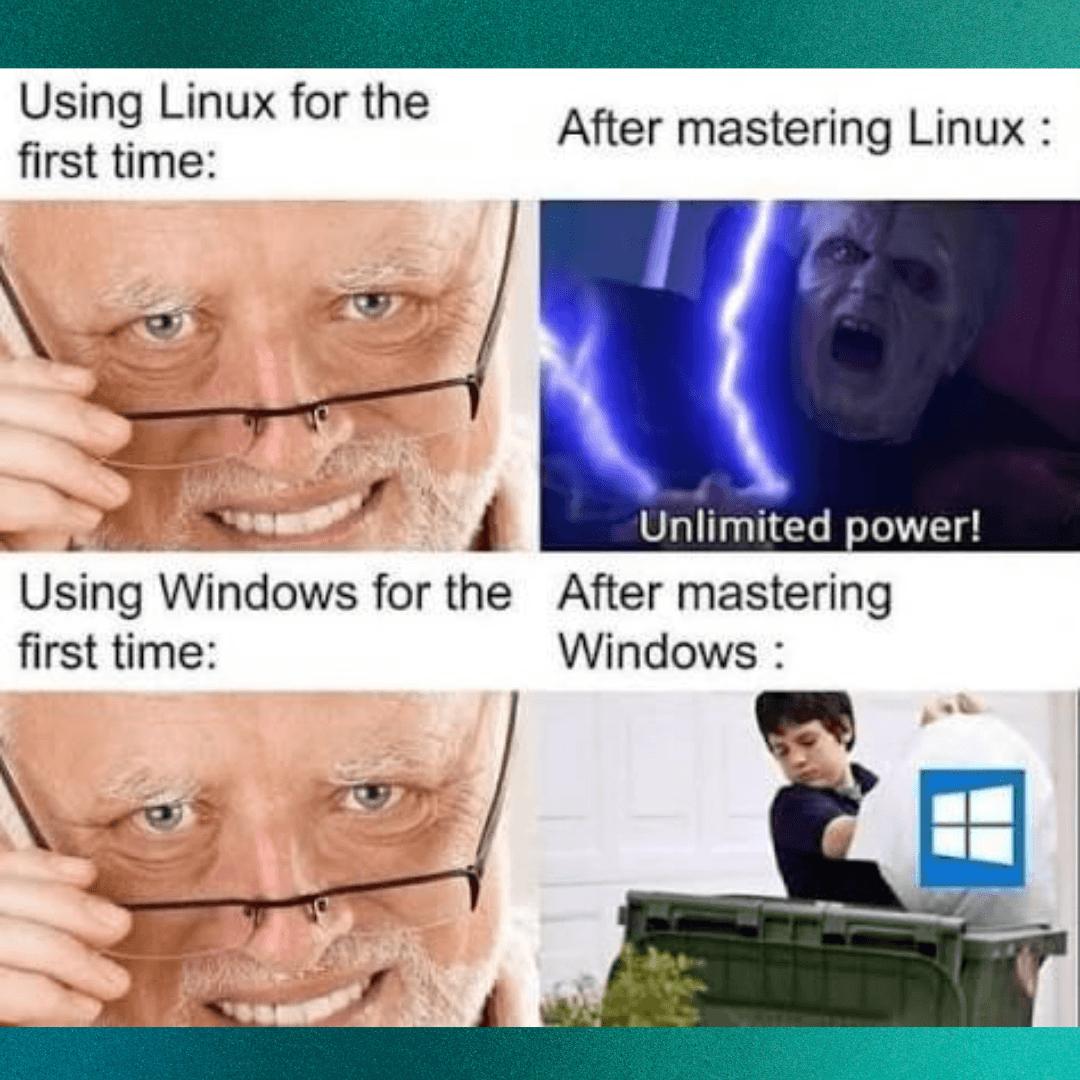
Winslop will make you run to the nearest trash can. 🚮
🗓️ Tech Trivia: On May 29, 1985, Eastman Kodak introduced the Ektaprint Electronic Publishing System, a $50,000 machine assembled from Sun, Canon, and Interleaf parts that let companies professionally edit and print graphics—capabilities that today come standard on any laptop costing far less.
Eben's response put the Pi 6 on a 4 to 4.5-year cycle from the Pi 5 launch, meaning early 2028 at the absolute earliest. He didn't seem in any particular rush either, noting the Pi 5 is still a capable flagship that could comfortably hold that position beyond even that window.
According to him, the new SBC will essentially be a Pi 5 with better internals like a faster CPU, more I/O, and more DRAM bandwidth. He called it "quantitative changes, not qualitative ones," meaning no new ports, no M.2 slot, nothing that would make the current board feel dated by comparison.
The RAM situation isn't helping
The timing makes a bit more sense once you look at what memory prices have been doing. In April, Raspberry Pi pushed through another round of price increases, pointing to a seven-fold rise in LPDDR4 DRAM costs over the past year.
That announcement also introduced a 3GB Raspberry Pi 4 at $83.75, as a way to give prospective buyers a cheaper option between the 2GB and the now-considerably-pricier 4GB.
The Pi Zero 2W is in the same boat. Eben flagged it as the only product in an actual shortage right now, with supply squeezed by AI chip demand. A new supplier has been brought on though, with expectations that stocks will recover before the year is out.
So for now, the Raspberry Pi 5 remains the best the lineup has to offer, at prices that would have raised eyebrows a couple of years ago.
Mozilla has received plenty of flak for adding AI features to Firefox, like a chatbot in the sidebar, automatic alt text in PDFs, AI-powered tab group suggestions, and whatnot.
It's been one thing after another, and while people might appreciate that these can be disabled, the sheer pace of the additions does make one wonder where it all ends.
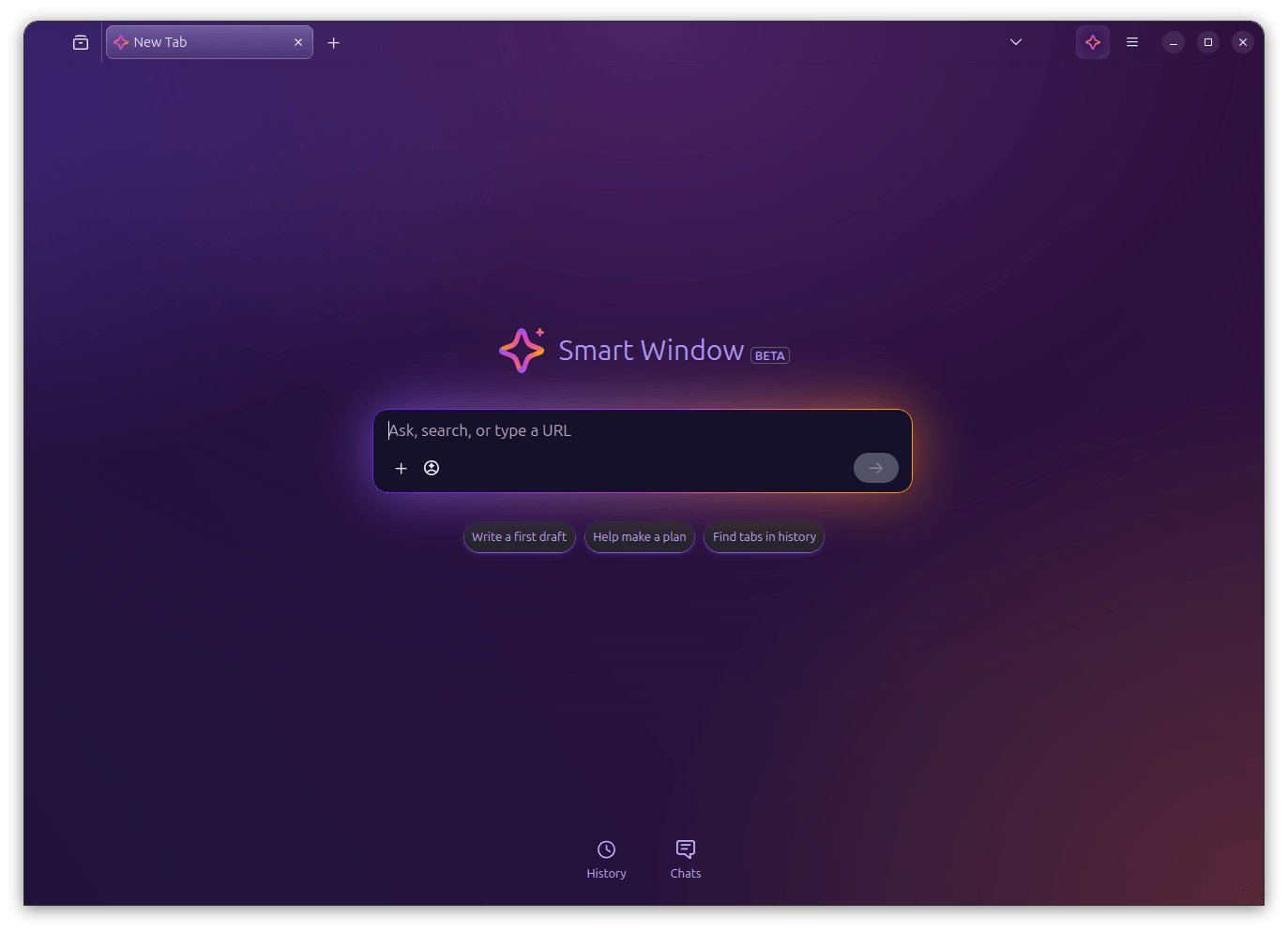
Their latest experiment in this space is the Smart Window, currently in beta and rolling out to users in the United States and Canada on Firefox 150 and newer. I got access recently, and here's what I found.
📋
The feature showcased here is of pre-production quality. Expect things to break.
Good enough for daily use
Smart Window is essentially a new type of Firefox window, sitting alongside Classic and Private, that comes with a built-in AI assistant. Unlike the existing chatbot sidebar, this one can actually see your open tabs, your browsing history, and the page you're currently on.
You can ask it questions, get article summaries, compare things across tabs, and have it help you plan stuff, all without leaving the browser or reaching for a separate chat tool.
We covered this back in November last year, when Mozilla announced what it was calling "AI Window" and opened a waitlist for early signups. At the time, it was mostly promises like building it in the open, keeping things opt-in, and giving users control over their data.
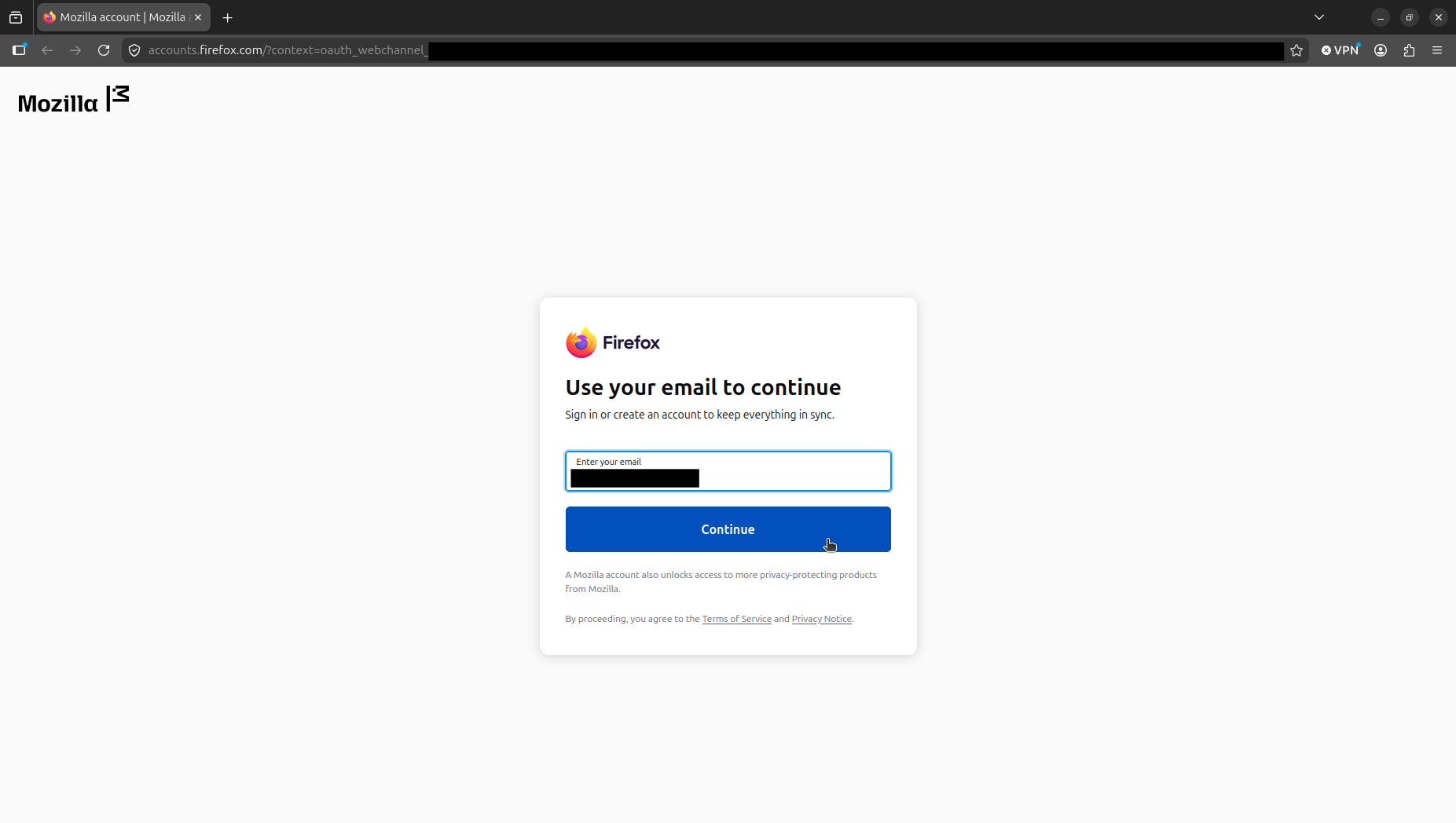
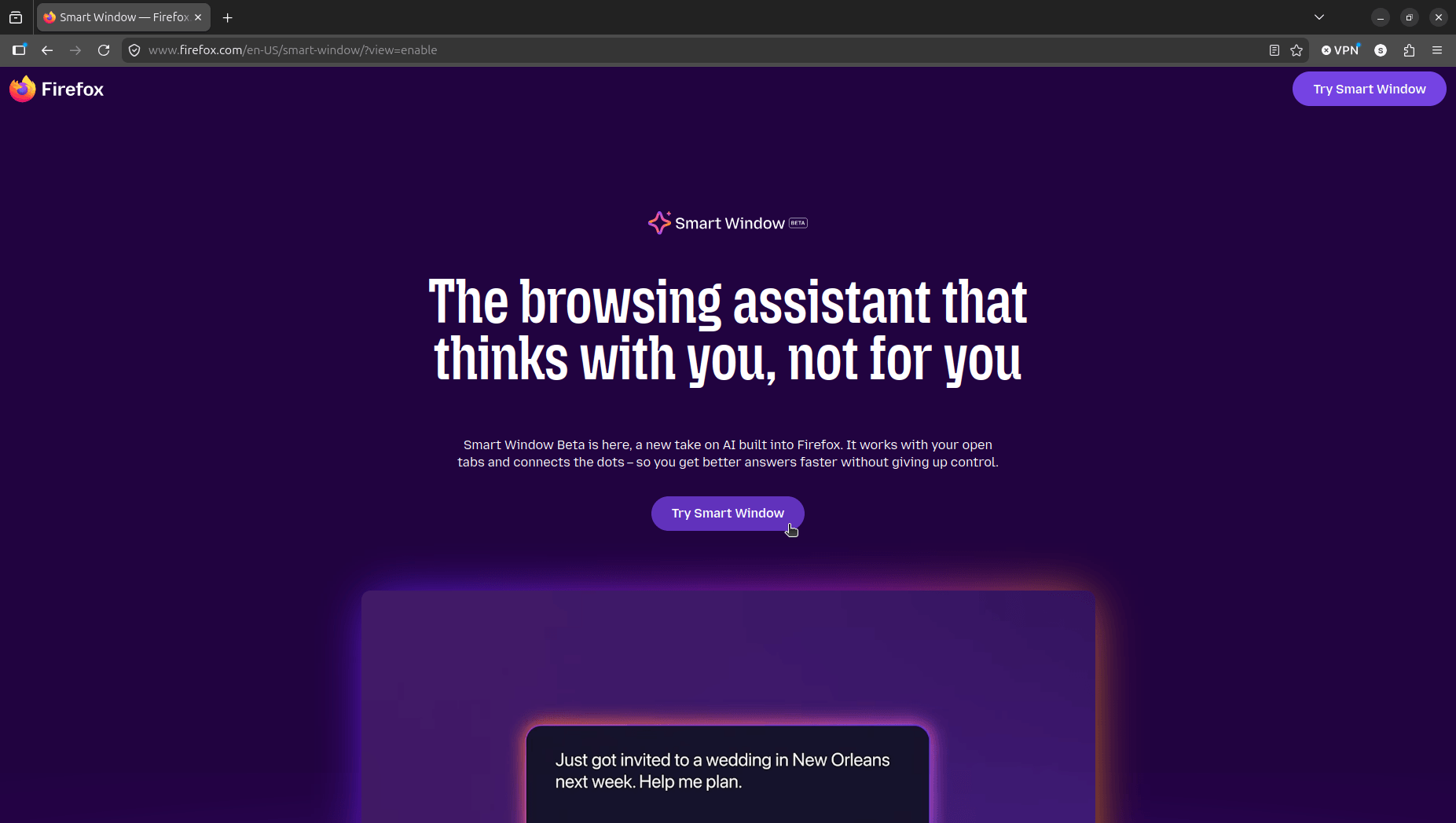
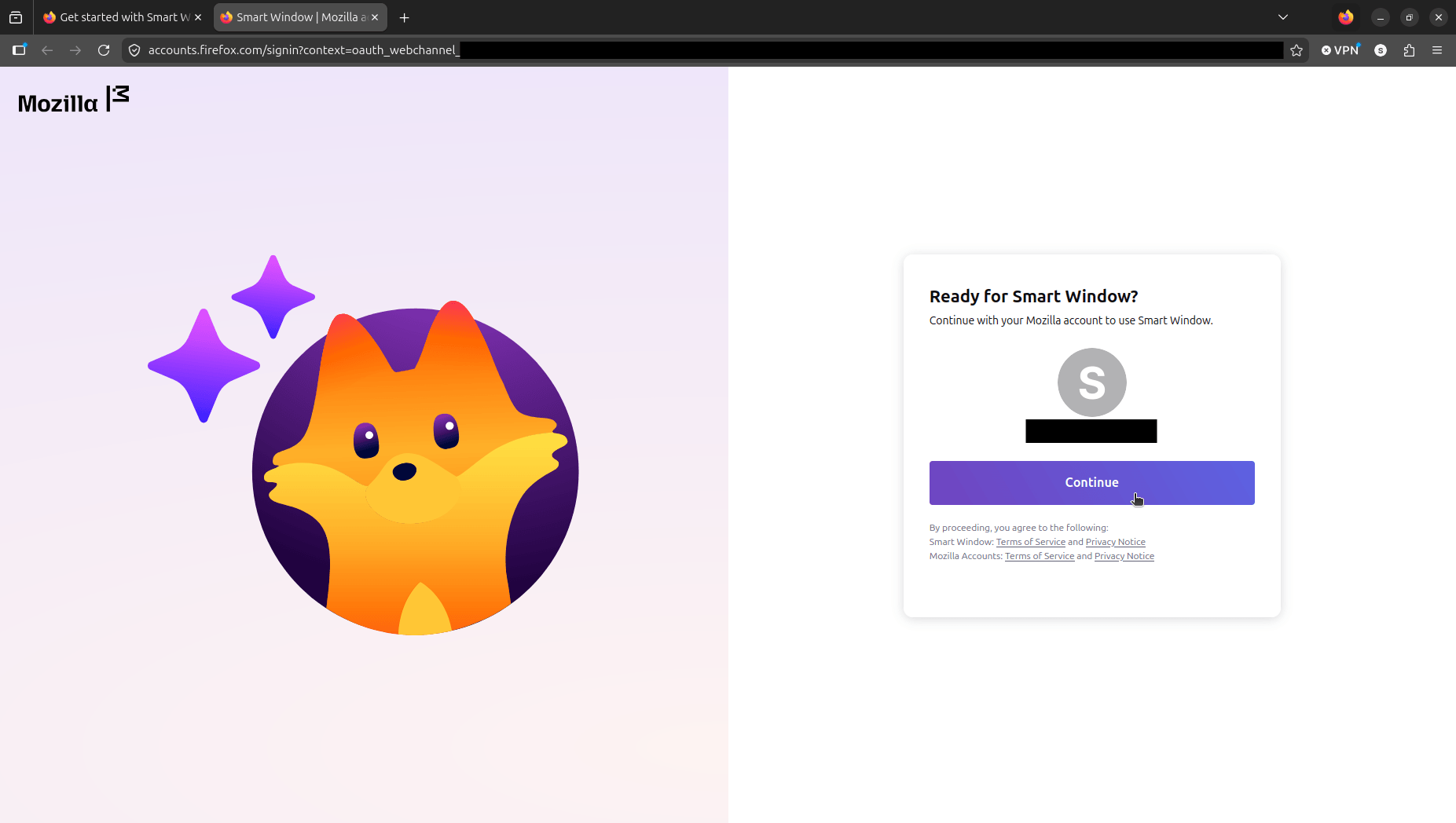
Now, there's a working version that I tested on an Ubuntu 26.04 LTS system with Firefox 151.0.2 installed from Mozilla's official deb package. First, I had to log in with my Mozilla account (that had early beta access) and visit the Smart Window portal (linked earlier) to activate it on my browser.
This is how I got access to Smart Window.
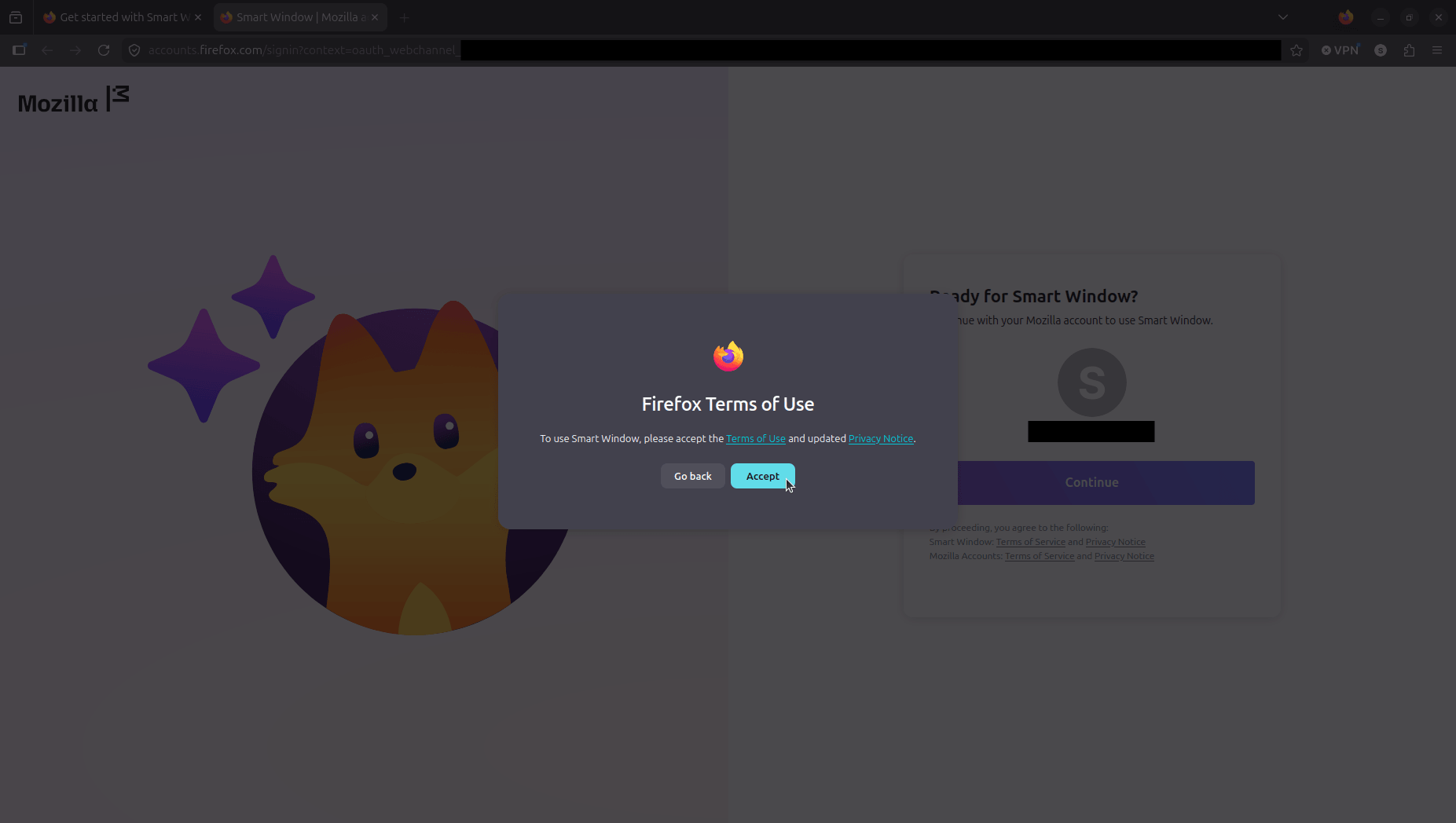
Once through the portal, Firefox runs you through a quick setup with updated Terms of Use and a separate Privacy Policy to accept.
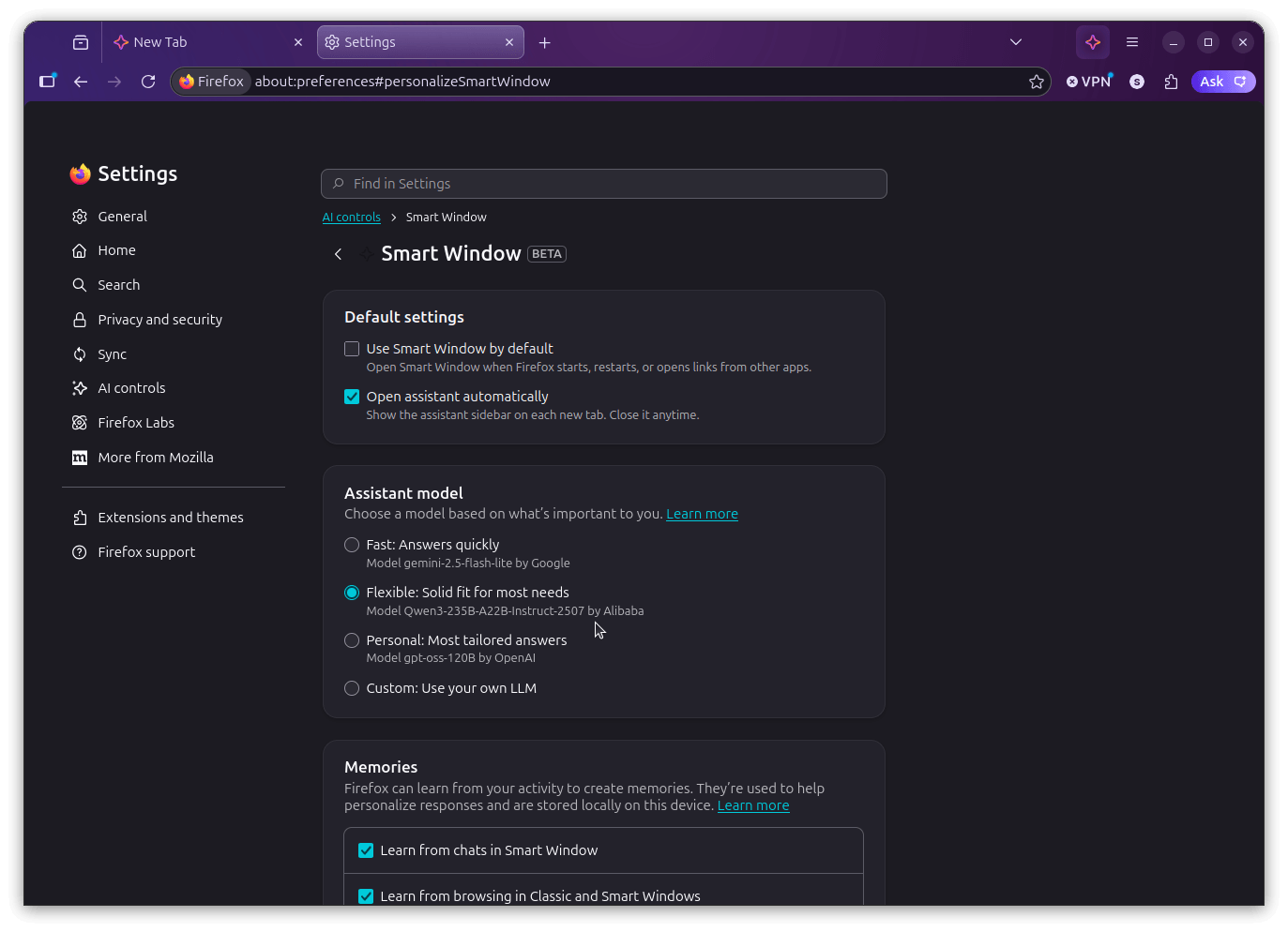
Once in, you get to pick between three experiences. Fast uses Google's Gemini 2.5 Flash Lite, Flexible runs on Alibaba's Qwen3-235B-A22B-Instruct-2507, and Personal is powered by OpenAI's gpt-oss-120B.
After that, you pick what Smart Window is allowed to learn from, with options like "Chats in Smart Window" and "Browsing activity across Firefox" ticked on by default.
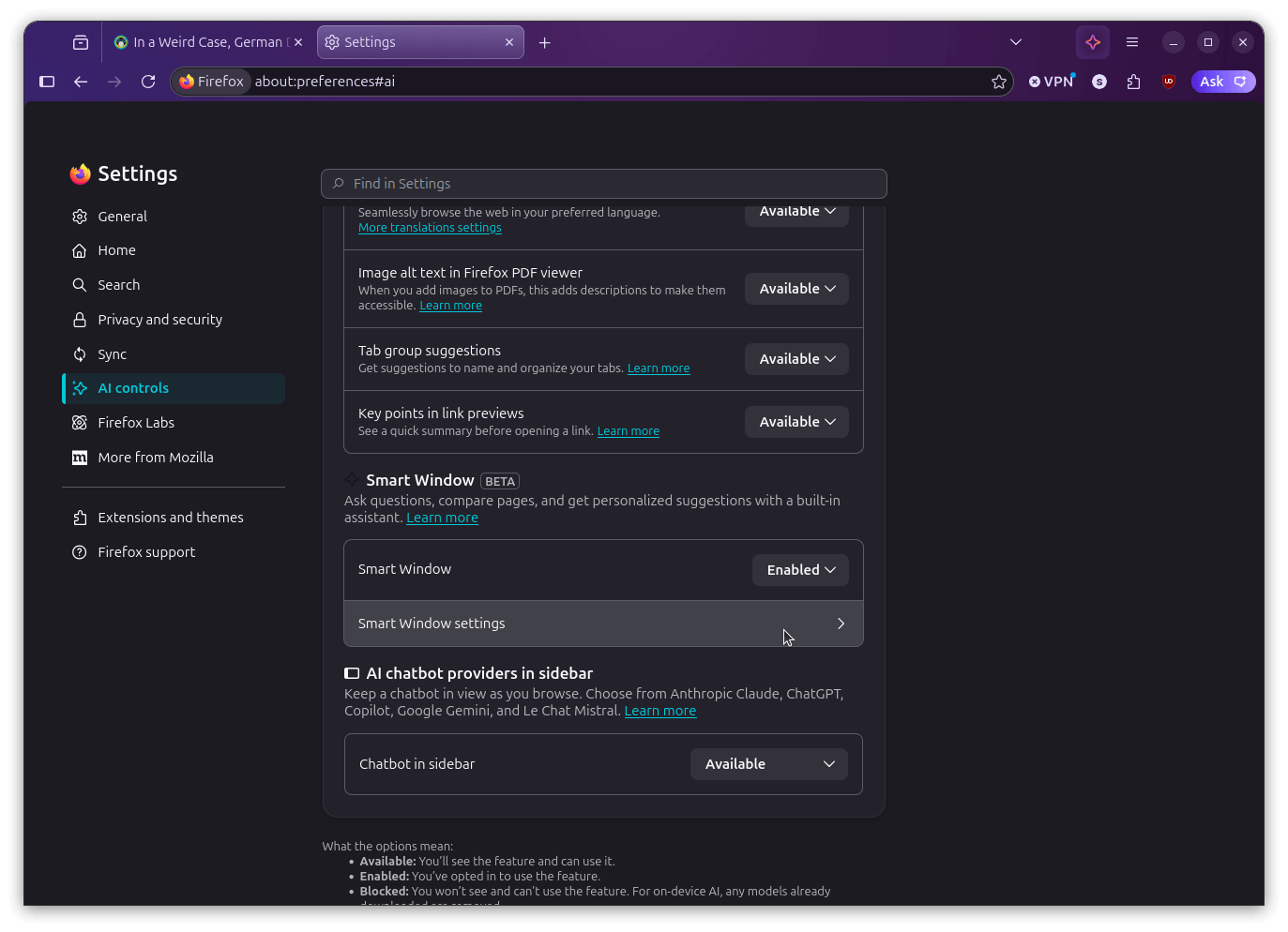
Unfortunately, I had accidentally gone with Personal, not seeing that it was powered by an OpenAI model, so I went into Settings > AI controls > Smart Window and switched over to Flexible.
There's also a Custom option for connecting your own LLM endpoint, though Mozilla's documentation flags that local models may not always play nicely with Smart Window.
With the model situation sorted, I asked the AI a question related to a hypothetical life-related occurrence. While it took some time processing the request, its replies were on point. It even suggested follow-up questions to ask that were very relevant.
See below for a demo. 👇
Summarizing content such as books, articles, and research papers is probably the most practical use of the Smart Window, in my opinion. I asked it to go through an article of mine on Bambu Lab being naughty with AGPLv3, and it gave me two options.
One was to search for it on the default search engine, and the other was to ask the AI model directly.
I chose the latter, and it spat out a detailed summary of the coverage, complete with some follow-up question suggestions. The output quality was good throughout, and I didn't spot any major issues.
I also tried it out as a search tool, typing in "best food to pair with shawarma." That went fine, but the more interesting part was when I decided to push further.
I asked whether the suggestions the search result (Gemini AI overview) was giving were rooted in authentic culinary traditions or were the result of misappropriation.
It engaged with the question properly, which I wasn't expecting from an in-development browser feature. 🤓
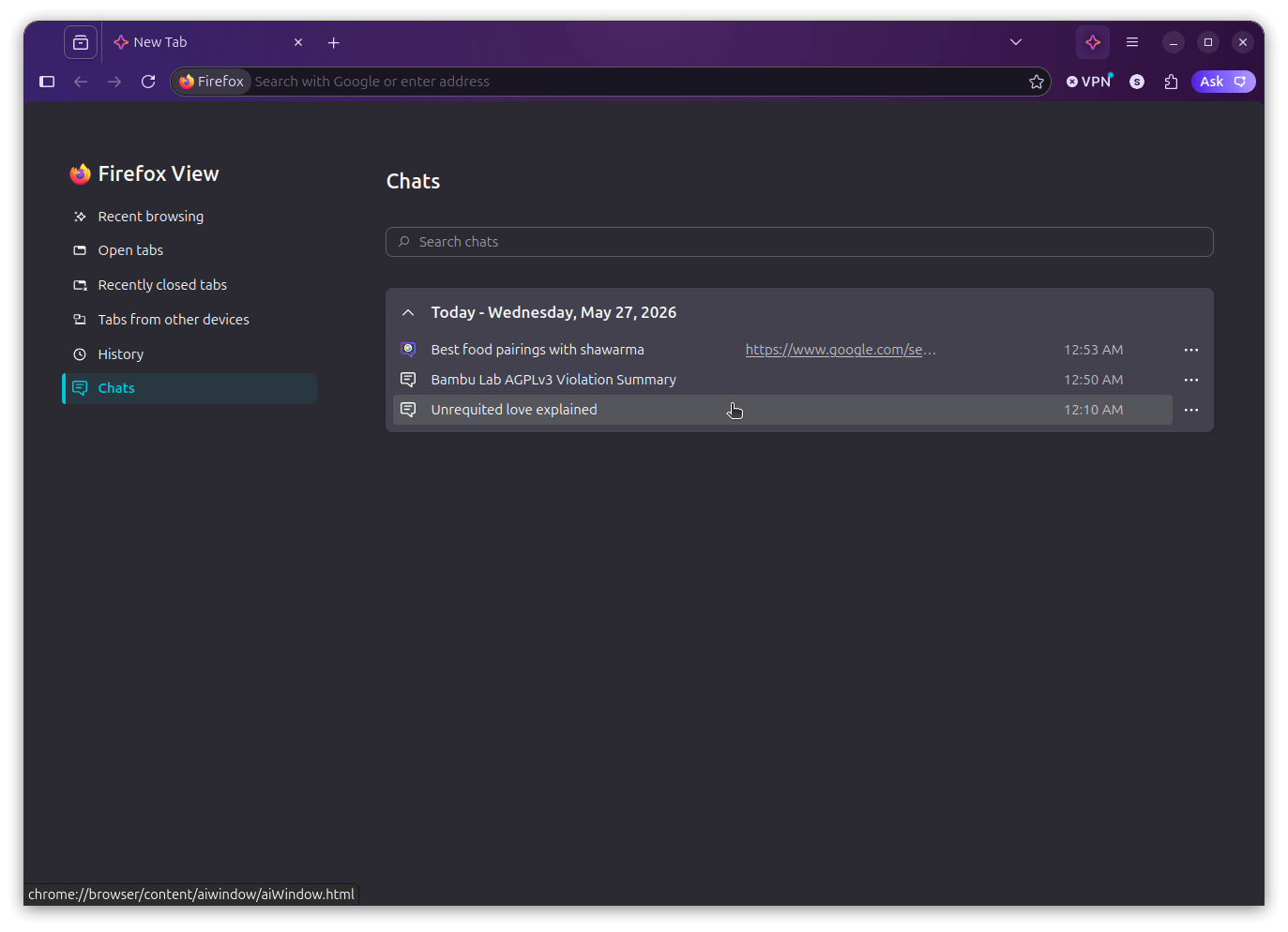
If you were wondering, all your chats are automatically stored locally on your device, and you can get to them from the Chats button in a Smart Window tab. It groups conversations by date, shows you what each one was about, and even links back to the page that triggered the search.
Odd to see a chrome:// URL here (bottom-left).
If you go into the settings for this mode, you will find that there are toggles to control whether Smart Window opens by default when Firefox starts, whether the assistant sidebar shows up automatically on each new tab, what the assistant learns from (chats, browsing activity, or both), and which AI model powers it.
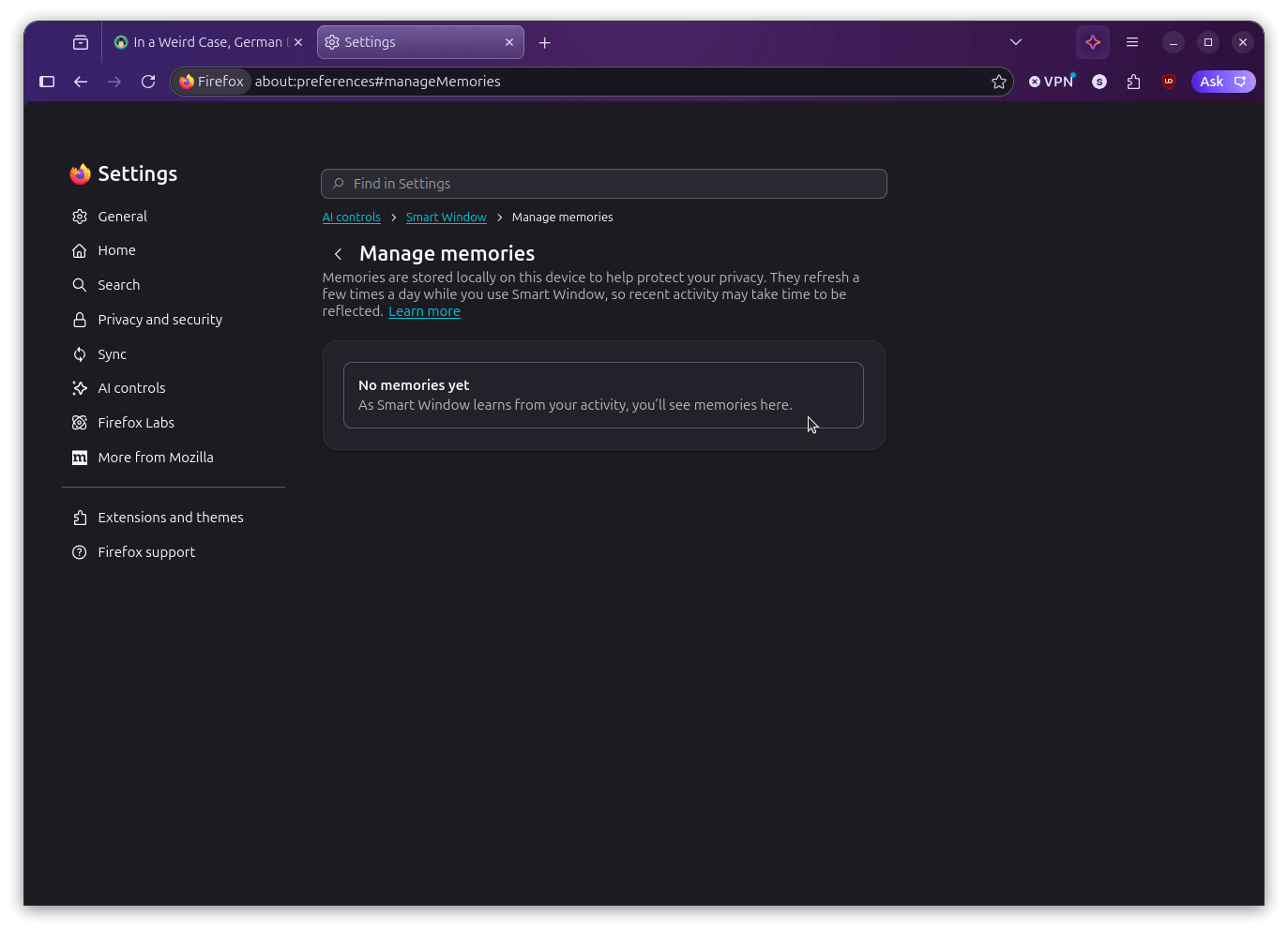
The 'AI controls' menu (left) and the 'Memories' menu (right).
Below all that is the "Manage memories" section, where you control what the assistant learns from.
You can view everything it has stored, delete individual memories you don't want sticking around, or turn the whole thing off entirely if you'd rather the assistant not learn from your activity at all.
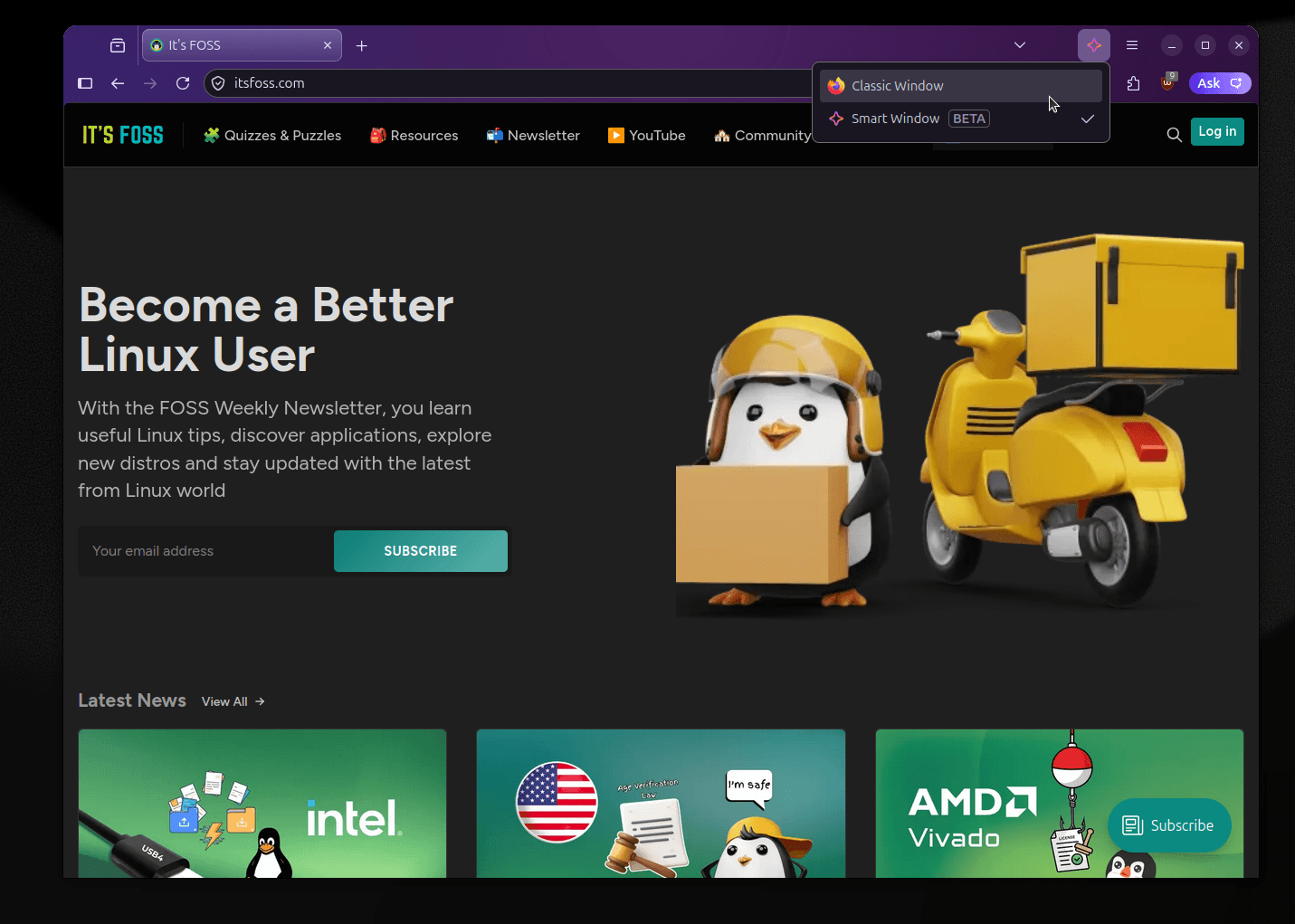
And before you panic that Firefox is becoming AI-only, there's a Classic/Smart Window switcher in the title bar that gives you a dropdown to jump between the two modes instantly.
This way, your tabs stay put, nothing reloads, and going back to the classic browsing experience is just as fast as switching away from it.
What now?
Smart Window is shaping up well for a beta, and I wasn't expecting to say that. The AI integration is useful without being pushy, and Mozilla has mostly lived up to the opt-in commitments they made when they first announced this.
It's expected to roll out to more users over time, though Mozilla hasn't shared a specific date yet, so if you're outside the US and Canada right now, keep an eye out on their socials.
Meanwhile, if you are someone who'd rather keep AI features out of Firefox entirely (like me, on most days), Settings > AI Controls has a "Block AI enhancements" option that does exactly what it says.
Large data transfers are one of those things that always seem to find a way to be annoying. Tools like LocalSend make it easier over a local network, but wireless is not always an option, and some transfers are simply too important to leave to a Wi-Fi connection.
In such a scenario, a wired solution that does not require setting up networking at all would be ideal.
Intel's Thunderbolt maintainer Mika Westerberg and fellow Intel engineer Alan Borzeszkowski have been working on exactly that.
USB4STREAM explained
The two have put together a new protocol called USB4STREAM and a matching Linux driver called thunderbolt_stream. The approach is to let two or more machines transfer data directly over a USB4 or Thunderbolt cable without touching the networking stack at all.
Once configured, each host gets a character device at /dev/tbstreamX that behaves like a regular file. Any application that supports read(2) and write(2) operations works with it without needing any special patches.
In simple terms, any app that can perform read/write operations will be compatible with this.
How it works
Before data can flow, both machines need to have their streams configured. Streams are basically the individual data channels over the connection, and getting them set up is a matter of pointing both sides at each other through ConfigFS and assigning channel IDs.
This can be done automatically or manually, depending on how much control you require.
Once one side announces an active stream, the other can pick it up automatically just by using the same name for it. You can also run multiple streams at the same time, and the whole thing works alongside existing Thunderbolt plumbing without getting in the way.
Closing a stream notifies the other end as well, so both sides know when the transfer is complete.
When to expect?
The patch is currently sitting in the Thunderbolt git tree's next branch. Assuming it gets submitted to the USB/Thunderbolt tree ahead of the Linux 7.2 merge window, it should land in that release. The ABI documentation in the patch already marks the target as v7.2.
The driver ships as a loadable module named thunderbolt_stream and depends on USB4_CONFIGFS being enabled.
USB4 keeps getting more relevant
The USB4 standard has been around since 2019 and has been getting steady attention in the kernel cycle after cycle.
What was once an Intel exclusive, royalty-gated technology has gradually become the preferred high-speed port on modern motherboards across both AMD and Intel platforms, with Thunderbolt increasingly becoming a certification badge.
USB4STREAM adds yet another practical reason to put that cable to work. If you have a USB4 port on your machine, then this driver could open up a surprisingly neat way to move data around without spinning up any networking at all.
Age verification laws have been spreading fast, and we have been keeping tabs on them for a while now. California's Digital Age Assurance Act (AB 1043) was the first to land, signed in October 2025, with Colorado following with its own version (SB26-051).
Neither made any concessions for open source software in the original language, which left Linux distributions and other community-run projects in a very uncomfortable dilemma.
Both have since moved to fix that, with Colorado having wrapped it up earlier this month and California heading for a full Assembly vote.
What's California doing?
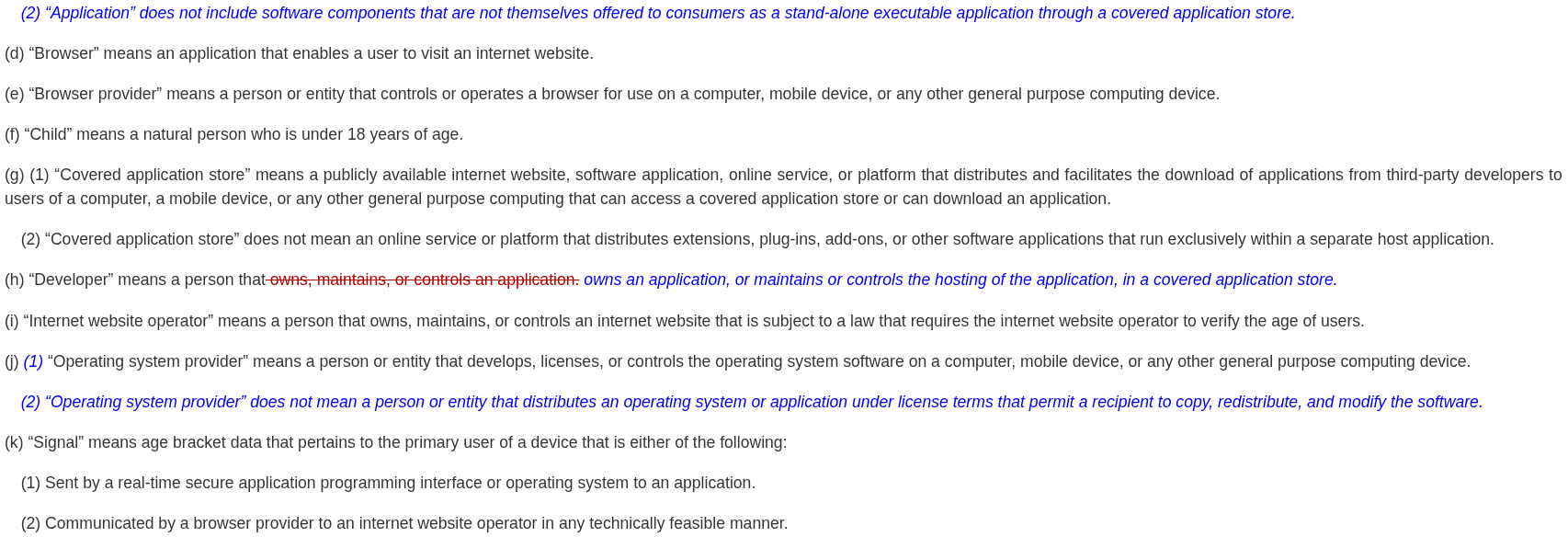
Look at the blue bits.
AB 1043 required OS providers to collect a user's age or birth date at account setup and share it with apps through a real-time API, starting January 1, 2027. Open Source projects got no special treatment in the original text, which is something we wrote about when the bills started drawing attention.
Assembly Member Buffy Wicks, who authored AB 1043 herself, introduced AB 1856 in February to address that.
After four rounds of revisions, the bill has rewritten the definition of "operating system provider" to exclude anyone distributing an OS under terms that let recipients copy, redistribute, and modify the software.
Most Linux distributions under permissive or copyleft licenses fall cleanly within that.
In tandem, another change covers the application side, where software that is not offered as a standalone executable through a covered app store is no longer treated as an "application" under the law.
The bill passed the Appropriations Committee 11-0 on May 14. It was ordered to third reading on May 19 and is awaiting an assembly vote. Interestingly, Buffy is the chair of that committee.
Colorado's path here involved some direct community legwork. Carl Richell, the founder of System76, spent some considerable time working with Senator Matt Ball, one of SB26-051's co-authors, to get open source exclusions written into the bill.
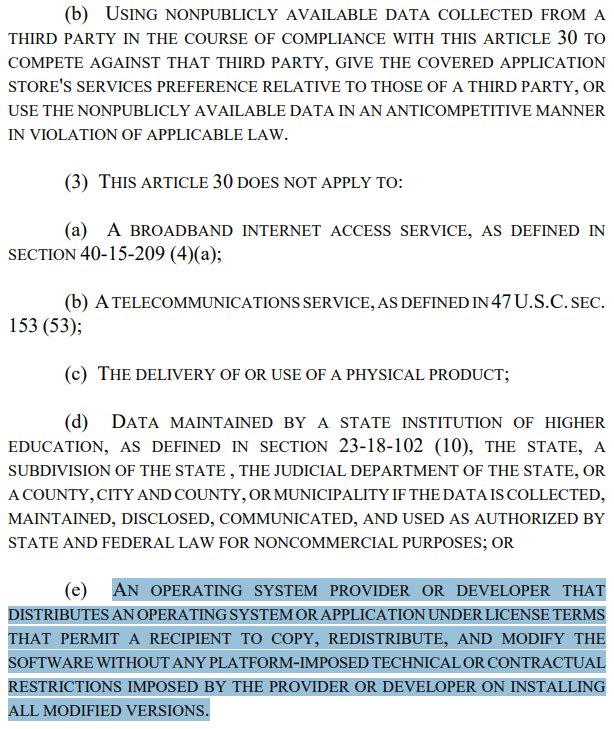
The bill exempts OS providers and developers distributing software under terms that permit copying, redistribution, and modification. It also adds a requirement that exempt software have no platform-imposed technical or contractual restrictions on installing modified versions.
The extra clause is aimed at tivoization, where manufacturers lock down hardware to block modified software from running even when the source code is freely available.
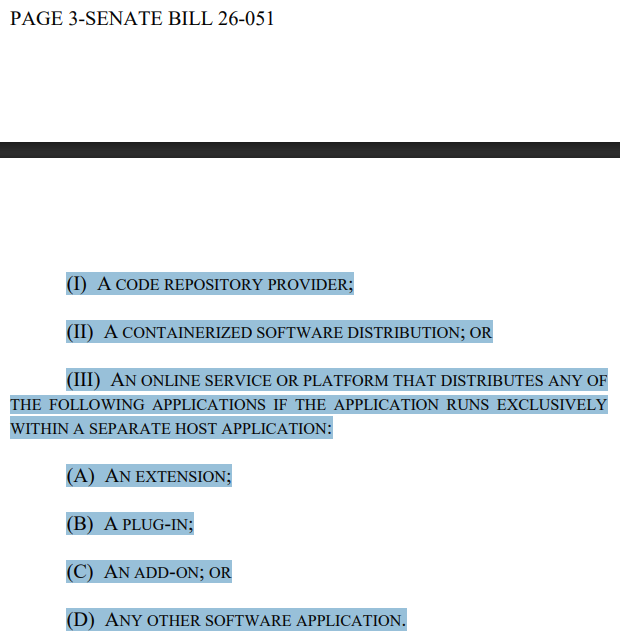
Beyond that, code repository providers, containerized software distributions, and applications from free, publicly available code repositories are explicitly excluded too.
The law also has a narrower scope, only applying to OS providers that operate a covered app store or ship one pre-installed. An OS provider with no app store involvement does not come into scope at all.
Besides that, SB26-051 is now set to take effect on July 1, 2028.
Some closing words…
Neither state got here automatically. The open source exemptions did not exist in either bill to start with, and it took sustained community pressure and direct legislative outreach to get them added.
This is something that can be applied to many other issues, of course. Though, when the representatives are more interested in serving certain interests (say due to pressure from certain lobbies) than their constituents, disruption tends to be the only way out.
Big tech companies have a habit of offering something for free, watching the user base grow, and then quietly walking it back once people are too invested to leave easily. A bait-and-switch, so to speak.
Redis did exactly this back in March 2024, dropping its long-standing BSD license for the more restrictive dual licensing model, and the blowback was severe enough that the community forked it into Valkey almost immediately.
Linux tends to get hit hardest by these moves. Its comparatively smaller user base means less commercial pressure, making it an easy target to throw under the bus whenever companies feel like cutting costs or boosting profits.
One such case has now surfaced that will make you wonder if this particular company's decision was really shortsighted or is just a cash grab.
It doesn't make sense!
Vivado is AMD's design suite for its FPGAs and adaptive SoCs. It is what engineers, students, and hardware hobbyists use to write, synthesize, and test their FPGA designs. Until now, it has been available for free on both Windows and Linux under what AMD called the Standard Edition.
Starting with the 2026.1 release, AMD is switching to a tiered licensing model. The free Basic tier covers entry-level devices but is restricted to Windows only. Linux support does not show up until the "Core" tier, which costs somewhere between $1,200-$1,800 per year.
AMD framed all of this on its download page as a move toward more flexible licensing. On its dedicated licensing options page, the company told free-tier users the only thing changing was a simple annual license renewal.
That's not all. 🤷
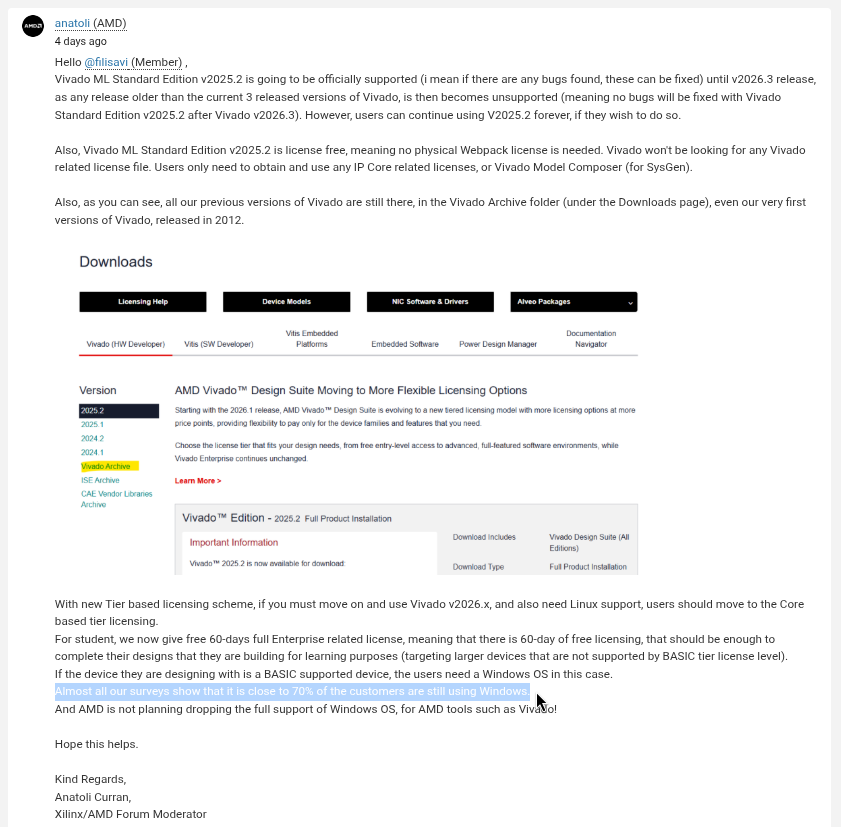
When users went to AMD's support forum asking for an explanation, forum moderator Anatoli Curran showed up in the thread. His first order of business was to warn people about "bad language or abusive behaviour towards AMD," before getting around to addressing anything of substance.
When pushed for a real answer, Anatoli pointed unhappy users toward Vivado 2025.2, suggesting they simply stick with it if they did not want to pay. He did mention that 2025.2 loses official support once Vivado 2026.3 ships, but that detail was buried in a thread reply, leaving users with little more than a dead-end recommendation.
Anatoli also started putting out numbers, claiming that 70% of their customers still use Windows. As expected, someone cross-questioned him, asking if much of their users were on Windows, then why was Linux support being locked away behind a paywall.
To which he replied in a very PR-coded manner, completely disregarding what was brought up:
From Core and higher tiers, both Windows and Linux are supported platforms.
As stated already, AMD expectation is that the BASIC tier is used for simple, entry‑level needs. While more advanced, production workflows are aligned with paid tiers. These tiers are specifically designed to deliver the full flexibility and capabilities needed for serious development.
Hence, all paid tier levels have options of both Windows and Linux platform usage. Only BASIC tier limited to Windows ONLY platform support.
That really doesn't instill one bit of clarity and shows how apathetic tech giants like AMD can sometimes get. The conversation in the thread then continued along the lines of how Xilinx, and later, AMD, had gained the trust of Linux users by keeping an open outlook towards the community.
But pulling off such a thing without considering how people benefited from having Vivado on Linux tells you a lot about what this company actually thinks of its non-enterprise user base.
Students, hardware tinkerers, and academic researchers who have relied on a native Linux workflow are now left hanging. Keep in mind that many of those people eventually end up in engineering and procurement roles where they have real influence over hardware-related decisions.
What now?
As of writing this, AMD hadn't put out a statement regarding this, and the stonewalling has continued. Of course, more and more people are getting to know about this. It is just a matter of time before someone at PR has to do something about this.
Plus, with the kind of flak they have been getting over some of their most bizarre choices lately, I would handle this now instead of later.
Until then, you can participate in the conversation either on the main thread where this shady behavior was first reported, or you could head over to Hacker News and join the others in calling out AMD.
The GNU Affero General Public License version 3, or AGPLv3, is one of the strongest copyleft licenses in the open source world.
Published by the Free Software Foundation in 2007, it requires that any software built on an AGPLv3-licensed project must make its complete source code available under the same terms.
That applies even when the software runs as a network service rather than being distributed as a standalone binary. I say that because what follows are two violations that the Software Freedom Conservancy has dug out after investigating Bambu Lab.
What the investigation found
For context, Bambu Studio is the slicing software that ships with Bambu Lab's 3D printers. It is what translates a 3D model file into printable layers before passing the instructions along to the printer.
It was built on top of PrusaSlicer, which itself came from Slic3r. Both predecessors carry the AGPLv3, and so does every derivative built from them. SFC looked at both the userspace software and the firmware running on Bambu's devices and pointed out the violations.
The first is about libbambu_networking, a networking library that ships with Bambu Studio across Linux, Windows, and macOS. It handles all communication between the slicer and Bambu's cloud.
Bambu has never made the source code for it available, despite AGPLv3 requiring that any code distributed alongside an AGPLv3 project be released under the same terms. SFC says Bambu's own README has effectively sat with this admission for years now.
The second violation comes from how Bambu handled Paweł Jarczak, a developer who built a fork of OrcaSlicer that could communicate with Bambu's servers by studying the incomplete Bambu Studio source code.
You see the problem? The AGPLv3 explicitly says no one can place additional restrictions on the rights it grants. The SFC says going after Pawel the way Bambu did is itself a violation.
What's their new initiative about?
SFC's response is a new project called baltobu, short for "Bringing Affero Licensed Things (On)to Bambu Users." It lives on SFC's Forgejo instance and has three repositories, each going after a different piece of the puzzle.
reverse-networking is working to reverse-engineer the libbambu_networking library and produce a replacement. Since the binary is itself covered by AGPLv3, SFC's position is that anyone holding a copy has the right to examine and reverse-engineer it.
The second is orca-slicer-for-bambu, a soft fork of OrcaSlicer built to be compatible with Bambu printers, eventually replacing Bambu Studio for those who want out of the Bambu Lab walled garden.
Then there is viscose, a fork of Bambu Studio itself. Part of it is keeping a copy of everything Bambu publishes in case anything disappears, and the longer-term aim is a version that respects users' software freedom better than the upstream does.
The next steps
SFC is also committing to act as a watchdog on Bambu Lab going forward. The organization says it does not usually go looking for violations proactively, but it is making an exception here and will keep checking.
A standing committee on software freedom in the 3D printer space is planned as well, with details expected in June 2026.
The plan is to conduct monthly meetings, pulling in manufacturers, users, licensing experts, and software freedom advocates to track new issues and figure out what to do about them.
And there's also a fundraiser running until July 17, 2026, with a target of $250,007. If SFC hits it, the money goes toward hiring dedicated staff for this work long-term. If not, whatever is raised goes to existing staff time and related right-to-repair efforts.
Firefox's built-in PDF viewer has been adding useful features for a while now. You can annotate, fill out forms, draw, insert images, and sign documents without leaving the browser.
The recent Firefox 151 release adds merging documents to that list.
If you've ever searched "merge PDF online" and ended up wading through ads and signup walls just to get your own file back, then you should know that there's a privacy angle worth thinking about too.
Every time you upload a document to one of those sites, you're handing your files over to a server you know nothing about.
Firefox handles everything locally, so your documents stay on your machine.
Merge PDFs using Firefox
First, you need to open a PDF file that you want merged with another. Then, unhide the sidebar menu by clicking on its toggle (looks like a square with a line in it), and click on the "+" button next to the Pages label.
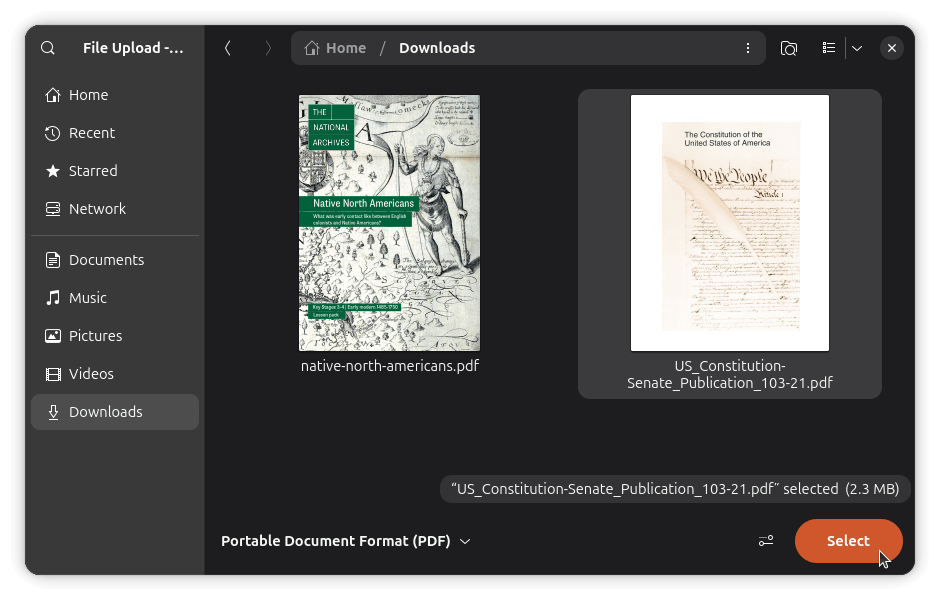
Doing so will open the file picker. In my case, it was the Files (Nautilus) app on GNOME, but yours might be a different file manager on a different desktop environment with similar functionality.
Pick the PDF you want to merge in, then click Select. Firefox will append its pages to the end of the document you have open, and the page count in the toolbar will update to reflect the new total.
You can also reorder pages by dragging them in the sidebar, or delete any you don't need by selecting them and using the Manage menu. 👇
0:00
/0:27
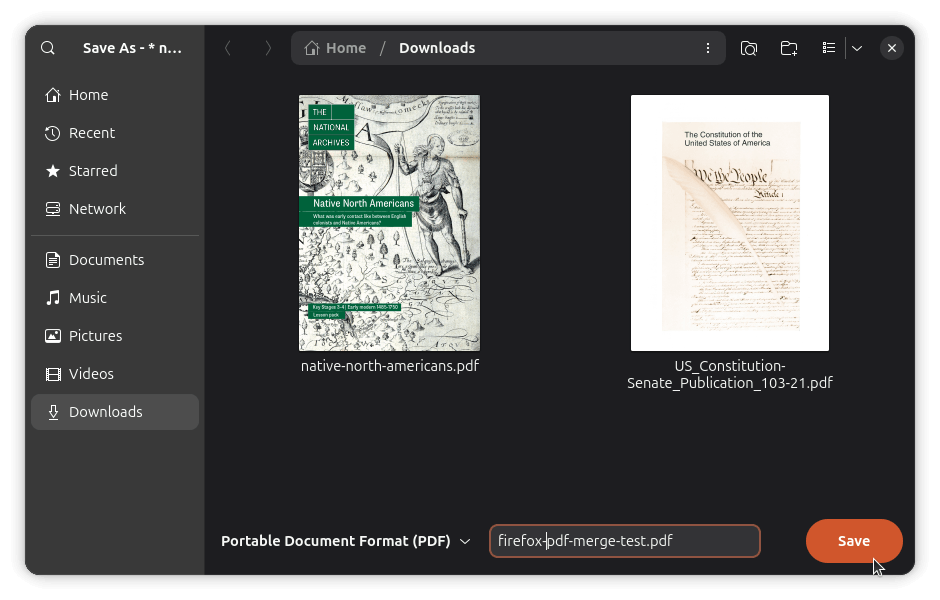
Once the pages are in order, select all of them using the checkboxes, and then open the Manage dropdown and click "Export selected..." A save dialog will open up on your file manager.
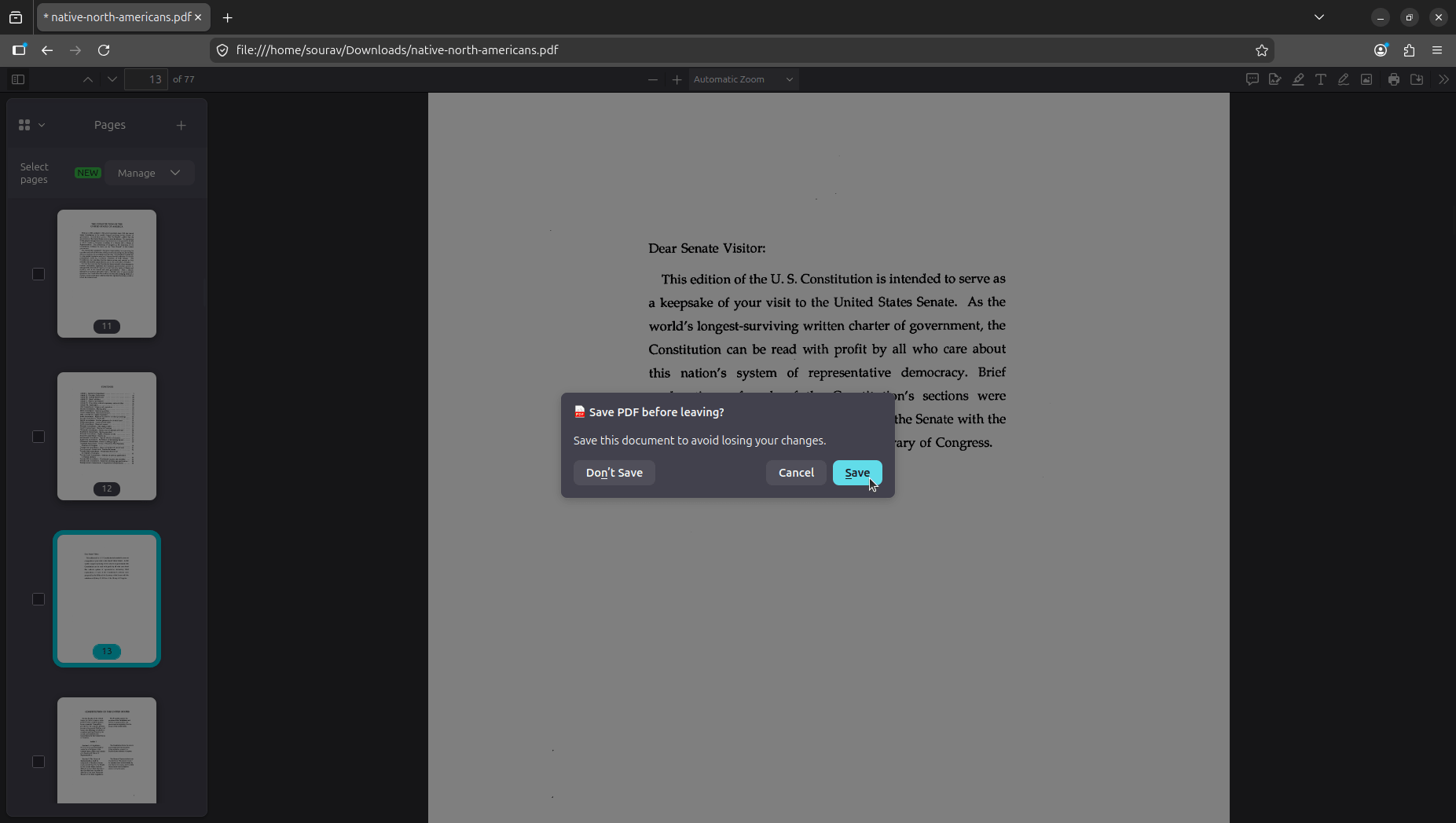
Give the file a name, hit Save, and the merged PDF lands wherever you pointed it. Though if you mistakenly try to quit the application before the merged PDFs are saved, Firefox will promptly notify you. 👇
The prompt reads "Save PDF before leaving?" and clicking "Save" opens the same file picker. Hitting "Don't Save" will close Firefox without saving, and "Cancel" keeps you in the same window.
Since a few days now, people trying to plan a trip on Deutsche Bahn's (DB) main booking website have been getting stopped by error 751. The site accused their web browser of acting like a bot, and even logging into accounts made no difference.
So, what was actually triggering it? Just the word "Linux" in the User-Agent string it looks like. heise online tested this by setting a Linux User-Agent on Firefox under Windows and on Safari under macOS, and both got blocked.
Heise had picked up on a thread from Reddit's r/deutschebahn as evidence that real users were being affected. Someone had posted about getting locked out just from clicking "earlier connections" a few times while planning a trip.
They, as you know, tested it on their end and found out that Linux systems were being blocked.
Later in the thread, a commenter tied it to the wave of vibe-coded projects, specifically ones built to scrape Deutsche Bahn's fare data. Another commenter identified themselves as a DB employee, pointing out that internal staff have to deal with DB Systel's problems regularly.
Before you ask, DB Systel is the train operator's IT and digital solutions provider.
DB's official response
Deutsche Bahn has responded to heise online. A spokesperson said Linux users are supposed to be able to use bahn.de and DB Navigator without issues, and that the company's security systems look at traffic behavior, request origins, and browser traits to identify potential threats.
Normal traffic can get caught in this sometimes, they said, while emphasizing that they are working to bring those cases down. Heise ran a test again the same day and found out that a Linux User-Agent on a Windows machine still triggered the block.
I ran two tests of my own. The first was on a Fedora Workstation system with a VPN active, where I accessed bahn.de on Firefox in private mode and spammed various header menu options, reloading repeatedly.
The portal never locked me out. I did the same on an Ubuntu virtual machine and got the same result. So it is safe to assume the fixes have been made, though false positives may still happen occasionally.
As long as I've been a Linux user, I can remember one of the biggest issues being firmware support on the kernel.
The issue has been notorious, with a lot of new users being discouraged immediately after joining, and the benevolent dictator Linus Torvalds himself giving the bird to Nvidia, a sentiment shared by almost every user who had tried to make Nvidia work on Linux a few years ago.
Things have been getting better recently, though, especially with LVFS (Linux Vendor Firmware Service) on the scene now, providing hardware vendors a portal to upload firmware updates, which can then be downloaded and installed by users through clients such as GNOME Software or fwupdmgr.
Why does LVFS matter?
The relief and effort of LVFS cannot be understated, as before a central secure portal for firmware, the users only had the option to trust some random third party upload on the internet, often breaking or worse, infecting their systems. LVFS fills a space where the vendors can provide secure firmware, with Linux-specific .cab files.
The roadbloack...
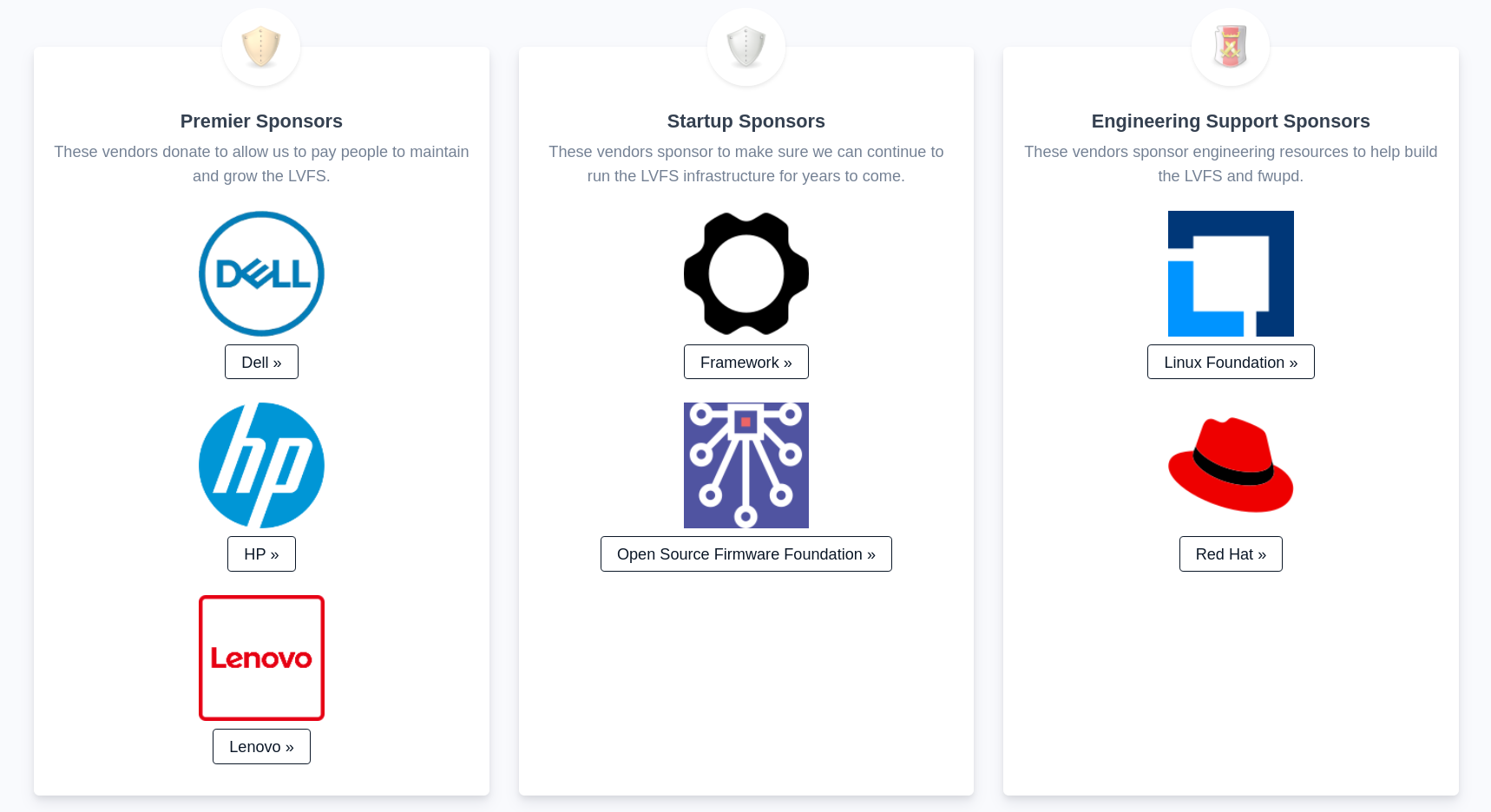
The issue, however, obviously, had been funding with the largest contributors being the usual suspects, Framework and Open Source Framework Foundation, at $10K a year. Recently, however, Lenovo and Dell joined suite as Premier sponsors, which is the highest tier at $100K a year each, making the project more sustainable and manageable. These companies contributing makes a lot of sense, considering they are two of the bigger computer companies which offer Linux by default in some cases, especially with Lenovo's ThinkPads being the Linux users' favorite for decades.
Welcome the newcomer!
And now, as you'd have it, HP has followed suit as a Premier sponsor, also providing $100K a year, right alongside Dell and Lenovo. This is already being reflected on the homepage of LVFS, with a quote from HP's Senior Vice President as well:
“LVFS enables quick, easy and timely BIOS updates, so countless customers can enjoy the flexibility of open source Linux-based systems.” — Xavi Garcia, HP
This calls for a celebration as users, of course, and also a major bout of appreciation for HP will be well deserved. I'm delighted as an HP user on Fedora myself, this is a remarkable day.
The question still remains, however, where are the other vendors? What are they waiting for?
Where are the others?
The image of Linux as a "niche" user community, left to their own devices (literally) to figure out the solutions to the hardware problems the vendors are unwilling to solve, is a view as outdated as it is ridiculous. It is like they expect us to unlock a door of which they have the only key.
This major move by these three companies should not only be seen as a sign of relief and wider acceptance of the usage of Linux, but as a beacon for other vendors to follow, who ought to make their hardware more accessible to the open-source community. This change is only in their best interest, as every year shows the percentage of Linux's desktop market share going upwards.
Wrapping Up
HP, Dell and Lenovo all being the highest possible contributors to Linux firmware inspires a lot of confidence among the users, a sign of better support and easier updates. Their efforts are much appreciated and applauded, and we hope that more companies show up to the party. Hope this brightens up your day a little bit, if you're a Linux user on HP. Cheers!
The Fedora AI Developer Desktop initiative that passed unanimously is now blocked. Two council members retracted their votes after community pushback, with contributors arguing the CUDA focus contradicts Fedora's free software foundations and that significant kernel policy changes hadn't been cleared with the right people.
Someone got Lightroom CC running on Linux via Wine without writing a single line of code themselves. An AI agent did the whole thing autonomously, fixing DLL gaps and Wine incompatibilities.
LibrePlan is a self-hosted open source project management tool that just got its 1.6.0 release. The additions worth noting include email workflows, per-project document repositories, an issue and risk log, and traffic light status indicators in the project list view.
If you've ever wanted to run BleachBit over SSH without touching the CLI directly, the TUI is shaping up well. You get keyboard navigation throughout, two preview modes for checking what would be cleaned before committing, and full backend parity with the existing GUI.
Bitwarden got a new CEO in February, a new CFO in April, briefly removed "Always Free" from its pricing page, and quietly rewrote its core values. For most software, this would be unremarkable. For the app that holds your passwords, the bar for transparency needs to be much higher.
ONLYOFFICE Docs 9.4 lands with a mix of features and a licensing update that's hard to read as coincidental given the Euro-Office fork dispute. It offers users a dark mode for spreadsheets, 25 new presentation themes, 20 new slide transitions, and form recipient tracking.
Mission Center and Resources are both polished libadwaita system monitors, and both are genuinely good. But what makes them different from each other? A lot. We have a detailed writeup that should clear your doubts.
Splitting a string in Bash isn't as intuitive as it should be. The trick is setting IFS to your delimiter and using read -ra to split the string into an array. Here's a short explainer with a working CSV example and a breakdown of what each part is actually doing.
If cmus or MOC never quite clicked for you, Kew is worth trying. Written in C, it displays album art in the terminal, can search your music library with a single keyword, and handles playlists and shuffles without fuss.
Desktop Linux is mostly neglected by the industry but loved by the community. For the past 13 years, It's FOSS has been helping people use Linux on their personal computers. And we are now facing the existential threat from AI models stealing our content.
If you like what we do and would love to support our work, please become It's FOSS Plus member. It costs less than the cost of a McDonald Happy Meal a month, and you get an ad-free reading experience with the satisfaction of helping the desktop Linux community.
Tired of AI fluff and misinformation in your Google feed? Get real, trusted Linux content. Add It’s FOSS as your preferred source and see our reliable Linux and open-source stories highlighted in your Discover feed and search results.
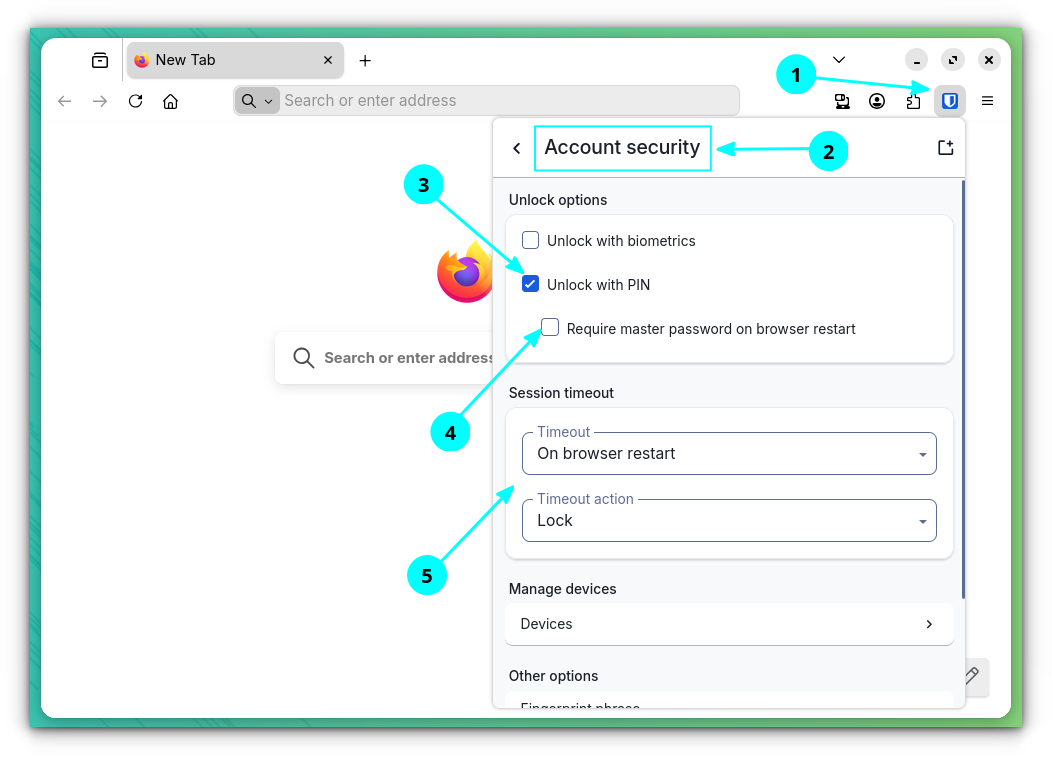
In the Bitwarden desktop app and browser extension, you can set a pin instead of using the master password to log in. To do that, go into the Account Security settings and turn on the "Unlock with Pin option."
Remember to turn off "Require master password on browser restart," and set the session timeout to "On browser restart" for securing your vault against unauthorized access.
Though, do not forget the master password, since the PIN is not a replacement, and you will need it when signing into new devices.
🗓️ Tech Trivia: On May 21, 1952, IBM announced its first electronic computer, the Model 701, at a time when the company was better known as the world's largest supplier of punched card equipment, with chairman Thomas Watson Sr. so resistant to the idea that engineers had to rebrand it a "Defense Calculator" just to get it built.
Greg Kroah-Hartman was at RustWeek 2026 in Utrecht this week, and he talked about a Rust-based proposal still in development that could wipe out around 80% of the CVEs the Linux kernel generates.
That is not a small claim. This is coming from someone who has personally reviewed every kernel security bug since the Linux kernel security team was formed in 2005.
C's blind spot
Greg's presentation starts at 14:27.
The core problem, as Greg sees it, is untrusted data. Every time data arrives from user space or from hardware, the kernel should treat it with suspicion. C has never had a reliable way to enforce that.
Once data gets copied from user space into the kernel, it becomes a regular pointer and loses all context about where it came from. It gets passed around freely, and the external checkers that should catch issues do not always get run.
Hardware adds another layer of the same problem. The kernel was designed assuming hardware is trustworthy, and that assumption is getting harder to hold as malicious hardware becomes a real and growing threat.
What Rust already fixes
Before the new proposal even ships, Rust is already making a difference. Failing to check error return values and forgetting to release locks are two notable contributors to kernel CVEs, and Rust handles both at compile time.
Greg estimates those two fixes alone cover around 60% of kernel bugs.
And it doesn't stop there. Writing Rust bindings for existing C code has quietly pushed kernel maintainers to actually document and think through their APIs, working out ownership semantics, lock rules, and const-correctness.
Enter, the "untrusted" type
Greg's proposed solution is a Rust type called Untrusted<T>, developed with kernel contributor Benno Lossin. It attaches to data coming in from user space or hardware as a compile-time marker, with no runtime cost.
And you cannot access the underlying data without going through a validation step that explicitly converts it to trusted. That pushes all validation code into one visible, reviewable spot.
What this means for you as a Linux user? A significant number of the CVEs that currently trickle down to your distro as security updates simply would not exist in the first place.
But, it is not merged yet. Changes are still needed in the Rust compiler, and related work on field projections is running alongside it. Greg concluded his presentation by asking for more Rust kernel developers, and pointed towards the Rust for Linux mailing list as the starting point.
Fedora's Engineering Steering Committee (FESCo) has voted to retire all Deepin-related packages from the distribution's repositories.
The vote passed with +7, 0, 0 at a May 19 meeting. On top of that, the release engineering team has been told not to reinstate any of these packages unless they go through a fresh review.
A year in the making
The story starts with openSUSE. In May 2025, their security team published a detailed report on Deepin's packages, stating that they had pulled them from their repos after a review had flagged serious problems across multiple components.
The deepin-file-manager daemon had significant D-Bus interface issues, some of which stayed unfixed even after partial patches. Both deepin-api and deepin-system-monitor were found using deprecated Polkit authentication in an unsafe way.
That report prompted Adam Williamson of the Fedora QA team to open a ticket with a pointed question attached. If SUSE's security team found all of this, what did Fedora's situation look like?
Turns out Fedora had been shipping these packages without any meaningful security review, and the project's own package review guidelineswere found lacking without any requirements, tools, or instructions for reviewers to consider security issues.
A thing to note here is that some security-related guidelines did exist at one point but were deleted years ago.
Was already on life support
By the time FESCo cast its vote, the Deepin packages were already in rough shape on their own. Core packages had been failing to build across Fedora 42, 43, and 44.
The desktop environment had already been pulled from Fedora spins and fedora-comps months earlier because essential packages simply could not build.
The ones who were supposed to be the stewards of this effort in Fedora, the DeepinDE SIG, lost many of its key members over time. One of the original maintainers, Zamir Sun, who had served as the SIG's coordinator, confirmed as much in a reply to FESCo's outreach email:
To make a long story short, all the initial packagers of the Deepin DE packages(namely felixonmars, mosquito(no longer with Fedoraproject) and cheeselee in FAS, and me as the coordinator) are being too busy for the vast amount of work in maintaining DeepinDE. And we never got active packagers to take the effort so we have to see it going away from Fedora.
That left a certain Felix Wang (topazus) as the one person still actively touching the packages, who has not been replying to bug reports, maintainer pings, or direct emails.
And whenever Fedora's build failure policy automatically orphaned a package, topazus would simply reclaim it without fixing anything.
FESCo sent its formal outreach on May 5 and gave four weeks for a response. With nothing substantive coming back, the committee moved to retire the full package set. Release Engineering has also been told not to reinstate any of these packages unless they go through a proper review first.
So that is the end of line for Deepin on Fedora, for now. If, in the future, some people step up and take the packages through a fresh review, maybe this desktop environment will make a comeback.
But given the state things were left in, that is not a bet anyone should be making just yet.