The idea that Wayland has worse input lag than X11 has been floating around Linux gaming circles for years. Some numbers backing the claim did come up back in 2025, when a developer measured GNOME's Wayland session against X11 and reported some considerable extra latency.
More recently, Marco Nett decided to test the same question (along with a few others) on his gaming rig, and instead of using a mobile phone camera to calculate latency, he cooked up a DIY device to measure it himself.
What do the numbers say?
Source: Marco Nett
Called the Click2photon, it is a DIY device that straps a light sensor to the monitor and fires simulated mouse clicks over USB. It measures the time between a click and the resulting change on screen, giving out real end-to-end latency numbers.
As a side note, the hardware, firmware, and analysis code for the testing device are freely available on GitHub.
He ran the tests on Diabotical, a CPU-bound DirectX 11 game, through Proton on CachyOS with an RTX 4070 SUPER and a 500 Hz OLED monitor. He went looking for answers in varying scenarios.
Testing X11 against native Wayland, VRR on against off, and a DXVK low-latency fork on against off. He also ran a bonus set of tests comparing native Wayland to XWayland, with every configuration standardized at 300 clicks.
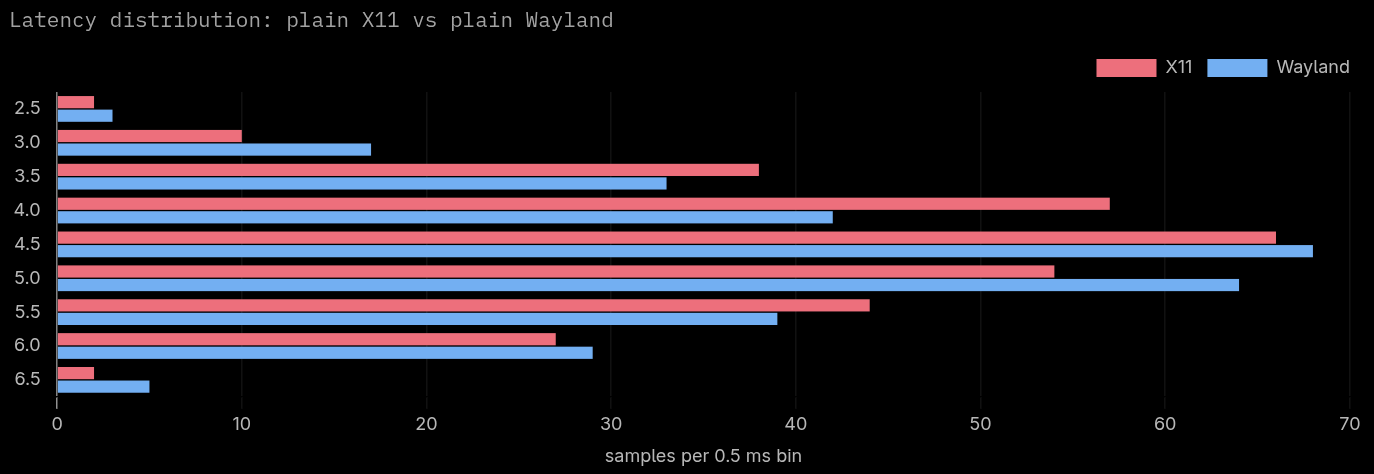
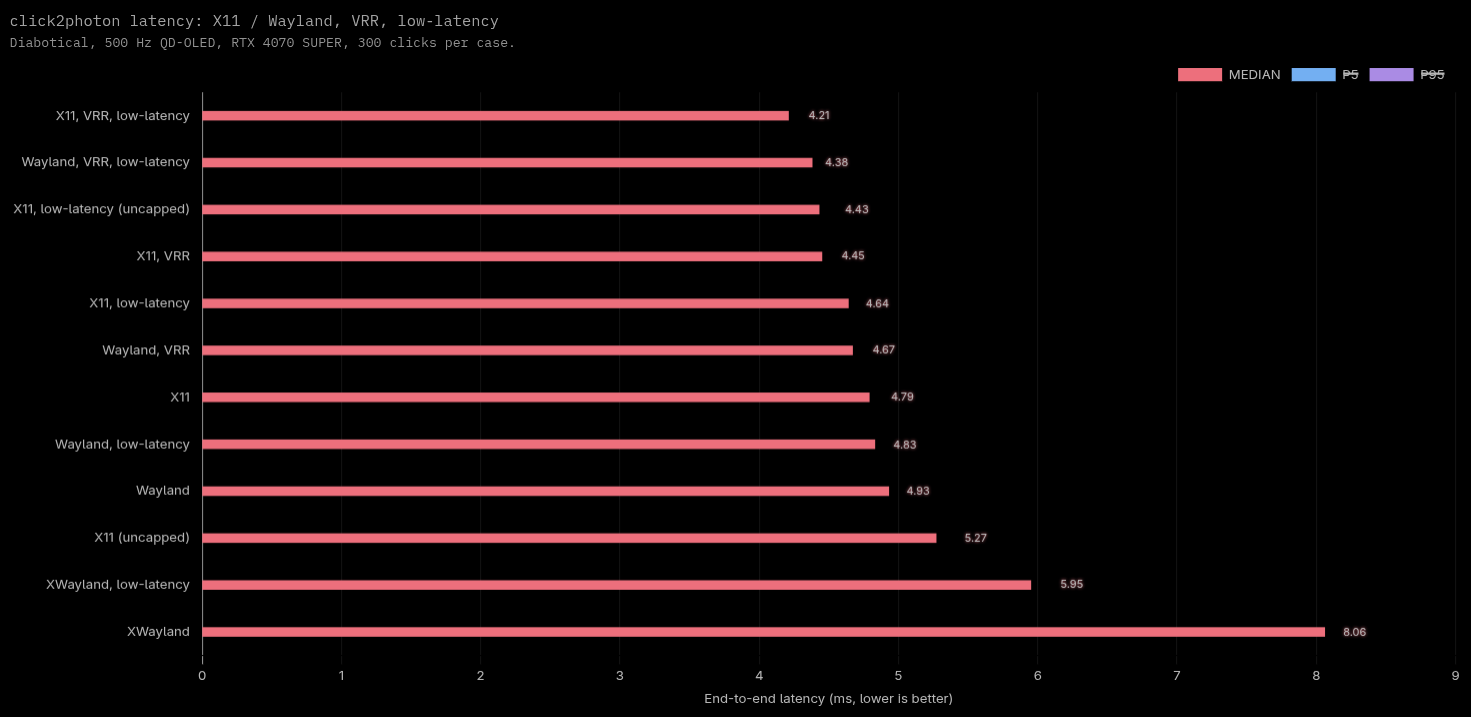
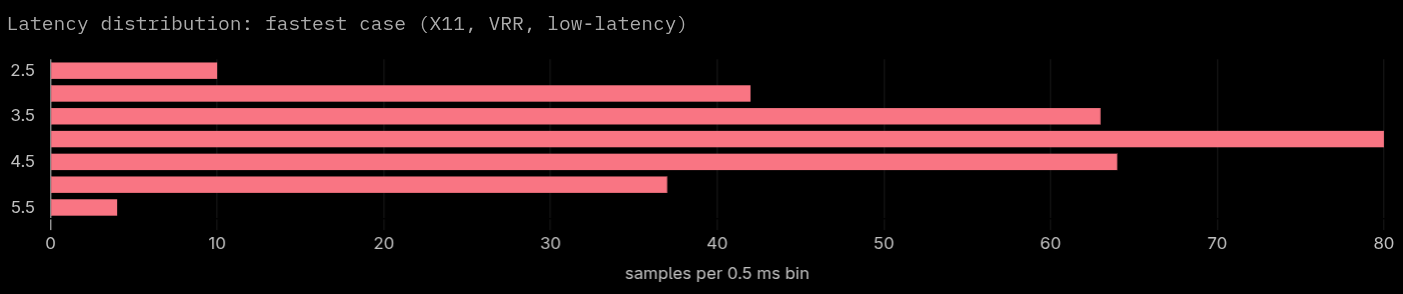
The results undercut a lot of what gets discussed online. The eight main test cases land within 0.72 ms of each other, with medians ranging from 4.21 ms to 4.93 ms.
Source: Marco Nett
X11 beats Wayland by just 0.14 to 0.22 ms, nowhere near enough to explain Wayland's reputation for feeling laggy. Enabling VRR cuts latency by 0.26 to 0.45 ms and tightens the spread of results, more than any other factor tested.
Up to 0.84 ms gets saved in uncapped scenarios once the dxvk-low-latency fork is turned on. The real culprit is XWayland, which adds 3.13 ms on top of native Wayland, more than every other factor combined.
Stacking every optimization together (X11, VRR, and the low-latency fork) only moved the median down by 0.72 ms compared to a plain Wayland setup.
What does this mean for Linux gamers?
For the average Linux gamer, the lesson isn't to abandon Wayland for X11. It's to turn on VRR if your display supports it, get the dxvk-low-latency fork installed if your setup allows it, and make sure games run through native Wayland instead of XWayland.
What I have covered here is a distilled summary of the testing done by Marco, I highly suggest you give the original blog a read. He has taken a lot of variables into account, and listing them individually would've made you click away from this article. 😅

from It's FOSS https://ift.tt/pCx4oQZ
via IFTTT

Tidak ada komentar:
Posting Komentar