Sabtu, 09 Agustus 2025

15 Co-Op Games for Linux Steam Gamers in 2025

15 Co-Op Games for Linux Steam Gamers in 2025

There's something special about playing co-op games with your friends. If done right, it can create unbreakable bonds that last forever. But it can also weed out the fake ones who steal your loot while you're downed and conveniently "forget" to revive you.

Source for that? Me, and countless hours of discovering which people are actually sociopaths in disguise. 😆

Whether you're strengthening friendships or testing new ones, co-op gaming on Linux has never been better. The 15 games in this list are the best choices for shared adventures.

📋
The games featured here are of different age ratings, and are a mix of native Linux titles and those that run well via Proton. Also, these games might be available from other Platforms like GOG.

1. Unravel Two

15 Co-Op Games for Linux Steam Gamers in 2025

Steam Deck status: Playable 🟡

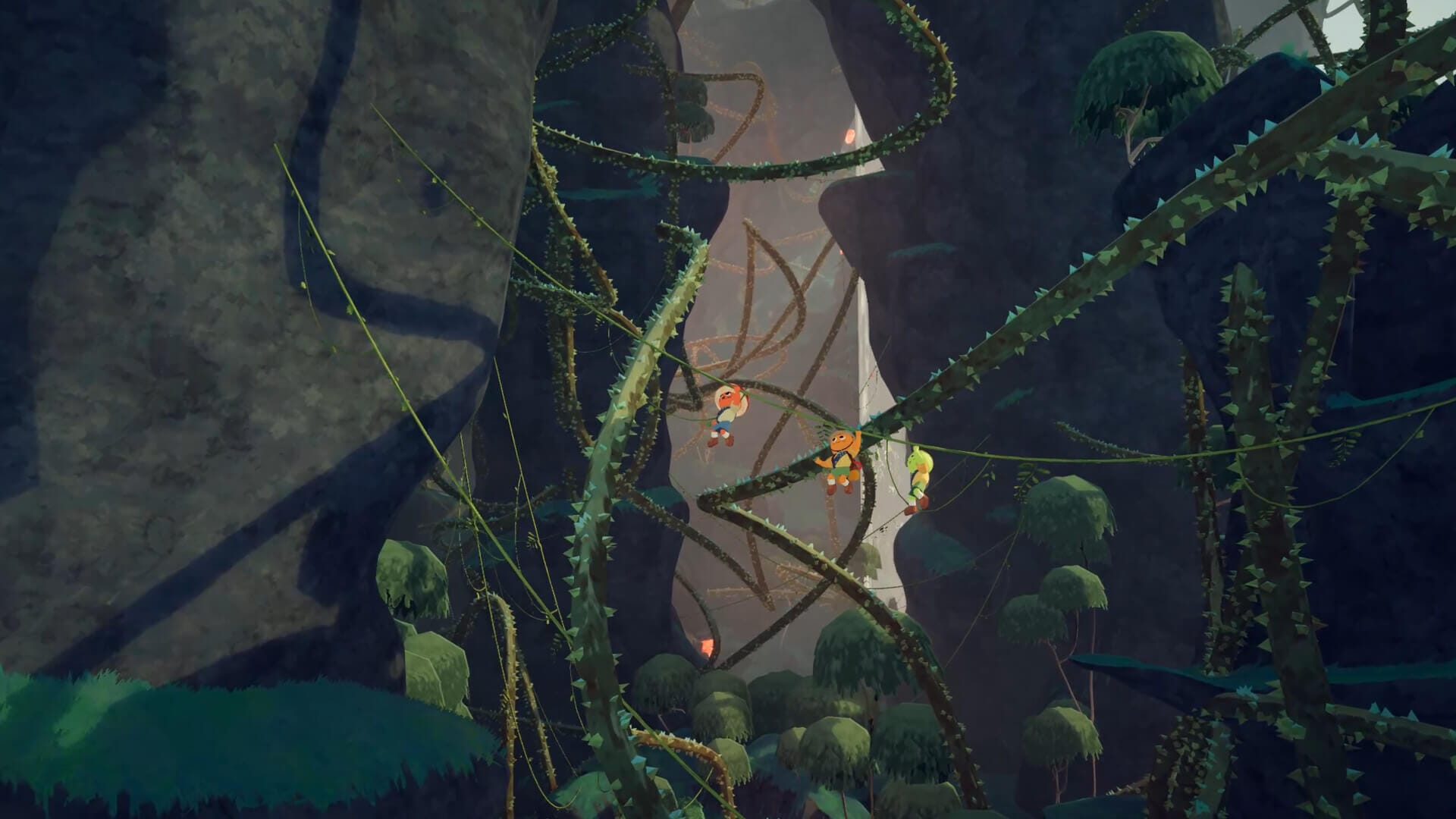
Unravel Two puts players into a beautiful cooperative experience where two adorable yarn creatures called Yarnys work together to overcome obstacles. Both players control a Yarny and their companion as they swing, climb, and solve environmental puzzles through remarkable natural landscapes.

The game requires collaborative play, as many puzzles cannot be solved alone, nudging players to communicate and coordinate their movements. The emotional storytelling unfolds wordlessly throughout the environment, creating touching moments as the two characters help each other through challenging situations.

📋
Why this game? It perfectly balances accessibility with meaningful cooperation, offering a relaxing yet engaging experience that works equally well for couples, friends, or family gaming sessions.

2. PEAK

15 Co-Op Games for Linux Steam Gamers in 2025

Steam Deck status: Playable 🟡

PEAK is an innovative climbing simulation that brings the thrill and challenge of mountaineering to cooperative gameplay. Players work together to plan routes, manage equipment, and support each other through treacherous ascents on realistic mountain faces.

You won't get anywhere in this game if you don't cooperate with your friends, as one wrong move can negatively impact the whole team. Weather conditions, equipment management, and stamina all play crucial roles in successful climbs.

The realistic physics and new mountain environments (that change every 24 hours) create an immersive experience that captures both the beauty and dangers of extreme climbing.

📋
Why this game? It offers a unique cooperative experience that's unlike anything else, combining realistic climbing mechanics with practical teamwork.

3. Valheim [Native Linux]

15 Co-Op Games for Linux Steam Gamers in 2025

Steam Deck status: Verified ✅

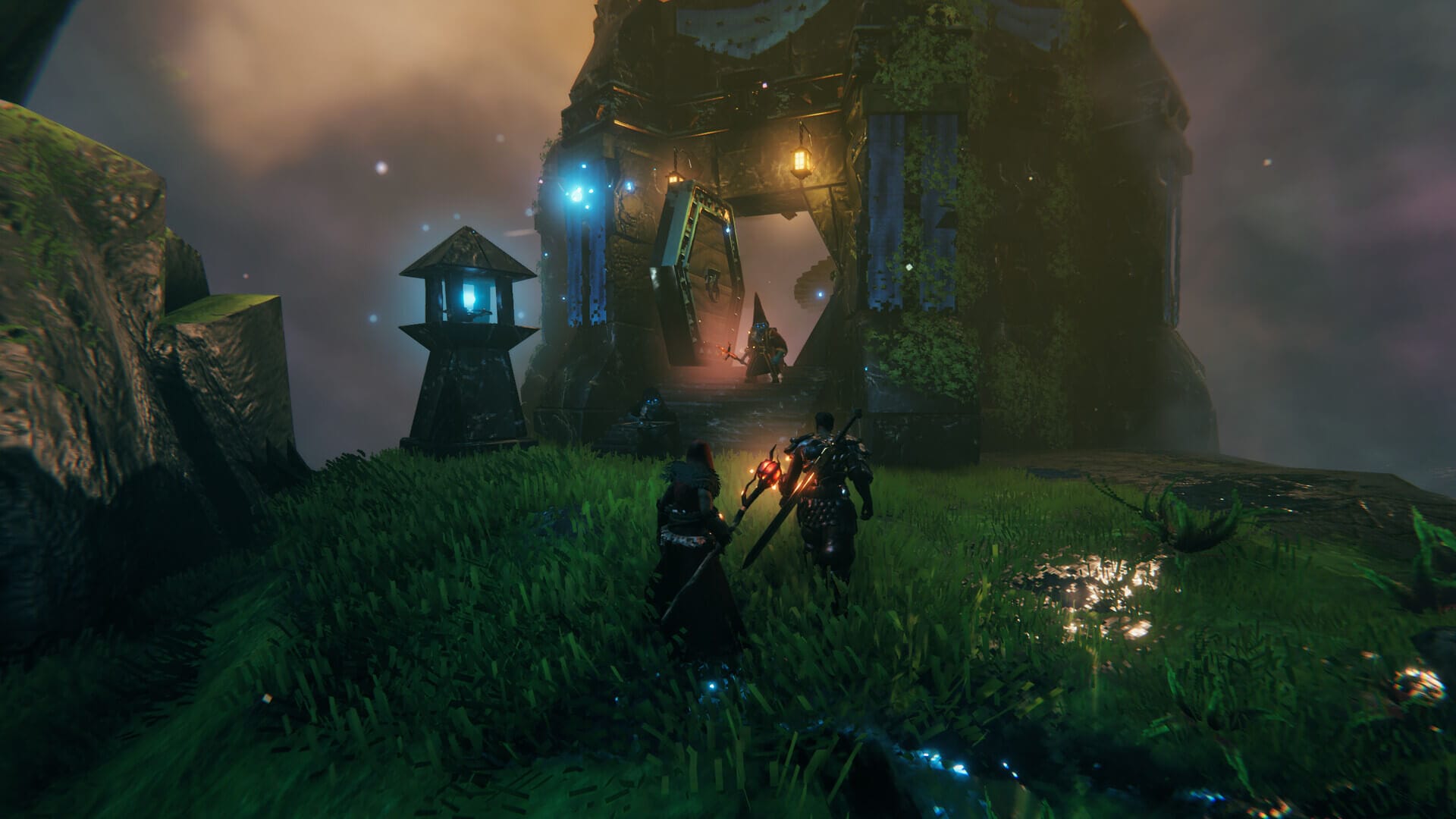
Valheim drops up to 10 players into a procedurally generated Viking purgatory where cooperation isn't just helpful; it's essential for survival. This Norse-inspired survival game combines base building, exploration, and combat in a beautifully stylized world.

The game shines in its progression system, where different biomes present unique challenges that require coordinated preparation and teamwork. Building impressive settlements, crafting advanced equipment, and taking down powerful bosses all benefit from having dedicated teammates handling different roles.

📋
Why this game? It cleverly blends survival mechanics with meaningful progression, creating a world where every shared accomplishment feels earned.

4. Phasmophobia

15 Co-Op Games for Linux Steam Gamers in 2025

Steam Deck status: Verified ✅

Phasmophobia will make your dream of becoming a demonologist true, at least until you're screaming like a child and abandoning your teammates to save yourself from an angry ghost.

In this, up to four players work together as paranormal investigators, using specialized equipment to identify supernatural entities while trying not to become victims themselves.

The game's genius lies in how it makes every player essential, someone needs to monitor cameras, another handles EMF readings, while others navigate the haunted locations to gather evidence.

📋
Why this game? It creates genuine scares rather than cheap jump scares, making every investigation a memorable shared experience.

5. American Truck Simulator [Native Linux]
15 Co-Op Games for Linux Steam Gamers in 2025

Steam Deck status: Verified ✅

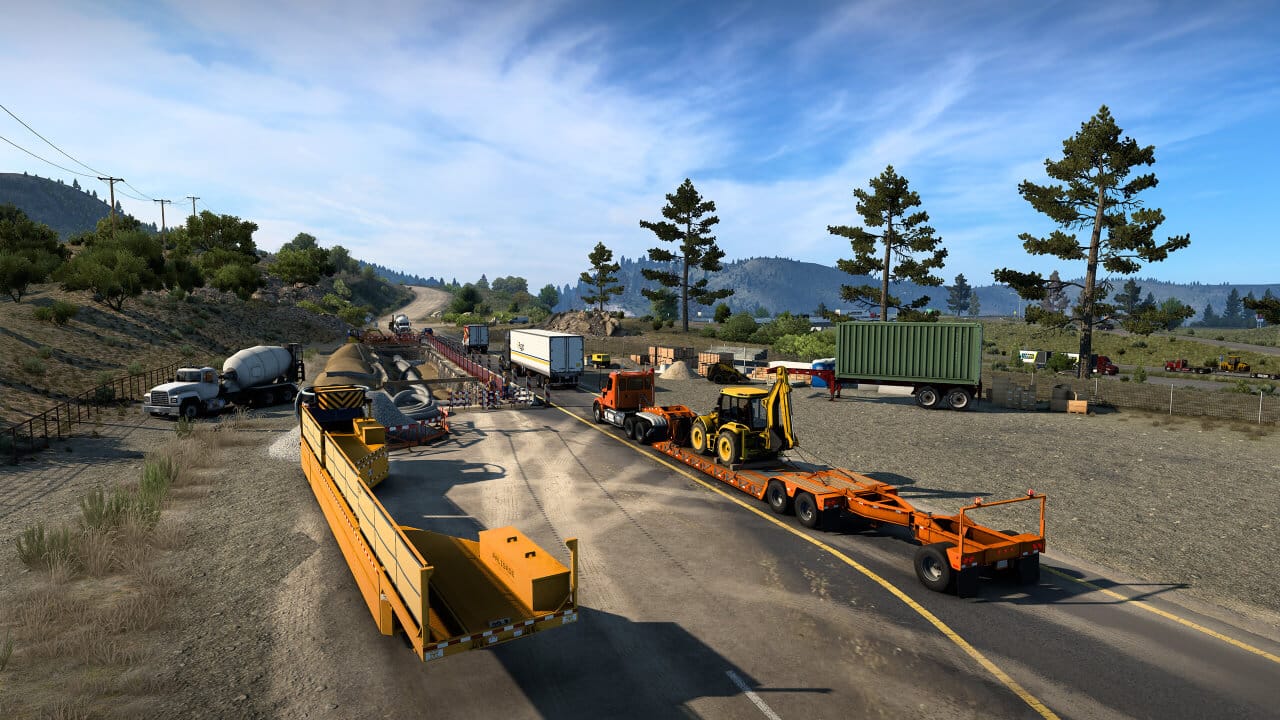
American Truck Simulator transforms long-haul trucking into a surprisingly engaging cooperative experience through its multiplayer convoy features. Players can form trucking companies, coordinate deliveries, and explore the meticulously recreated American highways together.

The game offers a relaxing experience where players can chat while cruising down scenic routes, coordinate convoy formations, or work together to complete challenging deliveries.

If you don't like the American setting, then you can go for Euro Truck Simulator 2, which is set in Europe. I can vouch for both of these games; they are very addictive.

📋
Why this game? It provides a chill, meditative experience that's perfect for catching up with friends while exploring beautiful virtual recreations of the American landscape.

6. HELLDIVERS 2

15 Co-Op Games for Linux Steam Gamers in 2025

Steam Deck status: Playable 🟡

Want to make democracy great again? HELLDIVERS 2 delivers chaotic cooperative action where up to four players fight for "Super Earth" against undemocratic alien threats. This shooter calls for strategic coordination, where accidentally calling in orbital strikes on teammates is just part of the hilarious (and intense) experience.

Here, every mission feels like a desperate fight for survival where success depends entirely on how well the team works together under pressure.

📋
Why this game? It perfectly captures the intensity of tactical cooperation while maintaining a satirical tone that makes every friendly fire incident memorable rather than frustrating.

7. Barotrauma [Native Linux]

15 Co-Op Games for Linux Steam Gamers in 2025

Steam Deck status: Playable 🟡

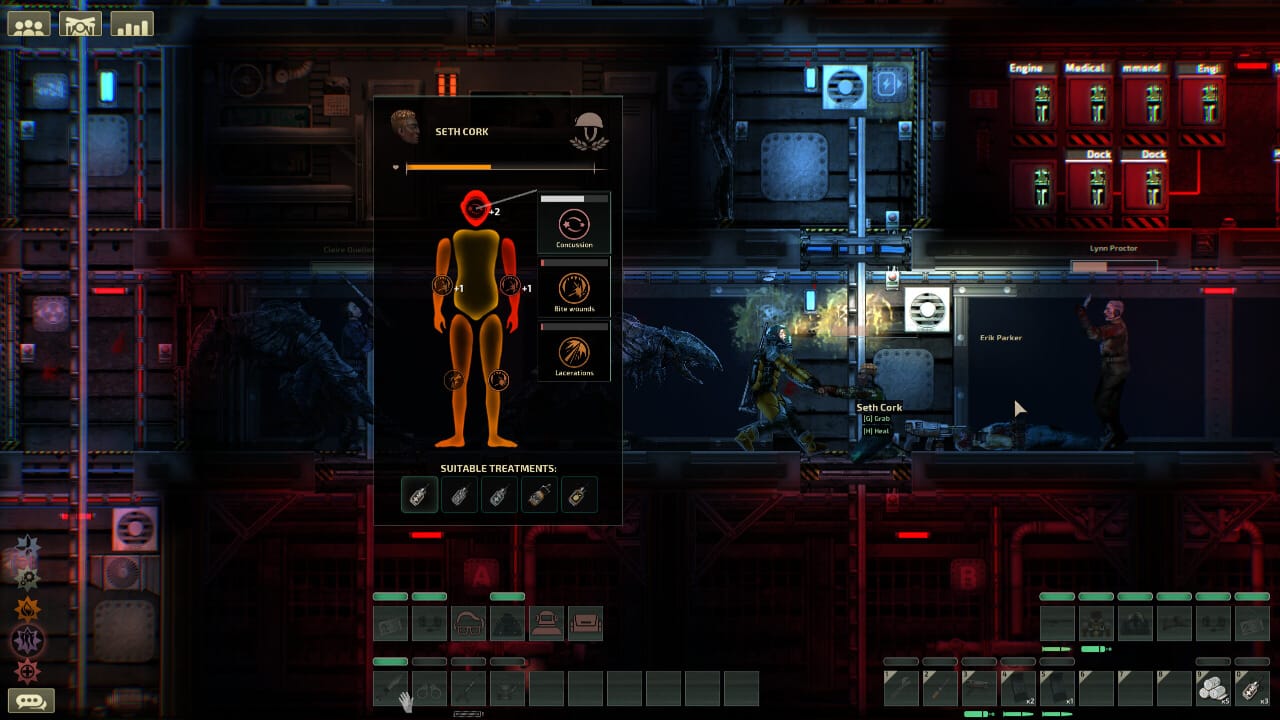
Barotrauma plunges players into the crushing depths of Europa's ocean, where up to 16 players can team up inside a submarine in a fight for survival against alien creatures and human incompetence. This survival game combines submarine simulation with horror elements and unconventional storytelling.

Every crew member has specific roles, like Captain, Engineer, Medic, Security, and the submarine's survival depends on each player performing their duties competently. When things go wrong (and they will), the results are often spectacular failures involving hull breaches, reactor meltdowns, and alien infestations.

📋
Why this game? Every trip becomes a wild story of either pulling off miracles or spectacularly screwing everything up. You'll be laughing about the events that happen in this for years.

8. It Takes Two

15 Co-Op Games for Linux Steam Gamers in 2025

Steam Deck status: Verified ✅

It Takes Two is specifically designed as a cooperative experience that cannot be played alone, following a couple navigating both their relationship and bizarre worlds filled with creative gameplay mechanics. Every level introduces new cooperative mechanics that require both players to work in perfect harmony.

The game constantly surprises players with its variety; one moment you're operating asymmetric tools to solve puzzles, the next you're engaging in competitive mini-games that lighten the mood.

📋
Why this game? It's the perfect couples' game that uses cooperation as both a gameplay mechanic and a metaphor for relationships, creating meaningful shared experiences through creative game design.

9. Sons of The Forest

15 Co-Op Games for Linux Steam Gamers in 2025

Steam Deck status: Unsupported 🚫

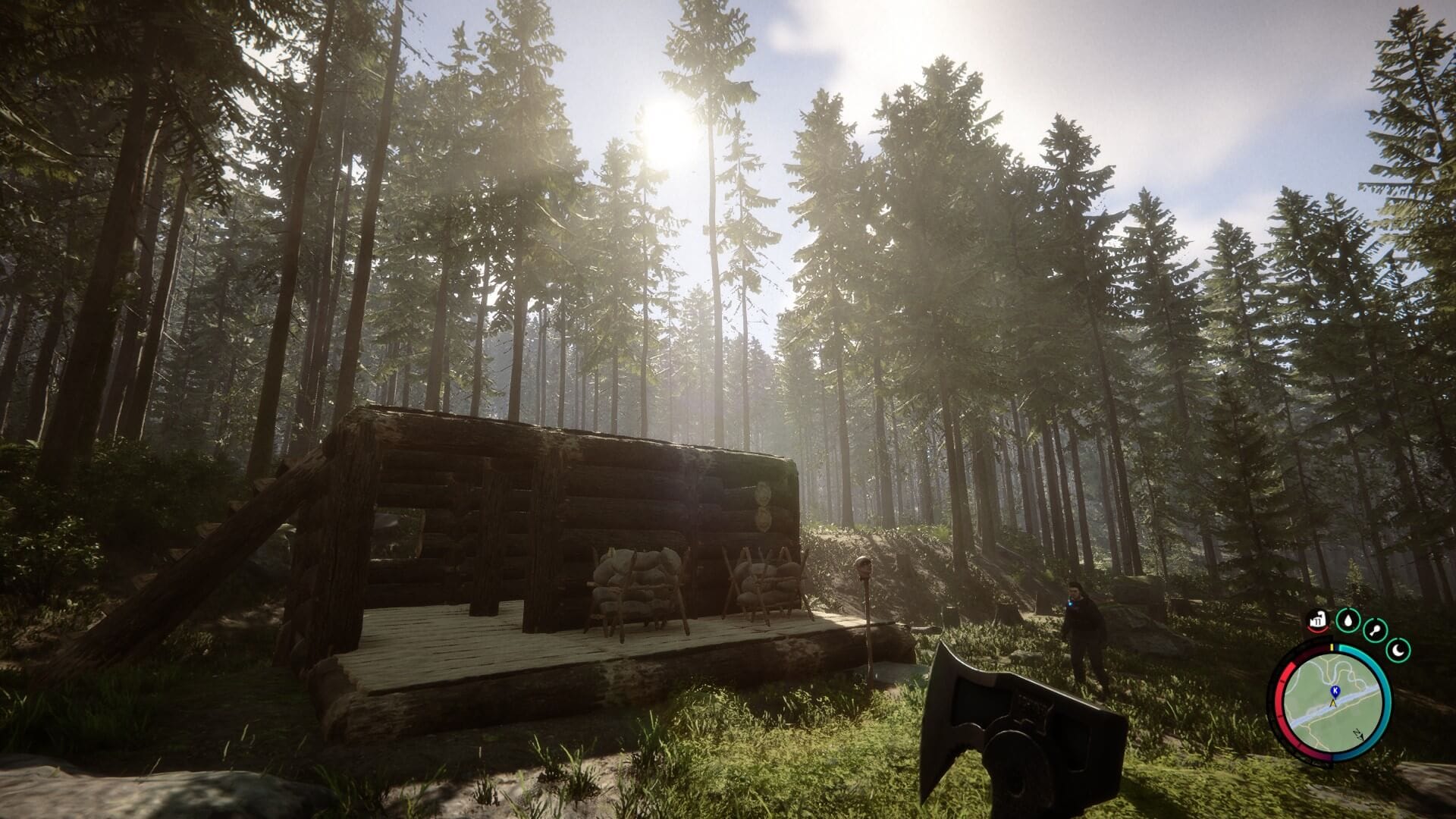
Sons of The Forest combines survival horror and cooperative mechanics, where up to 8 players work together to survive a cannibal-infested island. Here, you build shelters, craft weapons, and uncover dark secrets while trying not to become dinner.

The game naturally creates team roles, like builders, resource gatherers, and brave souls who venture into dark caves. Having backup makes the horror slightly more bearable, though you'll still jump at every creepy sound together.

📋
Why this game? It combines survival mechanics with tasteful horror in a way that makes cooperation feel essential rather than optional.

10. R.E.P.O.

15 Co-Op Games for Linux Steam Gamers in 2025

Steam Deck status: Playable 🟡

R.E.P.O. sends you and your crew into haunted locations to hunt for valuable loot while dealing with angry spirits that don't appreciate trespassers. It's part treasure hunting, part ghostbusting.

Teams need to coordinate between searching for valuables and handling supernatural threats that get increasingly hostile. Communication is key when you're trying to grab loot while your teammate is getting chased by a poltergeist.

📋
Why this game? It combines the thrill of treasure hunting with paranormal combat, creating tense moments where greed might just get your whole team killed by ghosts.

11. Unrailed! [Native Linux]

15 Co-Op Games for Linux Steam Gamers in 2025

Steam Deck status: Verified ✅

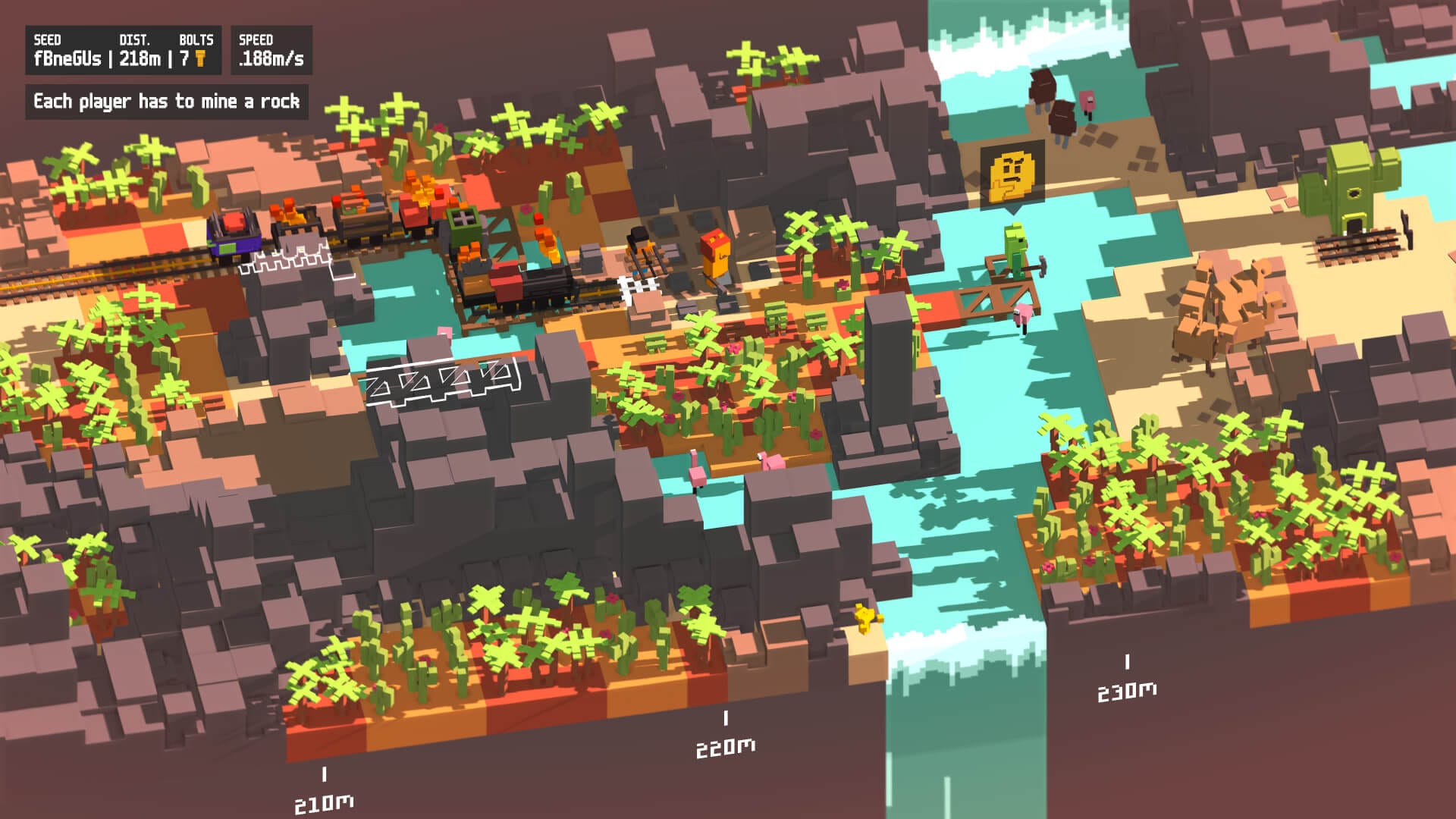
Unrailed! transforms railroad construction into a frantic cooperative puzzle game where up to four players must work together to build tracks for an unstoppable train. The procedurally generated landscapes require constant adaptation and perfect coordination to avoid derailment.

The game creates natural chaos where everyone has a different job, like chopping wood, laying tracks, clearing obstacles, or keeping the train from flying off the rails. As levels progress, everything gets faster and more hectic.

📋
Why this game? It perfectly captures the satisfaction of successful teamwork under pressure, creating those "we did it!" moments when your coordinated efforts barely save the train from certain doom.

12. Dead by Daylight

15 Co-Op Games for Linux Steam Gamers in 2025

Steam Deck status: Verified ✅

Dead by Daylight puts four survivors against one killer in a deadly game of cat and mouse where teamwork literally means life or death. Survivors must coordinate generator repairs, healing, and rescues while avoiding becoming the killer's next victim.

The real trick here is from those split-second decisions: Do you risk saving your teammate on the hook or prioritize your own survival? Every choice matters, and bad teamwork usually ends with everyone dead.

📋
Why this game? It creates genuine heart-pounding moments where your friends' survival depends on your decisions, making every match a test of loyalty under pressure.

13. Schedule I

15 Co-Op Games for Linux Steam Gamers in 2025

Steam Deck status: Playable 🟡

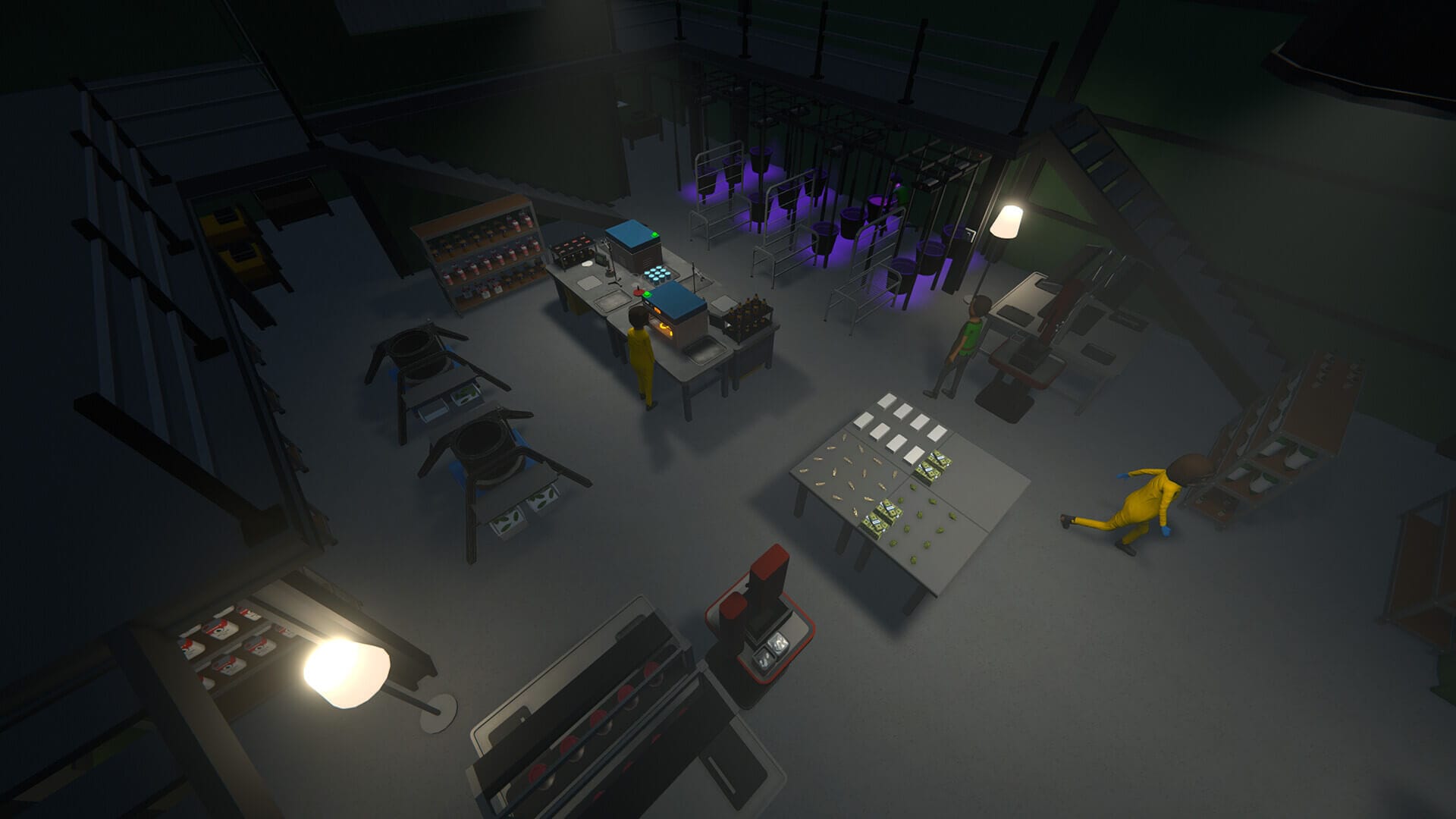
Fans of Breaking Bad (and Better Call Saul), I have something special for you. Schedule I is a chill cooperative experience focused on manufacturing narcotics where players work together to handle complex operations through careful planning and coordination.

You'll be juggling resources, keeping supply chains running, and making sure nothing falls apart while your friends handle their own share of the work.

📋
Why this game? You get to start a fictional illicit empire with your friends; all the planning and coordination thrills without any real-world consequences (e.g., jailtime).

14. Deep Rock Galactic

15 Co-Op Games for Linux Steam Gamers in 2025

Steam Deck status: Playable 🟡

Deep Rock Galactic combines space dwarves, mining operations, and alien bug extermination into one of the most polished cooperative experiences available for Linux. Up to four players take on different roles: Driller, Engineer, Gunner, or Scout, each with unique tools essential for mission success.

The procedurally generated cave systems ensure every mission feels fresh, while the class-based gameplay creates natural cooperation as each dwarf's abilities complement the others perfectly. The game's progression system rewards both individual skill development and team coordination, with a steady stream of upgrades and customization options.

📋
Why this game? It nails the fundamentals of cooperative gameplay with distinct classes, excellent progression systems, and the perfect balance of challenge and fun.

15. Warhammer 40,000: Space Marine 2

15 Co-Op Games for Linux Steam Gamers in 2025

Steam Deck status: Playable 🟡

Warhammer 40,000: Space Marine 2 drops you and two friends into a grim future as superhuman Space Marines, fighting endless alien hordes. You're basically walking tanks with chainswords and big guns, and the game makes you feel every bit as overpowered as that sounds.

The combat rewards aggressive teamwork where you charge headfirst into massive enemy swarms while covering each other's backs. When someone goes down, you better believe you're fighting through hell to revive them.

📋
Why this game? It perfectly captures the power fantasy of being an unstoppable warrior while still requiring tight coordination to survive the galaxy's worst nightmares.

I let you enjoy and explore these games. Meanwhile, if you have suggestions on some interesting games or you found a new favorite here, please leave a comment.


from It's FOSS https://ift.tt/UsKnVSa
via IFTTT

Rabu, 06 Agustus 2025

FOSS Weekly #25.32: AWS Fiasco, AUR Poisoned Again, Ubuntu Manual, Firefox New Tab Customization and More Linux Stuff

FOSS Weekly #25.32: AWS Fiasco, AUR Poisoned Again, Ubuntu Manual, Firefox New Tab Customization and More Linux Stuff

You own nothing in this digital age. Your ebooks, your games, your movies. Nothing belongs to you if you rely on a third-party streaming/storage/service provider.

In a bizarre turn of events, Amazon Web Services deleted the 10-year old account of an open source developer who lost all the data.

AWS deleted my 10-year account and all data without warning
After 10 years as an AWS customer and open-source contributor, they deleted my account and all data with zero warning. Here’s how AWS’s ‘verification’ process became a digital execution, and why you should never trust cloud providers with your only copy of anything.
FOSS Weekly #25.32: AWS Fiasco, AUR Poisoned Again, Ubuntu Manual, Firefox New Tab Customization and More Linux Stuff

This again is a reminder why self-hosting and homelab are important to own your data and attain digital freedom.

💬 Let's see what else you get in this edition

  • Arch Linux users being at risk again with another AUR infestation.
  • Removal of wget from Ubuntu Server.
  • Cisco gifting a project to the Linux Foundation.
  • Teaching coding to kids.
  • And other Linux news, tips, and, of course, memes!

📰 Linux and Open Source News

Another RAT hits the Arch User Repository (AUR); what's going on?

Arch Linux Users at Risk Again as AUR Hit by Another RAT
A new pest appears in the Arch User Repository.
FOSS Weekly #25.32: AWS Fiasco, AUR Poisoned Again, Ubuntu Manual, Firefox New Tab Customization and More Linux Stuff

🧠 What We’re Thinking About

Linux Foundatio is exploring different geographical territories. Outside the US, it started a Europe chapter, established Asia chapter and now it has a dedicated India chapter.

The first Open Source Summit India event was just concluded, and It's FOSS was one of its official media partner, like many other Linux Foundation events in the past.

Open Source Summit India 2025: Linux Foundation India Marks First Year with New Partnerships
India’s open source ecosystem expands with agriculture, finance, manufacturing, and AI focus.
FOSS Weekly #25.32: AWS Fiasco, AUR Poisoned Again, Ubuntu Manual, Firefox New Tab Customization and More Linux Stuff

🧮 Linux Tips, Tutorials, and Learnings

Watching my 4-year-old get excited about computers and coding is wonderful. ☺️

4 Ways I am Encouraging My 4 Year Old Child to Help Learn Coding and Use Computer
You are never too old or too young to learn programming.
FOSS Weekly #25.32: AWS Fiasco, AUR Poisoned Again, Ubuntu Manual, Firefox New Tab Customization and More Linux Stuff

👷 AI, Homelab and Hardware Corner

A bachelor's thesis has turned out to be an alternative to Amazon Kindle.

This Bachelor’s Thesis Lets You Build Your Own Kindle Alternative eBook Reader
Student’s thesis becomes a fully hackable alternative to Amazon Kindle.
FOSS Weekly #25.32: AWS Fiasco, AUR Poisoned Again, Ubuntu Manual, Firefox New Tab Customization and More Linux Stuff

Lofree mechanical keyboards are the new favorite these days. They are working on the new Flow 2 keyboard. Its Void variant is suprisngly silent for a mechanical keyboard.

FOSS Weekly #25.32: AWS Fiasco, AUR Poisoned Again, Ubuntu Manual, Firefox New Tab Customization and More Linux Stuff

I love my Keychron keyboard, but this is something I am looking forward to.

✨ Project Highlight

This AI-powered visual editor will surprise you.

Hands-On with Onlook: The AI-Powered Visual Editor That Blends Code and Design
Discover how Onlook combines AI, code, and design effortlessly.
FOSS Weekly #25.32: AWS Fiasco, AUR Poisoned Again, Ubuntu Manual, Firefox New Tab Customization and More Linux Stuff

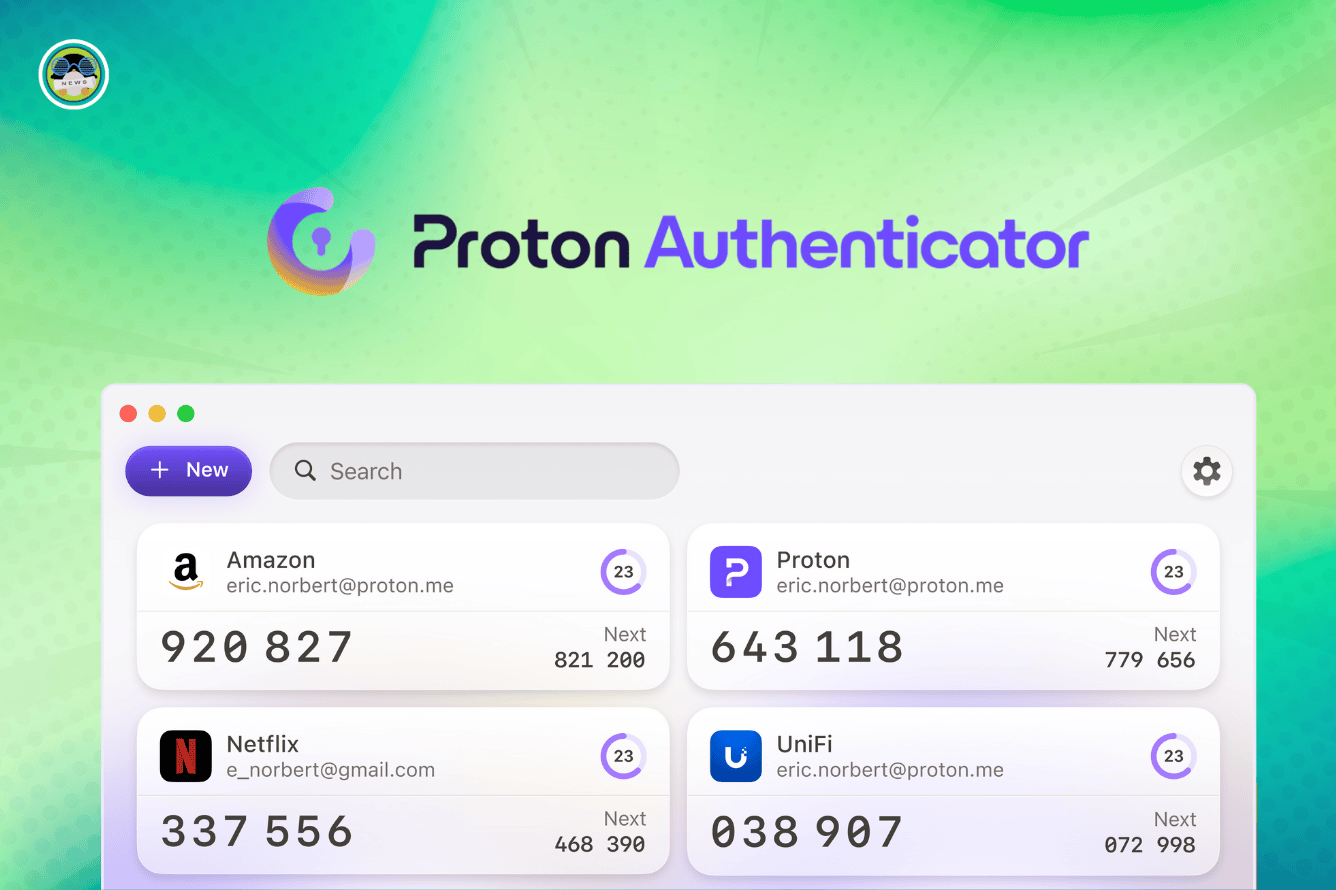
Proton is taking the fight to Microsoft Authenticator with its new offering.

Say Goodbye to Microsoft Authenticator! Proton Just Introduced a Solid Alternative
Proton’s 2FA app helps keep your accounts safe and secure.
FOSS Weekly #25.32: AWS Fiasco, AUR Poisoned Again, Ubuntu Manual, Firefox New Tab Customization and More Linux Stuff

📽️ Videos I am Creating for You

See how you customize the new tab look in Firefox.

🧩 Quiz Time

Wondering which desktop environment matches your vibe?

Which Desktop Environment Matches Your Vibe? [Fun Quiz]
See which popular desktop environment matches with your personality.
FOSS Weekly #25.32: AWS Fiasco, AUR Poisoned Again, Ubuntu Manual, Firefox New Tab Customization and More Linux Stuff

💡 Quick Handy Tip

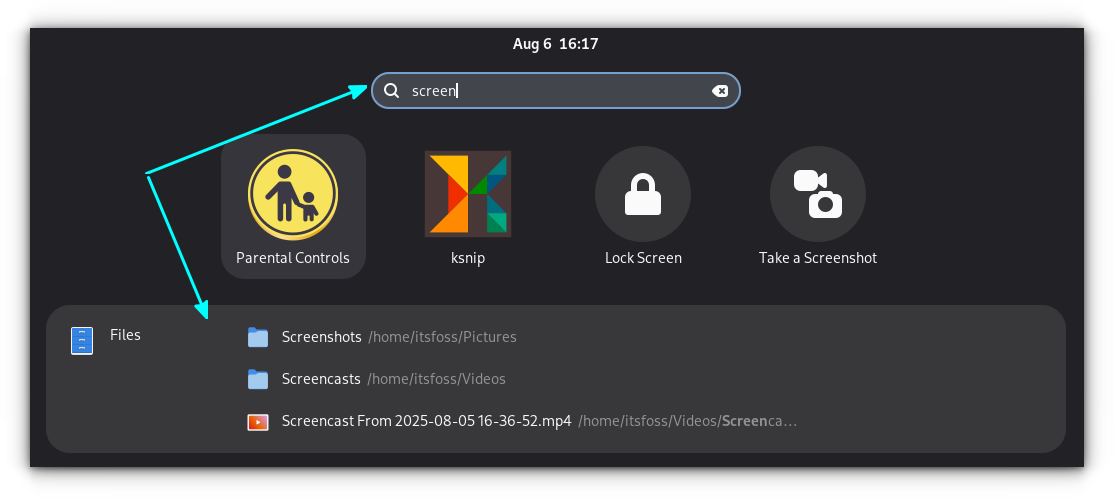
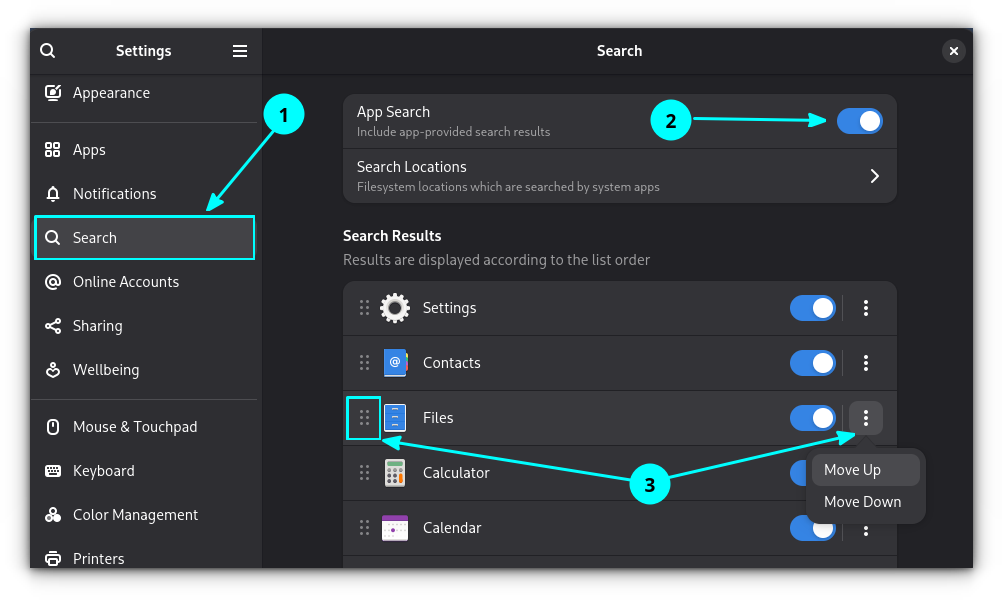
In GNOME, you can arrange the order of appearance of search results. Open Settings and go into the "Search" section. Here, make sure that "App Search" is enabled, and then reorder the items according to your needs.

In the screenshot above, the Files result made it to the top as I had changed its priority.

🤣 Meme of the Week

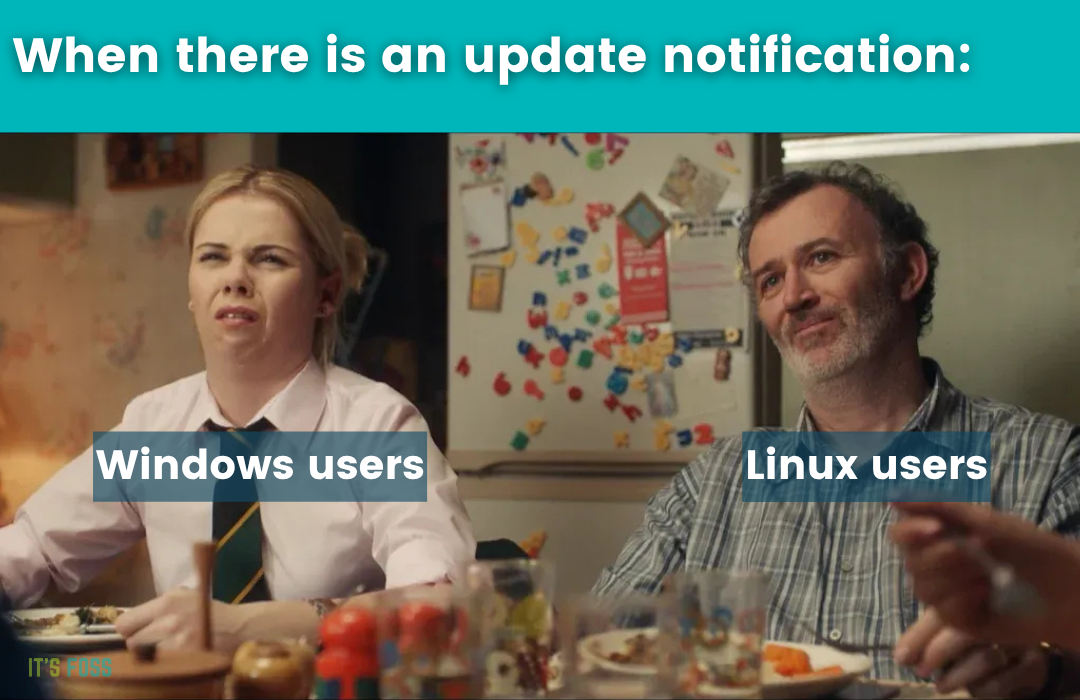
The suspense always gets me. 😑

FOSS Weekly #25.32: AWS Fiasco, AUR Poisoned Again, Ubuntu Manual, Firefox New Tab Customization and More Linux Stuff

🗓️ Tech Trivia

Radio Shack unveiled the TRS-80, one of the first mass-market personal computers. With just 4KB of RAM and cassette storage, it helped launch the home computing revolution alongside the Apple II and Commodore PET. 💾💡

🧑‍🤝‍🧑 FOSSverse Corner

If you noticed a wave of spammers on our forum, this is why.

Here’s Why It’s FOSS Community Forum is Being Targeted by Spammers!
You folks may have seen another wave of spam accounts in the forum. Why is that? What do these spammers want? Let me tell you why this community forum is being targeted. Lately, Google search has changed and it wants to show discussions from real people in the search results. Reddit takes the top spot but many older, reputed forums have seen increased visibility in the incoming traffic from Google. It’s FOSS Community has also seen a tremendous boost in traffic. Google recognizes it as one o…
FOSS Weekly #25.32: AWS Fiasco, AUR Poisoned Again, Ubuntu Manual, Firefox New Tab Customization and More Linux Stuff

❤️ With love

Please share it with your Linux-using friends and encourage them to subscribe (hint: it's here).

Share the articles in Linux Subreddits and community forums.

Follow us on Google News and stay updated in your News feed.

Opt for It's FOSS Plus membership and support us 🙏

Enjoy FOSS 😄


from It's FOSS https://ift.tt/oURgEXh
via IFTTT

Selasa, 05 Agustus 2025

4 Ways I am Encouraging My 4 Year Old Child to Help Learn Coding and Use Computer

4 Ways I am Encouraging My 4 Year Old Child to Help Learn Coding and Use Computer

I am helping my child learn coding. No, not the new born, but "my favorite child", Ushika, who is now four years old. I have to call her "my favorite child" to avoid any backlash we could get as we divide our attention between two children now.

My daughter has a dedicated Raspberry Pi set up for almost a year now. She recognizes the typical Raspberry Pi wallpaper, and whenever I have a Pi connected to a monitor, she thinks it's her computer.

After her initial introduction with computers, I am gradually helping her explore coding programs specially designed for children as young as five years old.

💡
Please know that coding for young children is vastly different from the usual programming you know. It is block-based and interactive. It's like playing with Lego but on computers. Also, I am not forcing her to do anything, I am just encouraging her to explore computers. And yes, teaching coding to kids is the new normal.

TLDR;

  • I setup a Raspberry Pi with GCompris and that helped her get familiar with mouse and keyboard and the idea of a proper computer
  • CodeMonkey online platform helped her get into block-based coding on her computer as well as her tablet. Simplest choice for parents with or without coding knowledge.
  • Microbit combines the element of block-based software programming with hardware. I think prior block-based coding knowledge helped here. Need some hardware interaction and not everyone would be comfortable with it.
  • The next step is to get more interactive with a Raspberry Pi kit and move on to higher level block-based courses on CodeMonkey.

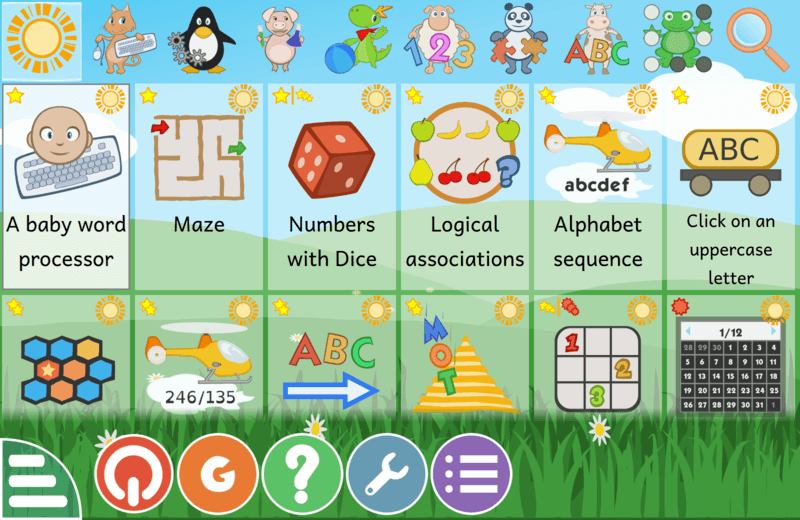
GCompris: Free education games package

I started Ushika's computing journey with a Raspberry Pi running Gcompris.

GCompris is a free and open‑source educational software suite created as part of the GNU project, designed for children aged 2 to 10. It provides more than 120 interactive and game‑based activities to help kids develop foundational skills in a fun environment.

4 Ways I am Encouraging My 4 Year Old Child to Help Learn Coding and Use Computer

But GCompris is not really for coding. It's main purpose is to get the young children comfortable with the idea of using. Ushika learned mouse control and typing on keyboard with these games. Additionally, puzzle games that are enjoyable can assist in the development of logical reasoning.

GCompris is cross-platform and you can use it on Linux, Windows, macOS and Android.

📋
If you have a computer, use GCOmpris to make them familiar with mouse and keyboard.

CodeMonkey: Block based coding

It didn't take Ushika long enough to explore GCompris completely, at least the games that are of her level or interest.

Since she could use the mouse and keyboard effortlessly now, I wanted her to level up her skill. The next move was to get her into coding.

I looked for several online coding platforms for kids and decided to try CodeMonkey. It was a good decision.

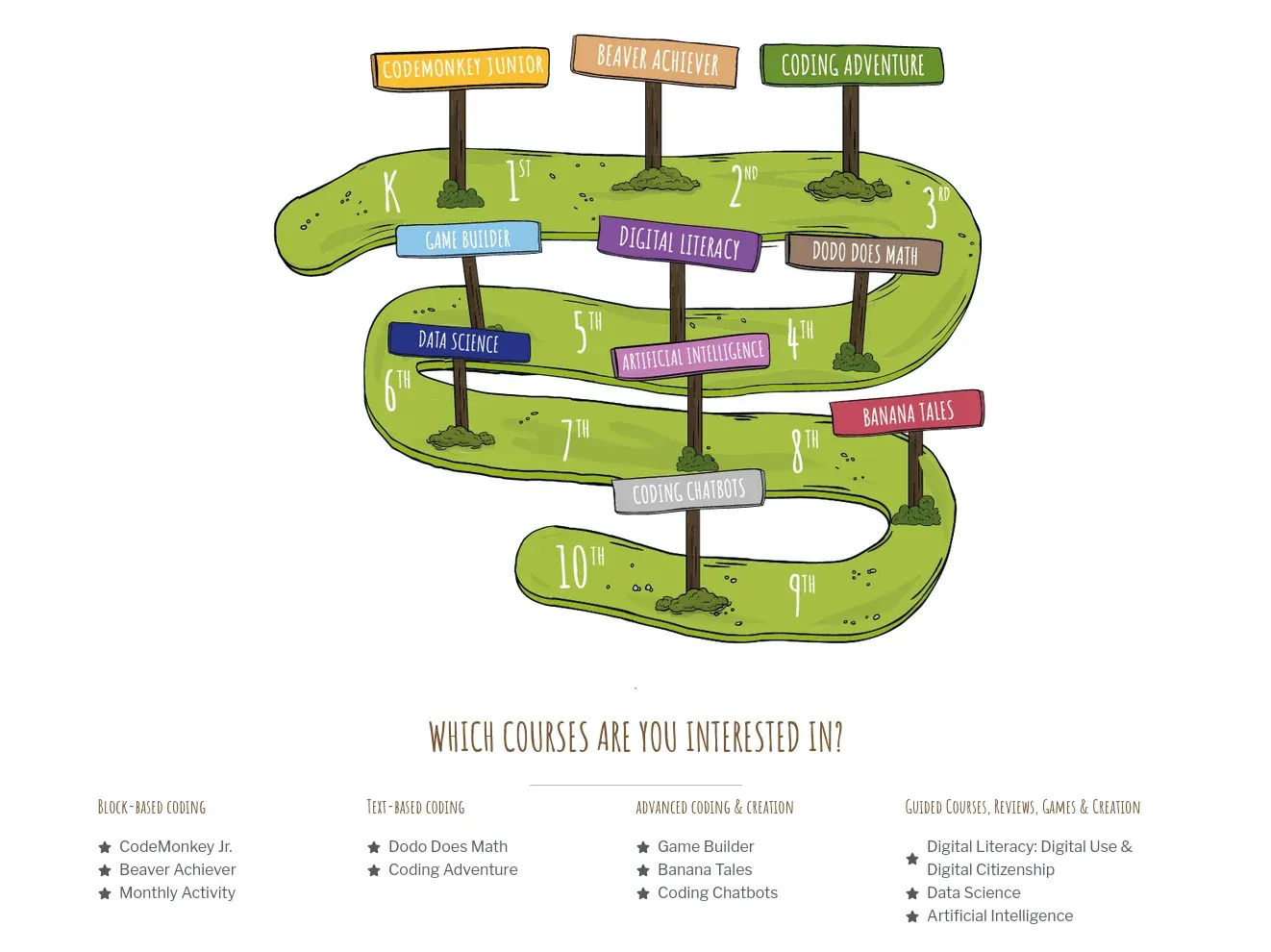
CodeMonkey is a web-based coding platform specifically designed for children aged 5 and above. In fact, their courses offer a full curriculum for grades K-8 (kindergarten to class 8).

4 Ways I am Encouraging My 4 Year Old Child to Help Learn Coding and Use Computer

There are two types of coding courses:

  • Block based: Suitable for young children who cannot read and write properly
  • Text based: Courses based on CoffeeScript and Python programming language

Later stages also have advanced courses where children can build their own AI chatbots and games. My 4-year old has not reached that stage yet (or so I think).

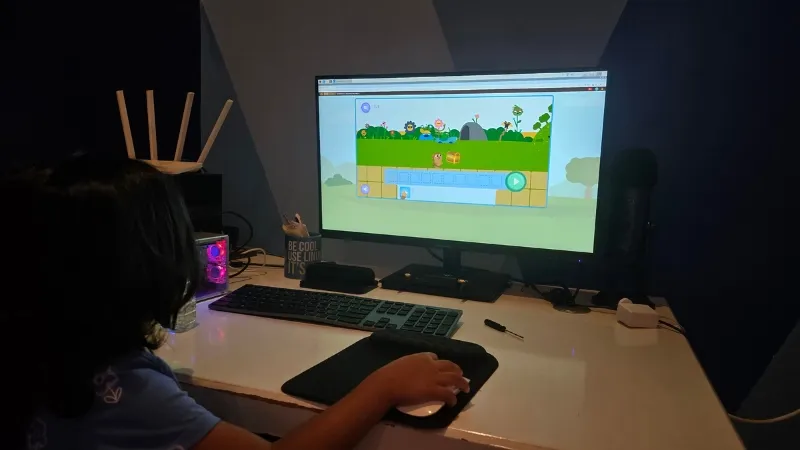
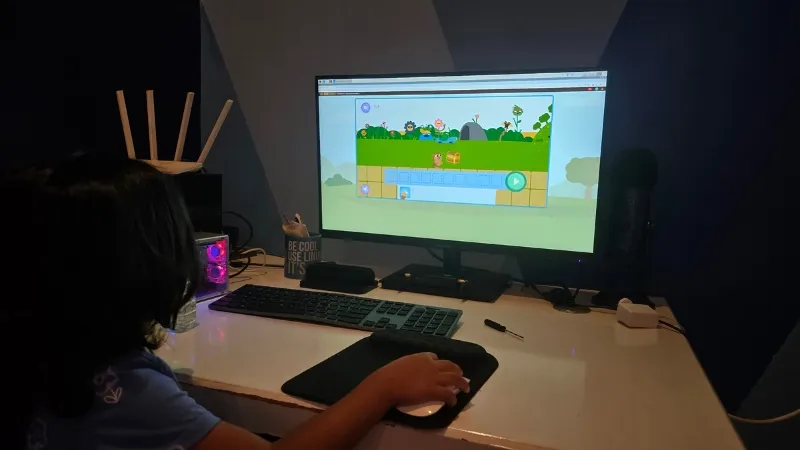
I used CodeMonkey Junior program as a parent on the desktop. I wanted Ushika to use mouse instead of a touchscreen. Also, the mentality is that tab is for fun and watching cartoons, and it can easily be distracting. Perhaps that's one of the reasons why CodeMonkey doesn't have mobile apps.

4 Ways I am Encouraging My 4 Year Old Child to Help Learn Coding and Use Computer
CodeMonkey can also be used by teachers in schools

I sit with Ushika in all the 'coding sessions'. While the puzzles are easy, the young ones still need some guidance from a grownup. If she was 7 or 8, things would have been easier for her to go on her own as there are video solutions to help students out.

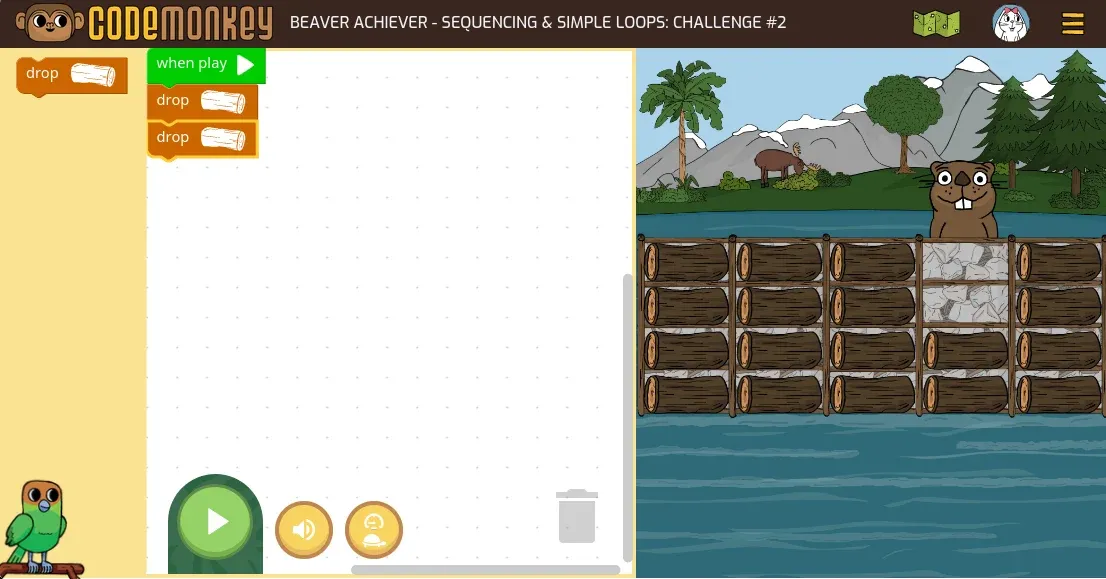
The CodeMonkey Junior teaches sequencing, loops, conditional loops and procedures.

Here's a sample video of a lesson on loop:

0:00
/0:18

Game teaching the concept of loops to children

The next beginner's course is Beaver Achiever and that has a different kind of block coding.

4 Ways I am Encouraging My 4 Year Old Child to Help Learn Coding and Use Computer

This type of block coding got popular thanks to the Scratch project, which I find overwhelming as things are not streamlines for focused learning there. I do use it differently and I'll discuss that in the next section.

Here's the thing with young children. They learn with repetition, and they actually (often) love to repeat. Ushika likes repeating the sequence and loop courses. She took her time the first time and now it's just 15-20 minutes or so to complete the 10-12 chapters.

By the way, there are also monthly challenges in CodeMonkey that justifies the continued subscription.

📋
If you don't mind spending a little, CodeMonkey is an excellent platform to start the coding journey with interactive courses. Cutting down on a streaming service for your child's education is not a bad deal. It is also a good way to spend some creative time with your young child(ren).

Microbit: Combine software with hardware

I'll be honest that I was not aware of the awesomeness of this tiny gadget. For me, things started with Raspberry Pi and that's not bad.

But Microbit is a simpler device that bridges the gap between software and hardware.

It is a 2 inch device with a few physical push buttons, speaker, LEDs for information display, and a touch sensor.

4 Ways I am Encouraging My 4 Year Old Child to Help Learn Coding and Use Computer

Remember I discussed Scratch in the previous section? Microbit with Scratch allows kids to write simple programs that are reflected on the Microbit device.

For example, Ushika worked on a block-based program that displays Mumma when left button is pushed and Papa when right button is pushed and if both buttons are pushed together, it flashes Ushika. This was one of her proudest achievements before she lost her Microbit.

Now, flashing the Scratch program to Microbit should be a matter of clicks but I find it finicky, at least on Raspberry Pi and Linux. It sometimes works, while Microbit is not even recognized at other times.

Still, this is a nifty gadget to try if you are familiar with Raspberry Pi and other single board computers. For absolutely non-technical parents, this could be a little tricky.

📋
If you can spend $20 and are not afraid of naked electronic device, Microbit is worth a try.

Raspberry Pi kits: The next level

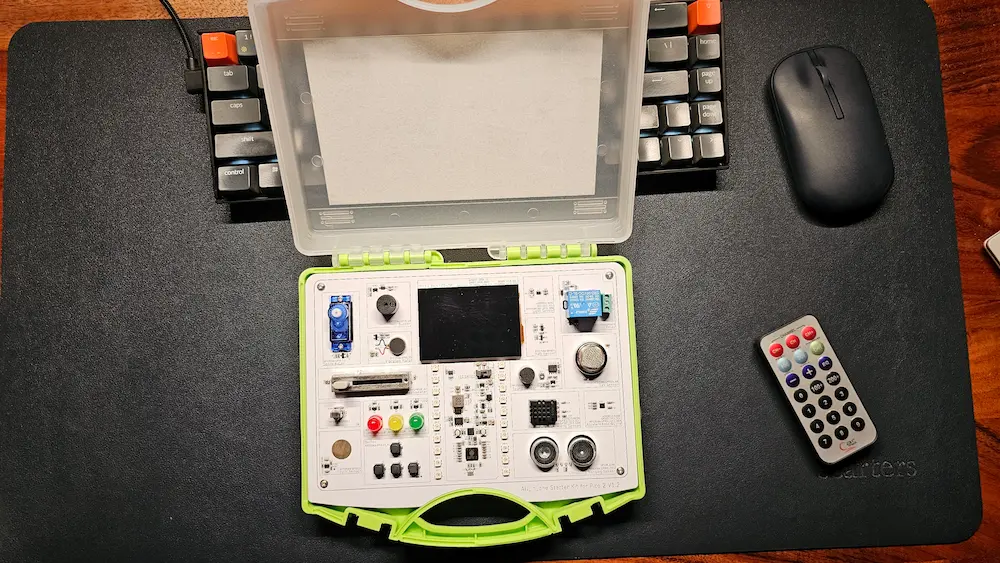
There are numerous Raspberry Pi kits out there. These kits provide compact box with a number of built-in accessories like fans, RGB lights, sensors etc. This way, children can write/run programs that directly interact with hardware.

Basically, a more extended version of Microbit.

I have two such kits from Elecrow that were sent to me for review. The Crow Pi 3 kit is more suitable for older kids.

The smaller, Pico Kit, is more suitable for quick experiment. However, it needs Arduino IDE and you have to download individual programs and flash them to the Raspberry Pi Pico. This could be challenging for parents who are not so technically involved.

4 Ways I am Encouraging My 4 Year Old Child to Help Learn Coding and Use Computer

These kits require more involvement from parents specially for younger kids. However, older kids should be able to follow along on their own, in my opinion.

This is the next step for Ushika at this stage. I am figuring out ways she could use these 'advanced' kits on her own but it is going to take some time and I am not rushing.

Kids love challenges, give them one

Ushika likes interacting with these "games". Yes, it is all game for her, something different and fun to do. And that should be the spirit with anything children learn. They should enjoy the learning process.

These programming sessions are one of the several activities she likes to do with me. Playing on the PlayStation console, making castles with magnetic blocks, riding bicycles, and playing badminton are some other fun ways we spend time together.

Microbit and Raspberry Pi kits can be challenging for parents, too. If you have young children at home, you should try GCompris and if you can, opt for a platform like CodeMonkey. This way, you let them take their first step towards computing and coding.

And that is my experience and experiment so far. If you have your own experience and views on the topic, please share in the comments.


from It's FOSS https://ift.tt/CvjDiOn
via IFTTT
Senin, 04 Agustus 2025

Nextcloud vs. CryptPad: Which Privacy-First Collaboration Tool is Right for You?

Nextcloud vs. CryptPad: Which Privacy-First Collaboration Tool is Right for You?

As people who live in the information age, we often have to give up our privacy to use collaboration tools that have no business having access to such invasive levels of PII, all in the name of "serving relevant ads".

Yep, I am talking about the offerings from Big Tech. They are notoriously apathetic towards their user base when it comes to harvesting user data, not even leaving family photos out of their data-hungry AI models.

That is where privacy-first tools like Nextcloud and CryptPad come in, offering users an experience where their data is not traded, allowing them to retain ownership over their data while limiting exposure to Big Tech's tracking-driven ecosystems.

If you find it confusing to select between the two, then allow me to break it down for you in this article.

Collaboration Features

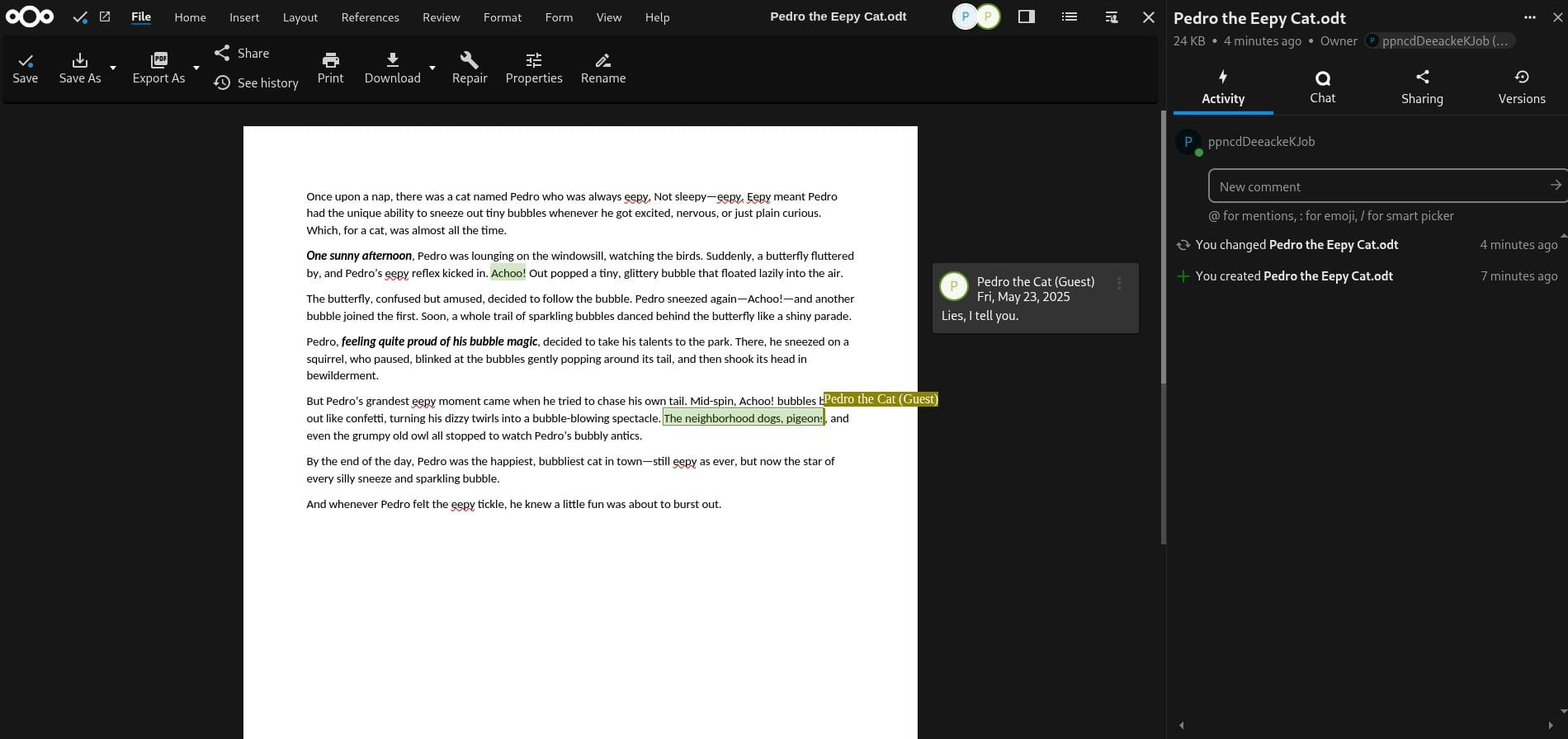
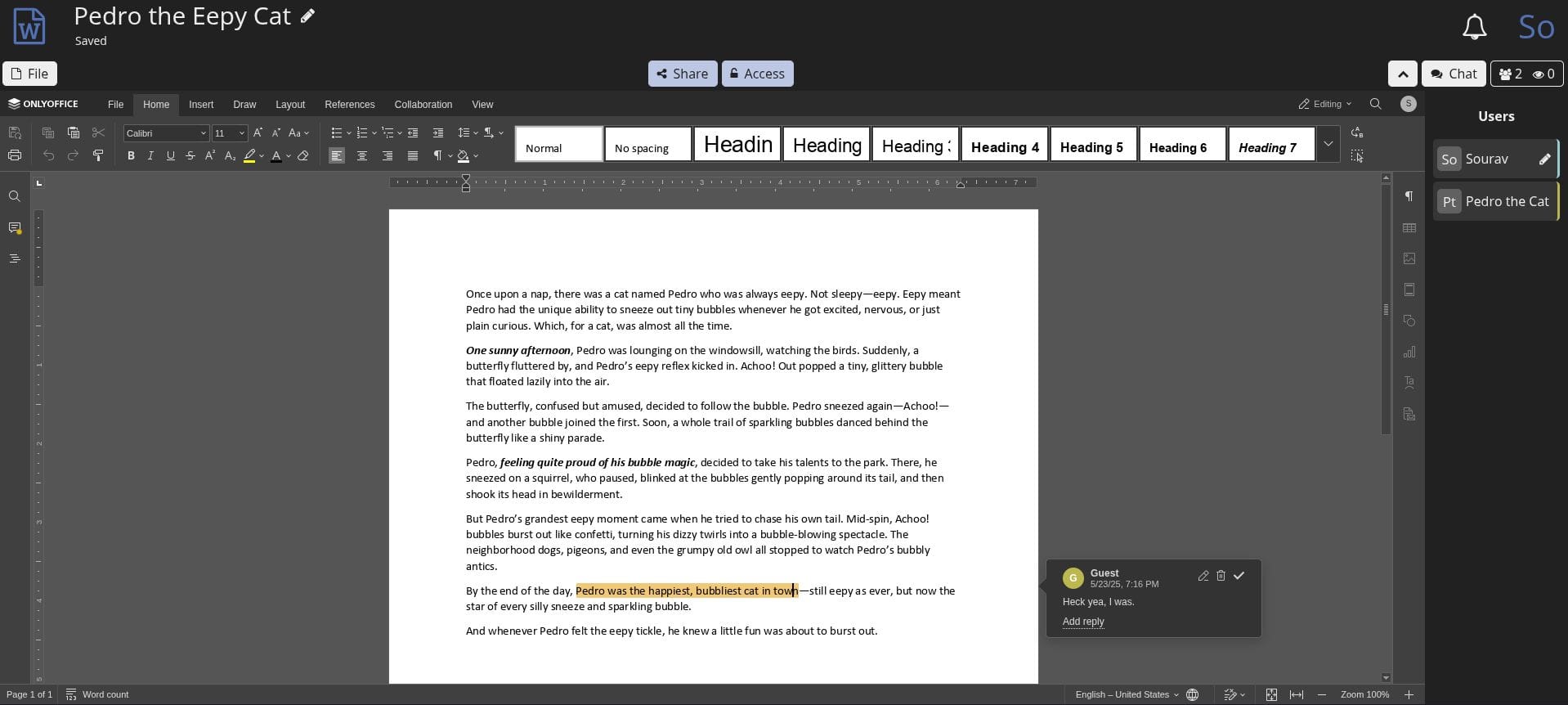
Both Nextcloud and CryptPad support real-time collaboration on documents, enabling multiple users to edit the same file simultaneously. While this is a common feature for both platforms, the surrounding ecosystem of collaboration tools varies.

Nextcloud has a more expansive suite of collaboration tools that are tailored for team workflows, including tools like Nextcloud Talk for secure audio/video calls and Nextcloud Groupware, which bundles calendars, contacts, mail, and task management into a single hub.

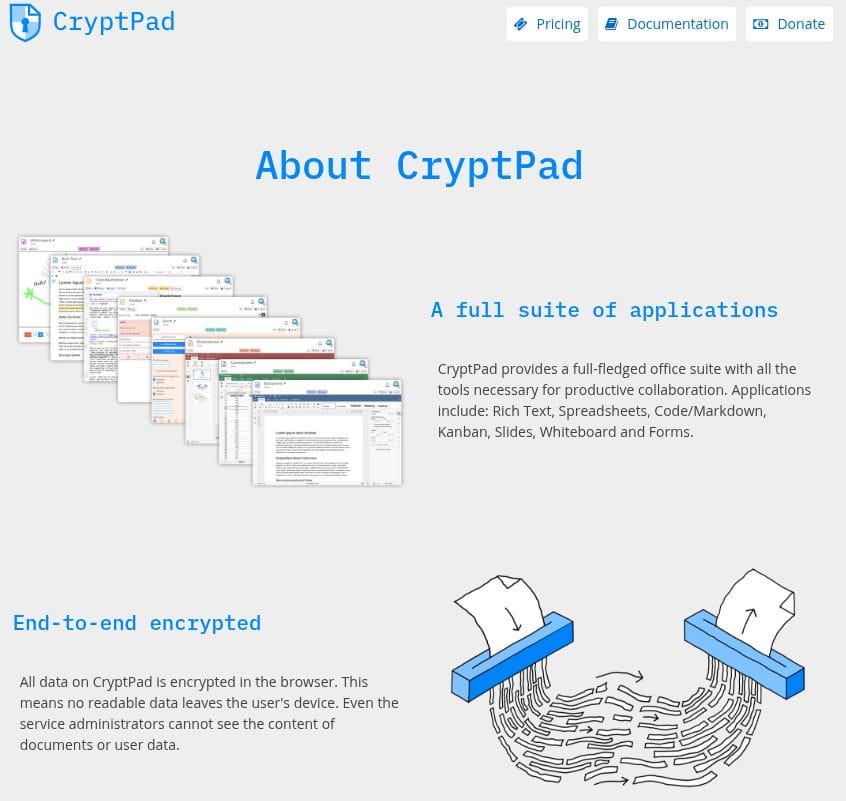
In comparison, CryptPad takes a more streamlined approach, focusing on privacy-first collaboration, with apps like Whiteboard for visual brainstorming, Kanban boards for project management, and an office suite for spreadsheets, presentations, and code edits.

Security & Encryption

By default, Nextcloud uses TLS encryption during the transfer of data to secure communications between the client and server. Once stored, the data is protected by server-side encryption (if enabled), which encrypts files at rest on the server using server-managed keys.

There is also the option to enable end-to-end encryption (E2EE) for specific folders, which encrypts content on the client side before it reaches the server, ensuring that only the owner and intended recipients can access the data.

CryptPad, on the other hand, has a more focused approach when it comes to handling security. It enforces E2EE by default, meaning all data is encrypted directly in your browser before being sent to the server. This zero-knowledge design ensures that even the service provider (e.g., the cloud host) cannot access your content.

Plus, I noticed that signing up for a CryptPad account (for the Registered tier) doesn’t require you to provide an email address, allowing quick anonymous access. In contrast, Nextcloud’s cloud hosting options ask for an email during registration.

File Storage Capabilities

This is where Nextcloud excels by offering a full-fledged cloud storage solution that rivals the Big Tech platforms. It provides file syncing, versioning, sharing controls, and integration with external storage services, making it a strong alternative for users who want ownership over their data.

Notably, Nextcloud made headlines recently when Google blocked key features in its Android app, showing just how apathetic Big Tech can be. Thankfully, the backlash was loud enough that Google backed down.

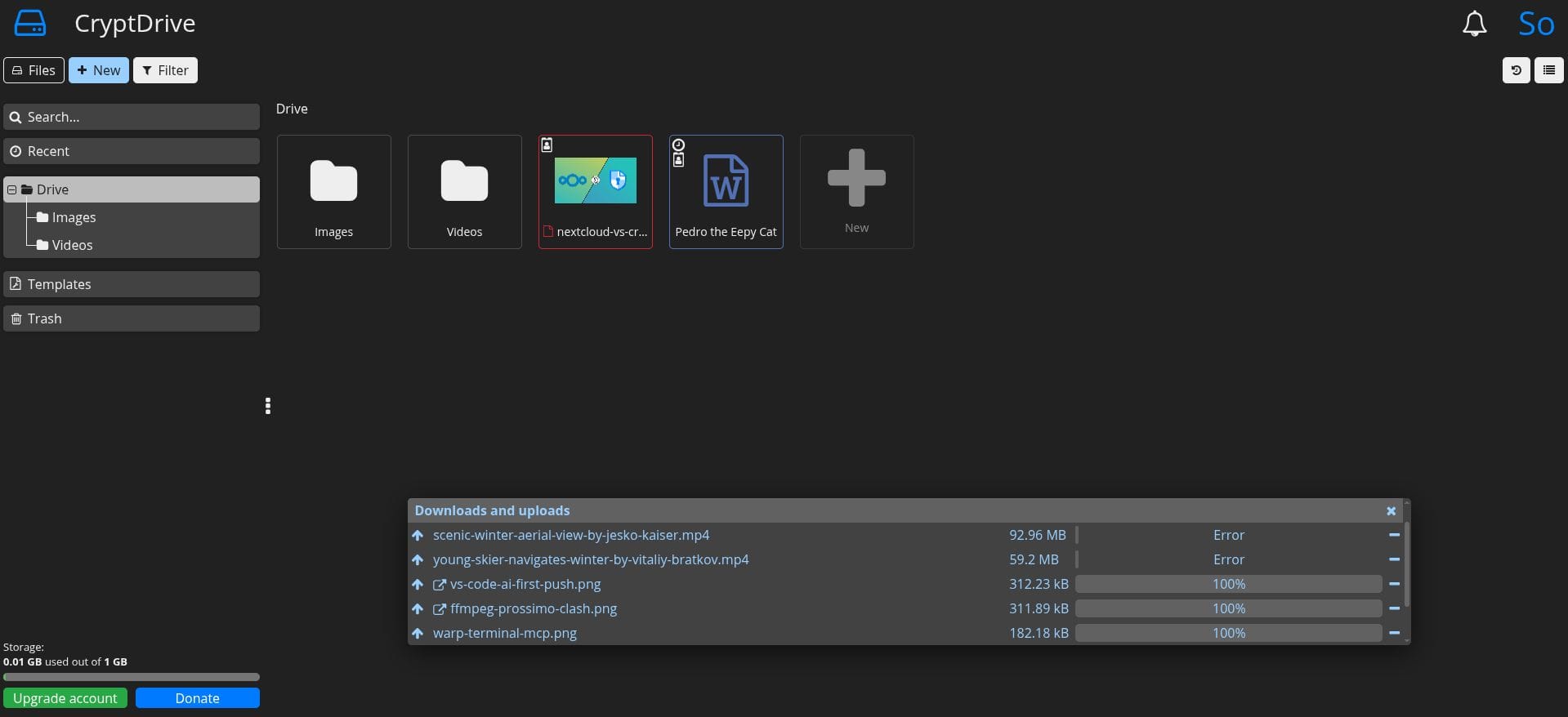
Compared to that, CryptPad looks like a modest offering, primarily focused on storing and working with documents created within its office apps. While it does support uploading other file types, its functionality is best suited for secure, collaborative document editing rather than general-purpose file storage.

Cloud Hosting or Self Hosting

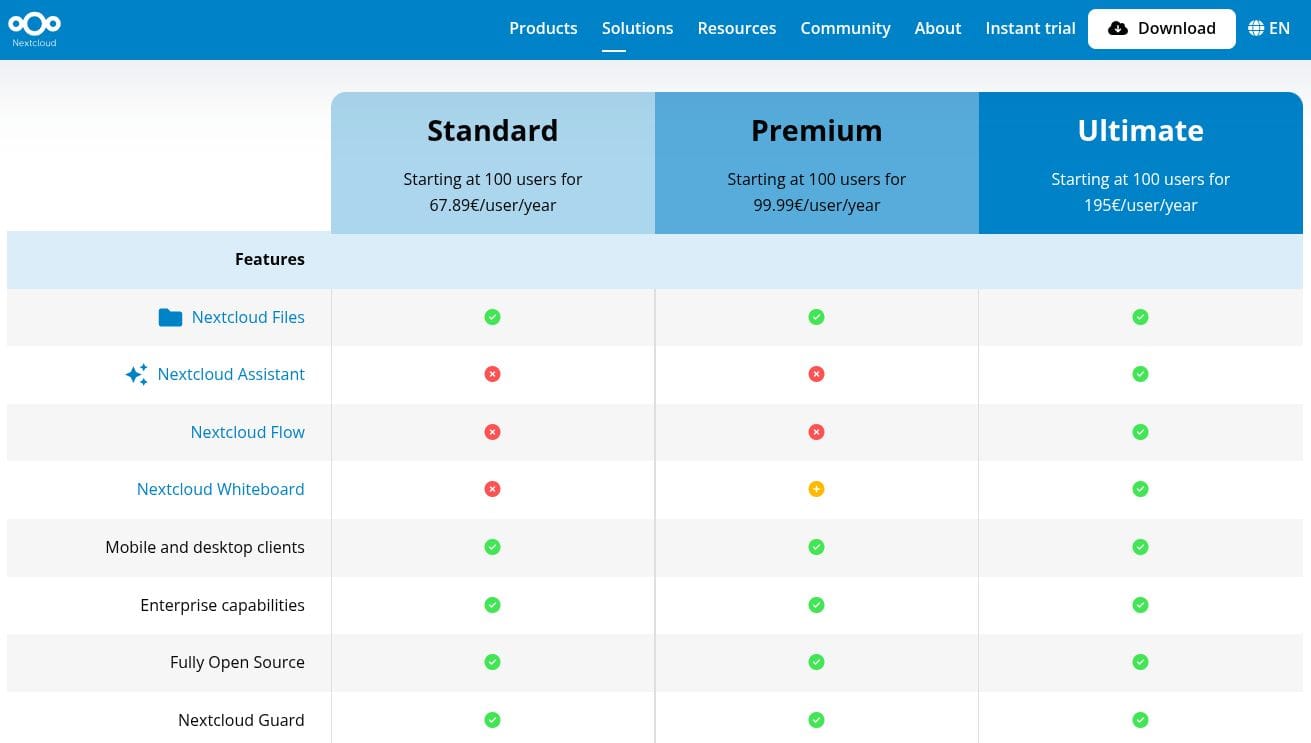
Both platforms offer flexible deployment options. Nextcloud provides three enterprise tiers: Standard, Premium, and Ultimate, with pricing ranging from €67.89 to €195 per user per year. These plans cater to organizations of varying sizes and needs, offering benefits like extended support and advanced security features.

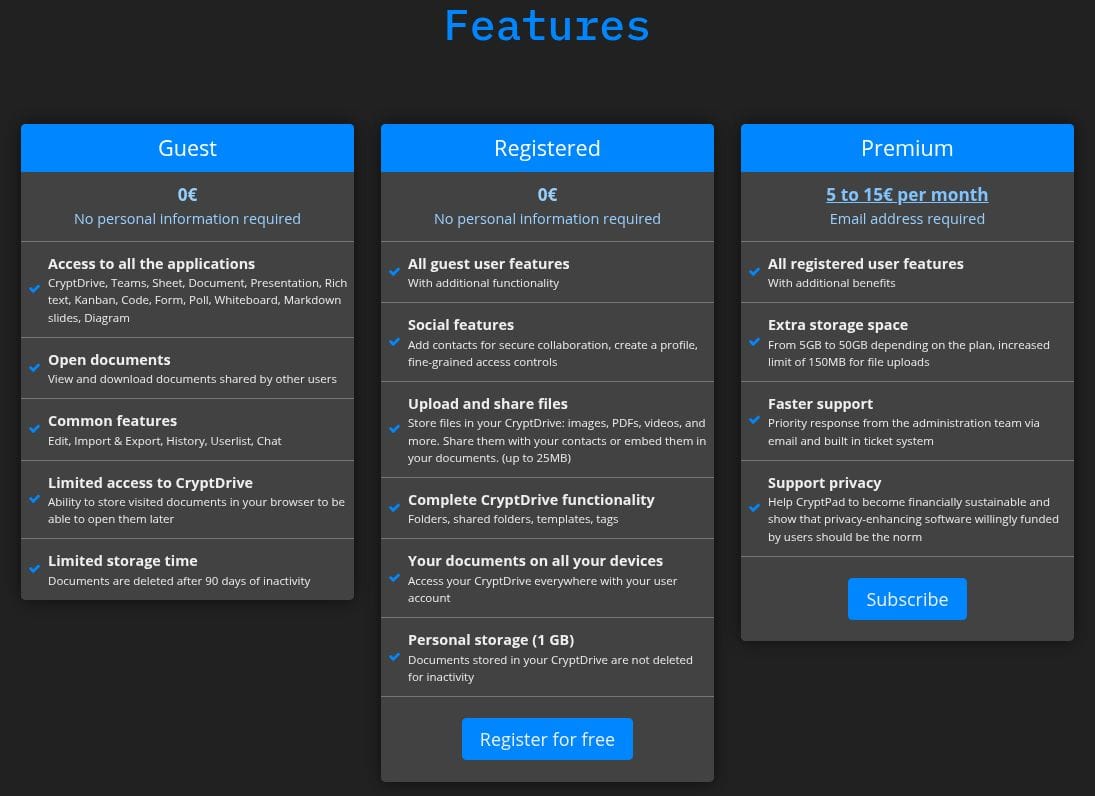
For CryptPad, the pricing structure is much simpler and affordable, especially for individual users. There's Guest, which costs €0 and provides access to core features but without file uploads.

Then there's Registered, which is also free and offers the same core features as Guest but adds file uploads and 1 GB of free cloud storage into the mix.

Finally, there's Premium, which requires an email address for registration and costs between €5 and €15 per month. This plan unlocks additional storage, customer support, and directly supports the financial sustainability of the CryptPad project.

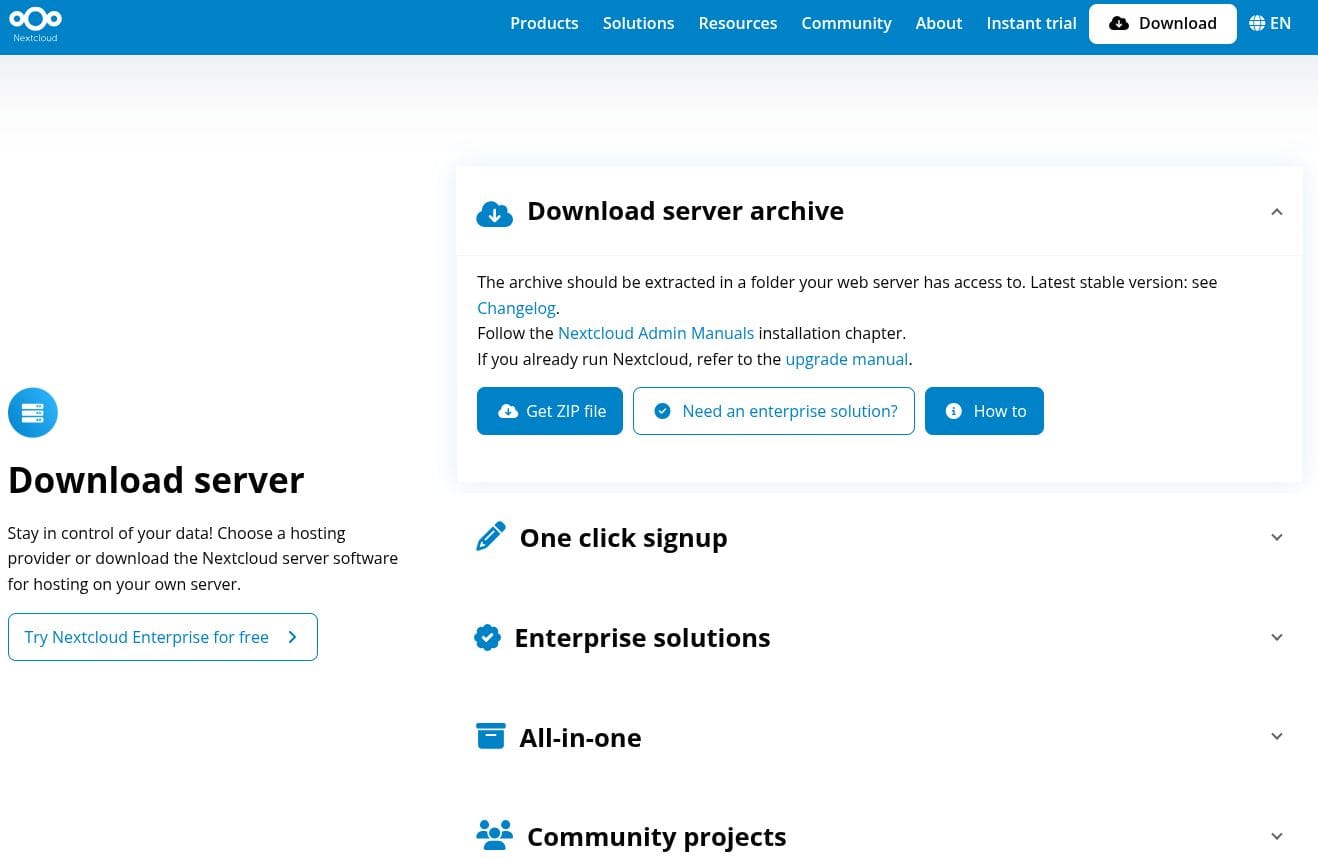
You could also self-host both Nextcloud and CryptPad, giving you full control over your data and cloud infrastructure. For Nextcloud, you can go through the documentation for at home and server to see which fits your use case.

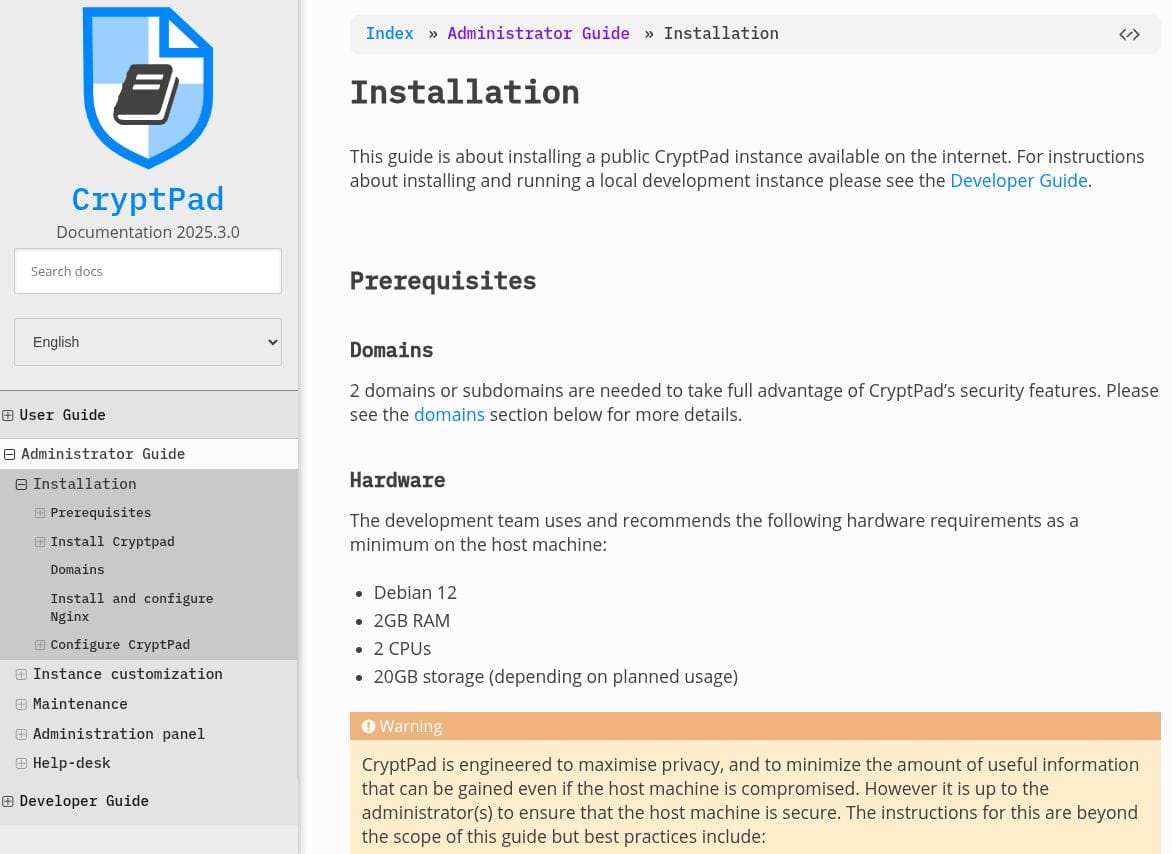
Similarly, for CryptPad, you can refer to the official documentation to get started.

Closing Thoughts

In the end, the final decision rests on you, the user. If your priority is a no-nonsense, easy to access, encrypted collaboration tool, then CryptPad is the clear winner here with its zero-knowledge architecture, decent real-time collaboration, and anonymous access.

On the other hand, if you're looking for a scalable platform that can handle enterprise workflows, file storage, and team communication under one roof, then Nextcloud is the way to go.


from It's FOSS https://ift.tt/vGEpK2b
via IFTTT

Sabtu, 02 Agustus 2025

Looking for an Ubuntu Manual? Try This Book

Looking for an Ubuntu Manual? Try This Book

I know that there is pretty extensive online documentation from Ubuntu available for free. But extensive can also be overwhelming too.

Probably that's the reason why there is a new book on Ubuntu, unsurprisingly called "The Ultimate Ubuntu Handbook" and it gives you a good overview of the Ubuntu as a desktop, as a server and as a developer platform.

This book is written by Ken VanDine, a Linux veteran with over 16 years of work experience at Canonical, the parent company of Ubuntu. He primarily worked on GNOME, Ubuntu Desktop, and Snap integration. Ken also has over 30 years of experience in building Linux distros.

I therefore wondered what perspective someone like Ken, an Ubuntu insider, would take when he decided to write a book about the operating system. Turns out, it's something for everyone who wants to use Ubuntu as their daily driver.

The Ultimate Ubuntu Handbook

As the title suggests, this is a book dedicated to Linux users who are using Ubuntu on their desktop or server.

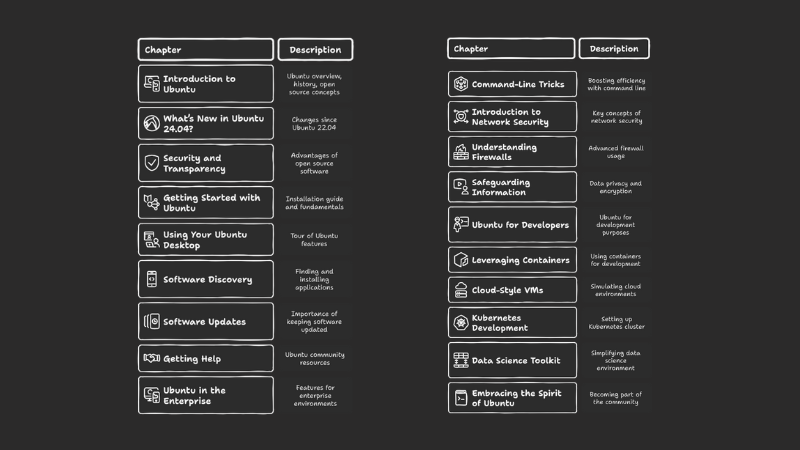
The book contains 19 chapters divided into these four parts.

Looking for an Ubuntu Manual? Try This Book

Part 1: Introduction to Ubuntu

Starting with a brief history and philosophy of Ubuntu, the book moves on to dedicate a chapter on what's new in version 24.04. Yes, the book is focused on the current LTS release. It then lists the advantages of using Ubuntu, followed by an installation guide. All the spans over four chapters.

Part 2: Getting the most out of Ubuntu system

The next six chapters are about using and understanding some basic but essential concepts for using Ubuntu. It starts with a chapter on exploring the Ubuntu desktop and then moves on to dedicated chapters on package management and handing updates and the best practices that should be followed.

A dedicated chapter on getting help may seem overkill but beginners will find it helpful. There is also a chapter introducing 'Ubuntu Landscape', an enterprise tool for managing your fleet of Ubuntu servers.

The last chapter in this section lists command line tricks and shortcuts which is basically a short introduction to essential Linux command usage such as finding files, text, disk usage etc.

Part 3: Network security and privacy

This section has three chapters and the first one introduces basic security landscape. The second chapter is dedicated to using ufw firewall. The third chapter discusses TPM and disk encryption with LUKS and home directory encryption with eCryptfs.,

Part 4: Ubuntu as a development platform

The last part of the book introduces Ubuntu as a developer focused platform. There are dedicated chapters on LXD (containerization), Multipass (for cloud-style virtualization) and MicroK8s (for Kubernetes).

nWhat I like

This is a good introduction for someone who is familiar with Linux to some extent and wants to use it as a daily driver or main development environment.

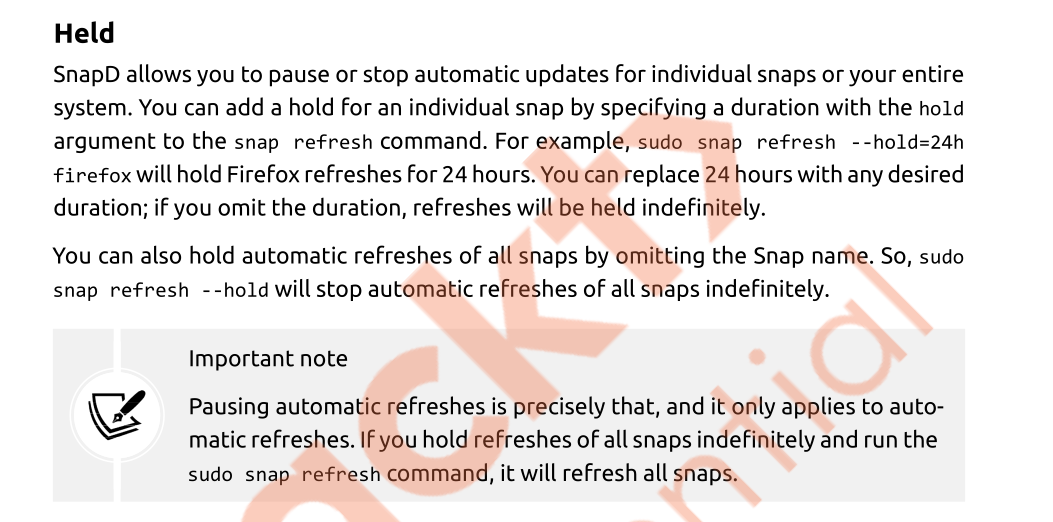
The book is also filled with callouts to highlight important details.

Looking for an Ubuntu Manual? Try This Book

The chapter on Kubernetes features Microk8s, which is a handy tool for local Kubernetes deployment. This is smart and thoughtful. Most Kubernetes setup involves deploying multiple servers and that is not feasible for everyone.

The book has something for all kinds of Ubuntu users. You don't need to read the entire book, but you should find around 50% of the book suitable for your usecase irrespective of whether you are a desktop user, a sysadmin, devops or developer. Of course, Ubuntu should be your choice of Linux system here.

What I do not like

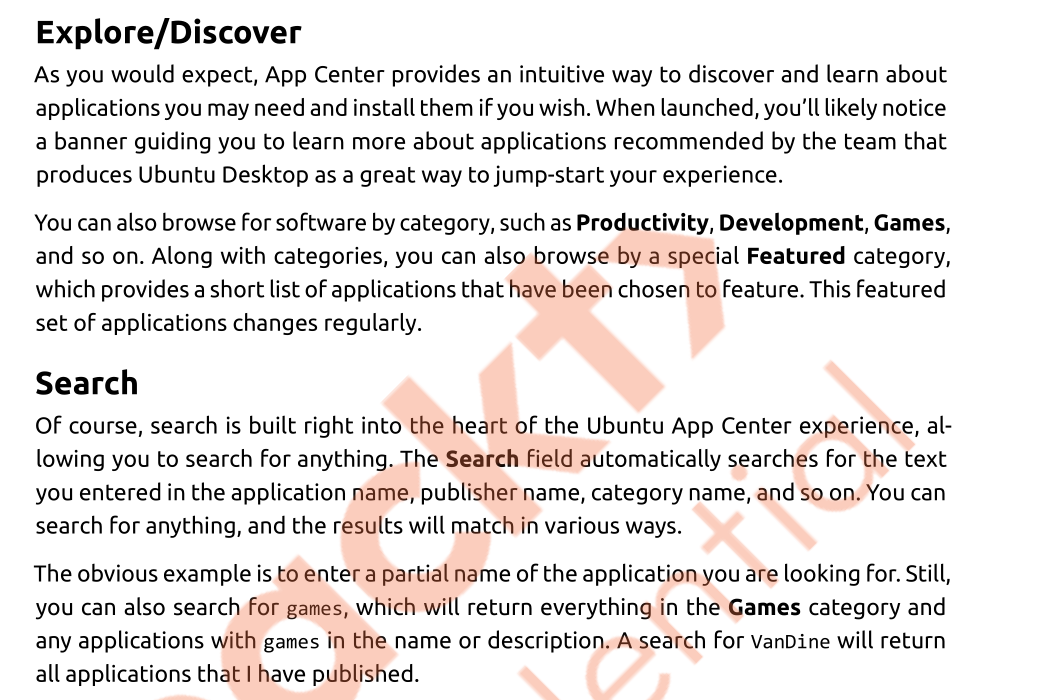
I feel that some times the book relies too much on text. For example, there is a section that discusses using the Software Center and I feel that it could have included more screenshots.

Looking for an Ubuntu Manual? Try This Book

Since there is so much to cover, the book sometimes only touches the surface of a topic. For example, the chapter on packages doesn't discuss the concept of sources.list. That's something that needs to be talked about, especially when it comes to fixing mistakes that might happen when third-party repositories are added without thinking.

But I understand that the author can also not go too much deep on a specific topic. If we have to cover packaging in Ubuntu in deep, it can be a book in itself.

Do we need a book in the age of unlimited internet and AI?

Well, yes and no. Looking for a specific information on the search engines can be daunting. We live in the age of information overload and getting the precise information from a trusted source is a challenge. A book solves this problem.

Another thing is that you can revisit sections of your favorite book as you know exactly where to look for a certain detail. A quick web search or AI query may seem quicker but you may not get the same answer that you were hoping to look for.

This is why I prefer having my own knowledge base with Obsidian or Logseq. I organize my own notes and refer to them when needed. These notes also contain snippets from various Linux books I read.

Conclusion

Whether you’re new to Ubuntu or have been using it for years, The Ultimate Ubuntu Handbook offers a wealth of practical tips, time-saving tricks, and insider insights that will help you get even more out of your Ubuntu experience.

Even experienced users will discover useful features and best practices they might not have explored on their own, making it a valuable companion for refining your workflow and boosting your productivity.

This isn’t just a reference; it’s a hands-on guide that makes Ubuntu easier, more secure, and more powerful for everyday use. If you want to confidently navigate Ubuntu 24.04 and unlock its full potential, this book is a must-have addition to your collection.

The author, Ken VanDine, has been working at Ubuntu for more than a decade, and he has a good understanding of what a "typical Ubuntu user" would want to learn, and it duly reflects in his book.

The Ultimate Ubuntu Handbook is available in print and digital format both on Packt and Amazon website.


from It's FOSS https://ift.tt/2BHktlg
via IFTTT