Firefox's built-in PDF viewer has been adding useful features for a while now. You can annotate, fill out forms, draw, insert images, and sign documents without leaving the browser.
The recent Firefox 151 release adds merging documents to that list.
If you've ever searched "merge PDF online" and ended up wading through ads and signup walls just to get your own file back, then you should know that there's a privacy angle worth thinking about too.
Every time you upload a document to one of those sites, you're handing your files over to a server you know nothing about.
Firefox handles everything locally, so your documents stay on your machine.
Merge PDFs using Firefox
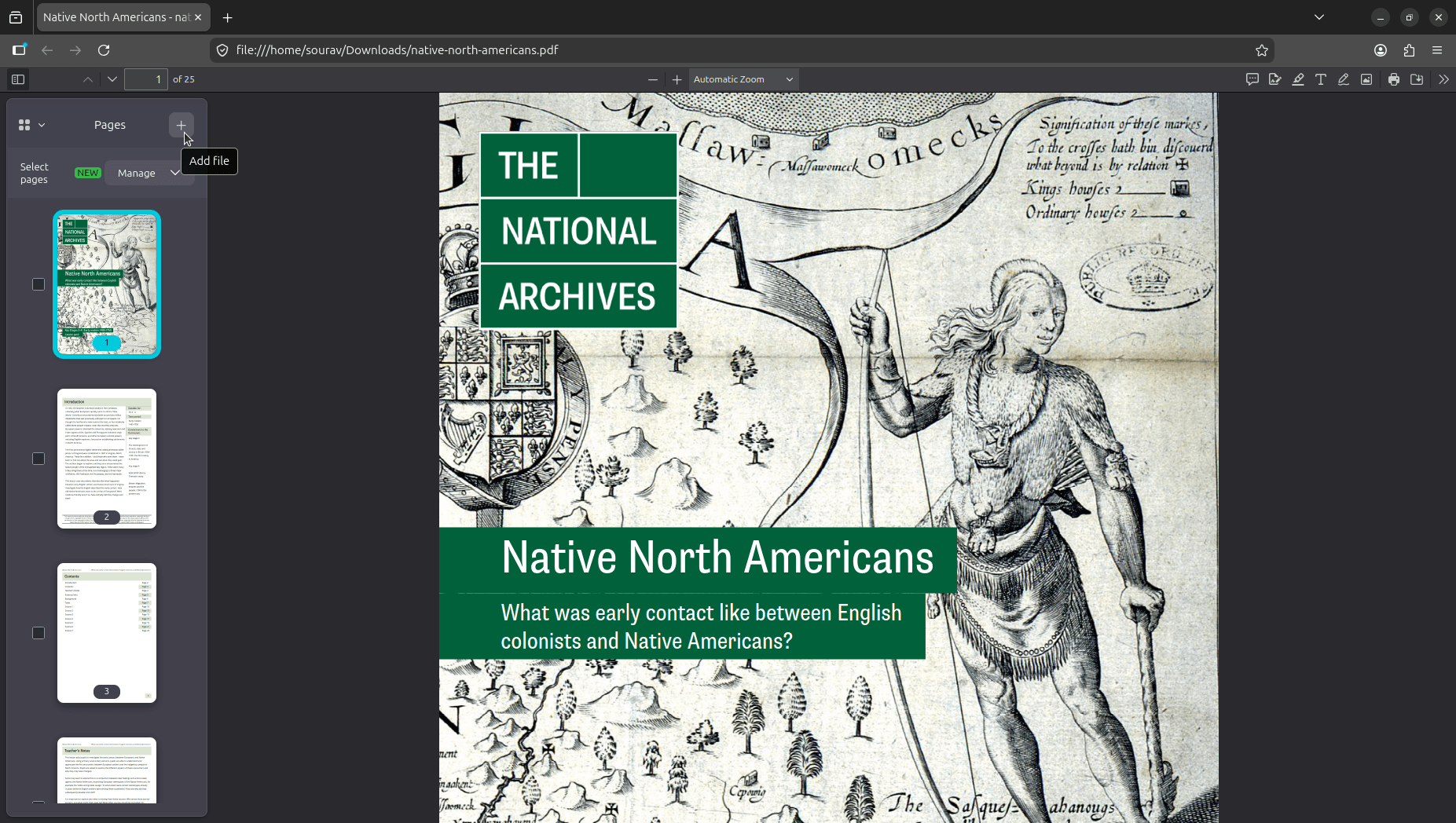
First, you need to open a PDF file that you want merged with another. Then, unhide the sidebar menu by clicking on its toggle (looks like a square with a line in it), and click on the "+" button next to the Pages label.
Doing so will open the file picker. In my case, it was the Files (Nautilus) app on GNOME, but yours might be a different file manager on a different desktop environment with similar functionality.
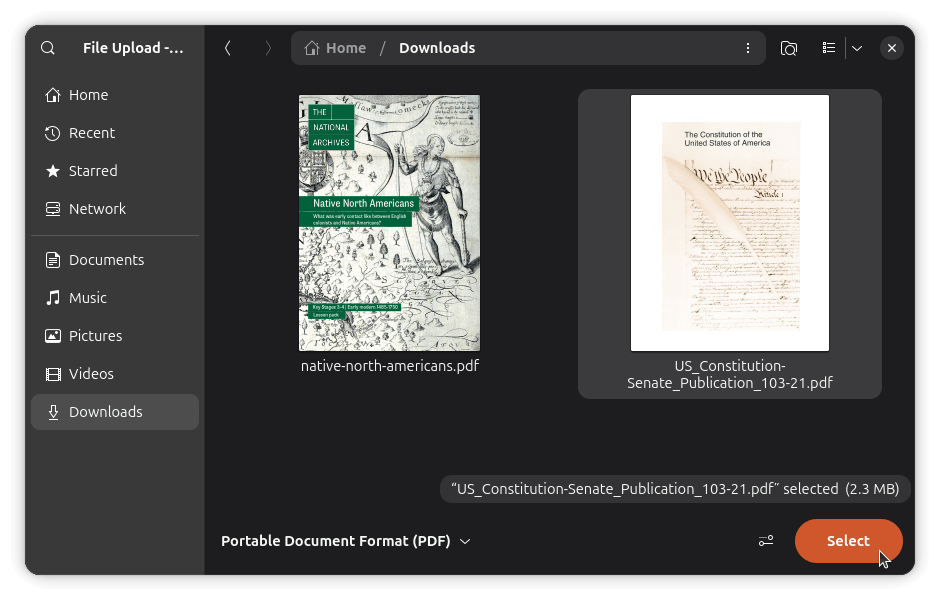
Pick the PDF you want to merge in, then click Select. Firefox will append its pages to the end of the document you have open, and the page count in the toolbar will update to reflect the new total.
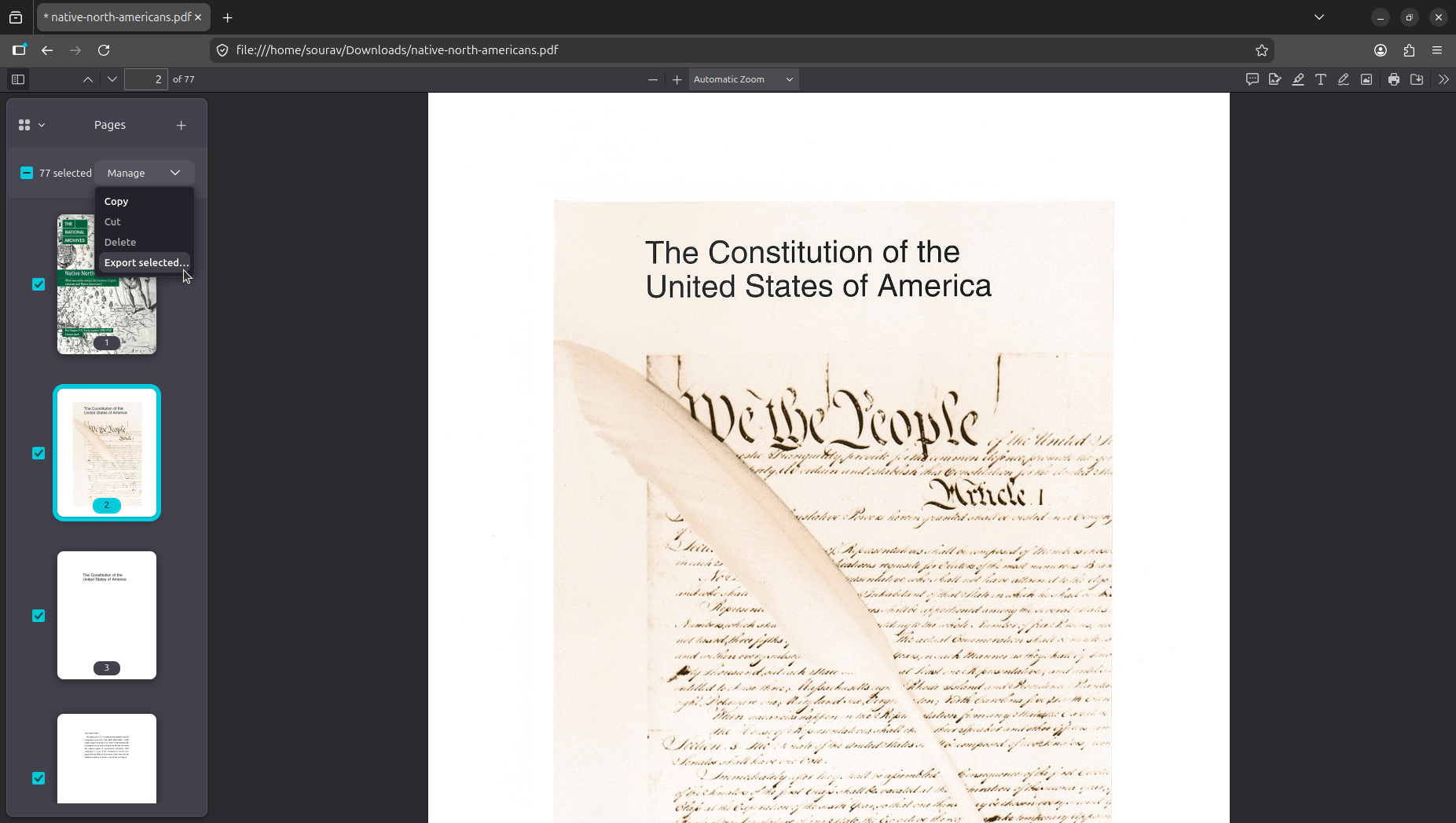
You can also reorder pages by dragging them in the sidebar, or delete any you don't need by selecting them and using the Manage menu. 👇
Once the pages are in order, select all of them using the checkboxes, and then open the Manage dropdown and click "Export selected..." A save dialog will open up on your file manager.
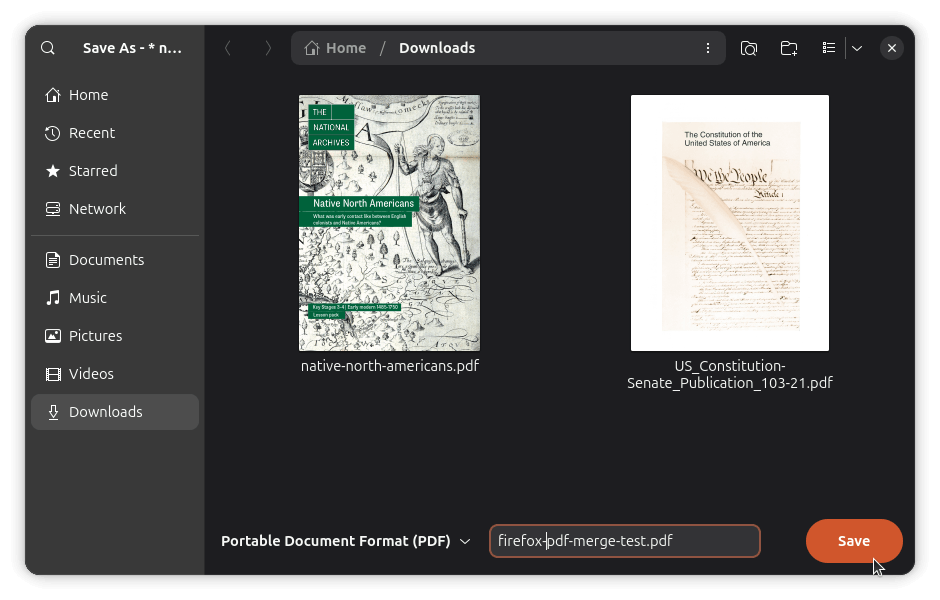
Give the file a name, hit Save, and the merged PDF lands wherever you pointed it. Though if you mistakenly try to quit the application before the merged PDFs are saved, Firefox will promptly notify you. 👇
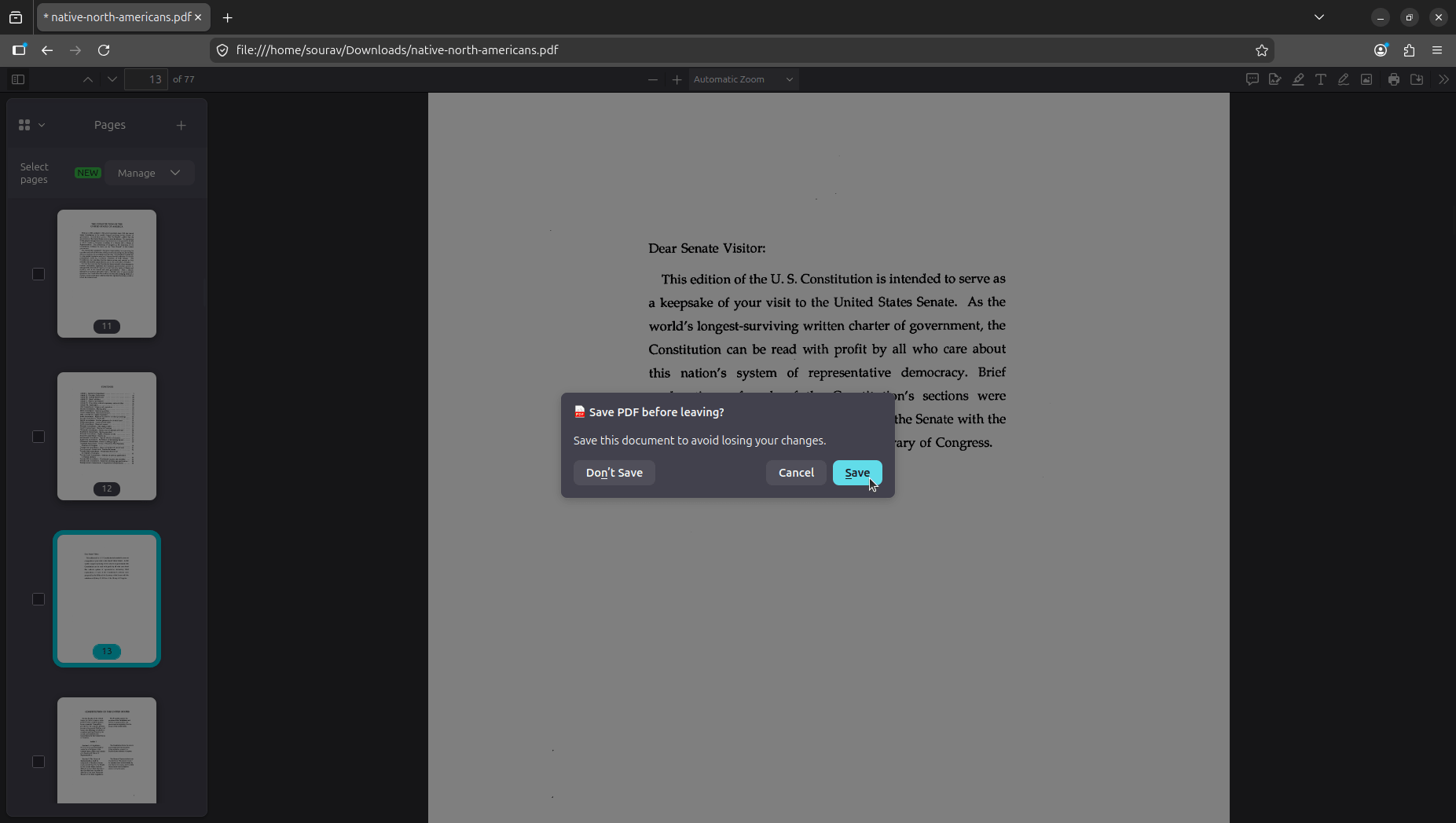
The prompt reads "Save PDF before leaving?" and clicking "Save" opens the same file picker. Hitting "Don't Save" will close Firefox without saving, and "Cancel" keeps you in the same window.

from It's FOSS https://ift.tt/dHomzAv
via IFTTT

Tidak ada komentar:
Posting Komentar