Selasa, 13 Oktober 2026

This New Distro Wants to Achieve What Ubuntu Failed to Do Nearly a Decade Ago

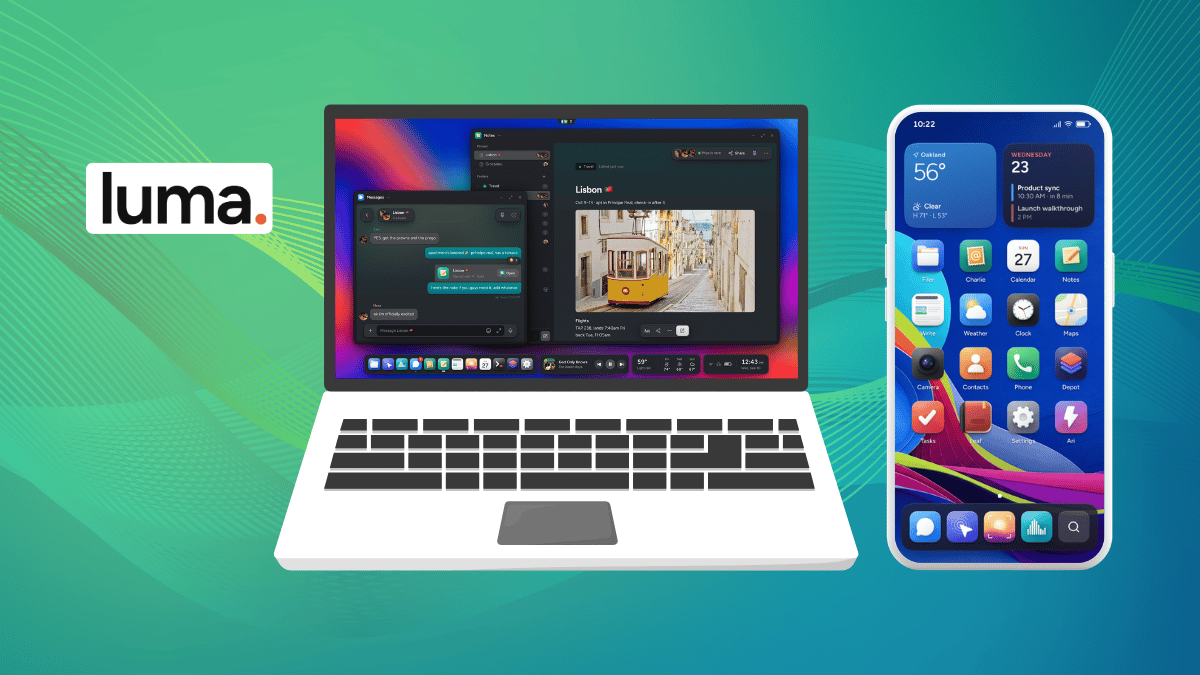
luma launch banner laptop and smartphone

Remember Ubuntu’s convergence dream? One operating system across your desktop, tablet, and phone, with apps that adapt to whichever screen you’re using.

Canonical pursued that vision with Unity 8 and Ubuntu Phone before pulling its investment in 2017. Now, a new project called Luma wants to tackle a similar ambition.

It’s early days, and only a desktop build is available to download. But its plans go well beyond becoming another desktop Linux distro.

The project's founder, Nick (nmcmil), has worked with a small group of people to achieve this, with the group answering to no shareholders or investors and taking all the key project-related decisions themselves.

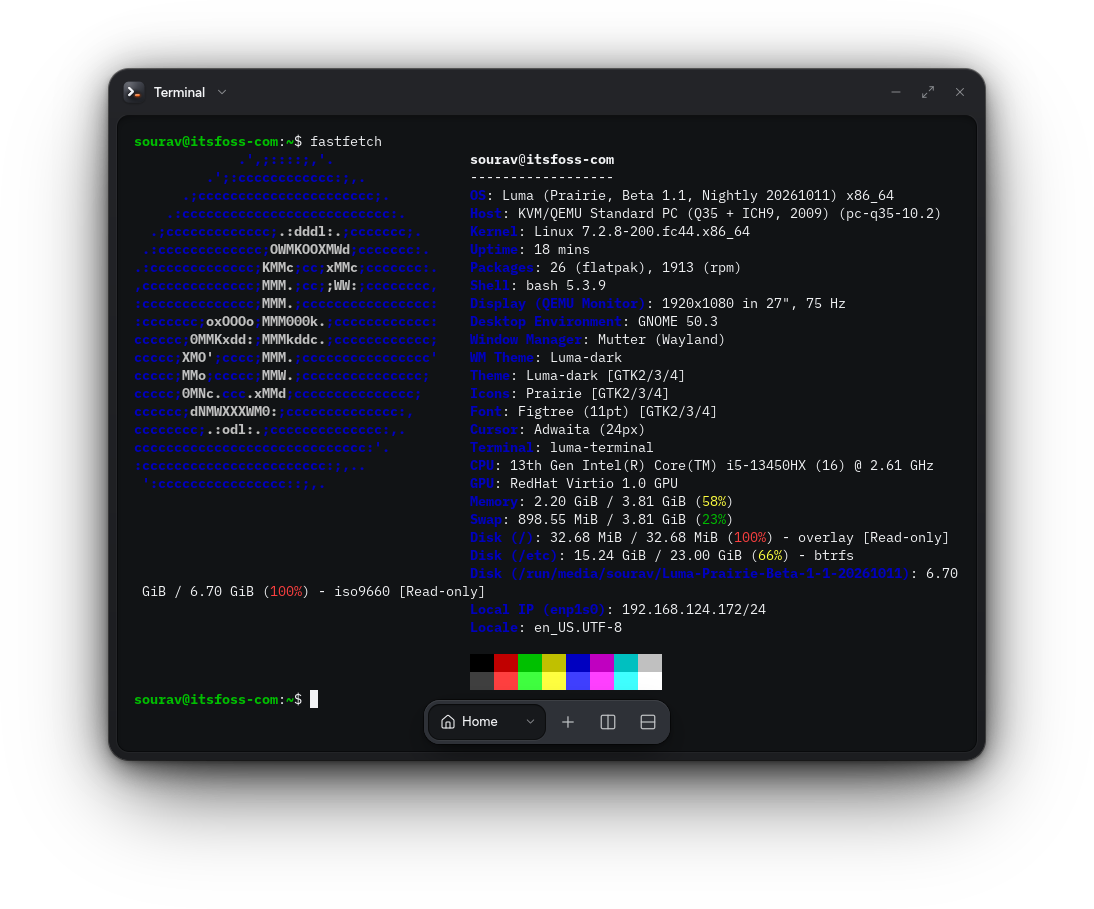
When I tested it, it was built on Fedora 44 and ran a recent version of the Linux kernel. The team does say that they have reworked enough of the stack that it doesn't count as a typical distro.

Their blog on AI also points out that the distro features AI-assisted contributions, with contributors being held responsible for any work that carries their name.

🚧
This distro is still pre-release and should not be treated stable enough for daily use or production deployments.

Luma: Overview ⭐

luma linux distro lock screen

The desktop is called Prairie, and the team describes it as a hard fork of GNOME. Its goal is to provide a shell, windows, fonts, and apps that all look and feel the same.

Apps are built with GTK and Libadwaita, with the project shipping LumaUI as a toolkit outside developers can use to make their software feel at home on the system. Luma’s original code is licensed under Apache 2.0, and anything taken from upstream retains its original license.

The distro comes with pre-installed apps built for it; these include Depot as the app store, Viola as the browser, Charlie as the email client, and Tide for any music needs, alongside the self-explanatory Filer, Notes, Photos, and Messages.
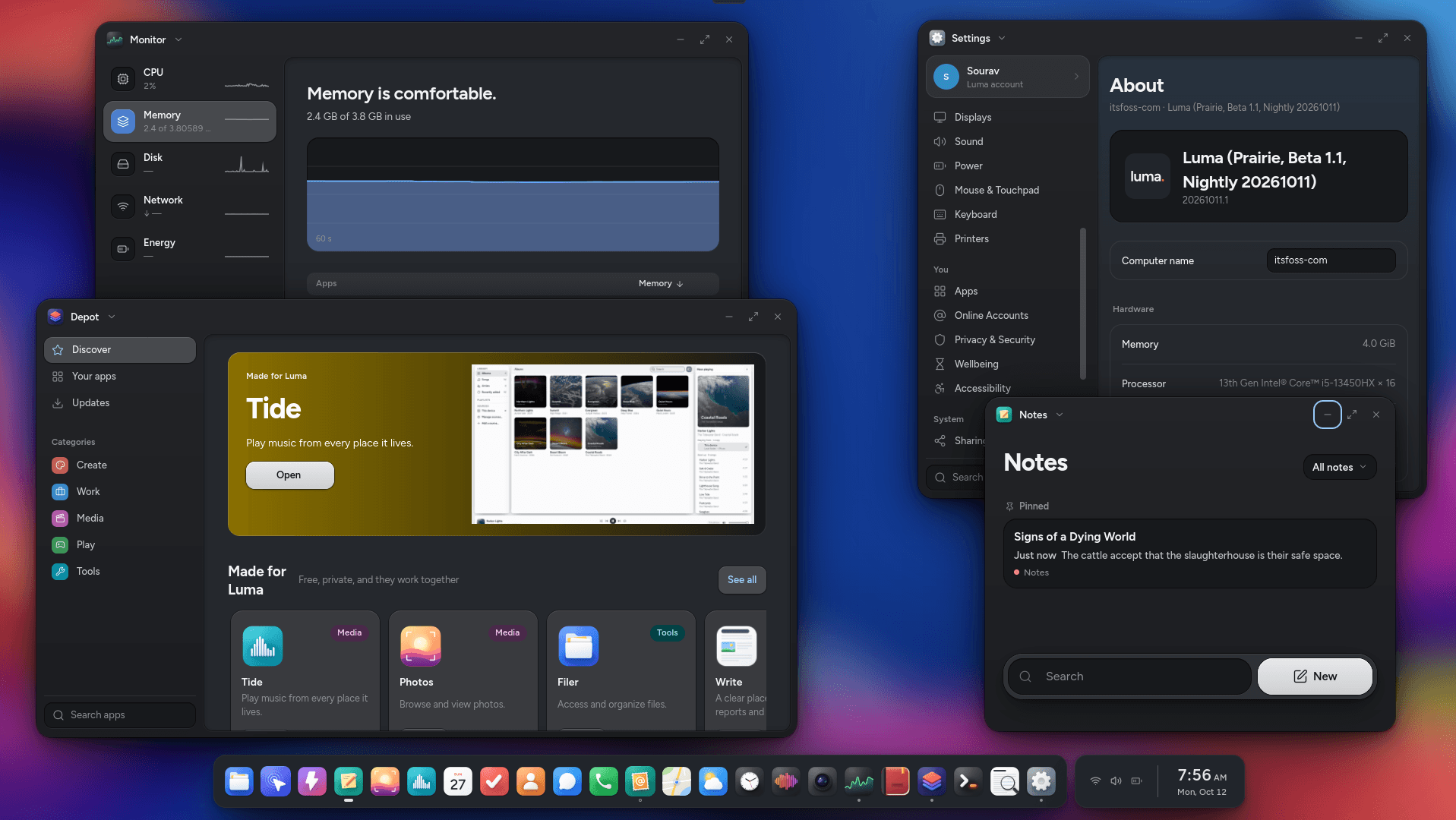
If you opt for the Creative Collection, you get access to Canvas for design, Focus for RAW photo editing, Grid for spreadsheets, Stage for slides, Write for documents, Reel for video edits, and Sessions for audio mixing.

You also get Ari, the built-in AI assistant that's meant to work with local models, so everything can stay on your own hardware.

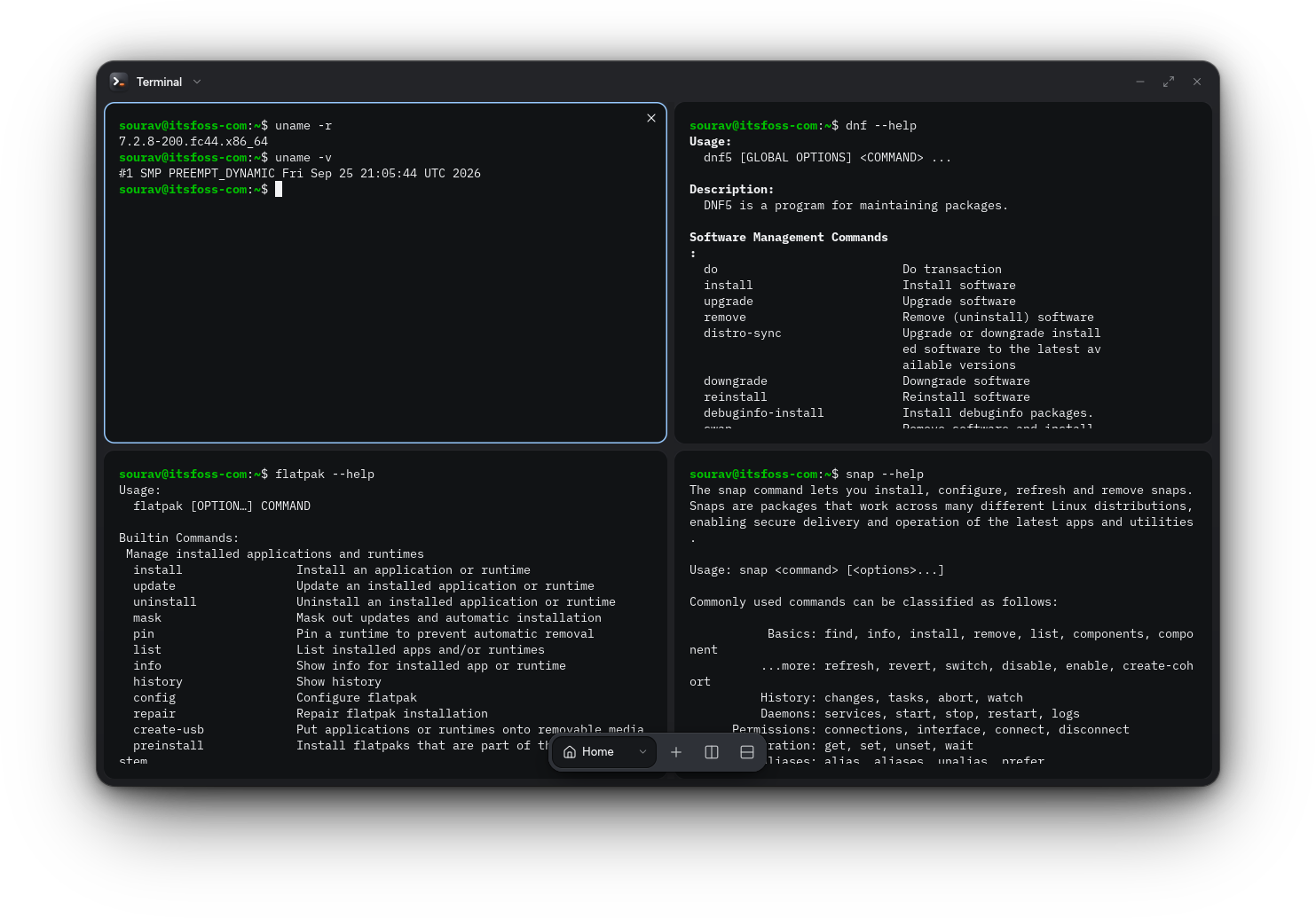
Package support is covered too. I installed apps through DNF5, Flatpak, and Snap on the October 11 nightly, and all three worked.

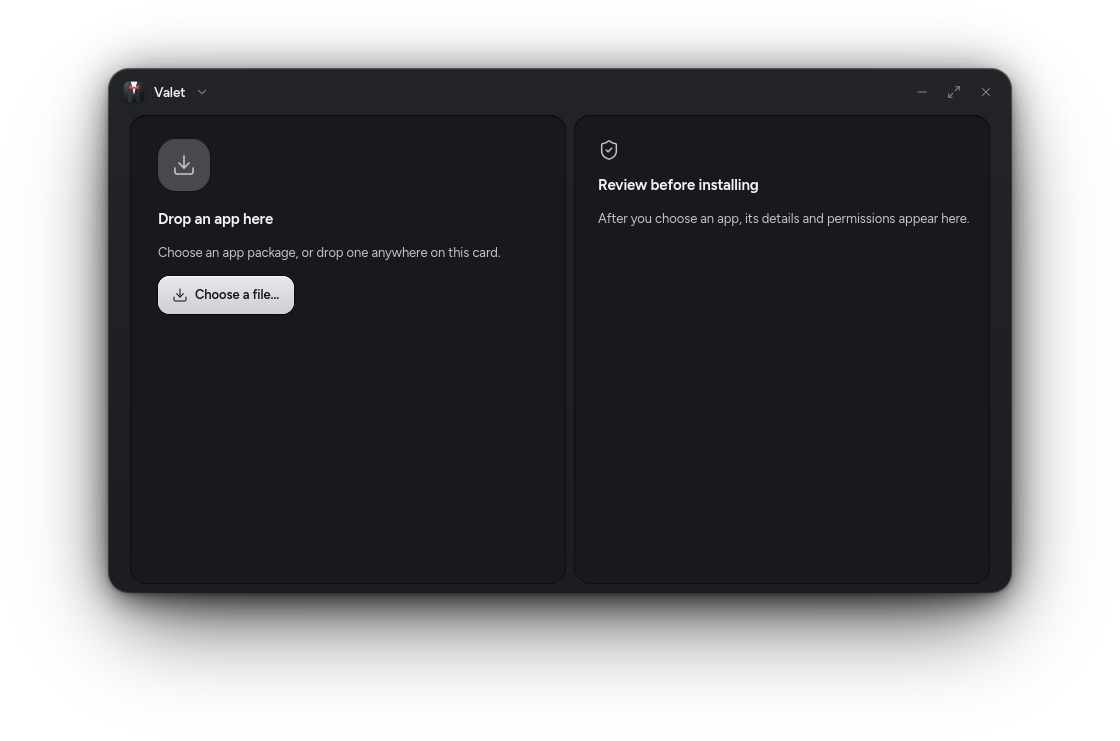
Valet takes care of AppImage, DEB, EXE, and APK files, which is how Windows and Android apps are meant to sit alongside native ones. It also tells you who made an app and what it can access before you install it.
Android support comes from an optional subsystem based on Waydroid, and compatibility varies by app. Luma is meant to be one system across desktop, tablet, and phone, so apps adjust their layout and controls to the screen size and to touch or mouse input.

There's also the optional Luma Connect app that handles sync for apps, settings, and files across devices.

For Smartphones Too!

Luma also wants to be your smartphone's OS. The team names the Fairphone 6 and the Google Pixel 9 family as its targets and says it plans to support more phones and tablets.

With what I can see from the screenshots they shared with us, the interface looks like it's on par with modern Android and iOS offerings, while sticking to a very measured approach for the colors and elements it employs.

The Luma folks are directing people to their hub's bounty board to vote for the devices they want and pledge money towards getting them supported.

Test it Now
the luma installer
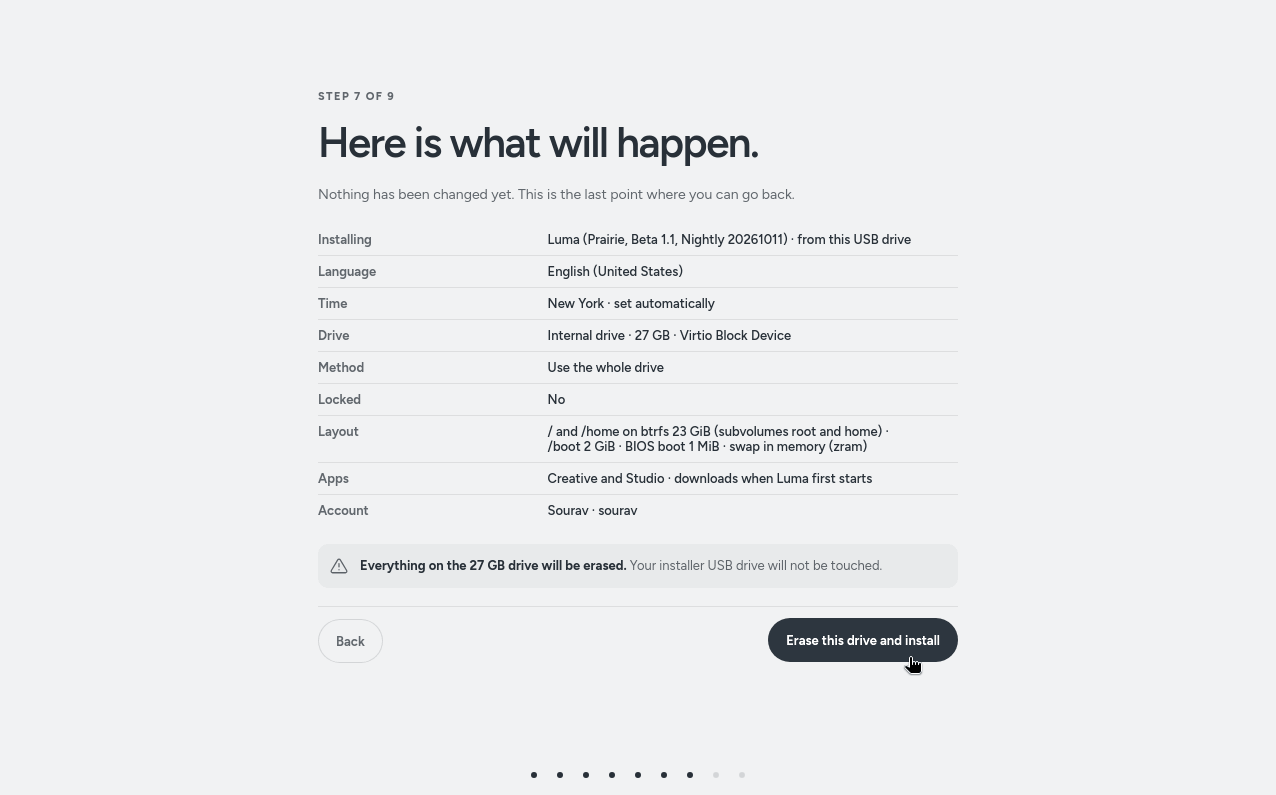
Luma's clean installation experience.

Luma's download page lists a single 7.2 GB x86_64 nightly ISO as the recommended way to try the distro out. It needs a 64-bit Intel or AMD processor with at least two cores running at 2 GHz or faster, 4 GB of RAM, and 40 GB of storage, with an SSD preferred.

An ARM64 build is yet to make an appearance here, so people on that platform will have to wait a bit. Similarly, creative apps like Grid, Stage, Reel, Sessions, and Canvas are also set for a later arrival.


from It's FOSS https://ift.tt/JqbC19O
via IFTTT

openEuler Wants Linux to Treat an Entire AI Cluster Like One Single Machine

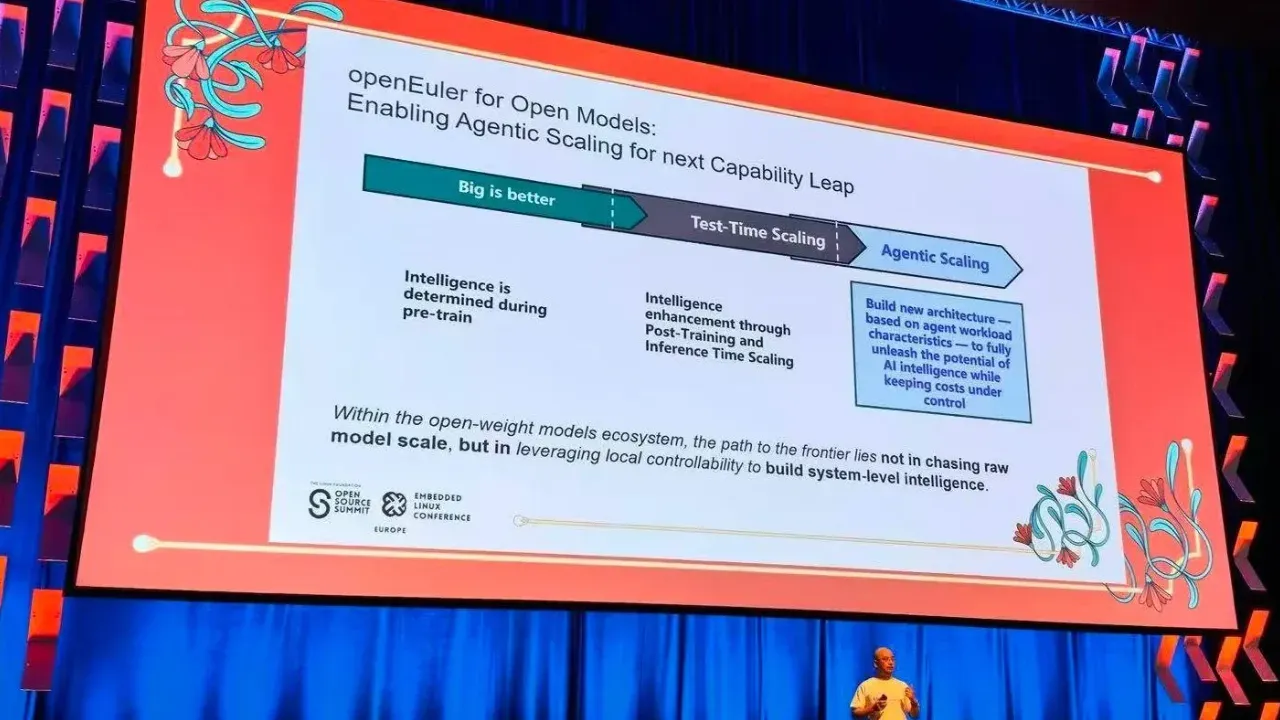
openEuler at open source summit Europe

For most of its life, Linux has been built around one simple assumption. There's a box; it has CPUs, memory, and devices, and the kernel manages them. Clusters exist, of course, but they've mostly been a problem for the layers above the OS, i.e., schedulers, orchestrators, distributed frameworks.

AI infrastructure wants more. Today's training and inference setups bind dozens of CPUs, NPUs, GPUs, and memory pools so tightly together that they behave less like a group of servers and more like a single but very large computer. And then come AI agents, which don't just run a model but spin up tools, sandboxes, and long-running sessions on the fly.

That was the core of the keynote Xinwei Hu, Chairman of the openEuler Technical Committee, gave at Open Source Summit Europe 2026 in Prague.

Let's see how openEuler is innovating Linux around agentic scaling.

Xinwei Hu from openEuler

The problem: the server is no longer the unit

openEuler's keynote slide describes the shift as moving "beyond the box," from a single host to a SuperPoD. A SuperPoD is a tightly interconnected system where compute, memory, and accelerators across many nodes are linked and expected to work as one pool of resources.

That creates trouble the classic OS was never designed for. Memory you need may sit on another node, a fault on one machine can ripple into others, and moving data between hosts and accelerators becomes a bottleneck. And somebody has to manage the whole thing.

Hu grouped openEuler's goals for this into three buckets: ease of use, reliability, and performance.

SuperPoD OS: making a rack look like a server

The ease-of-use goal is ambitious. openEuler wants runtimes and SDKs that work out of the box on SuperPoD hardware, and system administration that is assisted by an agent, so that you can manage a SuperPoD "like a single server."

Reliability is of upmost importance here. According to Hu, openEuler can notify other nodes of a node failure with a latency of 500 ms or less, and can notify individual threads when shared memory develops a fault. It also aims to isolate faults so they don't spread across processes on the same host or across nodes. There's also "fault storm suppression," a fast response to remote memory faults so that a flood of SEA errors doesn't hang the system.

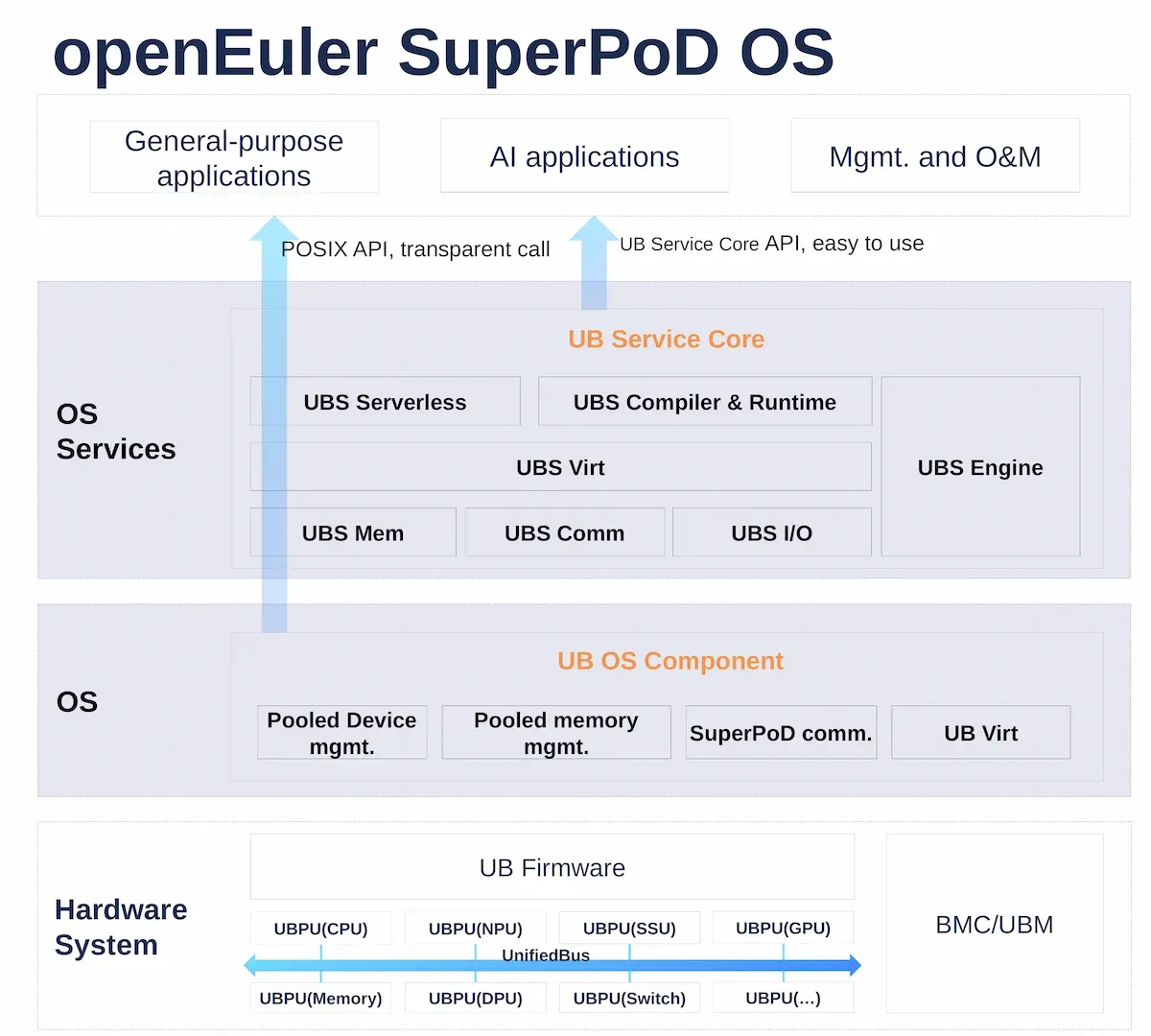
SuperPoD OS

On performance, the Hu's keynote cites two figures. UMDK, which openEuler describes as a unified heterogeneous interconnect infrastructure for SuperPoDs, cuts RPC latency by 20%. An asynchronous pipeline plus unified memory addressing cuts RH2D (Remote Host-to-Device) latency in KV cache operations by 20%.

All of this sits on UnifiedBus, a hardware interconnect protocol in the same family as NVLink, RDMA, and CXL. openEuler's architecture slides show two layers built on top of it. The UB OS Component adds device management, memory pooling, inter-node communication, and virtualization to existing OS components. The UB Service Core adds higher-level services (memory, communication, I/O, a resource engine, virtualization, serverless, and a compiler and runtime).

The part I find most practical is how applications reach this. General-purpose apps keep using the standard POSIX API with transparent calls, while AI applications can use the UB Service Core API directly. If an app needs a memory pool, the UBS Engine finds which servers can spare memory, exports it from them, and imports it into the local machine.

We covered the UnifiedBus foundations in more depth earlier if you want the background.

Where mainline Linux stands

openEuler isn't alone. Mainline Linux has been working on the memory side of the same problem for a few years, mostly through CXL, an open interconnect standard that lets servers attach or share memory beyond what sits on the motherboard.

The idea is to present far memory as just another NUMA (Non-Uniform Memory Access) node, so most applications don't need to change.

That's roughly the philosophy behind openEuler's transparent POSIX path. The difference is scope. Mainline mostly deals with extra memory attached to one host, while SuperPoD OS tries to coordinate memory, devices, and faults across many hosts at once, on a Huawei-originated interconnect rather than a vendor-neutral standard for now.

Agentic Scaling: an OS for workloads that think in loops

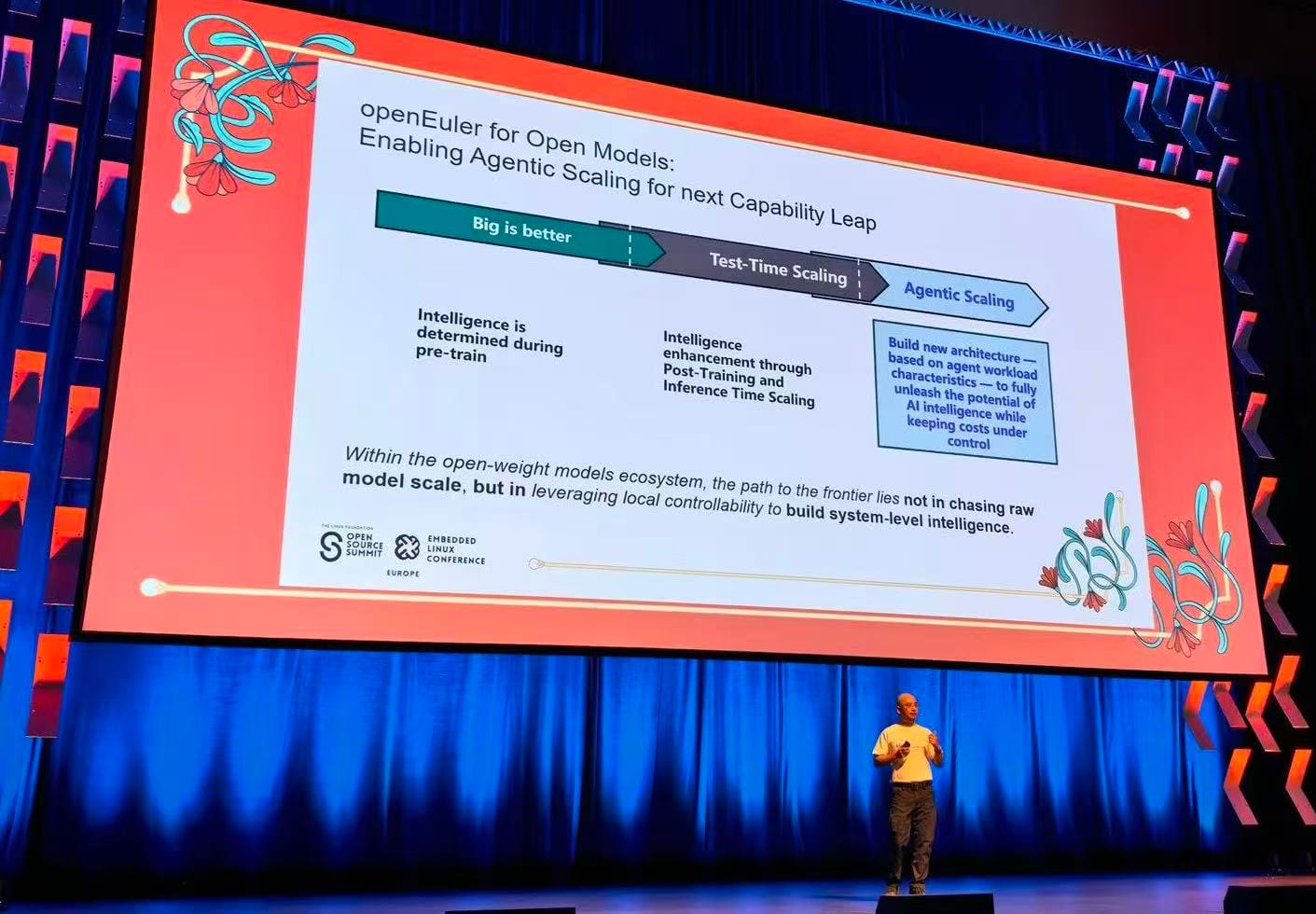
Agentic Scaling by openEuler

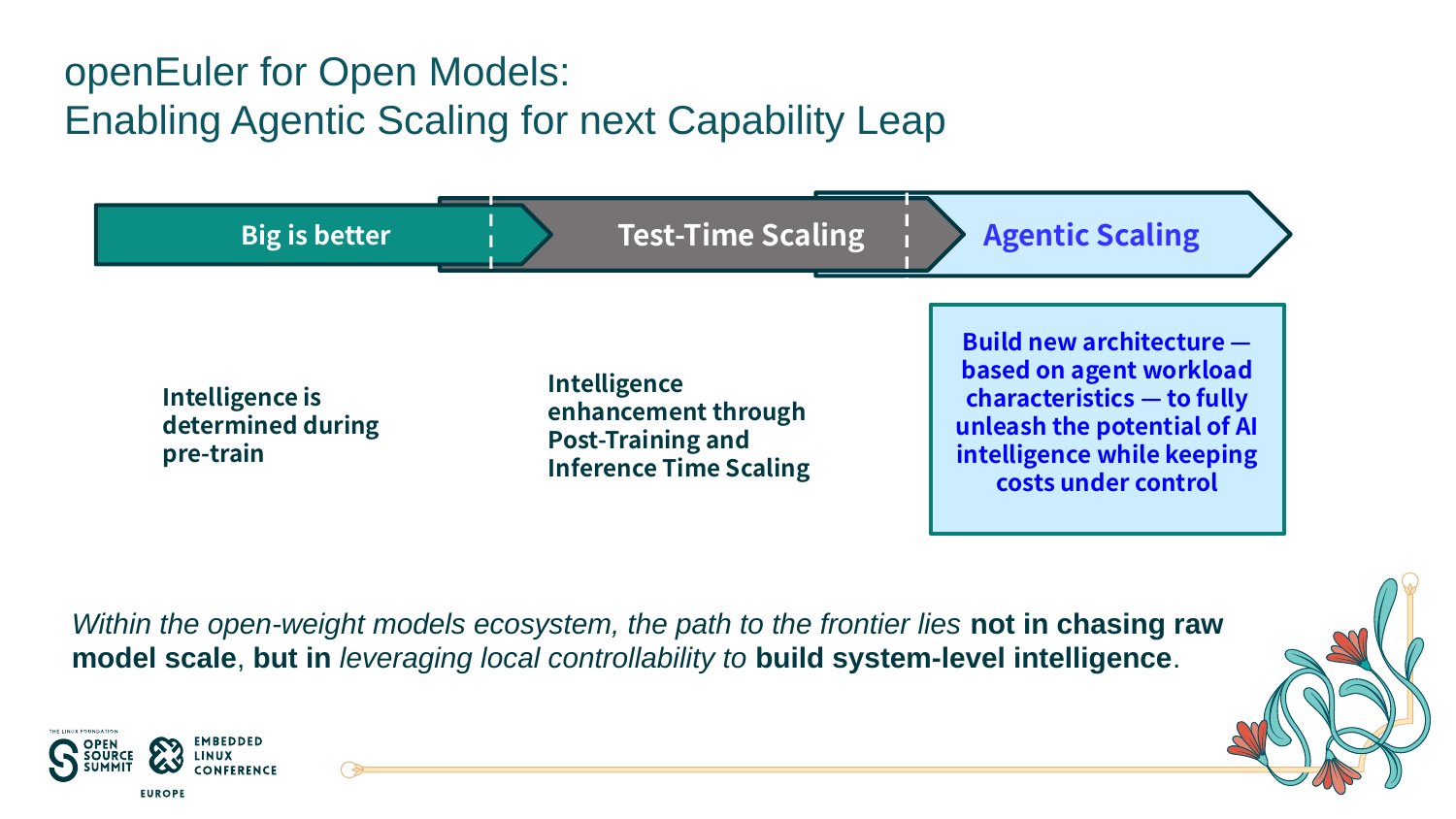
The second half of the keynote moves from hardware to how AI itself is scaling. Hu's slide traced three phases. First came "big is better," where intelligence is fixed during pre-training. Then came test-time scaling, where models get smarter through post-training and spending more compute at inference time. The third phase is Agentic Scaling: building new system architecture around the way agents actually behave, while keeping costs under control.

The pitch is aimed squarely at open-weight models (models like DeepSeek, Qwen, and Llama, whose weights you can download and run yourself). openEuler's argument is that this ecosystem won't reach the frontier by chasing raw model size. Instead, it should use the control you get from running models locally to build intelligence at the system level.

Here's what it means. An agent doesn't just call a model once. It runs tools, executes generated code, keeps memory across long sessions, and spawns many short-lived tasks in parallel. Each of those is an OS problem: isolation, startup time, memory management, and recovery.

openEuler's agentic infrastructure slides tackle three of them.

Sandboxes. Agents running code need isolated, disposable environments. openEuler's sandbox stack works with Firecracker, StratoVirt, gVisor, and Cloud Hypervisor, and is compatible with Kubernetes and E2B APIs. Using prewarmed pools and snapshot recovery, the project claims cold starts down to 20 ms (a 70% to 95% reduction), over 2,000 concurrent sandboxes, and task recovery times cut by more than 50%.

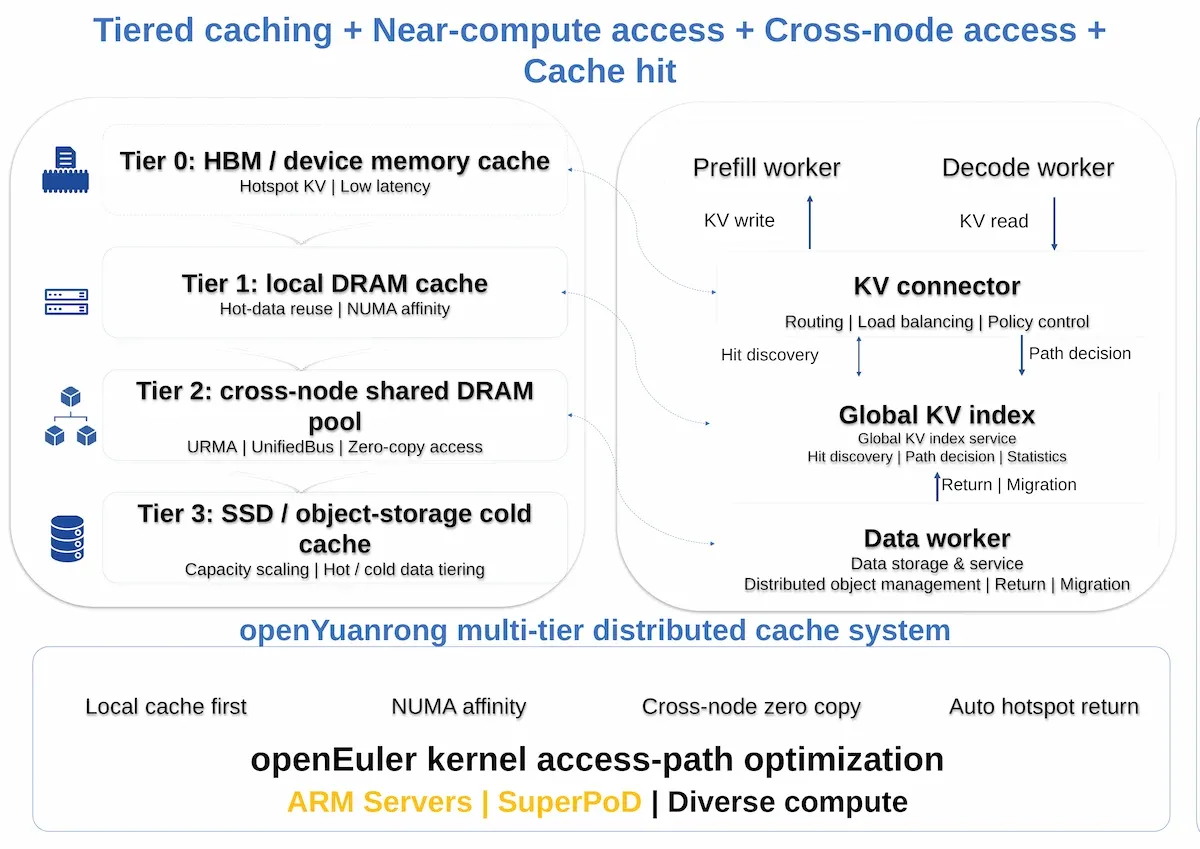
KV cache. The KV cache (the model's short-term working memory for a conversation) grows fast with long contexts and many users. openEuler's approach spreads it over four tiers: HBM on the accelerator, local DRAM, a shared DRAM pool across nodes via UnifiedBus, and SSD or object storage for cold data. Combined with a global index that lets one instance reuse cache built by another, the project claims a 30% to 70% drop in time to first token and 1.5x to 3x higher throughput.

KV Cache

Agent memory. For long-term agent memory, openEuler showed oGMemory, built on the openGauss database with vector, full-text, and graph search. The slide claims it halves token overhead and improves task completion by 20%.

What this means for Linux

I think the most important takeaway is that the definition of "the machine" an OS manages is changing, and openEuler is one of the few distros building for that openly.

There's a fair caveat, though. UnifiedBus and the TaiShan and Atlas hardware platforms are closely associated with Huawei's technology ecosystem, and much of the SuperPoD stack is optimized for these platforms.

The real test is how much of this work flows upstream into mainline Linux and plays well with vendor-neutral standards like CXL, rather than staying an openEuler-specific feature. Given that openEuler already counts itself among the top contributors to the Linux kernel, that's the thing worth watching.

Either way, the questions Hu raised (how an OS handles memory it doesn't physically own, faults it didn't cause, and workloads that spawn themselves) are ones every Linux distribution will have to answer soon.


from It's FOSS https://ift.tt/3bwTFdo
via IFTTT
RustGIS is a Desktop GIS Tool That Also Runs in a Browser

rustgis launch banner

Qiusheng Wu has put out the first release of RustGIS, a new open source GIS application with an announcement on X. v0.1.0 is available right now for anyone to use, along with a second release, v0.2.0, that has rolled out close on the heels of the first one.

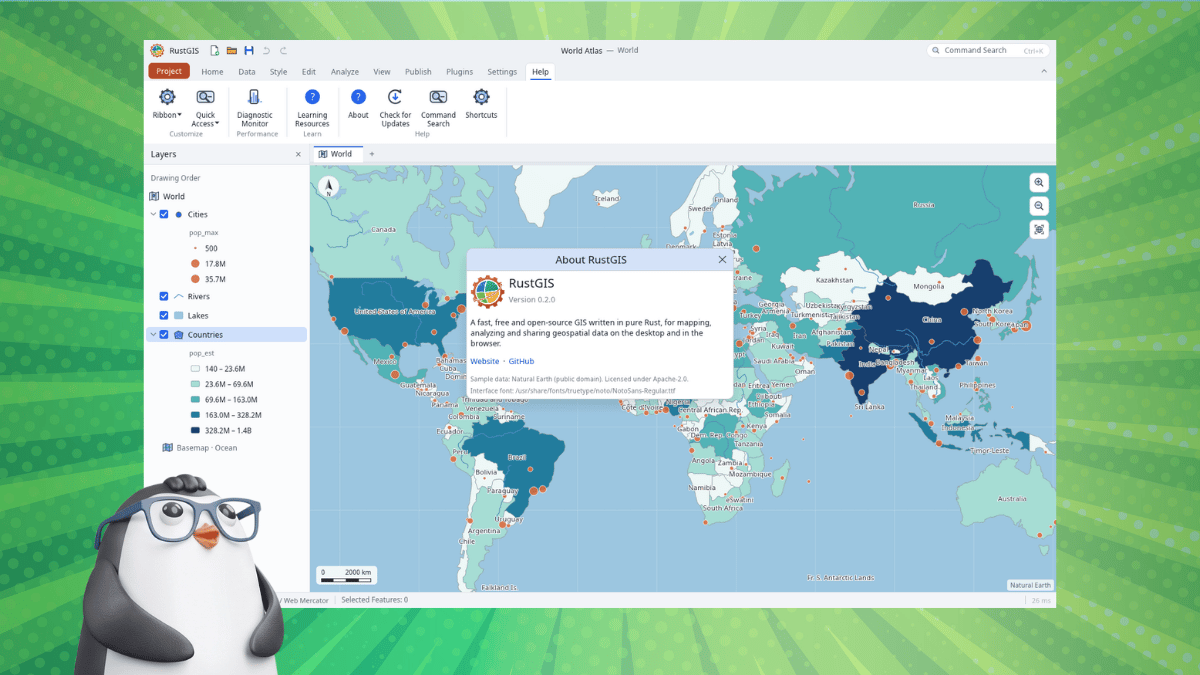
The tool's ribbon-based interface will be familiar to you if you have used a modern office suite recently, and the tool itself allows you to analyze map data in various ways.

The release notes for v0.1.0 mention that it comes in 15 interface languages, has support for over 1,000 tools from the GeoLibre and Whitebox suites, and the editing tools cover feature templates and snapping, along with domains and attribute rules.

So, let's check out what RustGIS has to offer. 👇

Who is it for?

brazil information on rustgis

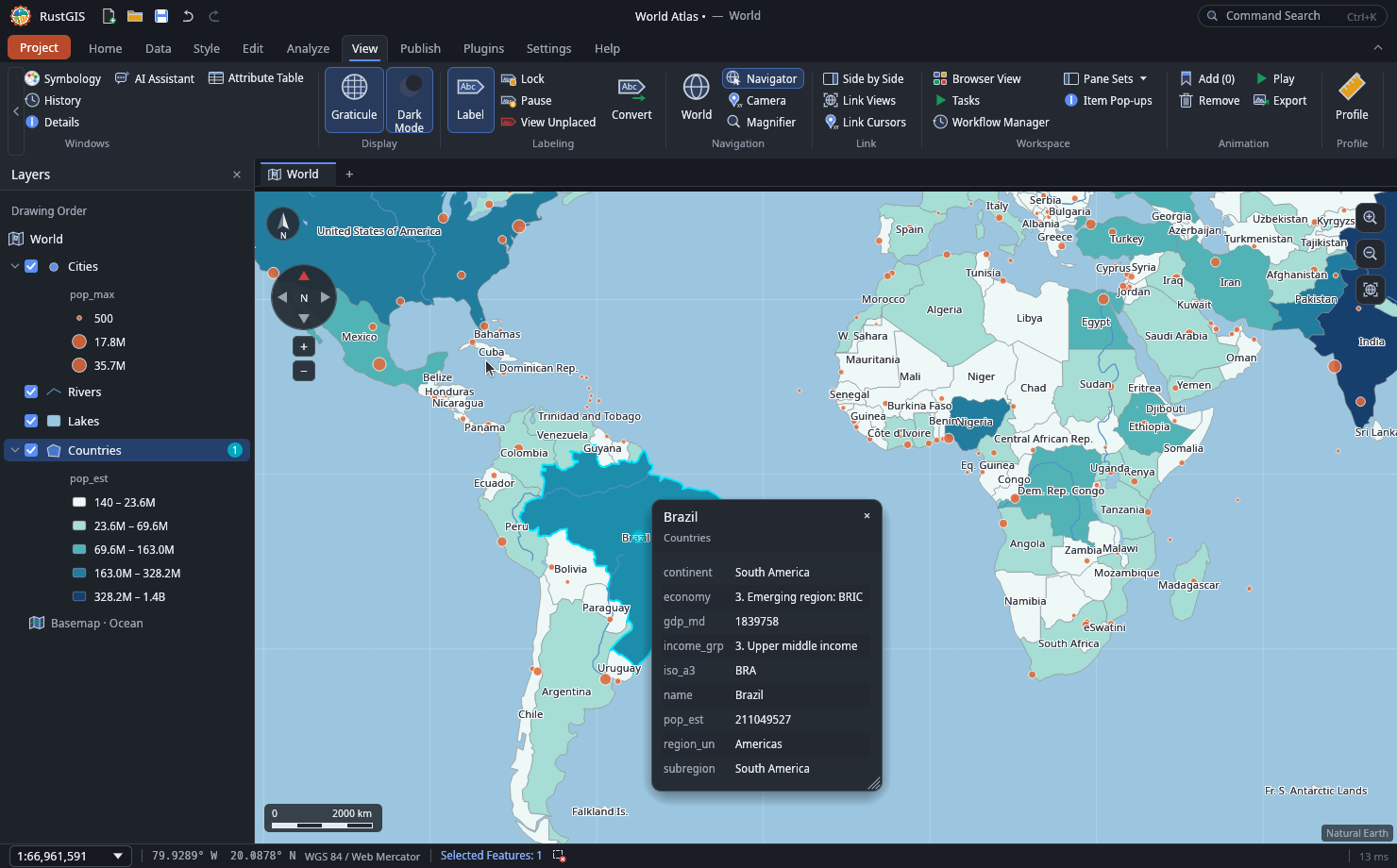
GIS stands for geographic information system, which is software for working with data tied to places on Earth. A GIS stacks layers such as roads, rivers, and population on top of each other, matched by location.

Working with those layers in RustGIS starts with analysis tools such as buffer and clip, plus SQL-based selection. Guided workflows cover jobs like viewshed analysis and finding the shortest path. The v0.2.0 release added SQL queries through DuckDB Spatial too.

The app opens common files like GeoJSON, Shapefile, GeoPackage, and GeoParquet, while large files are streamed. You can also open GDAL formats such as File Geodatabase, GPX, and DXF if you install ogr2ogr.

There's AI assistance too! 🤖

The AI Assistant is a chat pane that answers questions about the data or runs commands on the map. Undoing a change takes one step, and commands that touch files or the network wait for approval.

The command line can also render maps and chain tools, while an MCP server lets agents such as Claude Code and Cursor run RustGIS commands and generate maps.

Download RustGIS

If you are looking to try it out, RustGIS is suitable for terrain and hydrology work and for anyone who wants to execute repeatable workflows from the command line. Newcomers might also find the assistant's plain-language prompts easier than wading through the menus.

The newest release at the time of writing was v0.2.0. You can visit the downloads portal to grab binaries for Linux, Windows, and macOS. If you prefer a web-based solution, RustGIS is also offered as a WebApp.

The project hosts the source code for this on GitHub, and it also has a comparison table that shows how RustGIS fares compared to other tools like ArcGIS Pro and QGIS.


from It's FOSS https://ift.tt/GEwg1Hk
via IFTTT
Senin, 12 Oktober 2026

With 10.0 Release, ONLYOFFICE Goes All in on AI, Making it the Most Modern Office Choice for Team Collaboration

ONLYOFFICE 10

ONLYOFFICE is rolling out AI tools across every editor in its suite, but the open source versions do not have them built in. The company says the choice came in response to user feedback, making it so that those versions would require separate AI tool installations.

If you didn't know, they have a few main offerings. Docs is the editor suite that you self-host or integrate into other platforms, while the Desktop Editors bring the editors to Linux, Windows, and macOS, and DocSpace facilitates room-based collaboration.

There's also the Workspace bundle of web apps and mobile apps for iOS and Android.

With the ONLYOFFICE Docs 10.0 release, they are introducing a wide range of fixes, as well as modular apps that should help make your workflow easier.

🆕 ONLYOFFICE Docs 10.0: What's New?

onlyoffice docs 10.0 release apps banner

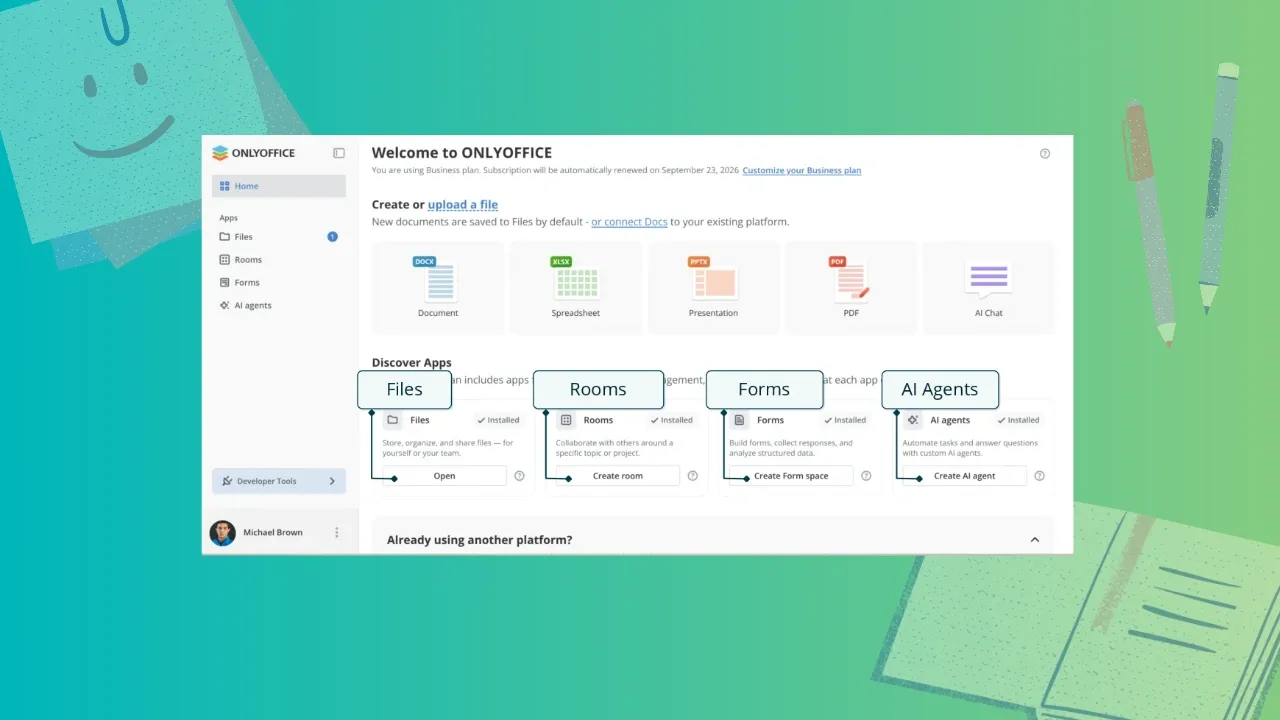
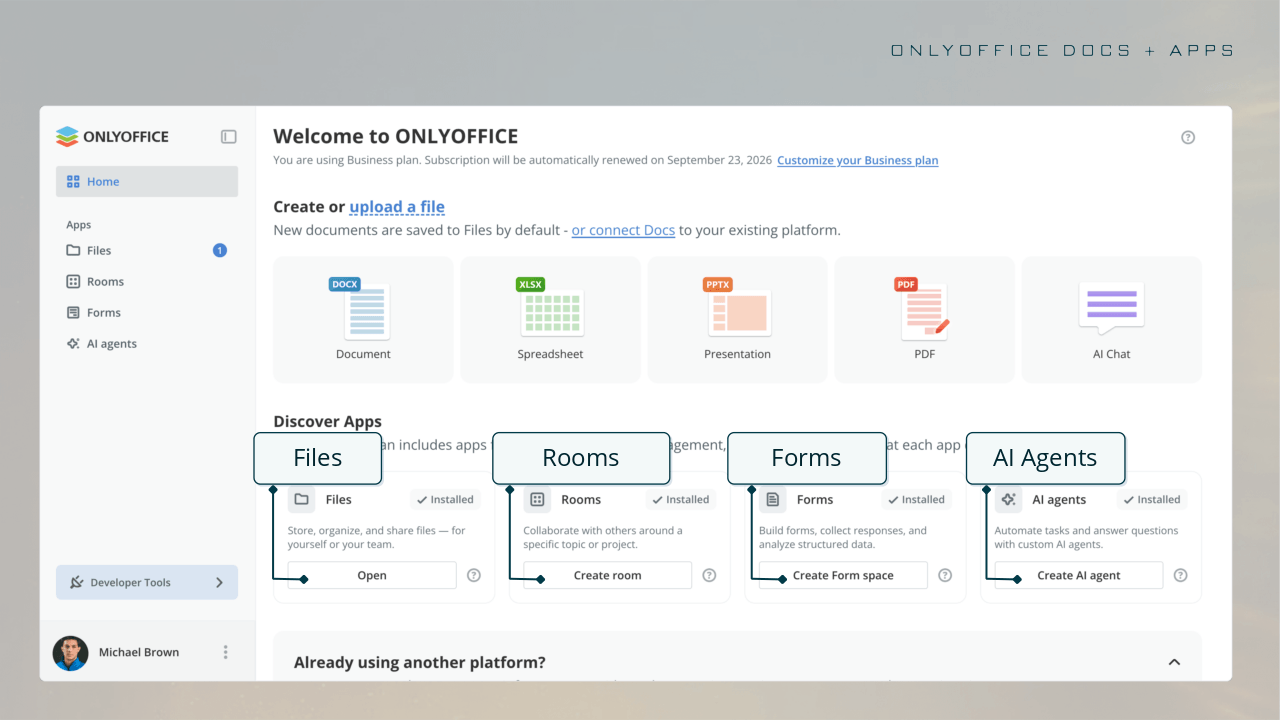
ONLYOFFICE Docs now has a home screen with an Discover Apps category that lists four pre-installed free apps: Files, Rooms, Forms, and AI agents. Each of these is an optional modular app that you use when the need arises.

In short, Files handles storing, organizing, and sharing files, Rooms is for collaborating with other people, Forms is for building forms and analyzing responses, and AI agents can be used to deploy agents for automating tasks and answering questions.

That last one supports MCP servers and can be used for extended reasoning, search, and personalized knowledge base use cases.

What about the editors?

Let's begin with the PDF Editor. The Redact tab now has a "Remove hidden information" option that clears metadata before you share a file, and the Comment tab offers a signature option, with automatic table recognition being available for the Edit Text function.

In the Document Editor, a new "Keep with next" feature has been added to the advanced settings for paragraphs that stops a heading from being separated from its content, including in tables and block content.

Inline objects such as graphical formulas behave more reliably in right-to-left documents, and line-based cropping trims content that runs past the line height. Horizontal lines, which was introduced with Docs 9.4, also get its own settings window.

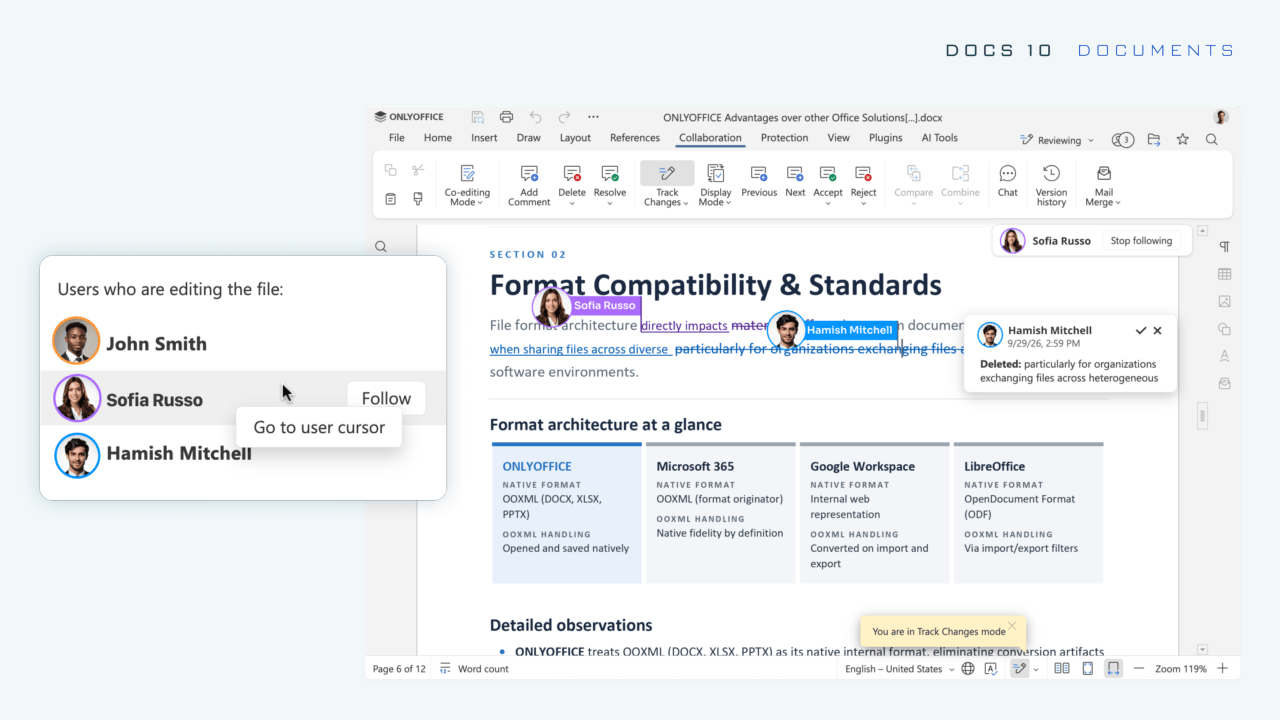
For collaborative sessions, a new "Follow/Stop" option appears in the list of users editing a file. If you click on it, your mouse's cursor will take you to that person's cursor; clicking on "Stop following" ends tracking.

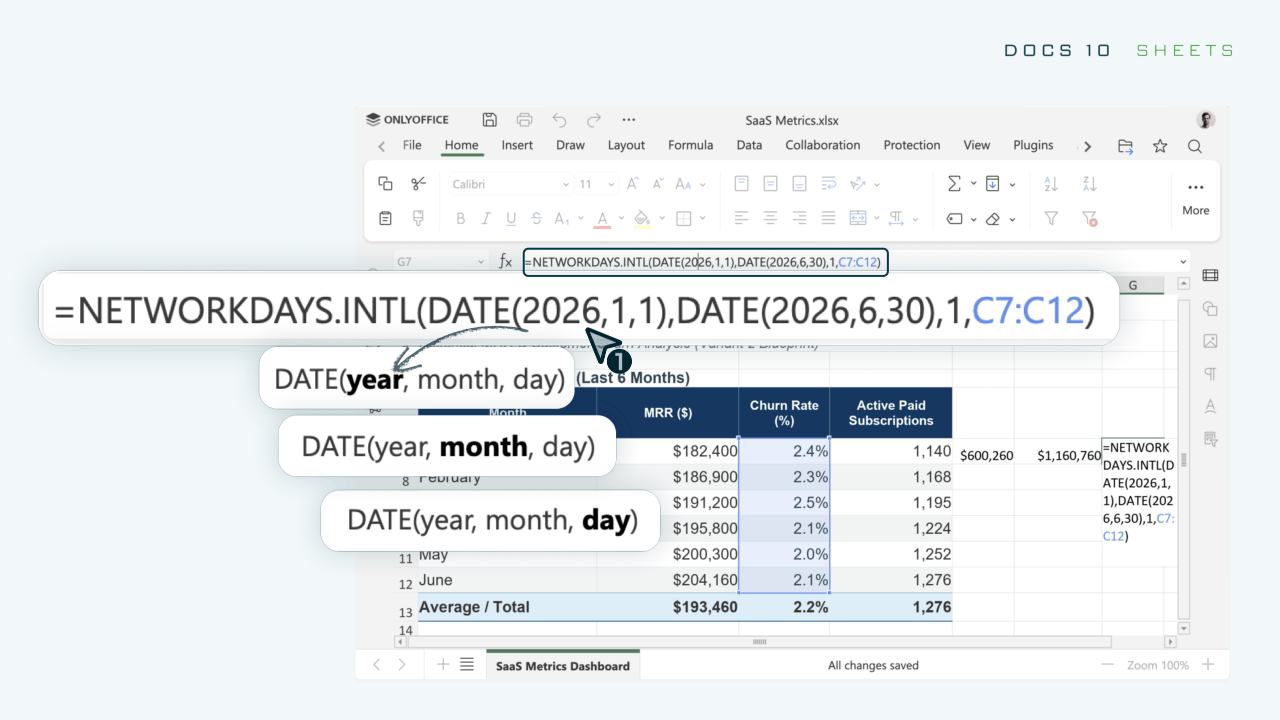
The Spreadsheet Editor features speed-ups, usability tweaks, and formula aids. Large workbooks should feel quicker, as styles and data are now stored separately and fewer cells are processed.

Copy and cut actions now draw a dynamic outline over the selected cells for quick verification glances, sheet backgrounds are kept intact when files are saved and reopened, and function constant hints appear as you type.

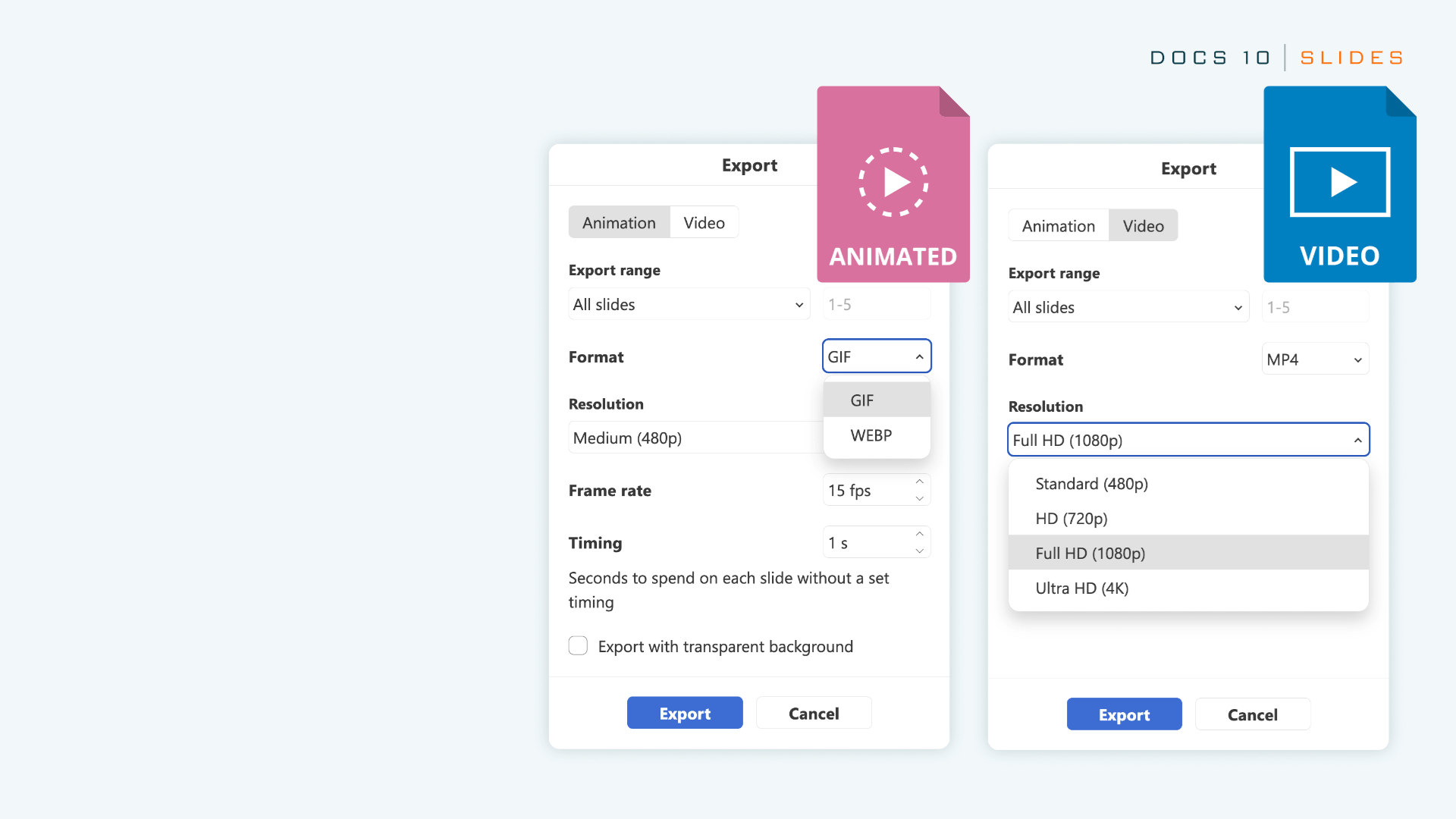
Similarly, for the Presentation Editor, you can now export presentations as a GIF or video file, while the View tab gives you access to a bunch of new views that include the Outline View, Reading View, Notes Page, Notes Master, and Handout Master.

The print settings are broader too, with notes, handouts, and outlines all being printable from the File tab.

The AI bits

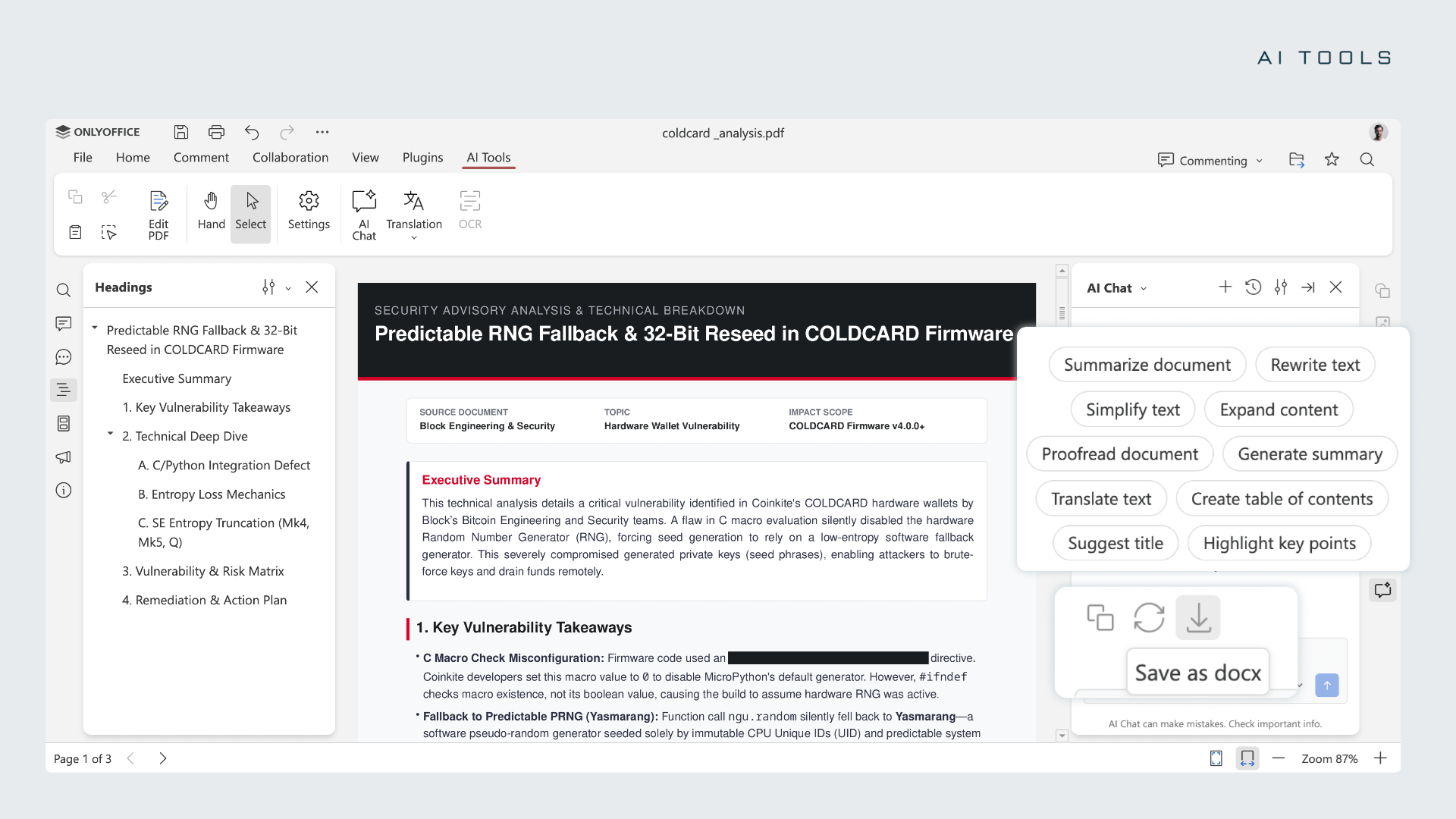
ai usage in the pdf editor for onlyoffice docs 10.0

Each editor has a dedicated AI Tools tab that launches the AI chat, with common actions preloaded as prompts alongside any you save yourself.

Text documents can be summarized, rewritten, translated, and proofread, with a table of contents, title, and formatting added on request. Presentations get outlines, slide titles, speaker notes, and visual ideas.

In a PDF, the AI can summarize in one click, answer questions, draft emails, and redact confidential details. In spreadsheets, it can tidy messy data, write and explain formulas, spot trends, and build forecasts and Pivot Tables.

For one-off jobs such as changing tone, there are tools such as Quick AI actions and AI assistants that keep running while you edit. Though these are only offered in the Document Editor for now.

If you go the cloud way, you will have to top up a wallet to get access to the ONLYOFFICE AI service, which handles model configuration and deployment for you.

For self-hosting, you will be able to use any popular cloud-based AI service or a local one through tools like Ollama.

📥 Download ONLYOFFICE Docs 10.0

The cloud version of ONLYOFFICE Docs 10.0 is available now through DocSpace, and a free account is enough to try the editors on the platform. If you were looking to host it, then you will have to wait a little longer as the update is still rolling out for self-hosted solutions.

On the other hand, if you are an individual user running Linux or a walled garden platform, then you could opt for the Desktop Editors.

For more details on this release, you can refer to the changelog and the official blog post.

Suggested Read 📖: LibreOffice doubles down on its no AI stance.


from It's FOSS https://ift.tt/rvcfMtp
via IFTTT
Linus Torvalds Says He Likes Using AI, While His New Kernel Branch Credits Claude Code

linus torvalds banner for his views on ai

Linus Torvalds has a new branch in his own kernel repository named noref-filemap-read-with-llm.

It holds an eight-patch series built on Linux 7.3-rc6 plus fixes, and its commit message gives no kernel release target for merging it.

While the commit message is long and technical, the change itself is easy to describe.

What he changed

When many threads read the same file, the kernel serves them from the page cache, its in-memory copy of recently read data. Today, each read takes a hold of the cached data and releases it afterwards.

Every thread updates the same counter to do so, resulting in the threads tripping over each other. The issue dates to 2024, when Matthew Wilcox flagged it, citing a customer's workload.

Linus' series of patches skips that step. To make that safe, memory that leaves the cache is not handed out for reuse until a short period has passed, so a reader can copy data straight out without holding anything.

The cost is that more memory sits idle for a moment.

The payoff, measured on his own laptop with some security protections switched off, is that eight threads reading one file went from about 10 million reads per second to between 30 and 33 million.

Linus ran the measurements himself, but for the rest, the commit message credits Claude Code, working under his direction. That includes a draft of the message itself, the code and test programs, and the review behind its list of known problems.

This is not the first time he has used AI on kernel work. In August, he used it to help fix a bug in the Intel Xe graphics driver.

What he said in Prague

Linus spoke with his long-time friend, Dirk Hohndel, the head of Ericsson Software Technology, at Open Source Summit Europe in Prague on Friday.

ZDNet's Steven Vaughan-Nichols, who was in attendance, quotes Linus, saying, "I actually really like using AI."

He said he used to think AI was not very good but has changed his mind. In his view, it works well as long as it is treated as a tool, and it makes programming more enjoyable for him.

His own example was a guitar pedal project with an interface he had written in C. He wanted a more modern look and tried AI for it, saying, "I use AI to do the things that I'm bad at."

He also defended vibe coding as "a wonderful way to find joy in programming," mainly for newcomers, and says that while AI is improving the code base, the load it puts on maintainers has become a real problem.

This again shows how much Linus’ stance has changed when it comes to AI. In 2024, he called the AI industry "90 percent marketing and 10 percent reality." Now, he is actively using it for kernel work.

Via: Phoronix


Suggested Read 📖: Gentoo needs your help for sponsoring its infrastructure.


from It's FOSS https://ift.tt/wfkFgst
via IFTTT
Linux May Get a New Home for AI Agent Skills

linux ai agents skills home banner

A Fixes tag in a kernel patch points to the commit that introduced the bug, but the last commit to touch a buggy line may only have moved the code to a new file.

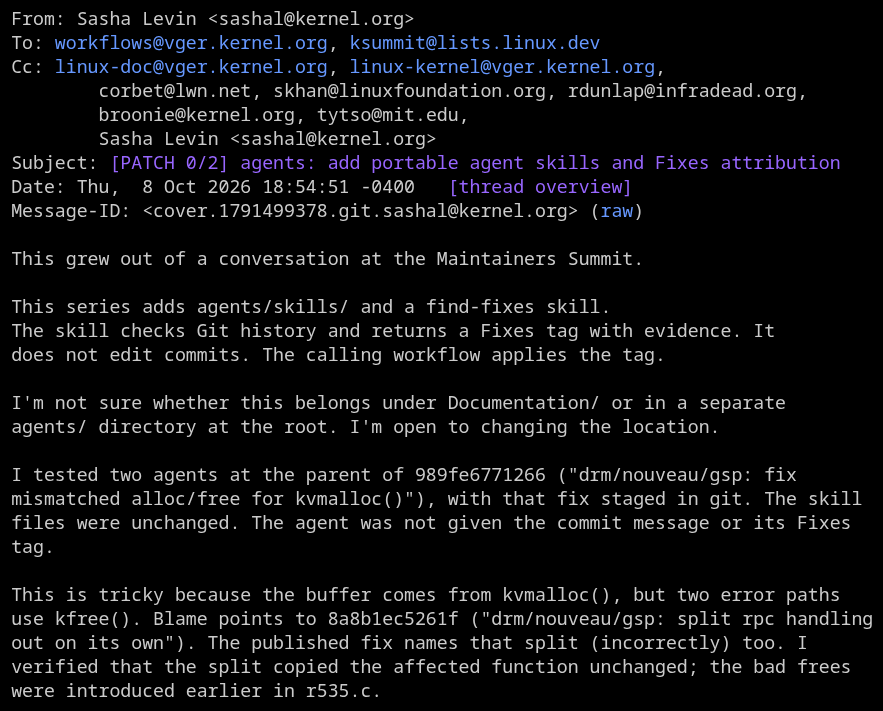
Sasha Levin, who co-maintains the stable and long-term support kernel trees, wants AI coding assistants to verify which commit introduced a bug before assigning it a Fixes: tag.

His two-patch series went to the workflows and ksummit mailing lists last week, where he has proposed a new agents directory in the kernel tree to hold the skill that does it.

The new directory

sasha levin portable agent skills and fixes attribution

The first patch adds an agents/ directory at the top of the kernel source tree for skills, prompts, and other resources meant for coding assistants. It also adds a MAINTAINERS entry covering the directory.

Each skill gets its own folder under agents/skills/, with a SKILL.md file as its entry point, written in the Agent Skills format.

Assistants are told to read a resource directly from its path in the repository, and links inside a skill are relative to that skill's folder. A new section in the kernel's coding assistants document is meant to describe this layout.

The find-fixes skill, which arrives with the second patch, would be the first one in the directory.

Why do Fixes tags go wrong?

Levin says the series traces back to a question from Ted Ts'o about incorrect tags in stable tree work. He pointed to LLM workflows that help find the right commit.

Ted later explained that the request came from a talk with Hannes Reinecke, who estimated that 15 to 20 percent of Fixes tags are wrong.

That matters beyond bookkeeping, since the tag is how stable maintainers and distributions work out which kernels need a given fix. A wrong one can send a fix to the wrong branches or leave a bug unpatched.

The new find-fixes skill reads Git history and returns a proposed tag with its evidence, while leaving the commit itself untouched.

The skill's guide.rst file says no single clue settles which commit a Fixes tag should name, not even an existing tag. The agent explains how the bug fails, traces candidate commits, and compares each against its parent.

It separates the commit that added the code, the one that made it defective, and any later change that only exposed the flaw.

For backported fixes, it checks whether the bug came from the original change or from how that change was adapted for an older kernel. Merges, reverts, and incomplete histories get their own handling.

When it cannot establish the origin, it returns no tag, lists the candidates and what is missing, and the fix stays a draft until someone resolves it.

Still a work in progress

The second patch would add a section to the kernel's coding assistants document saying an assistant must follow the guide before finalizing a bug fix or its commit message and when reviewing an existing tag.

The document's step for committing a fix would ask for a verified tag, where it now asks only for a Fixes tag. Keep in mind that the skill would not write commit messages, apply the tag, or decide whether a fix belongs in stable.

The series follows Levin's earlier push for the kernel's AI coding assistants policy, which we covered in April, and his proposal for a kernel killswitch.

Where the files should live is still open. The introductory patch message says he is unsure whether they belong under Documentation or in a separate agents directory at the root.

Greg Kroah-Hartman asked whether the series would fix tools skipping the kernel's guidance because an AGENTS.md file is missing. Sasha replied that this is a separate issue for the symlink patch.


from It's FOSS https://ift.tt/Q7UITzc
via IFTTT
Sabtu, 10 Oktober 2026

BentoPDF Handles PDFs Locally, So You Don’t Have to Upload Them to Websites

bentopdff banner with laptop and toolbox

There are plenty of online PDF tools that let you edit documents without installing anything on your computer. You just open a website, upload your file, make the changes, and download the edited document.

But there is a catch. You are handing your files over to a third-party service, and you may not always know how it handles your data. Some services may have questionable privacy practices, while others are outright malicious.

In fact, the FBI has warned people about fraudulent online file converters that steal sensitive information and spread malware in the past.

These tools scrape uploaded files for personal details, banking information, email addresses, and passwords, making them particularly risky when dealing with confidential work documents that should've never left an organization's secure environment.

BentoPDF is an open source alternative that advertises itself as a privacy-first tool that processes files directly in your browser instead of uploading them to a server, helping avoid some of the aforementioned privacy risks associated with online PDF tools.

BentoPDF: For Your PDF Needs

homepage ss here

Created by Alam, a developer out of India, BentoPDF traces its origins to an internal tool that was being used for merging and splitting PDFs. Soon after its creation, the lead dev decided to share his work with the world via Reddit, and a few weeks later the code was live on GitHub.

BentoPDF uses WebAssembly, which lets heavy programs run right inside your browser. Its OCR tool, for instance, runs on Tesseract.js, a port of the Tesseract OCR engine. That way, the processing happens on your computer, and nothing is uploaded to a server.

🚀
You don't need to sign up for an account, and there's no web tracking either!

The project is dual-licensed, where the code is provided under the AGPL-3.0, making it free to use and open for anyone looking to fork it. A separate commercial license is available for closed-source use and costs $79 as a one-time purchase.

Alam also publishes two other open source projects, Hyper Compress and Kura. The first is a PDF compression engine, while the latter converts PDFs to standards like PDF/A and PDF/UA.

Anyhow, coming back to the PDF editor, I took it for a test run on Vivaldi, a Chromium-based browser, covering a few tools to see how it holds up in everyday use.

Editing PDFs

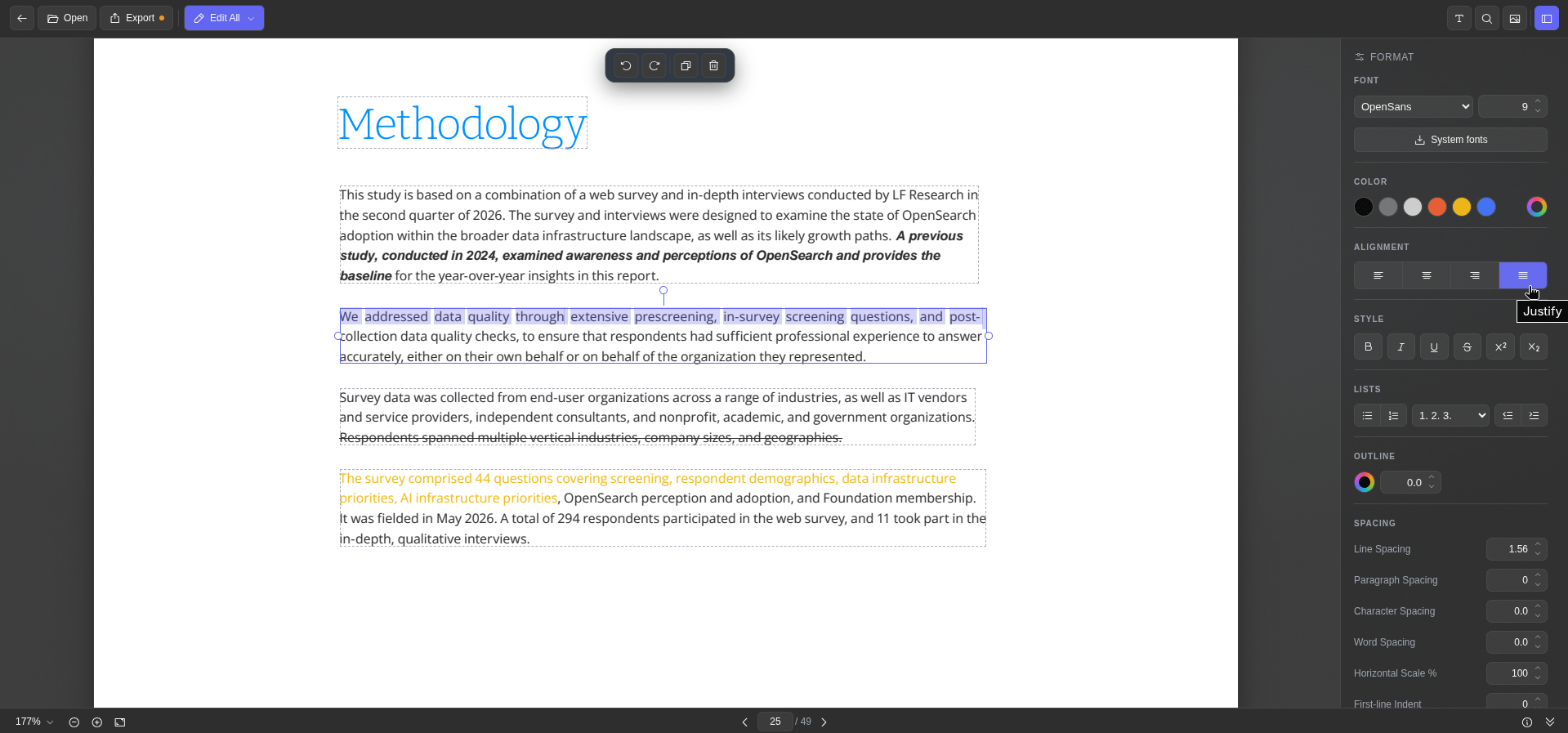
bentopdf text editing

The Edit PDF Text tool shows each block of text in the document with a dashed outline, and picking one brings up the formatting sidebar, which houses the usual editing controls.

It has buttons for tweaking the font, size, colors, alignment, and character spacing, along with bold, italic, underline, and strikethrough formatting.

I could also make it fetch all the fonts installed on my Linux system using the System fonts button, and the info button at the bottom was useful for glancing over the metadata of a document.

Once done editing, exporting the file is only a matter of clicking the "Export" button.

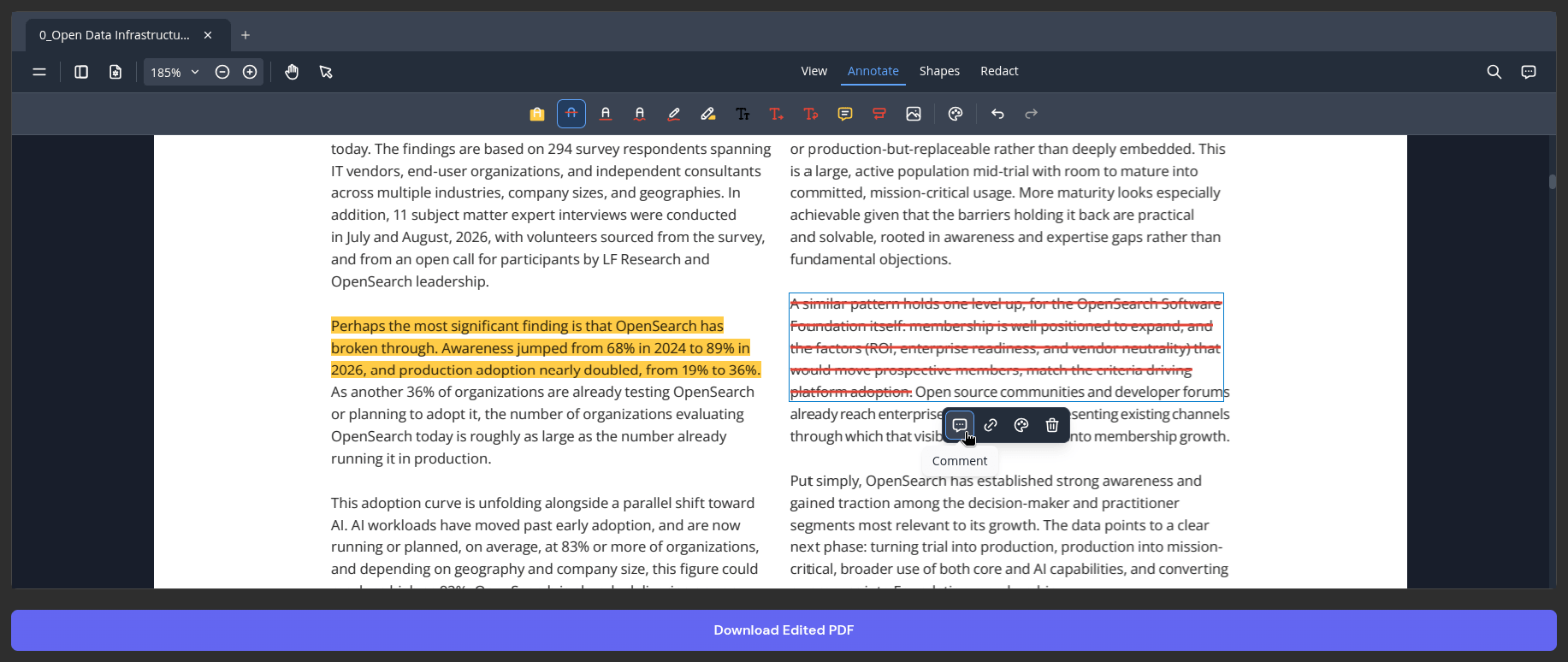
The PDF Editor is mainly meant for annotation work, with tools for highlighting, strikethrough, ink, text insertion, and comments. You pick the relevant tool and drag your cursor over a piece of text to apply it.

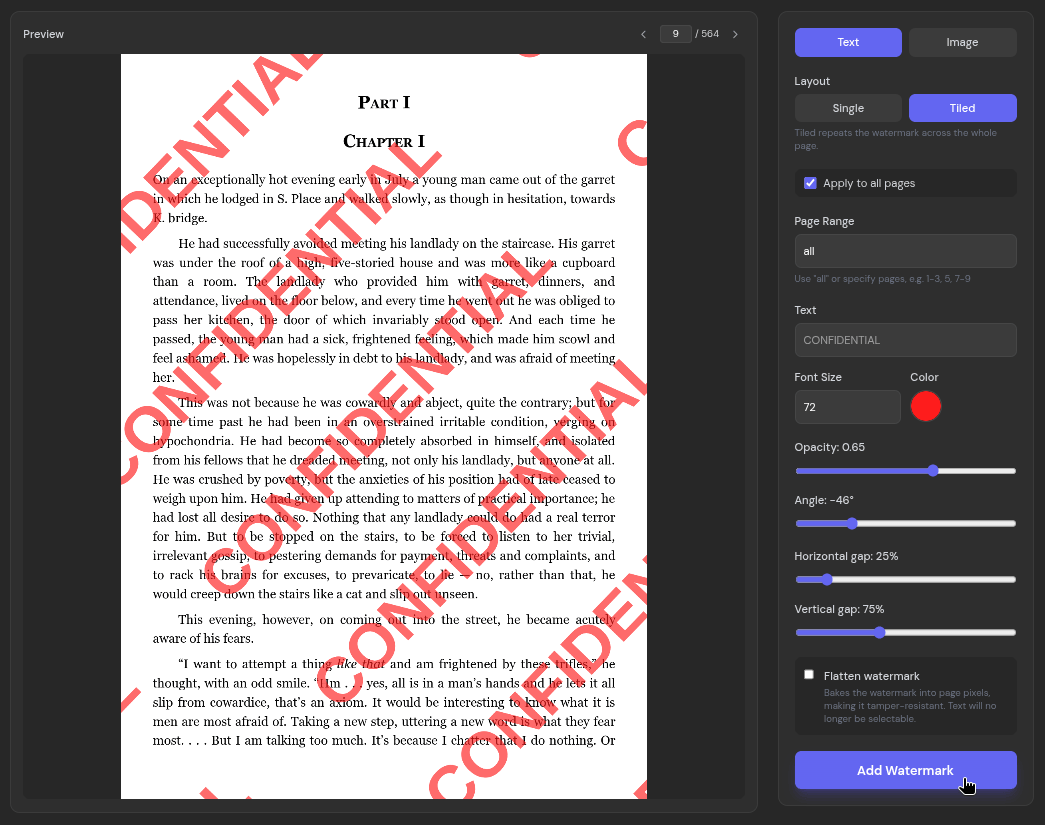
Adding watermarks to documents is also possible via the Add Watermark tool, which should come in handy for protecting your work or marking a document as sensitive. It offers a lot of flexibility, letting you choose between a text or image type watermark, a single or tiled layout, and granular controls for the pages, text, and visibility.

Common keyboard shortcuts like the ones for copy (Ctrl+C), paste (Ctrl+V), undo (Ctrl+Z), and redo (Ctrl+Y) also work well here.

Easy OCRs

Sometimes a PDF is nothing more than a set of page images, like a scanned report or a document full of charts. You cannot search through it or copy anything out of it because there is no text for your PDF viewer to find.

The solution to that problem is to run OCR on it, which converts the pages into machine-readable text.

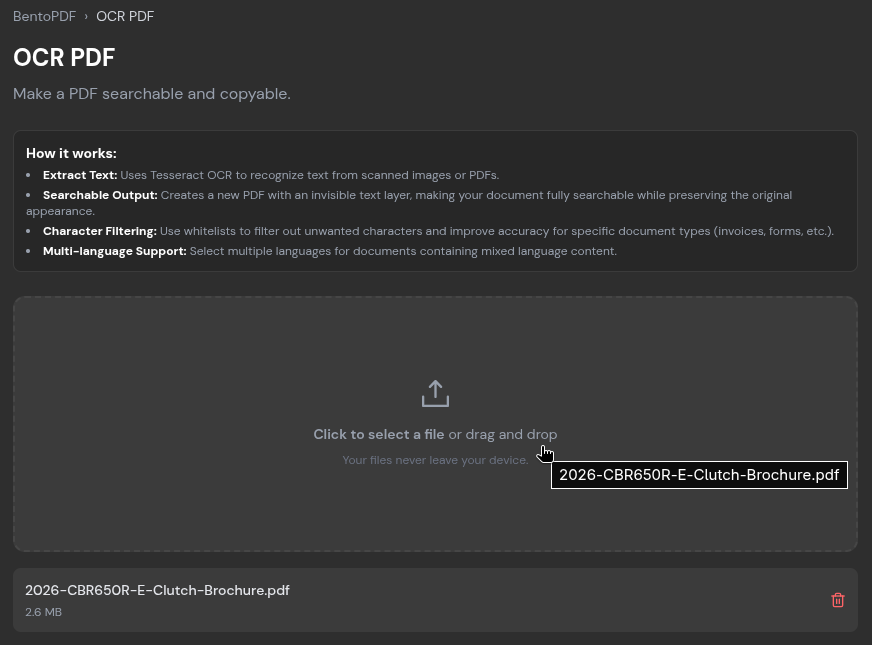
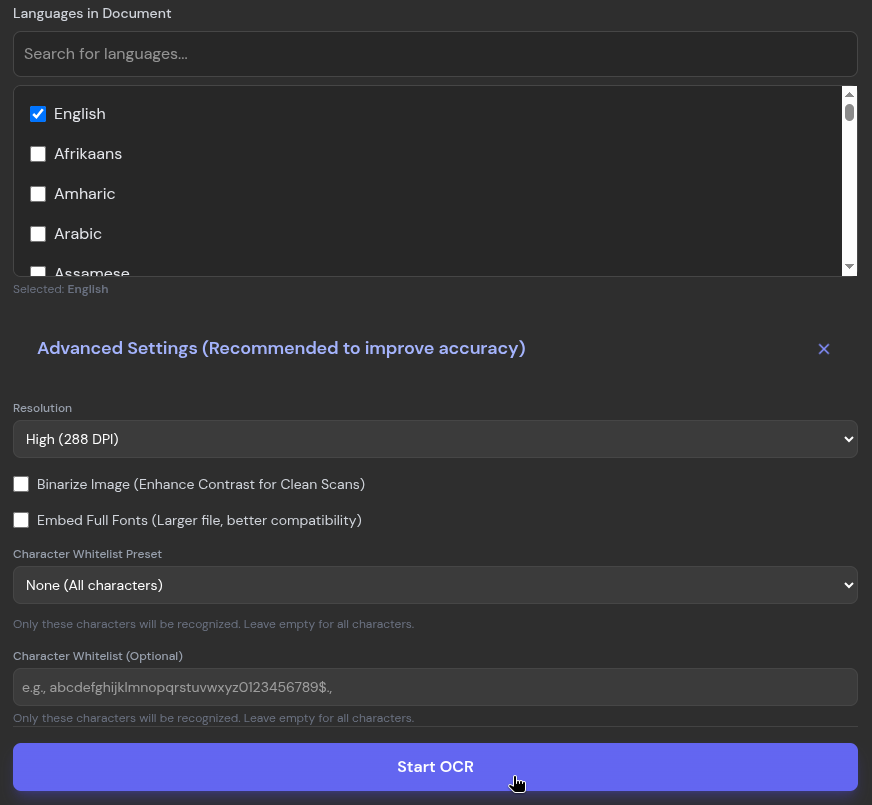
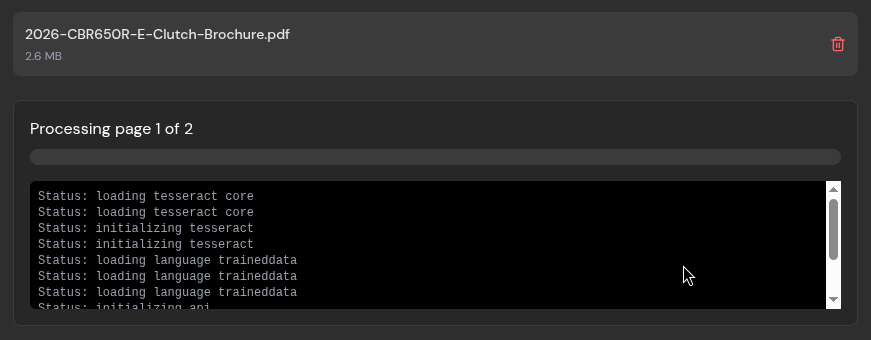
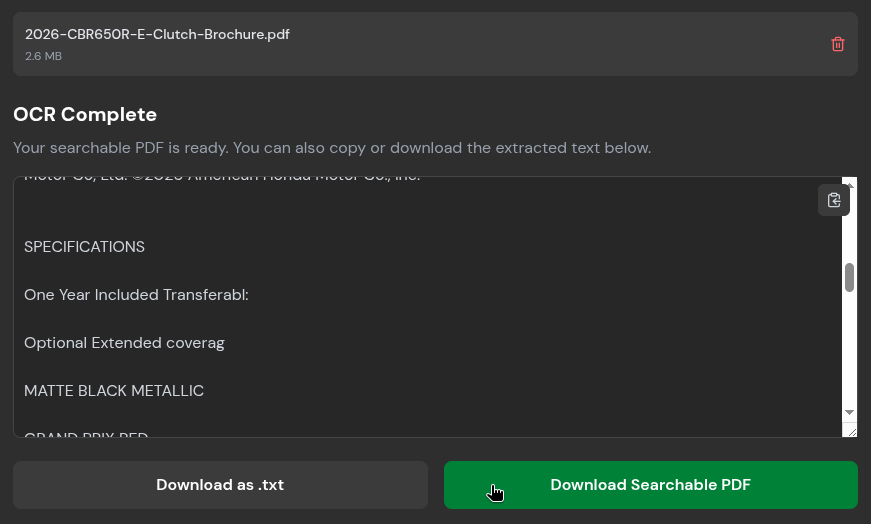
OCR PDF handles this in BentoPDF by letting you upload a file, select the relevant language(s) found in the document, and start the process. During my test, I used a two-page brochure for a motorcycle I like to window shop for and left the advanced settings untouched.

It took a while to process the pages, but the output was mostly accurate. Only the very small, lossy text at the bottom of the document tripped it up. I could copy everything to the clipboard or export it as a .txt or searchable PDF file.

File Conversions

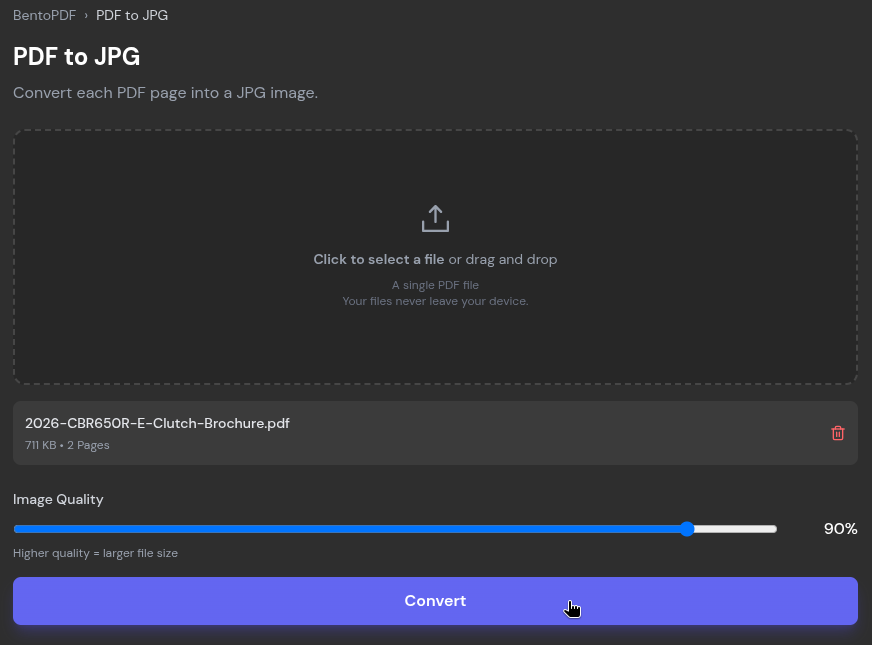
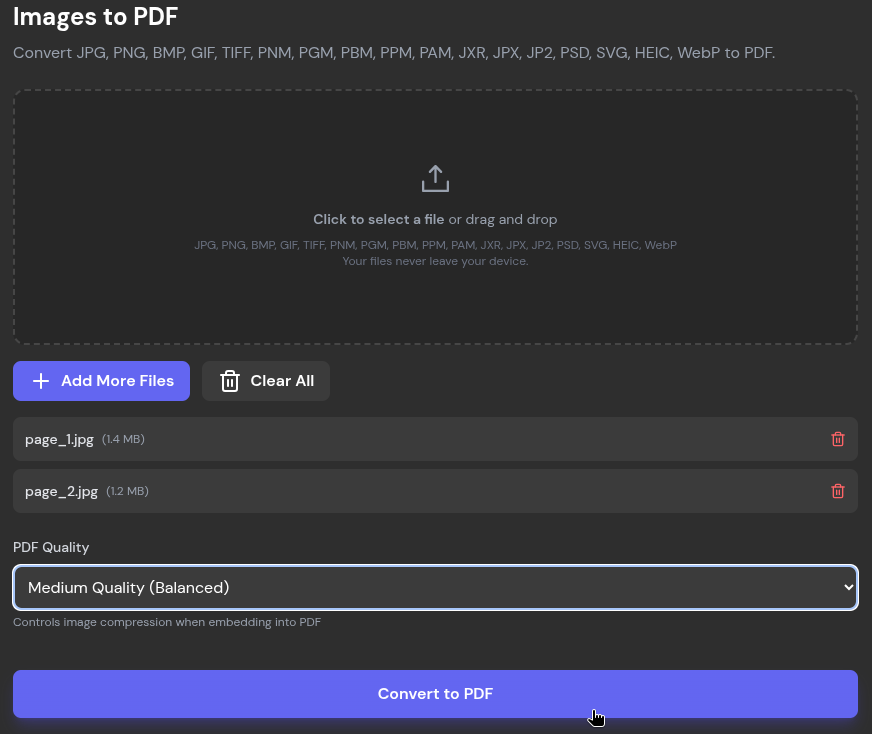
BentoPDF has a range of file conversion tools available, and I tested out two of them. PDF to JPG converts each page of a PDF into a JPG image, and using it is quite simple. You upload a PDF file, set the image quality with a slider (the pre-set value is 90%), and click "Convert."

Images to PDF does the reverse, and it accepts an array of formats beyond JPG, including PNG, BMP, HEIC, and PSD.

There are plenty more conversion tools on offer, covering formats like ODP, CSV, EPUB, JSON, WebP, and Markdown, among others.

Quick Compressions

Usually, when handling PDF files that need to be sent via email, its file size matters a lot. Popular email services like Gmail, Proton Mail, Outlook.com, and Yahoo Mail cap attachments at around 20 to 25 MB.

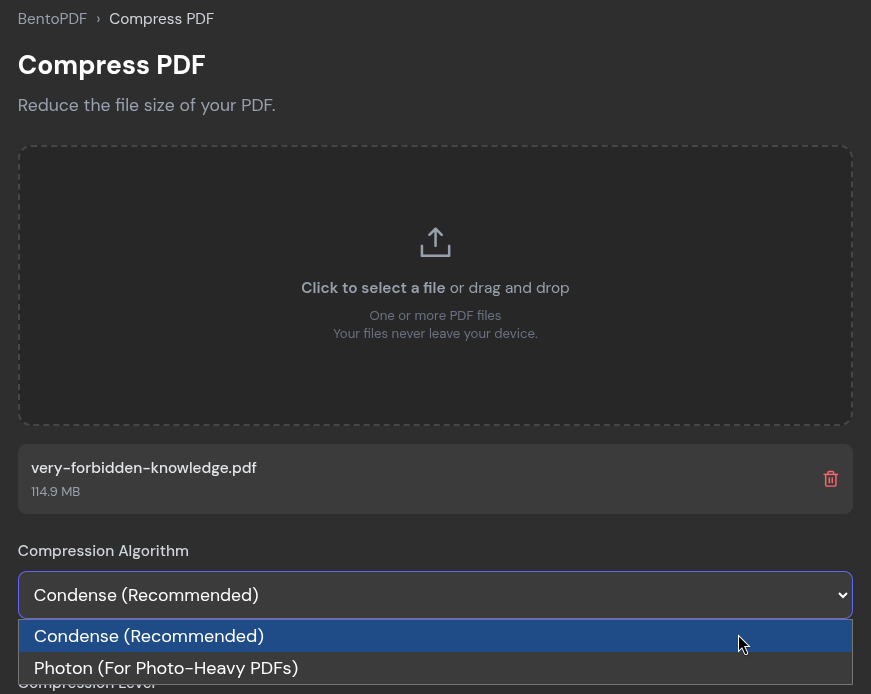
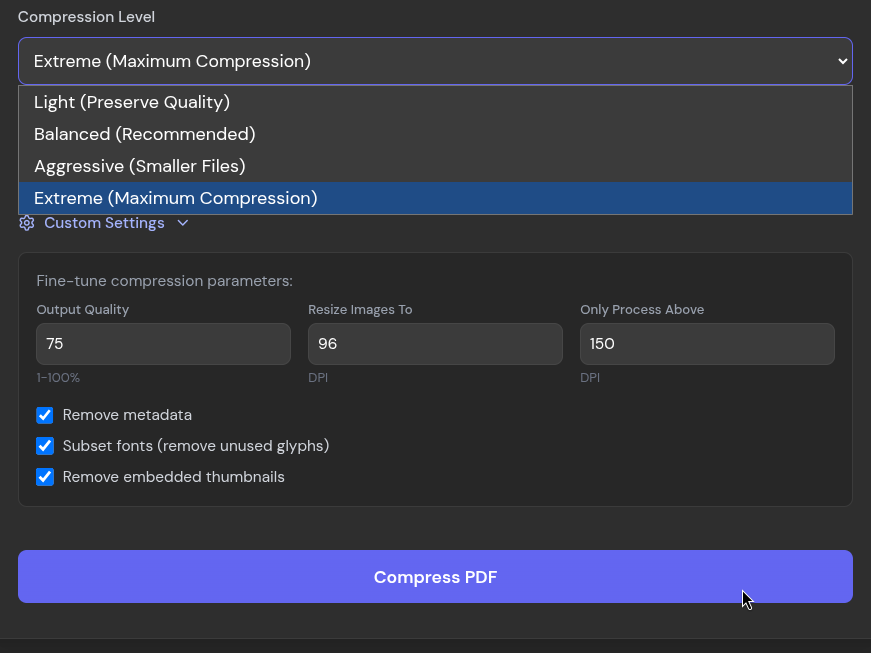
To tackle that, the Compress PDF tool offers two algorithms, "Condense", which is the recommended one, and "Photon," that's tailored for photo-heavy PDFs. Alongside them are four compression levels that run from "Light" to "Extreme.".

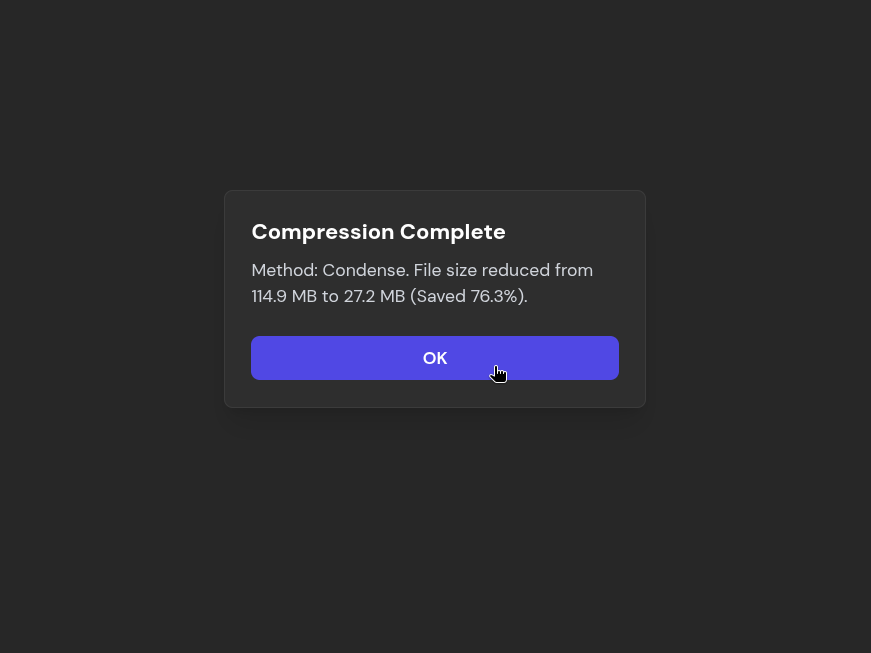
For checking it out, I stuck with Condense and only changed the compression level, going with Extreme to see how small the file could could get.

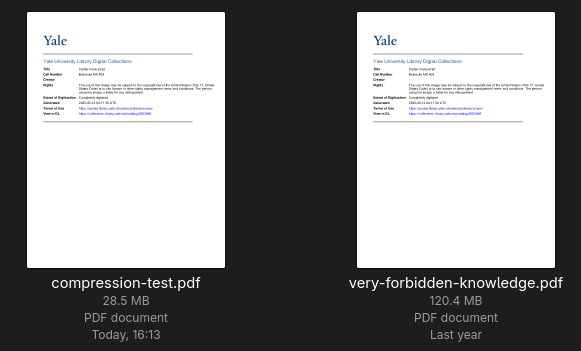
It took quite a while to process, but BentoPDF brought my 120.4 MB PDF down to 28.5 MB, a 76.3% reduction. That is still a little over the usual email limits, but for a 214-page document, it's a good result.

The text and images stayed very readable too, and I only noticed the loss in quality when I zoomed into the images.

Start Editing

There's a lot more BentoPDF has to offer than what I have covered above. Just scroll down on the homepage to see its full list of 100+ PDF tools. There are some security-focused ones that I am sure many of you will like.

If you are looking for the source code, then you should visit the project's GitHub repository, which also contains details on the tech stack that powers BentoPDF.


from It's FOSS https://ift.tt/FkhRnjb
via IFTTT