CachyOS is a relatively new distribution that has gained mass popularity due to its cutting-edge software and features that focus on performance optimization, finding a very specific niche easily.
In its recent updates, CachyOS has changed the default package management system to the Rust-based Shelly from Octopi, so obviously, I was bound to check it out.
What does Shelly offer?
To start with, Shelly is a one stop solution to manage packages not only from CachyOS's own repositories, but also AUR, AppImage and Flathub, all at the same place. It also provides quite a nifty clean look that just makes sense, both of which give it a clear edge over Octopi already, which can manage the default repositories and AUR only, and looks a little dated.
Interface
The home page shows recent activity, a package dashboard which displays the number of packages installed through AUR and Flatpak, and the absolute total number of packages on the system. It also shows the percentage of packages which are totally updated, with the available updates on the right side.
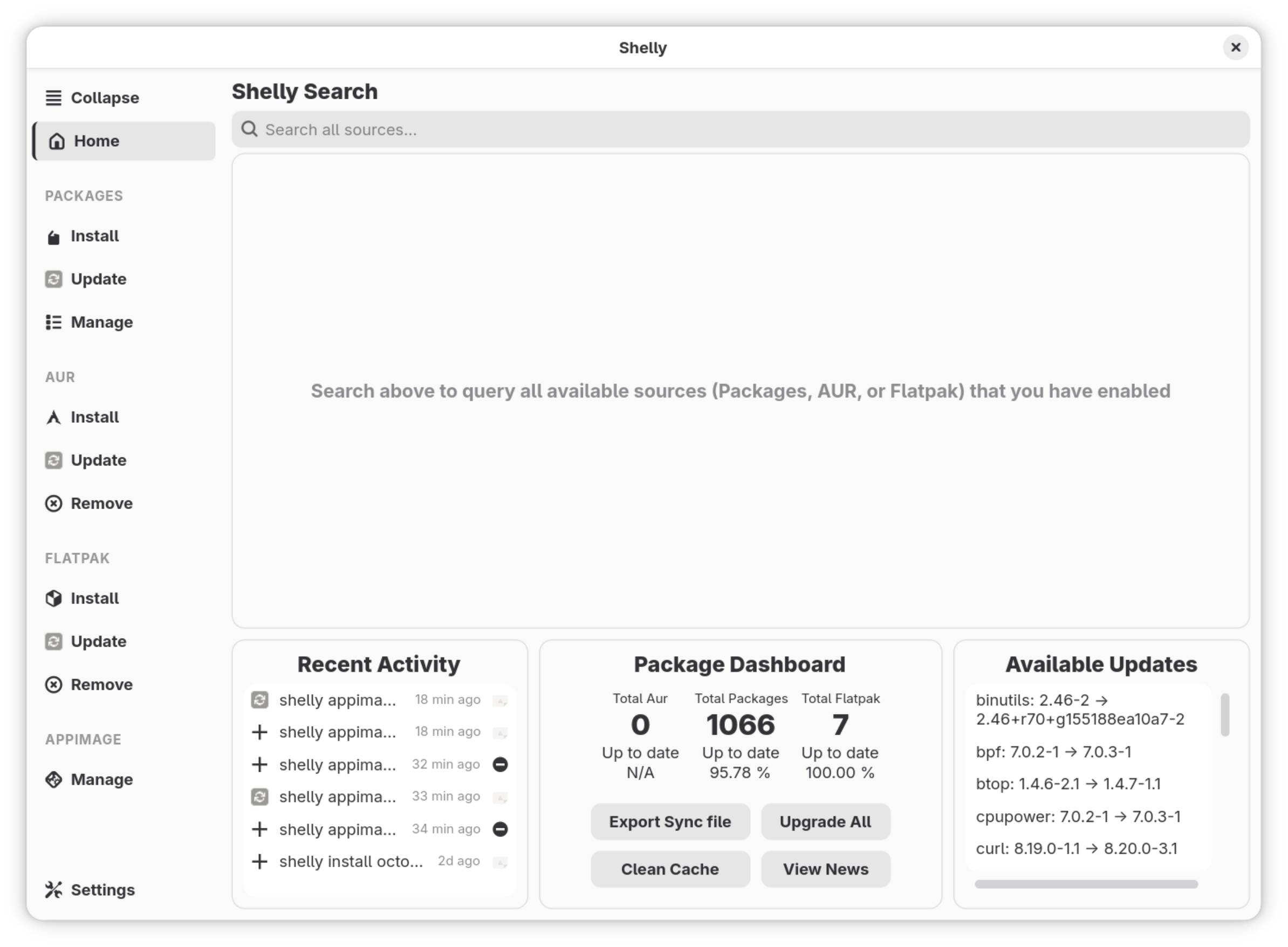
There's a search bar on top which will search through the distribution's repositories, AUR and Flathub all at the same time. If a package is available from multiple sources, Shelly lists them in order of preference, first the distribution's repositories, then AUR and finally Flathub.
All the different possible sources are tabbed on the left of the window, which means you can manage the packages from all different sources separately and seamlessly.
Settings
The settings keep things to a minimal. There are toggle switches for AUR, Flatpak and AppImage management, as well as for the tray icon. These settings are confirmed on the first start of the application.

You can move around the left menu to the top, again with a toggle switch. In the advanced settings, you can enable the "No Confirm" button to slide through the confirmation for the installation, uninstallation or updating of any package. You can also limit the number of parallel downloads, with the default being 10. There's an interesting option called "Purify Packages" which gets rid of any corrupt packages on the system.
How well does it work?
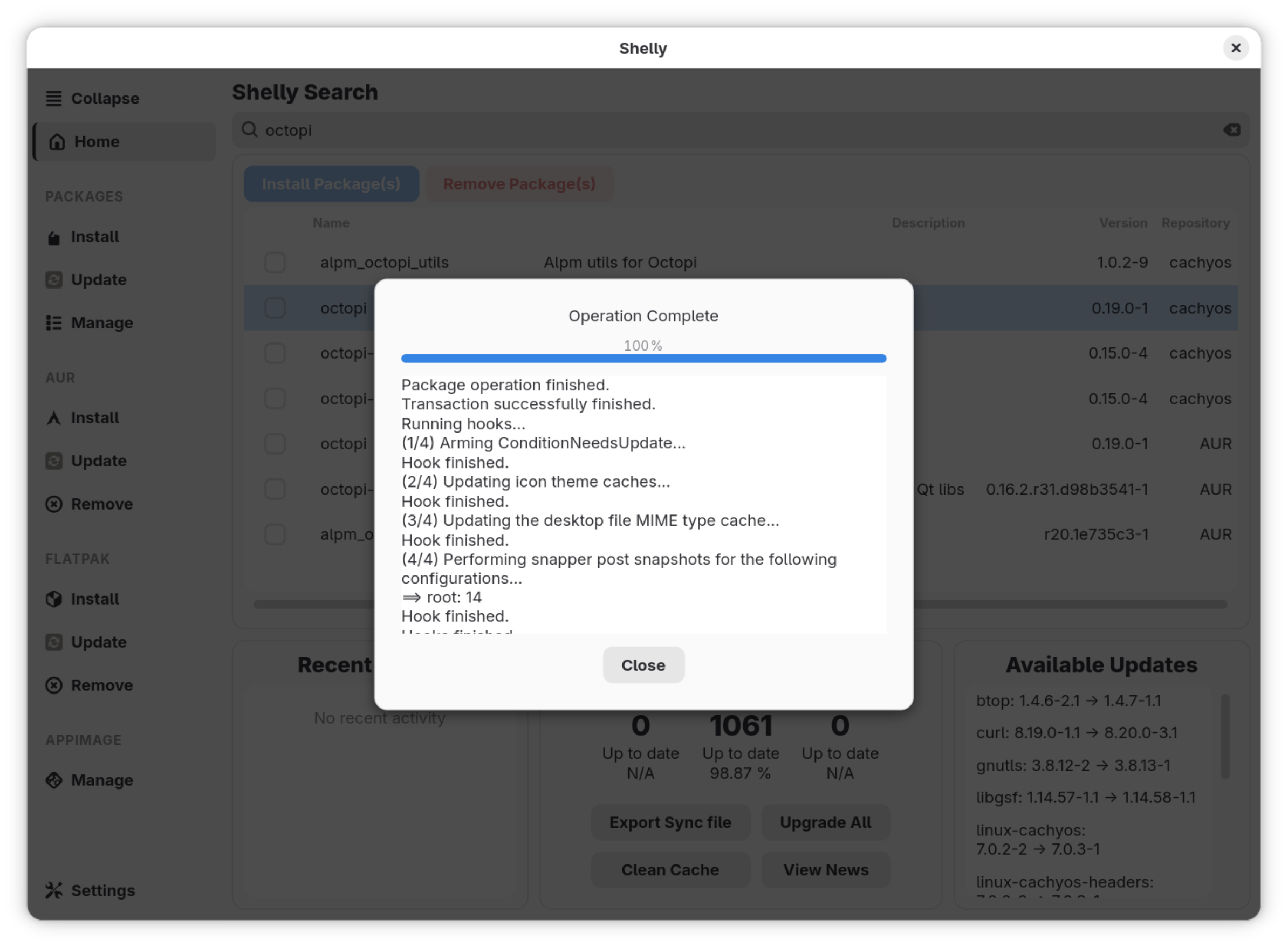
In most aspects, Shelly works really well. Package management from the distribution's repositories, AUR and Flathub are virtually error-free. Search works really, and so does the installation and uninstallation.
AppImage is a little patchy, though. I tried to install balenaEtcher's AppImage and Raspberry Pi's Imager, the former was not installed and embedded into the system menu, but the latter was.
How does it compare to Pamac and Octopi?
With the first look itself, the interface, Shelly looks like it is several steps ahead from both Pamac and Octopi. It looks like it belongs on a modern system, is sleek and intuitively accessible unlike the other two.
As for the functionality, Pamac and Octopi work reliably well at what they do. Shelly works fairly well, too, while providing more options at the same time, with some aspects being a little troubling, perhaps.
Final Thoughts
The change to Shelly as the default package manager is very promising, it seems to suit CachyOS much better than Octopi in my opinion. It offers a lot of new, interesting features, and delivers on them fairly well. Let us know what you think about this change in the comments. Cheers!

from It's FOSS https://ift.tt/PqDIuw7
via IFTTT

Tidak ada komentar:
Posting Komentar