Kamis, 28 Mei 2026

FOSS Weekly #26.22: Win for Linux, Firefox New AI Feature, AMD Betrayal, Rust Linux Commands and More

Good news on the age verification front, though. California and Colorado have both moved to exempt open source software from their age verification laws after neither bill originally made any concessions for community-run projects.

Warp's Oz platform has been updated with multi-harness support, meaning teams can now run Claude Code, Codex, and Warp's own agent side by side under unified access controls and audit logs.

The SFC has formally accused Bambu Lab of two AGPLv3 violations, shipping a proprietary networking library alongside AGPLv3 code without releasing its source, and threatening a developer with a cease-and-desist for building a compatible fork that didn't even touch the proprietary parts.

For a few days, German rail operator Deutsche Bahn's website was turning away Linux users, treating them as bot users. DB blamed overzealous bot filtering and says it's now fixed. Many Linux users still complain.

AMD let students, academics, and hardware tinkerers build FPGA workflows around free Linux support in Vivado, then quietly moved Linux to a $1,800 paid tier.

Intel engineers have submitted a driver for Linux 7.2 that turns a USB4 cable into a direct data pipe between two machines. It doesn't interact with the networking stack.

Raspberry Pi 6 won't be coming before 2028 and it won't have NPU. Guess we just have to wait.

Here are other highlights of this edition of FOSS Weekly:

  • What LTS releases entail.
  • Alternatives to MS Planner.
  • Nanoclaw setup.
  • Firefox introducing a very useful feature.
  • And other Linux news, tips, and, of course, memes!

🎫 Event alert: AWS Summit India Online

Join AWS on June 3 at Summit India Online. Deep dive and discover how AI and cloud technologies are transforming business as we know it.

Gain hands-on experience with virtual labs and collaborate with the community through live Q&A sessions. Take away actionable insights for cloud modernization, AI implementation, and driving scalable innovation.

Reserve your spot for free!

🧠 What We’re Thinking About

A KDE developer makes the case that rolling distros often have fewer bugs in practice since upstream fixes actually reach you.

🧮 Linux Tips, Tutorials, and Learnings

You can get kanban without the Microsoft tax. We have covered six open source Planner alternatives, from Mattermost's Focalboard to the Penpot team's Taiga. Most are self-hostable; a couple have free cloud tiers if you'd rather not run your own server.

Getting Rust on Linux comes down to two options. The official installer via rustup gives you the latest version without needing root access. Installing through your package manager is simpler and covers all users on the system.

Speaking of Rust, how about experimenting with Rust alternatives of the classic Linux commands?

Ever wondered why the internet went from IPv4 straight to IPv6? IPv5 actually existed as an experimental streaming protocol for voice and video, but it inherited IPv4's 32-bit address space and its 4.3 billion address ceiling.

By the time a real IPv4 successor was needed, the only sensible move was a complete overhaul, and IPv6 with its 128-bit addressing was the result.

Desktop Linux is mostly neglected by the industry but loved by the community. For the past 13 years, It's FOSS has been helping people use Linux on their personal computers. And we are now facing the existential threat from AI models stealing our content.

If you like what we do and would love to support our work, please become It's FOSS Plus member. It costs less than the cost of a McDonald Happy Meal a month, and you get an ad-free reading experience with the satisfaction of helping the desktop Linux community.

Join It's FOSS Plus

👷 AI, Homelab and Hardware Corner

HP has pitched in as a Premier sponsor for the LVFS project.

Tired of AI fluff and misinformation in your Google feed? Get real, trusted Linux content. Add It’s FOSS as your preferred source and see our reliable Linux and open-source stories highlighted in your Discover feed and search results.

Add It's FOSS as preferred source on Google (if you use it)

✨ Apps and Projects Highlights

Firefox is not a new app per se, but its new PDF merging feature is a must-try if you are fed up of those signup-walled online services.

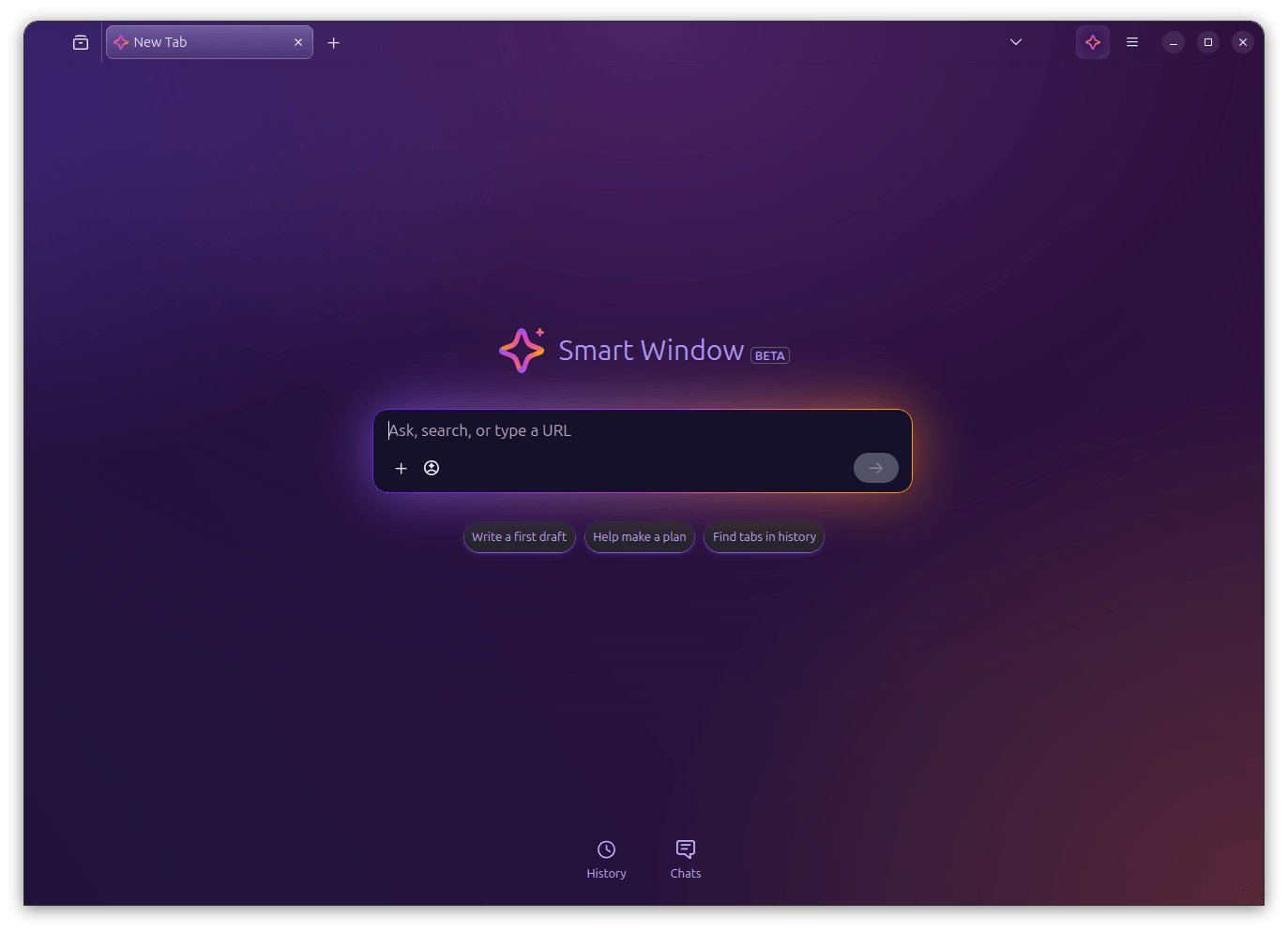
That's not the only new Firefox offering. Sourav also tried the AI browsing mode, called Smart Window, in Firefox. This is an upcoming feature for which we got a bit early access. Here's his experience with Firefox Smart Window.

📽️ Videos for You

I am trying local AI and open source LLMs these days. And I thought of sharing my exploration with you. To begin with, I share how you can set up Nanoclaw on a Raspberry Pi. Nanoclaw gives you an AI agent that you can use as a personal assistant. More on its usage later.

💡 Quick Handy Tip

If you are using the Ghostty terminal emulator in GNOME Desktop, you can install the ghostty-nautilus package to get a "Open in Ghostty" option in the right-click context menu on Files.
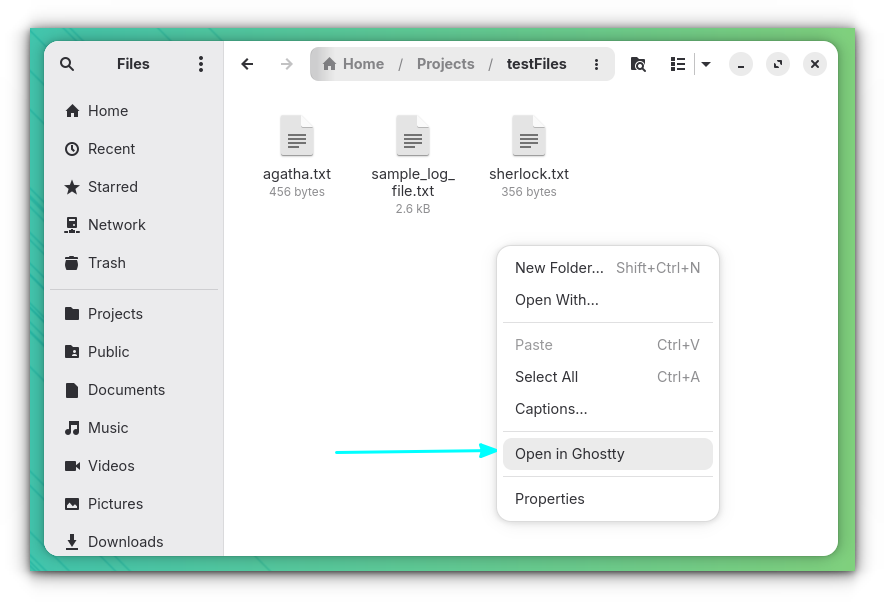
ghostty right-click context menu option on gnome

This works on Arch Linux and its derivatives. You just have to run this command:

sudo pacman -S ghostty-nautilus

🎋 Fun in the FOSSverse

How up-to-date are you on Linux kernel trivia?

Winslop will make you run to the nearest trash can. 🚮
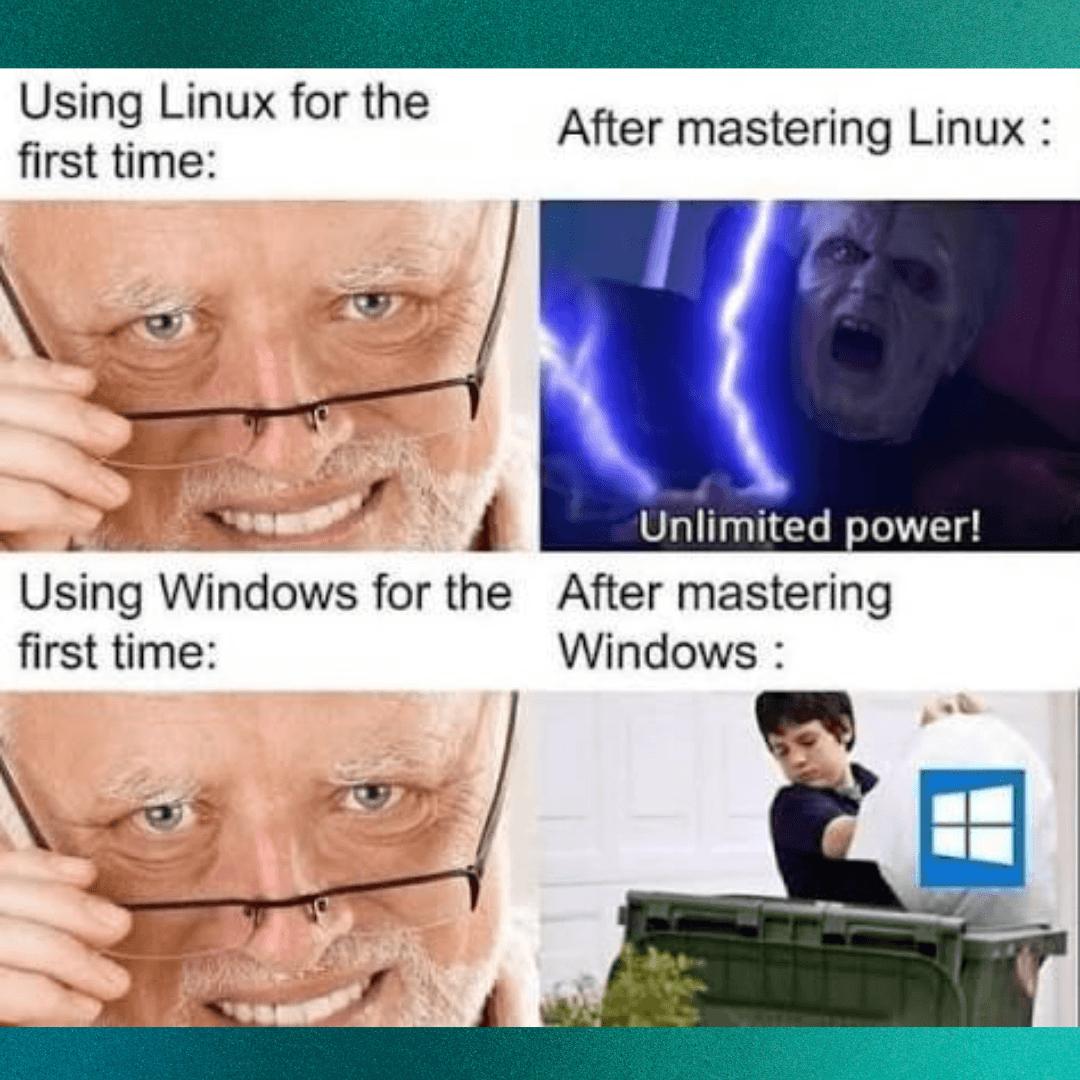
linux and windows mastery meme

🗓️ Tech Trivia: On May 29, 1985, Eastman Kodak introduced the Ektaprint Electronic Publishing System, a $50,000 machine assembled from Sun, Canon, and Interleaf parts that let companies professionally edit and print graphics—capabilities that today come standard on any laptop costing far less.

🧑‍🤝‍🧑 From the Community: One of our FOSSers is not convinced with Waterfox as a privacy-first browser, while another is looking for reviews of writerDeck, a DIY project.


from It's FOSS https://ift.tt/COAPMSZ
via IFTTT

Rabu, 27 Mei 2026

Don't Expect a Raspberry Pi 6 Until At Least 2028

If you've been holding out for a next-gen Raspberry Pi, the wait just got a lot longer.

Eben Upton joined fellow Raspberry Pi honchos, James Adams, the CTO of Hardware Engineering, and Gordon Hollingworth, the CTO of Software Engineering, for a Reddit AMA on r/engineering last week, and the Pi 6 release timeline was among the top things to come up.

Eben's response put the Pi 6 on a 4 to 4.5-year cycle from the Pi 5 launch, meaning early 2028 at the absolute earliest. He didn't seem in any particular rush either, noting the Pi 5 is still a capable flagship that could comfortably hold that position beyond even that window.

According to him, the new SBC will essentially be a Pi 5 with better internals like a faster CPU, more I/O, and more DRAM bandwidth. He called it "quantitative changes, not qualitative ones," meaning no new ports, no M.2 slot, nothing that would make the current board feel dated by comparison.

The RAM situation isn't helping

The timing makes a bit more sense once you look at what memory prices have been doing. In April, Raspberry Pi pushed through another round of price increases, pointing to a seven-fold rise in LPDDR4 DRAM costs over the past year.

That announcement also introduced a 3GB Raspberry Pi 4 at $83.75, as a way to give prospective buyers a cheaper option between the 2GB and the now-considerably-pricier 4GB.

The Pi Zero 2W is in the same boat. Eben flagged it as the only product in an actual shortage right now, with supply squeezed by AI chip demand. A new supplier has been brought on though, with expectations that stocks will recover before the year is out.

So for now, the Raspberry Pi 5 remains the best the lineup has to offer, at prices that would have raised eyebrows a couple of years ago.


Suggested Read 📖: A New Linux Driver For USB4


from It's FOSS https://ift.tt/4j5SOZw
via IFTTT

I Tried Firefox Smart Window, and It Won Me Over a Little

Mozilla has received plenty of flak for adding AI features to Firefox, like a chatbot in the sidebar, automatic alt text in PDFs, AI-powered tab group suggestions, and whatnot.

It's been one thing after another, and while people might appreciate that these can be disabled, the sheer pace of the additions does make one wonder where it all ends.

Their latest experiment in this space is the Smart Window, currently in beta and rolling out to users in the United States and Canada on Firefox 150 and newer. I got access recently, and here's what I found.

📋
The feature showcased here is of pre-production quality. Expect things to break.

Good enough for daily use

screenshot that showcases an empty chat message box inside firefox's smart window

Smart Window is essentially a new type of Firefox window, sitting alongside Classic and Private, that comes with a built-in AI assistant. Unlike the existing chatbot sidebar, this one can actually see your open tabs, your browsing history, and the page you're currently on.

You can ask it questions, get article summaries, compare things across tabs, and have it help you plan stuff, all without leaving the browser or reaching for a separate chat tool.

We covered this back in November last year, when Mozilla announced what it was calling "AI Window" and opened a waitlist for early signups. At the time, it was mostly promises like building it in the open, keeping things opt-in, and giving users control over their data.

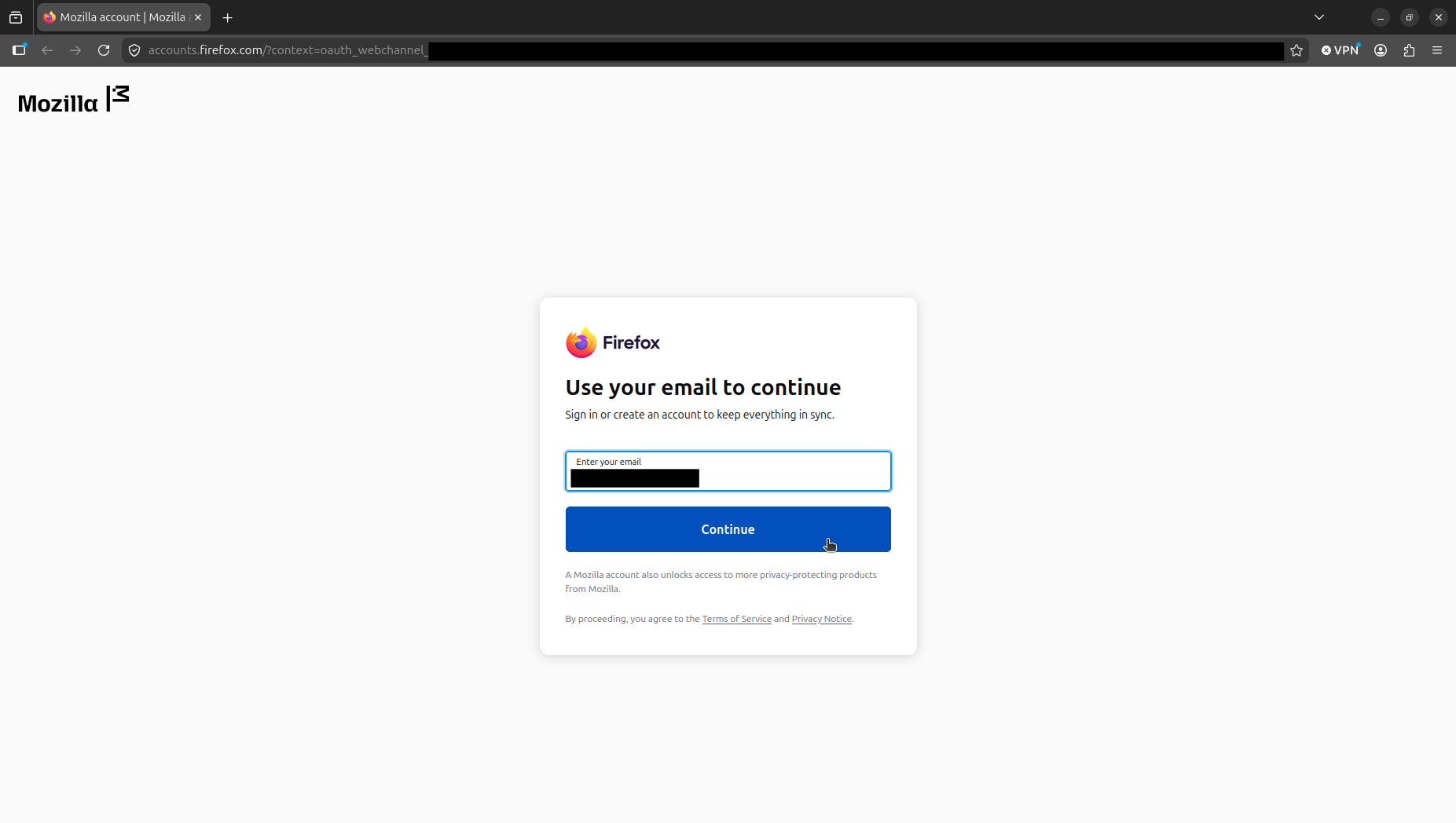
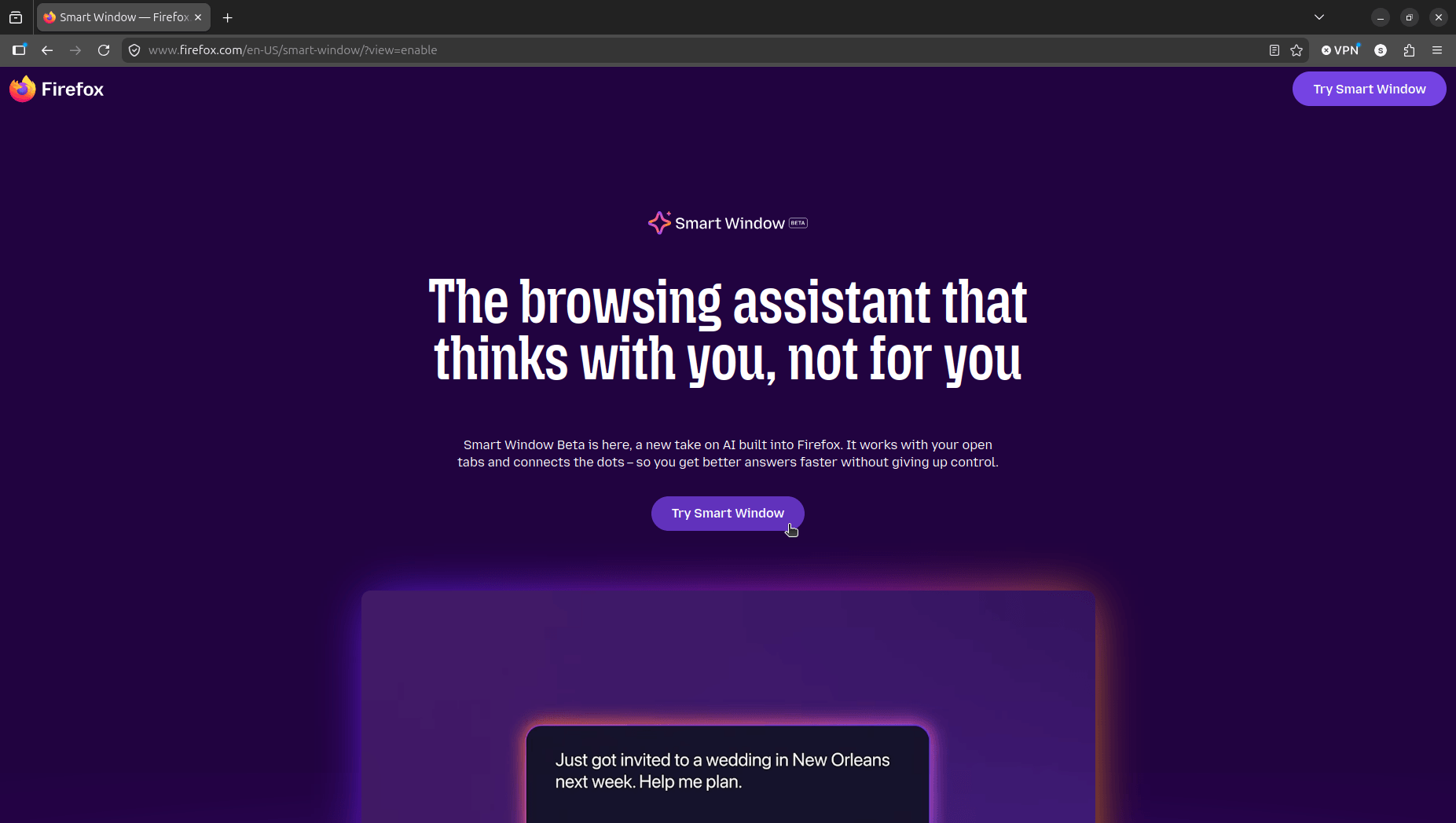
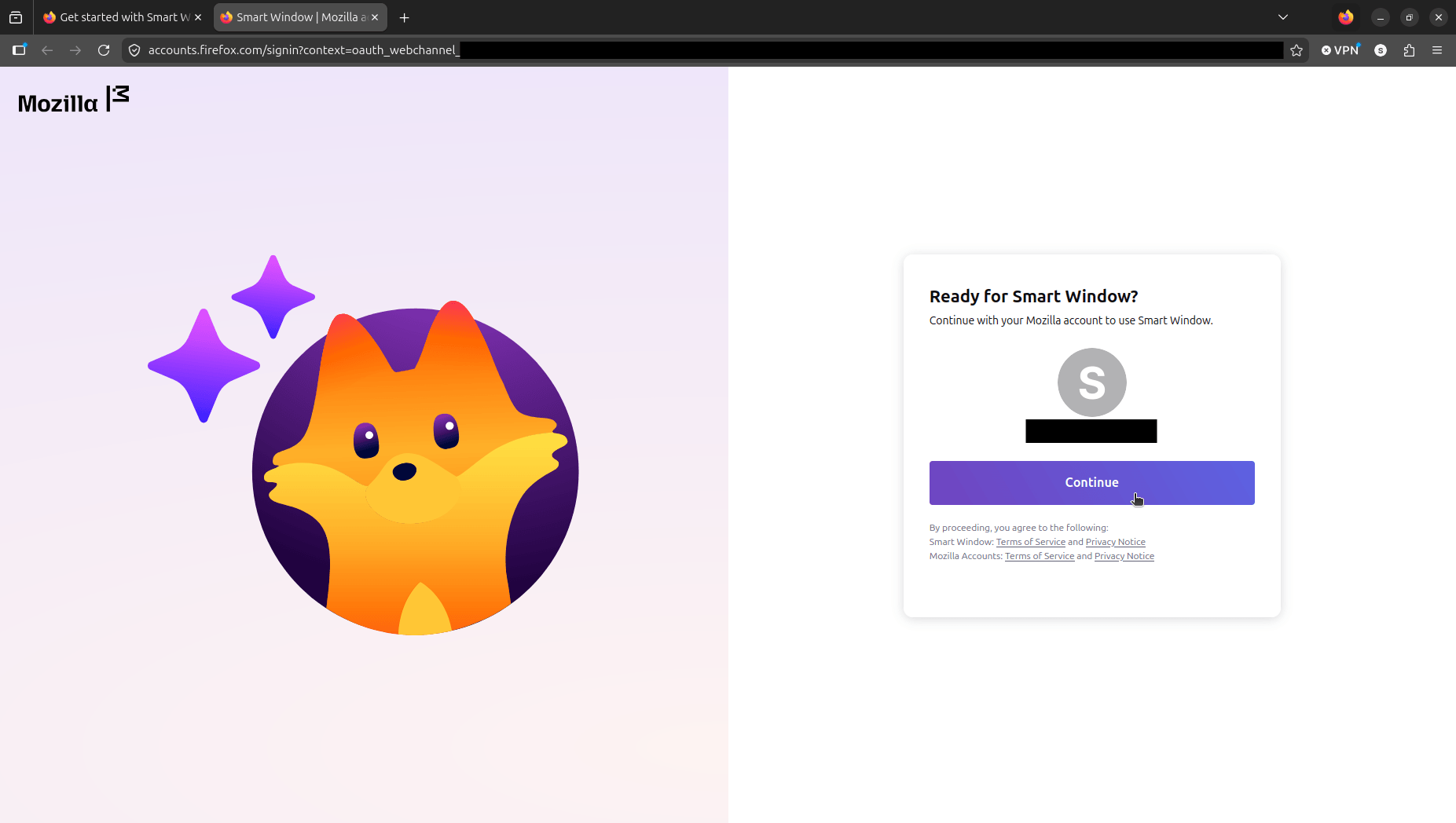
Now, there's a working version that I tested on an Ubuntu 26.04 LTS system with Firefox 151.0.2 installed from Mozilla's official deb package. First, I had to log in with my Mozilla account (that had early beta access) and visit the Smart Window portal (linked earlier) to activate it on my browser.

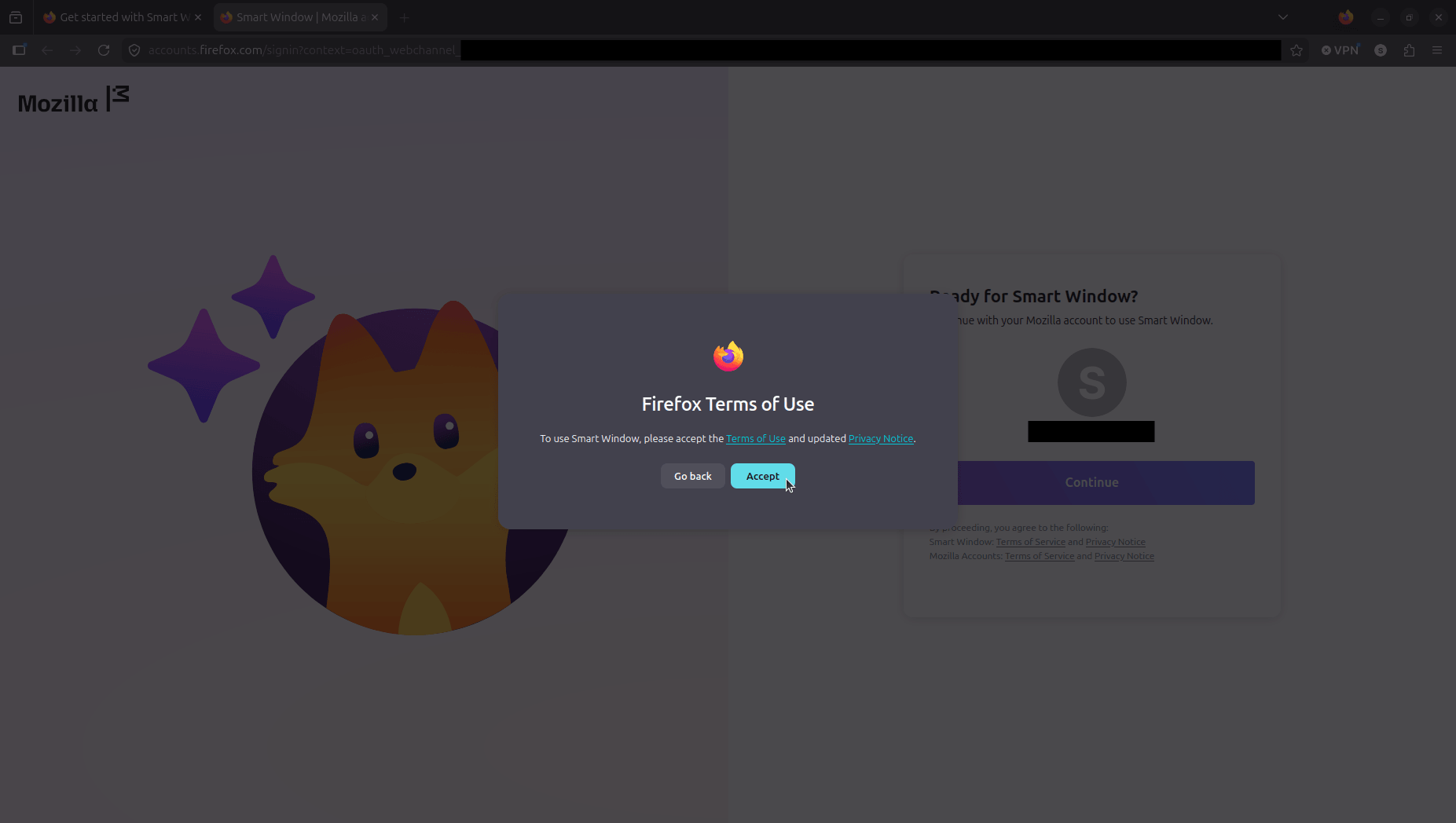
Once through the portal, Firefox runs you through a quick setup with updated Terms of Use and a separate Privacy Policy to accept.

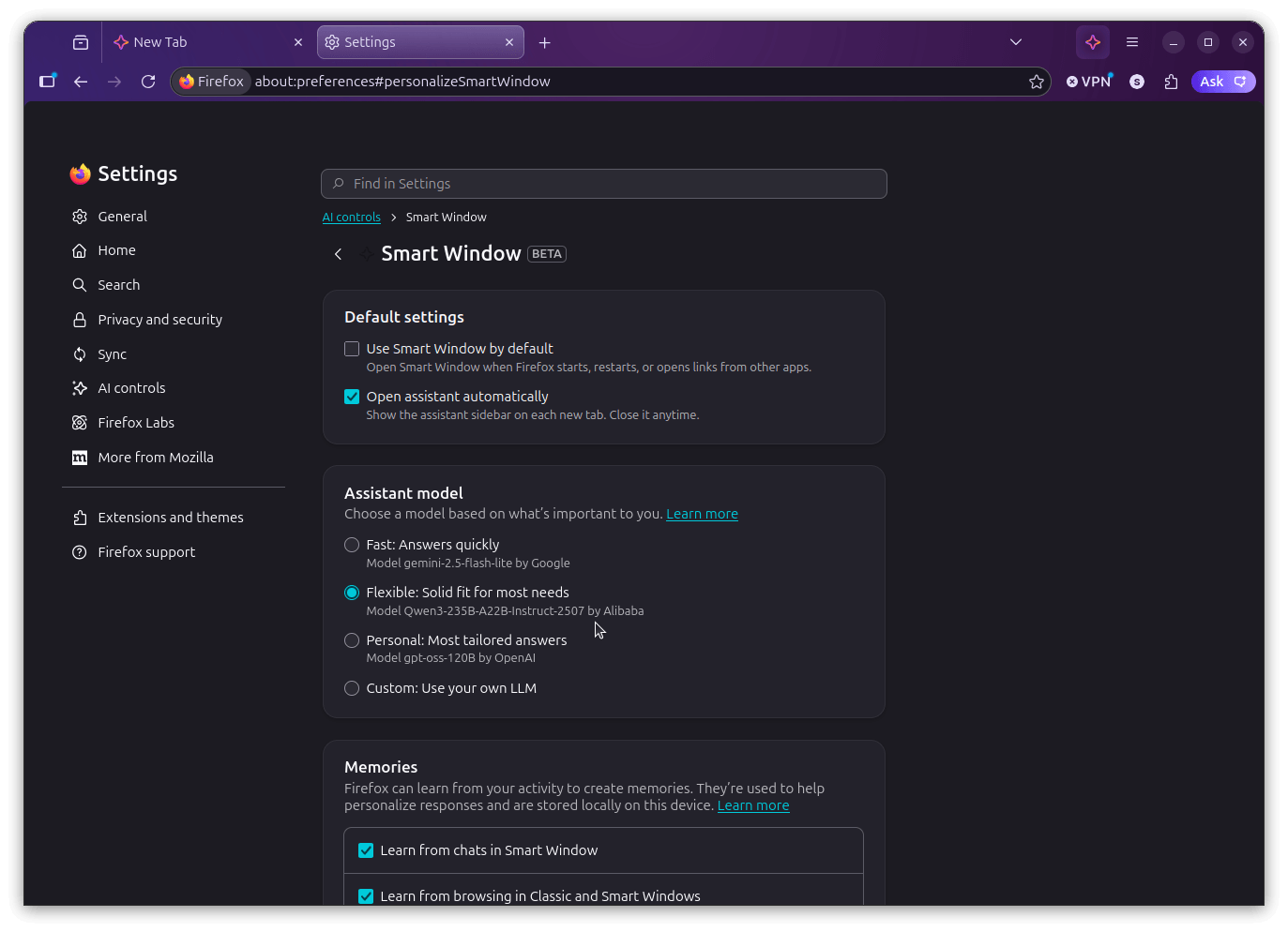
Once in, you get to pick between three experiences. Fast uses Google's Gemini 2.5 Flash Lite, Flexible runs on Alibaba's Qwen3-235B-A22B-Instruct-2507, and Personal is powered by OpenAI's gpt-oss-120B.

After that, you pick what Smart Window is allowed to learn from, with options like "Chats in Smart Window" and "Browsing activity across Firefox" ticked on by default.

Unfortunately, I had accidentally gone with Personal, not seeing that it was powered by an OpenAI model, so I went into Settings > AI controls > Smart Window and switched over to Flexible.

There's also a Custom option for connecting your own LLM endpoint, though Mozilla's documentation flags that local models may not always play nicely with Smart Window.

the smart window settings menu on firefox that shows many options under it

With the model situation sorted, I asked the AI a question related to a hypothetical life-related occurrence. While it took some time processing the request, its replies were on point. It even suggested follow-up questions to ask that were very relevant.

See below for a demo. 👇

Summarizing content such as books, articles, and research papers is probably the most practical use of the Smart Window, in my opinion. I asked it to go through an article of mine on Bambu Lab being naughty with AGPLv3, and it gave me two options.

One was to search for it on the default search engine, and the other was to ask the AI model directly.

I chose the latter, and it spat out a detailed summary of the coverage, complete with some follow-up question suggestions. The output quality was good throughout, and I didn't spot any major issues.

I also tried it out as a search tool, typing in "best food to pair with shawarma." That went fine, but the more interesting part was when I decided to push further.

I asked whether the suggestions the search result (Gemini AI overview) was giving were rooted in authentic culinary traditions or were the result of misappropriation.

It engaged with the question properly, which I wasn't expecting from an in-development browser feature. 🤓

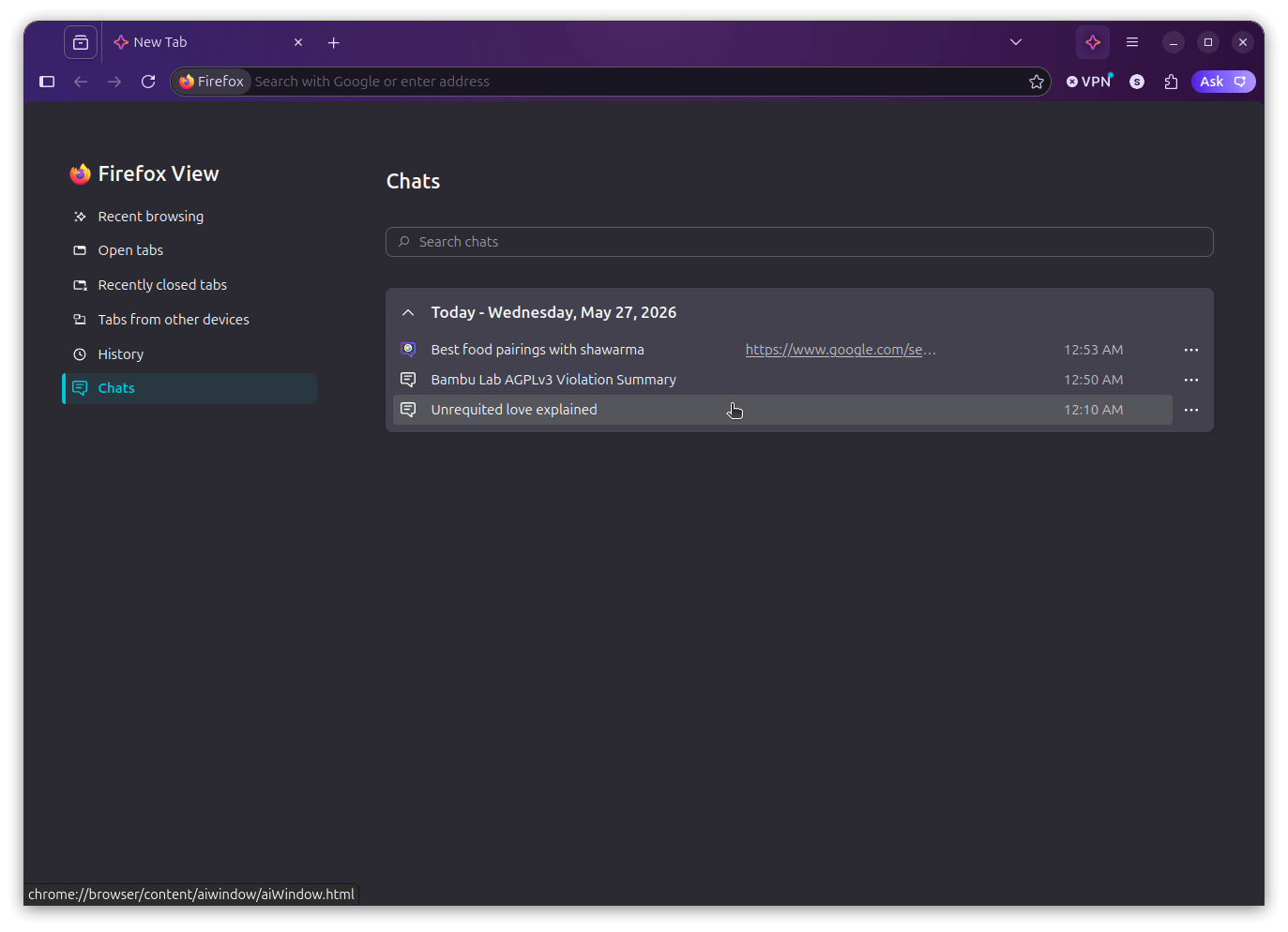
If you were wondering, all your chats are automatically stored locally on your device, and you can get to them from the Chats button in a Smart Window tab. It groups conversations by date, shows you what each one was about, and even links back to the page that triggered the search.

the chats history page for firefox smart window
Odd to see a chrome:// URL here (bottom-left).

If you go into the settings for this mode, you will find that there are toggles to control whether Smart Window opens by default when Firefox starts, whether the assistant sidebar shows up automatically on each new tab, what the assistant learns from (chats, browsing activity, or both), and which AI model powers it.

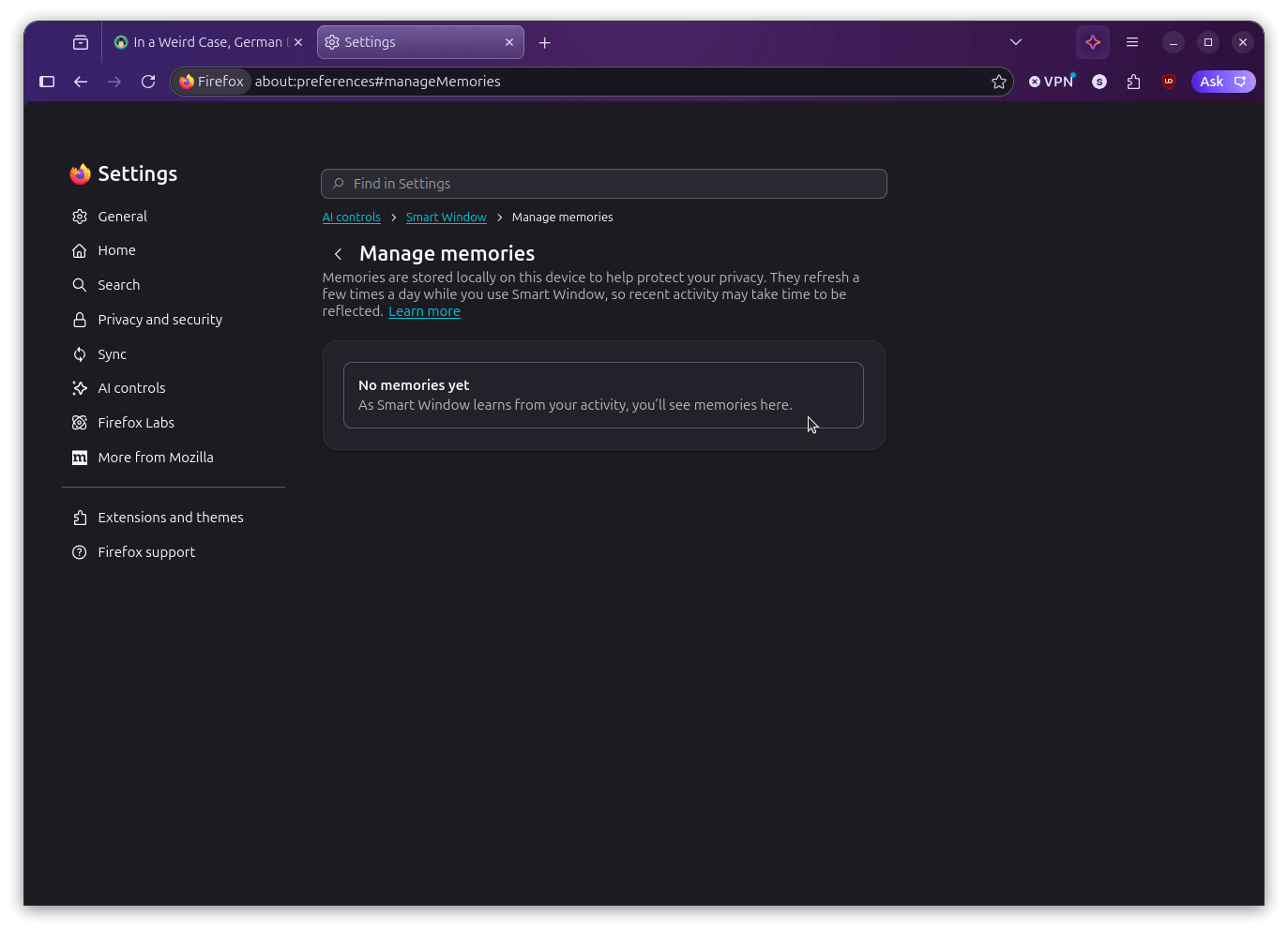
Below all that is the "Manage memories" section, where you control what the assistant learns from.

You can view everything it has stored, delete individual memories you don't want sticking around, or turn the whole thing off entirely if you'd rather the assistant not learn from your activity at all.

the classic window and smart window switcher is visible on the top-right of this firefox screenshot

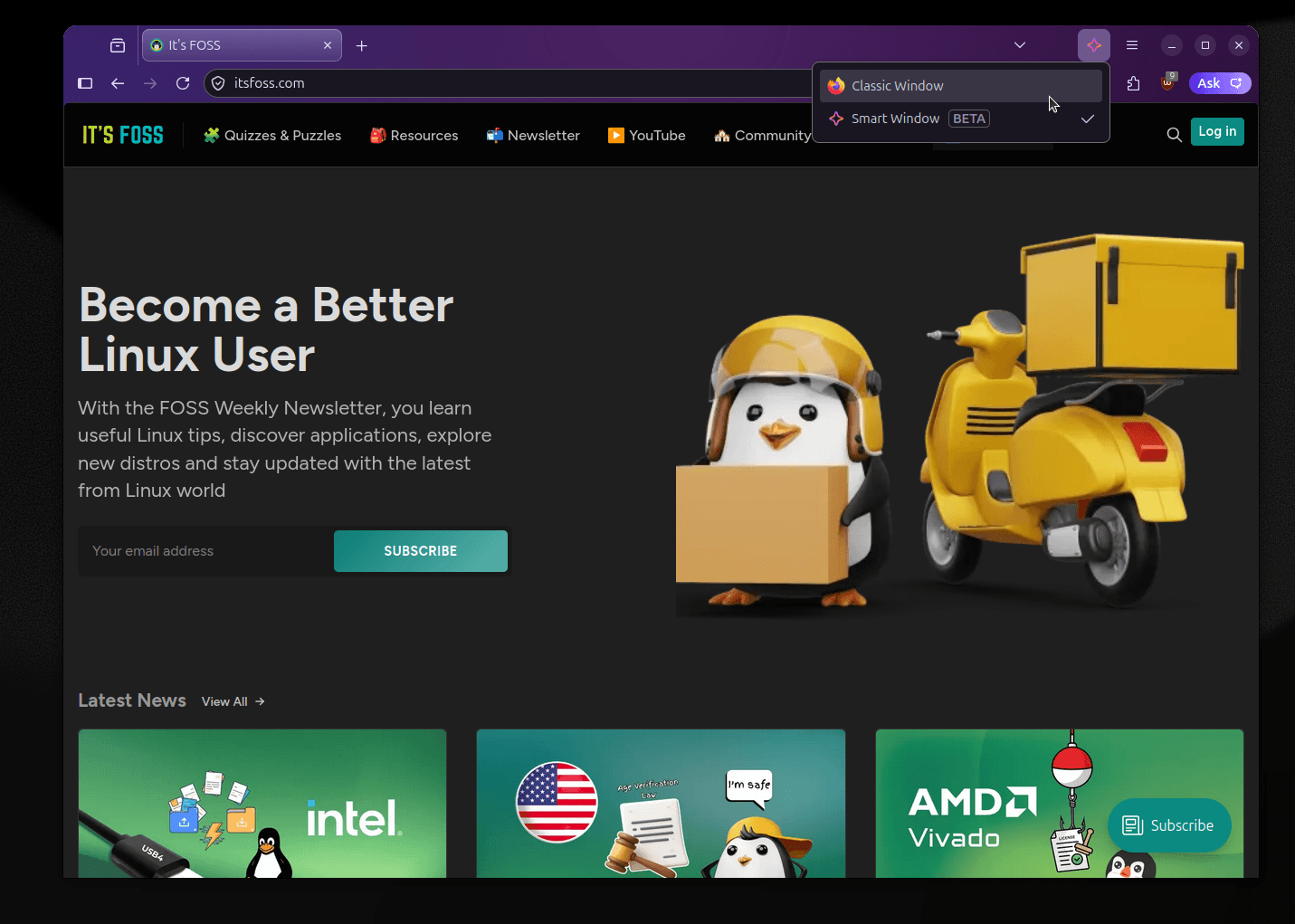
And before you panic that Firefox is becoming AI-only, there's a Classic/Smart Window switcher in the title bar that gives you a dropdown to jump between the two modes instantly.

This way, your tabs stay put, nothing reloads, and going back to the classic browsing experience is just as fast as switching away from it.

What now?

Smart Window is shaping up well for a beta, and I wasn't expecting to say that. The AI integration is useful without being pushy, and Mozilla has mostly lived up to the opt-in commitments they made when they first announced this.

It's expected to roll out to more users over time, though Mozilla hasn't shared a specific date yet, so if you're outside the US and Canada right now, keep an eye out on their socials.

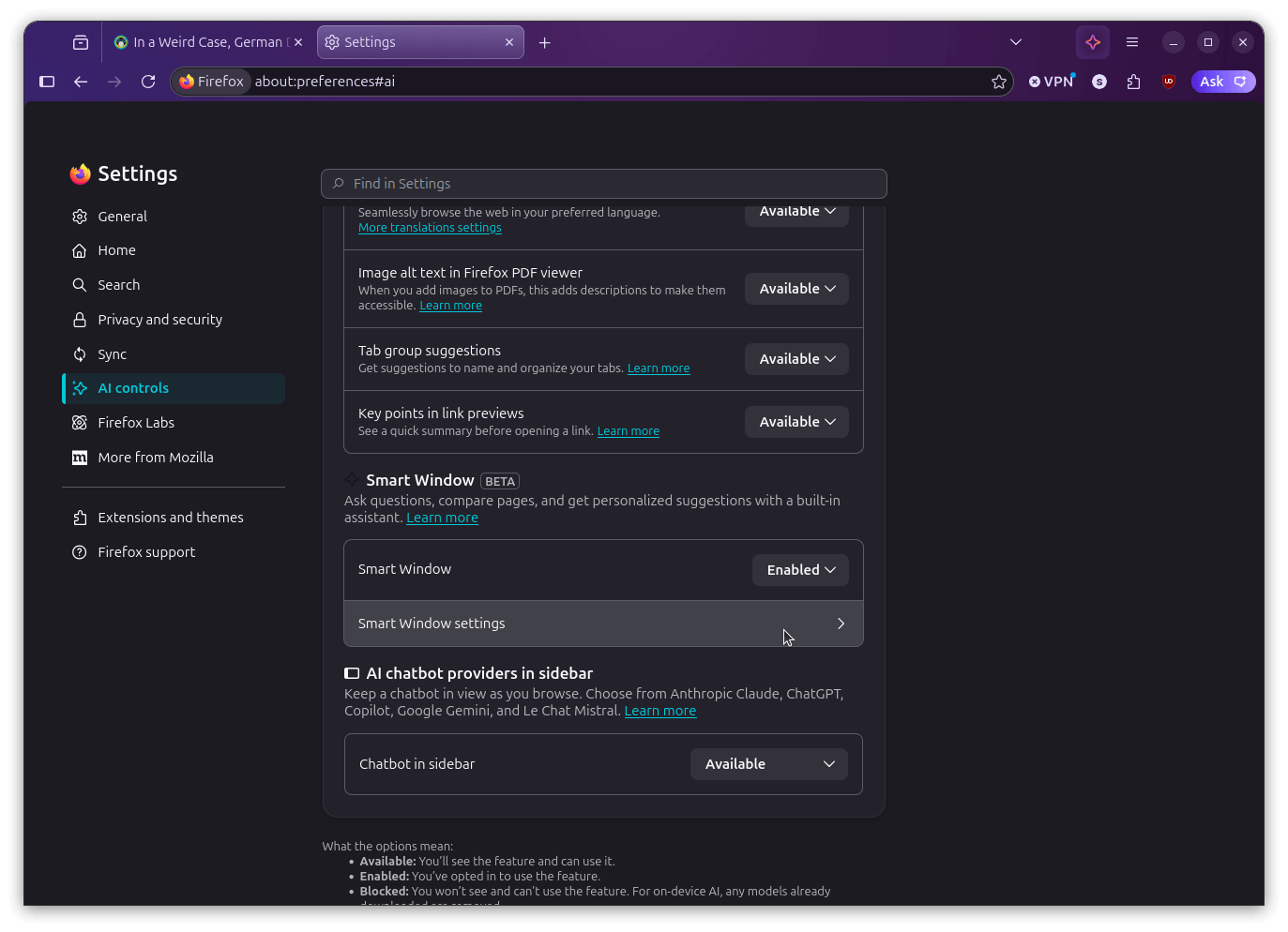
Meanwhile, if you are someone who'd rather keep AI features out of Firefox entirely (like me, on most days), Settings > AI Controls has a "Block AI enhancements" option that does exactly what it says.


from It's FOSS https://ift.tt/jPDXhLC
via IFTTT

Selasa, 26 Mei 2026

A New Linux Driver Could Make USB4 Cables a Blazing Fast Way to Move Data

Large data transfers are one of those things that always seem to find a way to be annoying. Tools like LocalSend make it easier over a local network, but wireless is not always an option, and some transfers are simply too important to leave to a Wi-Fi connection.

In such a scenario, a wired solution that does not require setting up networking at all would be ideal.

Intel's Thunderbolt maintainer Mika Westerberg and fellow Intel engineer Alan Borzeszkowski have been working on exactly that.

USB4STREAM explained

The two have put together a new protocol called USB4STREAM and a matching Linux driver called thunderbolt_stream. The approach is to let two or more machines transfer data directly over a USB4 or Thunderbolt cable without touching the networking stack at all.

Once configured, each host gets a character device at /dev/tbstreamX that behaves like a regular file. Any application that supports read(2) and write(2) operations works with it without needing any special patches.

In simple terms, any app that can perform read/write operations will be compatible with this.

How it works

Before data can flow, both machines need to have their streams configured. Streams are basically the individual data channels over the connection, and getting them set up is a matter of pointing both sides at each other through ConfigFS and assigning channel IDs.

This can be done automatically or manually, depending on how much control you require.

Once one side announces an active stream, the other can pick it up automatically just by using the same name for it. You can also run multiple streams at the same time, and the whole thing works alongside existing Thunderbolt plumbing without getting in the way.

Closing a stream notifies the other end as well, so both sides know when the transfer is complete.

When to expect?

The patch is currently sitting in the Thunderbolt git tree's next branch. Assuming it gets submitted to the USB/Thunderbolt tree ahead of the Linux 7.2 merge window, it should land in that release. The ABI documentation in the patch already marks the target as v7.2.

The driver ships as a loadable module named thunderbolt_stream and depends on USB4_CONFIGFS being enabled.

USB4 keeps getting more relevant

The USB4 standard has been around since 2019 and has been getting steady attention in the kernel cycle after cycle.

What was once an Intel exclusive, royalty-gated technology has gradually become the preferred high-speed port on modern motherboards across both AMD and Intel platforms, with Thunderbolt increasingly becoming a certification badge.

USB4STREAM adds yet another practical reason to put that cable to work. If you have a USB4 port on your machine, then this driver could open up a surprisingly neat way to move data around without spinning up any networking at all.

Via: Phoronix


from It's FOSS https://ift.tt/i7FrlDX
via IFTTT

Linux is Getting a Free Pass on Age Verification in California and Colorado

Age verification laws have been spreading fast, and we have been keeping tabs on them for a while now. California's Digital Age Assurance Act (AB 1043) was the first to land, signed in October 2025, with Colorado following with its own version (SB26-051).

Neither made any concessions for open source software in the original language, which left Linux distributions and other community-run projects in a very uncomfortable dilemma.

Both have since moved to fix that, with Colorado having wrapped it up earlier this month and California heading for a full Assembly vote.

What's California doing?

a cropped screenshot of the california ab-1856 bill for age verification signals in software and online services
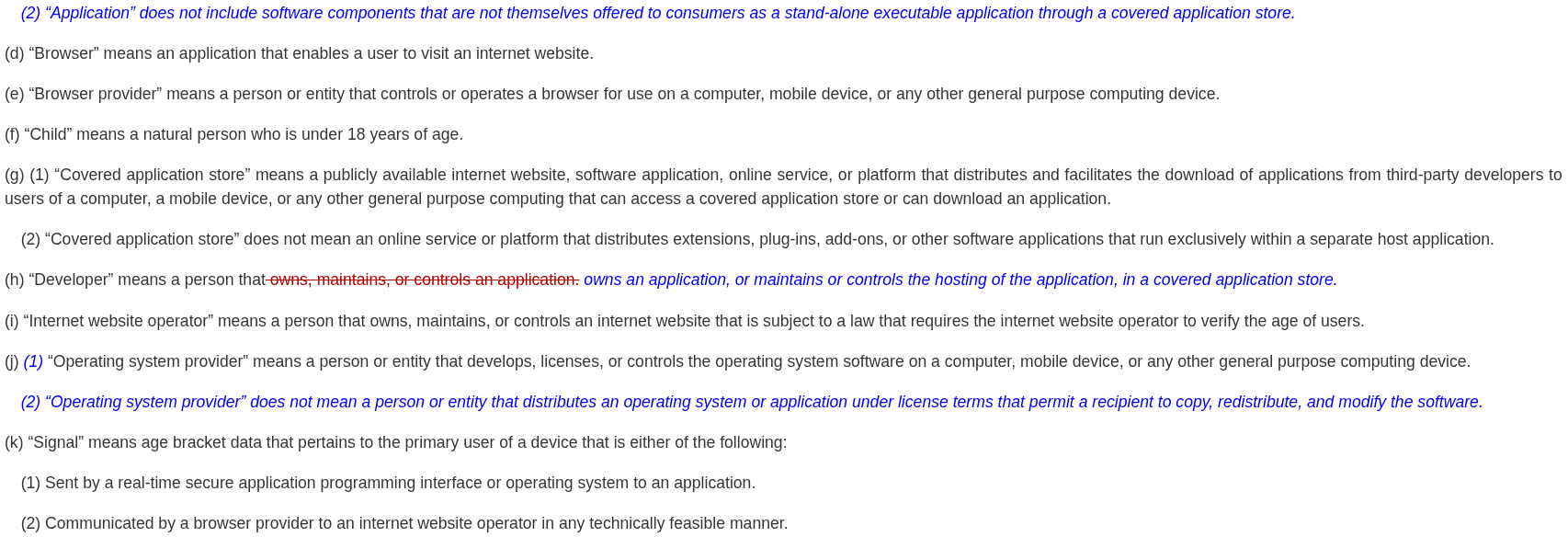
Look at the blue bits.

AB 1043 required OS providers to collect a user's age or birth date at account setup and share it with apps through a real-time API, starting January 1, 2027. Open Source projects got no special treatment in the original text, which is something we wrote about when the bills started drawing attention.

Assembly Member Buffy Wicks, who authored AB 1043 herself, introduced AB 1856 in February to address that.

After four rounds of revisions, the bill has rewritten the definition of "operating system provider" to exclude anyone distributing an OS under terms that let recipients copy, redistribute, and modify the software.

Most Linux distributions under permissive or copyleft licenses fall cleanly within that.

In tandem, another change covers the application side, where software that is not offered as a standalone executable through a covered app store is no longer treated as an "application" under the law.

The bill passed the Appropriations Committee 11-0 on May 14. It was ordered to third reading on May 19 and is awaiting an assembly vote. Interestingly, Buffy is the chair of that committee.

What about Colorado?

Colorado's path here involved some direct community legwork. Carl Richell, the founder of System76, spent some considerable time working with Senator Matt Ball, one of SB26-051's co-authors, to get open source exclusions written into the bill.

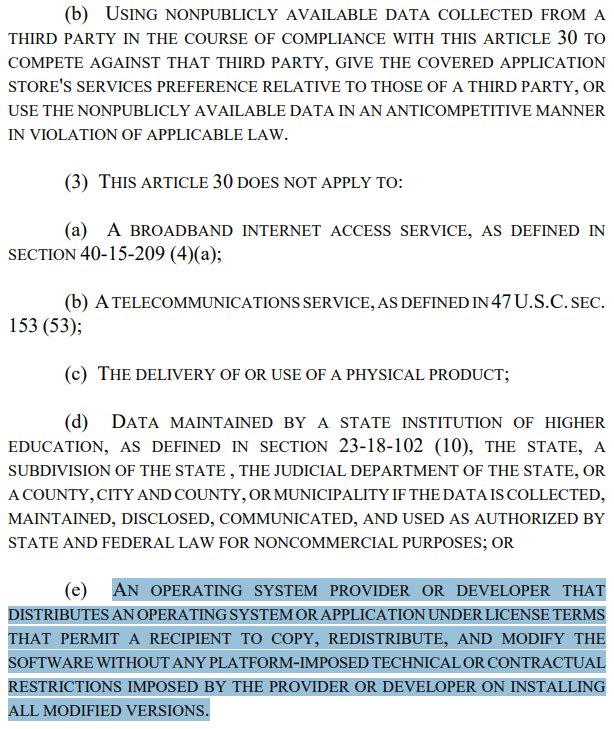
The bill exempts OS providers and developers distributing software under terms that permit copying, redistribution, and modification. It also adds a requirement that exempt software have no platform-imposed technical or contractual restrictions on installing modified versions.

The extra clause is aimed at tivoization, where manufacturers lock down hardware to block modified software from running even when the source code is freely available.

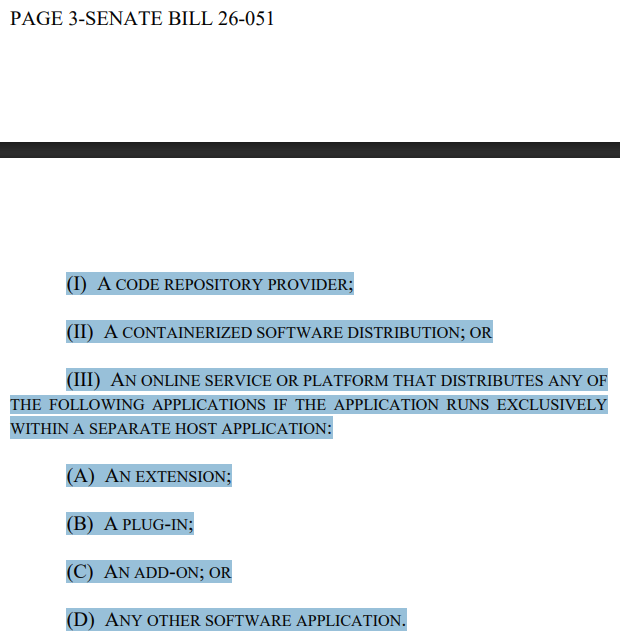
Beyond that, code repository providers, containerized software distributions, and applications from free, publicly available code repositories are explicitly excluded too.

The law also has a narrower scope, only applying to OS providers that operate a covered app store or ship one pre-installed. An OS provider with no app store involvement does not come into scope at all.

Besides that, SB26-051 is now set to take effect on July 1, 2028.

Some closing words…

Neither state got here automatically. The open source exemptions did not exist in either bill to start with, and it took sustained community pressure and direct legislative outreach to get them added.

This is something that can be applied to many other issues, of course. Though, when the representatives are more interested in serving certain interests (say due to pressure from certain lobbies) than their constituents, disruption tends to be the only way out.


from It's FOSS https://ift.tt/jCZv0PY
via IFTTT

Senin, 25 Mei 2026

AMD Pulls a Bait-and-Switch on Linux Users with Vivado Licensing Changes

Big tech companies have a habit of offering something for free, watching the user base grow, and then quietly walking it back once people are too invested to leave easily. A bait-and-switch, so to speak.

Redis did exactly this back in March 2024, dropping its long-standing BSD license for the more restrictive dual licensing model, and the blowback was severe enough that the community forked it into Valkey almost immediately.

Linux tends to get hit hardest by these moves. Its comparatively smaller user base means less commercial pressure, making it an easy target to throw under the bus whenever companies feel like cutting costs or boosting profits.

One such case has now surfaced that will make you wonder if this particular company's decision was really shortsighted or is just a cash grab.

It doesn't make sense!

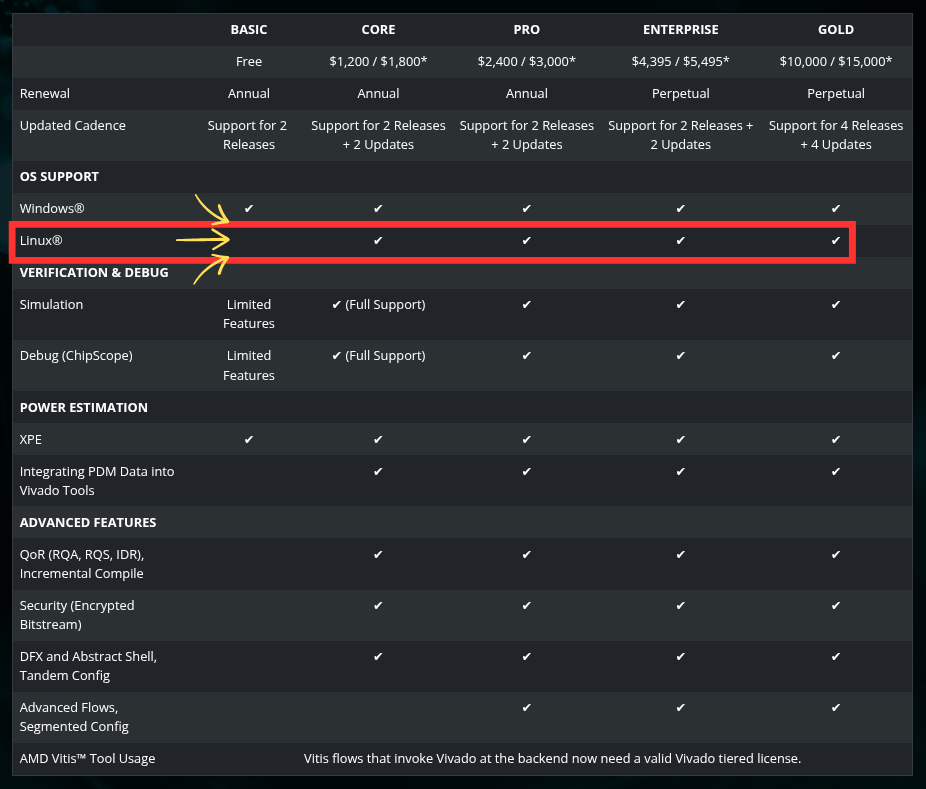
an edited picture that highlights the new licensing terms for vivado as of may 25, 2026. the linux line is highlighted here as the basic/free tier doesn't offer support for the platform

Vivado is AMD's design suite for its FPGAs and adaptive SoCs. It is what engineers, students, and hardware hobbyists use to write, synthesize, and test their FPGA designs. Until now, it has been available for free on both Windows and Linux under what AMD called the Standard Edition.

Starting with the 2026.1 release, AMD is switching to a tiered licensing model. The free Basic tier covers entry-level devices but is restricted to Windows only. Linux support does not show up until the "Core" tier, which costs somewhere between $1,200-$1,800 per year.

AMD framed all of this on its download page as a move toward more flexible licensing. On its dedicated licensing options page, the company told free-tier users the only thing changing was a simple annual license renewal.

That's not all. 🤷

When users went to AMD's support forum asking for an explanation, forum moderator Anatoli Curran showed up in the thread. His first order of business was to warn people about "bad language or abusive behaviour towards AMD," before getting around to addressing anything of substance.

When pushed for a real answer, Anatoli pointed unhappy users toward Vivado 2025.2, suggesting they simply stick with it if they did not want to pay. He did mention that 2025.2 loses official support once Vivado 2026.3 ships, but that detail was buried in a thread reply, leaving users with little more than a dead-end recommendation.

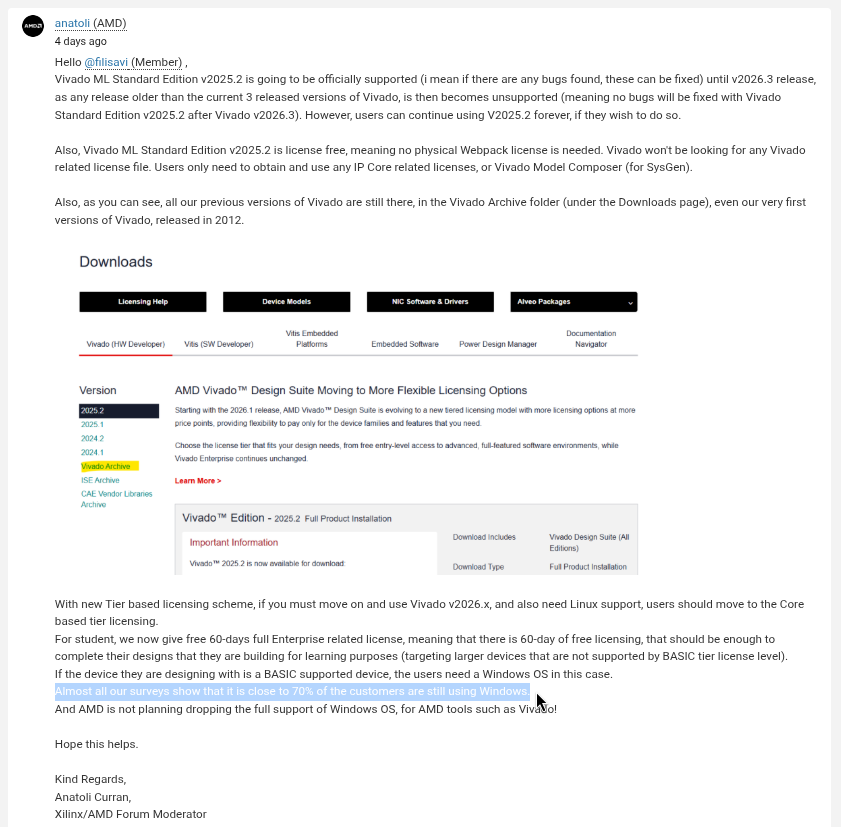
Anatoli also started putting out numbers, claiming that 70% of their customers still use Windows. As expected, someone cross-questioned him, asking if much of their users were on Windows, then why was Linux support being locked away behind a paywall.

this is a long screenshot of a forum reply by anatoli curran, a forum moderator for xilinix and amd, the highlighted part shows a 70% customers of vivado are on windows claim

To which he replied in a very PR-coded manner, completely disregarding what was brought up:

From Core and higher tiers, both Windows and Linux are supported platforms.

As stated already, AMD expectation is that the BASIC tier is used for simple, entry‑level needs. While more advanced, production workflows are aligned with paid tiers. These tiers are specifically designed to deliver the full flexibility and capabilities needed for serious development.
Hence, all paid tier levels have options of both Windows and Linux platform usage. Only BASIC tier limited to Windows ONLY platform support.

That really doesn't instill one bit of clarity and shows how apathetic tech giants like AMD can sometimes get. The conversation in the thread then continued along the lines of how Xilinx, and later, AMD, had gained the trust of Linux users by keeping an open outlook towards the community.

But pulling off such a thing without considering how people benefited from having Vivado on Linux tells you a lot about what this company actually thinks of its non-enterprise user base.

Students, hardware tinkerers, and academic researchers who have relied on a native Linux workflow are now left hanging. Keep in mind that many of those people eventually end up in engineering and procurement roles where they have real influence over hardware-related decisions.

What now?

As of writing this, AMD hadn't put out a statement regarding this, and the stonewalling has continued. Of course, more and more people are getting to know about this. It is just a matter of time before someone at PR has to do something about this.

Plus, with the kind of flak they have been getting over some of their most bizarre choices lately, I would handle this now instead of later.

Until then, you can participate in the conversation either on the main thread where this shady behavior was first reported, or you could head over to Hacker News and join the others in calling out AMD.


Suggested Read 📖: Bambu Lab Has Been Violating AGPLv3


from It's FOSS https://ift.tt/NVyTdxP
via IFTTT

Minggu, 24 Mei 2026

Bambu Lab Has Been Violating AGPLv3 for Years, SFC Says

The GNU Affero General Public License version 3, or AGPLv3, is one of the strongest copyleft licenses in the open source world.

Published by the Free Software Foundation in 2007, it requires that any software built on an AGPLv3-licensed project must make its complete source code available under the same terms.

That applies even when the software runs as a network service rather than being distributed as a standalone binary. I say that because what follows are two violations that the Software Freedom Conservancy has dug out after investigating Bambu Lab.

What the investigation found

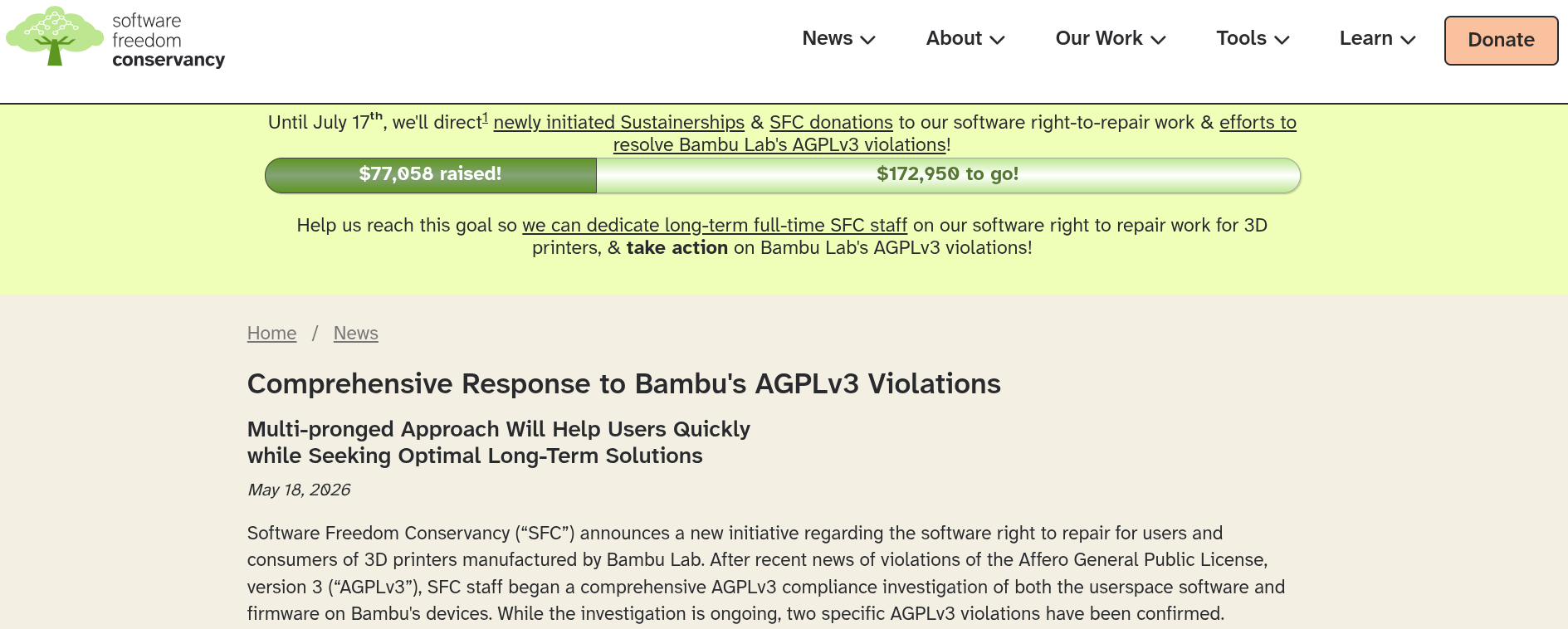
this shows a cropped screenshot of the software freedom conservancy with a blog titled "comprehensive respons to bambu's agplv3 violations."

For context, Bambu Studio is the slicing software that ships with Bambu Lab's 3D printers. It is what translates a 3D model file into printable layers before passing the instructions along to the printer.

It was built on top of PrusaSlicer, which itself came from Slic3r. Both predecessors carry the AGPLv3, and so does every derivative built from them. SFC looked at both the userspace software and the firmware running on Bambu's devices and pointed out the violations.

The first is about libbambu_networking, a networking library that ships with Bambu Studio across Linux, Windows, and macOS. It handles all communication between the slicer and Bambu's cloud.

Bambu has never made the source code for it available, despite AGPLv3 requiring that any code distributed alongside an AGPLv3 project be released under the same terms. SFC says Bambu's own README has effectively sat with this admission for years now.

The second violation comes from how Bambu handled Paweł Jarczak, a developer who built a fork of OrcaSlicer that could communicate with Bambu's servers by studying the incomplete Bambu Studio source code.

He did not touch the proprietary library at all. Bambu still contacted him, demanded removal, and stated a cease-and-desist letter had been prepared, arguing its terms of service take precedence over the license.

You see the problem? The AGPLv3 explicitly says no one can place additional restrictions on the rights it grants. The SFC says going after Pawel the way Bambu did is itself a violation.

What's their new initiative about?

SFC's response is a new project called baltobu, short for "Bringing Affero Licensed Things (On)to Bambu Users." It lives on SFC's Forgejo instance and has three repositories, each going after a different piece of the puzzle.

reverse-networking is working to reverse-engineer the libbambu_networking library and produce a replacement. Since the binary is itself covered by AGPLv3, SFC's position is that anyone holding a copy has the right to examine and reverse-engineer it.

The second is orca-slicer-for-bambu, a soft fork of OrcaSlicer built to be compatible with Bambu printers, eventually replacing Bambu Studio for those who want out of the Bambu Lab walled garden.

Then there is viscose, a fork of Bambu Studio itself. Part of it is keeping a copy of everything Bambu publishes in case anything disappears, and the longer-term aim is a version that respects users' software freedom better than the upstream does.

The next steps

SFC is also committing to act as a watchdog on Bambu Lab going forward. The organization says it does not usually go looking for violations proactively, but it is making an exception here and will keep checking.

A standing committee on software freedom in the 3D printer space is planned as well, with details expected in June 2026.

The plan is to conduct monthly meetings, pulling in manufacturers, users, licensing experts, and software freedom advocates to track new issues and figure out what to do about them.

And there's also a fundraiser running until July 17, 2026, with a target of $250,007. If SFC hits it, the money goes toward hiring dedicated staff for this work long-term. If not, whatever is raised goes to existing staff time and related right-to-repair efforts.


Suggested Read 📖: Open Source Licenses Explained


from It's FOSS https://ift.tt/3cbCT5i
via IFTTT